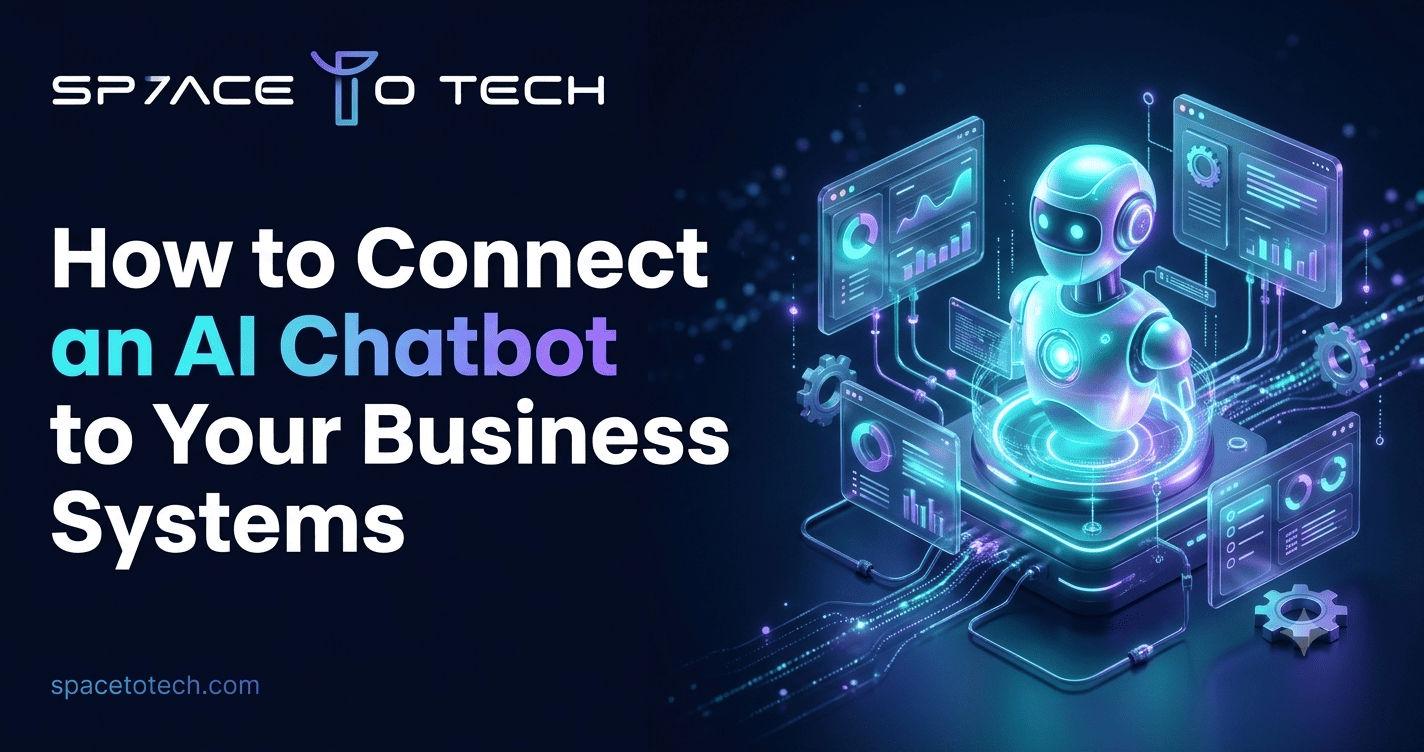
Quick answer: Chatbot backend integration connects your chatbot to systems like a CRM, ERP or helpdesk through APIs. The bot detects the user’s intent, extracts details such as an order number, calls the right system and returns a clear answer. Solid error handling and security make it production-ready.
Your chatbot greets customers beautifully. Then someone asks, “Where is my order?” and it replies with a polite shrug. Sound familiar? The problem is rarely the AI model. It is the missing connection between the conversation and your business systems.
This guide explains, in plain language, how a user message becomes an action, and how to build that bridge safely. New to the basics? Start with what AI chatbot development involves.
What Is Chatbot Backend Integration and Why Does Your Business Need It?
Chatbot backend integration is the process of linking a chatbot’s conversation layer to the systems that hold your data and run your operations: CRM, ERP, order management, payments and ticketing (the layer a chatbot development partner typically builds). Without it, a chatbot can only answer from a fixed script or knowledge base. With it, the bot can check an order, book a demo or open a support ticket.
The business case is simple:
- Faster resolution: customers get answers without waiting for an agent.
- Cleaner data: leads and requests land in the right system automatically, with no copy-pasting.
- Lower support load: routine queries are handled end to end.
- Better hand-offs: when a human is needed, they receive the full conversation context.
How Do Chatbots Work in the Backend? Understanding the Complete Workflow
If you have wondered how do chatbots work in the backend, think of five stages that run in a fraction of a second:
- Receive: the channel (website widget, WhatsApp, Slack) sends the message to your server through a webhook.
- Understand: an NLU or LLM layer classifies the intent and extracts entities.
- Decide: a business-logic layer checks rules, permissions and conversation state.
- Act: the backend calls internal or third-party APIs to fetch or change data.
- Respond: the result is turned into a human-friendly reply, with buttons or cards if useful.
The key idea: the language model understands; your backend decides and acts. Keeping those jobs separate is what makes a chatbot trustworthy. A solid backend development foundation makes that separation easy.
What Is the Best Way to Code a Chatbot for Business Applications?
People often ask, “what is the best way to code a chatbot?” The honest answer is that it depends on your complexity, budget and control needs.
| Approach | Best for | Trade-off |
| No-code builder | Simple FAQs, quick pilots | Limited custom logic |
| LLM with tool (function) calling | Flexible, conversational flows | Needs guardrails and testing |
| Framework (Rasa, Botpress) | Strict control, on-premise needs | More engineering effort |
| Hybrid (LLM understanding + coded workflows) | Most business systems | Higher initial design effort |
Expert tip: for most companies, the hybrid model wins. Let the LLM interpret messy human language, but keep critical actions, such as refunds or record updates, in deterministic, tested code. Use Python or Node.js for the backend (see how to choose a tech stack), a message queue for heavy tasks and a clear API contract for every integration. Teams without in-house AI skills can lean on AI development services.
How to Map Chatbot User Input Into Structured Business Logic in 2026
The challenge behind “how to map chatbot user input into structured business logic in 2026” is converting free text into data your systems accept. The modern pattern is structured output: the model returns JSON that matches a schema you define.
For “Cancel order 48213, I ordered the wrong size”, the bot produces:
{
"intent": "cancel_order",
"entities": { "order_id": "48213", "reason": "wrong_size" },
"confidence": 0.94
}
Then your code takes over:
- Validate: is the order ID the right format, and does it belong to this user?
- Check confidence: below your threshold (say 0.7), ask a clarifying question.
- Apply rules: is the order still cancellable?
- Route: send the validated request to the right workflow.
Never pass raw model output straight into a database or payment call.
Understanding Chatbot Intent and Entity Mapping: How AI Understands User Requests
Chatbot intent and entity mapping is how a bot figures out what someone wants (intent) and the details needed to do it (entities).
| User message | Intent | Entities |
| “Where’s order 48213?” | track_order | order_id |
| “I’d like a demo next Tuesday” | book_demo | date, contact |
| “My invoice is wrong” | billing_issue | invoice_number (missing) |
Three habits improve accuracy:
- Keep intents distinct. Overlapping intents confuse the model.
- Use slot filling. If a required entity is missing, ask for it: “Could you share your order number?”
- Add a fallback intent so unclear requests go to a clarifying question or a human instead of a wrong guess.
Review real conversation logs monthly. They show which phrasings your bot misses.
How to Connect an AI Chatbot to Your CRM Using APIs
To connect a chatbot to a CRM such as HubSpot, Salesforce or Zoho, follow this sequence:
- Pick the use case: lead capture, contact lookup or deal updates.
- Set up authentication: OAuth 2.0 or a scoped API key stored in a secrets manager.
- Map fields: chatbot entities (name, email, company) to CRM properties.
- Prevent duplicates: search by email before creating a contact.
- Write back context: attach the chat transcript or summary as a note.
- Test in a sandbox before touching live data.
Lead-capture example: a visitor asks for pricing, the bot collects name, email and budget, checks the CRM for an existing contact, creates or updates the record, assigns it to a sales rep and sends a confirmation. No form, no lost lead.
How to Integrate Chatbots With Business Systems Like ERP, CRM, and Helpdesk Software
Different systems serve different goals, so integrate them by purpose.
| System | What the chatbot can do | Typical action |
| CRM | Capture and qualify leads | Create or update contact |
| ERP | Check stock, orders, invoices | Read-only lookups first |
| Helpdesk (Zendesk, Freshdesk) | Open and update tickets | Create ticket with transcript |
| Payments | Confirm payment status | Read status, never store card data |
When many systems are involved, add an integration layer (an API gateway or middleware) between the bot and each tool. You can then swap a CRM later without rewriting the chatbot. Start with read-only actions, and add write actions once they are tested. Helpdesk automation is a common first win; see how AI chatbots are replacing traditional help desks.
How API Calls Turn Chatbot Conversations Into Real Business Actions
APIs are where words become work. A typical REST call from your backend looks like “GET /orders/48213” for a lookup or “POST /tickets” to create a support request.
A few principles keep these calls safe:
- Separate reads from writes. Reads can run automatically; writes (refunds, cancellations) should ask the user to confirm.
- Use idempotency keys so a retried request never creates duplicate tickets or charges.
- Use webhooks for asynchronous updates, such as notifying the user when a shipment status changes.
- Keep a clear audit trail: who asked, what was called, what came back.
How to Handle Chatbot Backend Errors, API Failures, and Invalid User Requests
Things will go wrong, and your design decides whether users notice. Plan for each failure type:
Failure | Best response |
|---|---|
Rule of thumb: never leave users in a dead end. Every failure path needs a next step, ideally a human hand-off that carries the conversation context.
AI Chatbot Integration Architecture: How Messages Flow Between Systems
Here is a simple architecture diagram of the full flow:
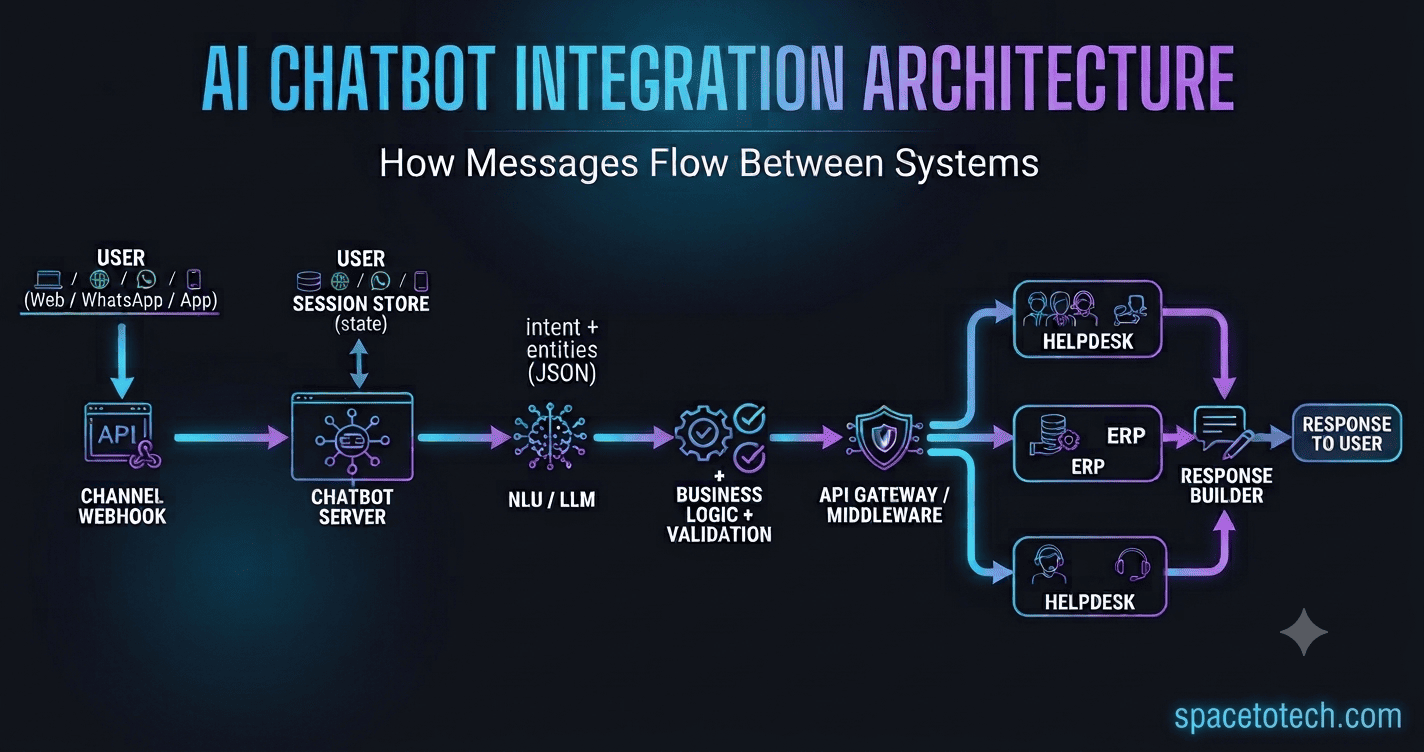
The session store remembers context across turns, the gateway centralises authentication and logging, and the response builder keeps the tone consistent. Add a message queue for slow jobs so the user is never left waiting on a spinner.
Step-by-Step Example: Connecting a Chatbot to an Order Management System
Let’s trace “Where is my order 48213?” from start to finish.
- Message arrives through the website widget webhook.
- NLU returns intent track_order and entity order_id = 48213.
- Validation: the format is correct, and the order belongs to the logged-in customer.
- API call: the backend sends GET /orders/48213 to the order management system.
- Response received: { "status": "shipped", "carrier": "BlueDart", "eta": "2026-11-27" }
- Reply built: “Good news! Order 48213 shipped with BlueDart and should arrive by 27 November. Want the tracking link?”
- Fallback: if the order system times out, the bot says it is checking and offers to email the update.
The same pattern powers lead capture. Only the intent, the API and the reply change. For retail flows, see AI chatbot development for ecommerce.
Best Practices for Secure, Scalable, and Reliable Chatbot Backend Integration
Use this checklist before going live (our website security checklist covers the web side):
- Security: least-privilege API keys, encrypted data in transit and at rest, and no sensitive data in logs.
- Privacy: collect only what you need and follow GDPR or India’s DPDP Act where they apply.
- Authentication: verify the user before sharing order or account details.
- Scalability: stateless servers, queues for heavy tasks and caching for frequent lookups.
- Reliability: timeouts, retries, circuit breakers and health monitoring.
- Versioned APIs so upstream changes do not break the bot.
- Testing: simulate real conversations, including typos, vague messages and failures.
- Human-in-the-loop for high-risk actions.
Conclusion
A chatbot only creates business value when it can act. The formula is straightforward: understand the request with intents and entities, validate it against business rules, call the right API, and handle failures gracefully. Start with one use case, measure resolution rates, and expand.
If you want a team to design and build this for you, explore Space to Tech’s chatbot development services and compare partners on our top software development companies or top custom software development companies in India lists. Budgeting? Read AI chatbot development cost and how AI chatbot development works.