IT Staff Augmentation Services

That Scale Your Team in Days, Not Months, Without the Long Wait

When your team needs extra technical expertise or project capacity, waiting months for traditional hiring can slow things down. Space To Tech offers IT staff augmentation services that help you add pre-vetted IT professionals, including developers, QA engineers, DevOps engineers, cloud specialists, and AI/ML engineers, to your existing team.

Explore Available Talent
Matched in 72 hours — from requirement to resource

Scale Your Technology Team With Skilled IT Professionals You Can Trust

Building an in-house team takes time, especially when you need a specific skill right away. Space To Tech helps businesses strengthen their engineering capacity with flexible staff augmentation services and experienced IT professionals.

Add the tech staff you need for software development, QA, DevOps, cloud, AI/ML, or other technical requirements. Our IT staff augmentation services provider model lets you expand your team around current priorities, handle changing workloads, and access specialized skills without committing to permanent hiring.

Trusted by global brands

What Is IT Staff Augmentation and How It Works?

IT staff augmentation services let you add experienced developers, engineers, and specialists to a team you already run, without a full hiring cycle, recruiter fees, or a permanent payroll line. Space To Tech is an it staff augmentation services company for CTOs, founders, and engineering leaders who need on-demand access to pre-vetted talent across development, QA, DevOps, cloud, and AI, working inside your existing workflow. Some call this it resource augmentation services, we just call it filling the gap fast.

IT staff augmentation puzzle — adding the right specialist
Engineering team collaborating in a meeting

Most people don't go looking for this out of curiosity. They're stuck on a problem: the team lacks a skill nobody on staff has, a deadline needs more hands than the roster allows, internal hiring is taking too long, a sprint needs more capacity, or the business wants specialist talent without adding permanent headcount. Here's the talent you can add to close that gap.

Built for Faster, Smarter Team Scaling

40%

Faster team onboarding with ready-to-deploy skilled engineers

3X

More development capacity without expanding your in-house team

100%

Transparent communication, progress tracking, and project visibility

IT Roles You Can Add to Your Team This Quarter

Most searches here already know the role they need. Here's where our tech staff and dev staff requests land most often.

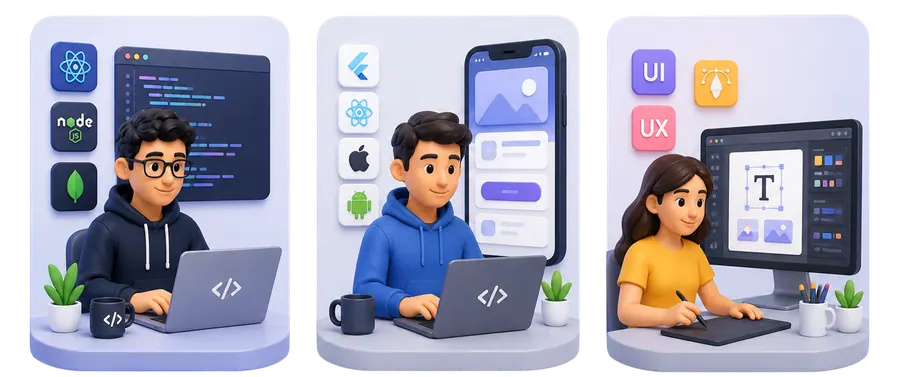
Full-stack, mobile, and UI/UX talent illustrations
  • 1

    Full-Stack Developers (React, Node, MERN)

    Add engineers who already work across the stack, not just one layer of it.

  • 2

    Mobile App Developers (Flutter, React Native, iOS, Android)

    Ship faster on mobile without building an in-house app team from scratch.

  • 3

    AI/ML Engineers

    Bring in specialists for a model, a pipeline, or an integration your team hasn't built before.

  • 4

    DevOps & Cloud Engineers (AWS, Azure)

    Fix a migration bottleneck or add cloud capacity without a new full-time hire.

  • 5

    QA/Test Engineers (Manual + Automation)

    Clear a testing backlog or add automation coverage before a release date.

  • 6

    UI/UX Designers

    Add design capacity for a redesign or new feature without pulling a lead off other work.

  • 7

    Backend Developers (.NET, Java, Python)

    Strengthen the systems side of a product while your core team stays on the roadmap.

  • 8

    Data Engineers / Analysts

    Get pipelines and reporting built by someone who's done it before. Every one of these roles can be combined into a small team augmentation unit.

Scale Your Technology Team With Skilled IT Professionals You Can Trust

Scale Your Engineering Team Without the Hiring Delays

Building an in-house team takes time, especially when you need a specific skill right away. Space To Tech helps businesses strengthen their engineering capacity with flexible staff augmentation services and experienced IT professionals.

Access the Right Tech Talent for Every Project Need

Add the tech staff you need for software development, QA, DevOps, cloud, AI/ML, or other technical requirements. Our IT staff augmentation services provider model lets you expand your team around current priorities, handle changing workloads, and access specialized skills without committing to permanent hiring.

Flexible IT Staff Augmentation Models Built Around Your Needs

Choose the engagement model that fits your project scope, duration, and team setup. Every model is backed by pre-vetted

Staff Augmentation

Staff Augmentation

Staff Augmentation

Individual specialists join your existing team on a defined contract, for as long as the work requires. Most engagements start here, it's the fastest way to close one skill gap without restructuring anything else.

If your need looks more like a fully managed dedicated team or a project handed off end to end, that's a separate engagement type worth a shorter conversation before assuming this augmentation service is the right fit.

How Our IT Staff Augmentation Process Works From Start to Finish

How Much Does IT Staff Augmentation Cost and What Drives It

We're not publishing a rate card here, because staff augmentation services pricing depends on specifics we haven't discussed yet. As an it staff augmentation services company, we'd rather walk you through the real variables than throw out a figure that won't hold up.

Factor

Junior vs. senior talent

Higher seniority generally means a higher rate

Factor

Specialized skills

Niche or in-demand skills can cost more

Factor

Team size

More resources means a larger overall engagement

Factor

Engagement duration

Longer commitments may change commercial terms

Factor

Full-time vs. part-time

Different resource allocation changes total spend

Factor

Technology

Demand and specialization influence rates

Why Businesses Choose Space To Tech for IT Staff Augmentation Services You Can Rely On

Businesses choose Space To Tech for reliable IT staff augmentation backed by skilled engineers, transparent communication, flexible engagement, and consistent project support from start to finish.

Why choose Space To Tech for IT staff augmentation

Proven Delivery Track Record:

We hold ISO 27001 certification for information security, something a lot of smaller staff augmentation companies in this space simply don't have.

Talent Vetted Before You See a Profile

Every engineer goes through a technical screening before a profile reaches your inbox, so you're choosing between finalists, not filtering resumes yourself.

Engagement Shaped Around the Actual Problem

We don't push a standard team size on every client, the shape follows the skill gap. Not every augmentation company structures its screening the same way, ours front-loads it before you see a name.

Direct Access to Your Delivery Contact

You get one point of contact who actually knows your project, not a support queue that resets every time you ask a question.

Technologies We Staff Across Every Project

Our it augmentation services cover the stack most engineering teams actually run, grouped the way you'd look for it. Frontend: React, Angular, Vue. Backend: Node.js, .NET, Java, Python. Mobile: React Native, Flutter, iOS, Android. Cloud & DevOps: AWS, Azure, DevOps tooling. AI & Data: AI/ML, data engineering, analytics. If a technology isn't listed here, ask — most software development stacks overlap more than people expect.

React
Angular
Vue.js
Next.js
TypeScript
JavaScript
Industries we support with IT staff augmentation

Industries We Support Across Multiple Sectors

Fintech, Healthcare, SaaS and Startups, eCommerce, Logistics, and Education make up most of our current client base. The engineers we place have usually seen a version of your specific problem before, in a comparable it staff augmentation companies context.

Healthcare

Finance

Education

Entertainment

Restaurant

eCommerce

Logistics

Social Media

Games and Sports

Real Estate

What You Control vs. What We Handle Day to Day

This isn't a sales pitch dressed up as transparency, it's the actual split of responsibility on every augmented staff engagement we run, laid out so you can check it against your own expectations before signing anything.

Client controls

  • You manage engineers day-to-day
  • Sprint priorities
  • Day-to-day collaboration
  • Code / project decisions
  • Acceptance of work

SPACE TO TECH HANDLES

  • You manage engineers day-to-day
  • Technical screening
  • Onboarding support
  • HR & admin coordination
  • Resource replacement & support

IT Staff Augmentation vs. In-House Hiring vs. Outsourcing, Compared Side by Side

All three models work depending on your situation. Outsourcing services hand a whole project to an external team that manages its own process. In-house hiring gives full ownership at the cost of speed. Here's where each lands on the factors that matter most.

Factor

In-House Hiring

Traditional direct employment

Outsourcing

End-to-end agency handover

IT Staff Augmentation

Recommended

Flexible embedded extension

Hiring speedSlow (weeks to months)Fast (vendor-led)Fast, days not months
Control over workFull controlLimited, vendor-managedFull control retained by client
Team integrationNative, full-timeMinimal, external teamHigh, works inside your workflow
Flexibility to scaleLowMediumHigh, scale up or down as needed
Recruitment responsibilityClient owns it entirelyVendor owns delivery, not staffingProvider handles sourcing and vetting
Best suited forLong-term core rolesFull project ownership handoffFilling skill gaps fast, on your terms

IT Staff Augmentation for Global Teams Across Five Markets

We support businesses across the US, UK, UAE, Australia, and India with flexible remote technology teams. Live location pages exist today for USA, India, and UAE, with UK and Australia support handled through this page for now, no matter which services office you operate from. Overlap hours get set during scoping to match your working day.

Global IT staff augmentation across USA, UK, India, UAE, and Australia

How We Manage Communication, Security & Knowledge Transfer at Every Stage

Communication & Performance Reviews

Communication runs through a dedicated account and delivery contact, with check-ins and performance reviews built into the engagement. That contact is who you'd call if something needs adjusting mid-sprint.

Knowledge Transfer & Transition

Knowledge transfer follows the same structure whether an engagement scales down or ends: documentation handover, a transition period, and a record of decisions made. This isn't a managed services arrangement where we own delivery outcomes, it's closer to knowledge services support that protects what your team already knows.

Ongoing Support & Management

Ongoing support covers technical oversight, time tracking, and tooling coordination, the unglamorous management services work that keeps an engagement running without your team managing the admin themselves.

Clutch 5.0 rating

Recognized. Trusted. Preferred

Awards & Recognition

We are proud to be recognized by leading platforms and industry experts for our innovation, impact, and excellence

TopDevelopers

TopDevelopers

Top Mobile App Developers

Freelancer

Freelancer

Top Mobile App Developers

AppFutura

AppFutura

Top Mobile App Developers

GoodFirms

GoodFirms

Top Mobile App Development

Clutch

Clutch

Top Mobile App Developers

Excellence isn't claimed.It's recognized

These achievements reflect our commitment to
delivering world-class AI solutions that help
businesses grow and lead

FAQs

IT staff augmentation adds individual specialists who work inside your team, tools, and sprints. Outsourcing hands a whole project to an external vendor that manages its own process. With augmentation, you keep day-to-day control.
Most clients receive curated, pre-screened profiles within 72 hours of a clear requirement discovery call — far faster than a traditional hiring cycle.
Full-stack, mobile (Flutter, React Native, iOS, Android), AI/ML, DevOps & cloud, QA, UI/UX, backend (.NET, Java, Python), and data engineering — as individuals or small pods.
We support US, UK, UAE, Australia, and India. Overlap hours are set during scoping so collaboration matches your working day.
You retain ownership of work product under NDA and your commercial agreement. Space To Tech handles screening, onboarding support, HR coordination, and replacement if needed.
Rates depend on seniority, specialized skills, team size, engagement duration, full-time vs part-time allocation, and technology. We walk through variables on a call rather than publishing a one-size rate card.

Supporting Insights

Top Web Development Companies
Blogs23/09/2026

Latest Web Development Trends in 2026 That Every Business Should Know

What Is a Web Development Company? A modern web development company is no longer just a website builder — it's a digital transformation partner. Today's leading development firms combine strategy, design, and engineering to help businesses grow, convert visitors, and compete online. In 2026, a business needs more than a website; it needs a scalable digital ecosystem. Web development has evolved dramatically — from static pages to dynamic web applications, from server-heavy stacks to cloud-first and API-first architectures, and now toward AI-driven development workflows that speed up coding, testing, and personalization. Industries relying heavily on web application development include SaaS, healthcare, FinTech, eCommerce, manufacturing, and education — each demanding secure, scalable, and high-performing digital platforms. Businesses increasingly prefer top web development companies because they deliver scalability, security, performance, and future-proof architecture — something DIY builders can't match. Leading web development agencies rely on technologies like React, Next.js, Node.js, Laravel, .NET, and headless CMS platforms to build resilient digital products. What Do Web Development Companies Do? Top web development agencies follow a structured lifecycle: Stage  Description Discovery & Strategy Understanding business goals and audience UI/UX Design Creating intuitive, conversion-focused experiences Frontend & Backend Development Building the visible interface and server logic API Integration Connecting third-party tools and services Testing & Deployment Ensuring quality, security, and performance Continuous Optimization Using AI and analytics to improve results post-launch This end-to-end process is what separates trusted web development firms from freelancers offering one-off builds. Types of Web Development Services Businesses can choose from a range of web development services depending on goals: Custom Website Development — tailored to unique business needs Enterprise Web Development — built for scale and complex workflows eCommerce Website Development — optimized for conversions and transactions CMS Development (WordPress, Headless CMS, Webflow) — flexible content management Progressive Web App (PWA) Development — app-like experiences in a browser Web Application Development — interactive, data-driven platforms Website vs Web App vs PWA Feature Website Web App PWA Purpose Informational Interactive/functional Hybrid, app-like Offline Access No Rarely Yes Installability No No Yes  Best For Brochures, blogs SaaS, dashboards eCommerce, mobile-first brands  Web Development Specializations Understanding technical specializations helps businesses hire the right development team : Frontend Development — user interfaces, responsive design, motion UI Backend Development — servers, databases, business logic Full Stack Development — end-to-end ownership API-First Development — designing APIs before the application itself DevOps & CI/CD — automated testing and deployment pipelines Cloud-Native Development — apps built specifically for cloud environments Expert Tip: Choose specialists for complex, high-scale enterprise systems; choose full-stack teams for faster MVPs and smaller budgets. The Importance of Custom Web Development Custom web development consistently outperforms templated solutions: Personalized user experience matched to your brand and audience Better SEO performance through clean, optimized code Faster website performance with no bloated plugins Enhanced security compared to generic templates Scalability that grows with business needs Easier integration with existing business systems (CRM, ERP, payment gateways) When should you choose custom development? You need unique functionality templates can't offer Your business is scaling rapidly You require tight integrations with internal systems Security and compliance are non-negotiable You want full ownership of your codebase How a Custom Web Development Company Helps Your Business Grow A skilled custom web development company drives measurable outcomes: Better Conversion Rates through optimized UX and faster load times Higher Search Visibility via clean architecture and technical SEO Stronger Brand Trust through polished, professional design Automation Through APIs reducing manual work Improved Customer Experience across devices and channels Long-Term ROI from scalable, maintainable code Case Study Example: A mid-sized eCommerce brand that replaced a templated site with a custom-built, headless commerce platform saw significant improvements in page speed and checkout conversion — proof that custom website development pays for itself over time. Top Web Development Companies Leading Innovation in 2026 When evaluating top web development companies in the world , look beyond marketing claims. Strong indicators include: Proven portfolio across multiple industries Deep expertise in modern frameworks (React, Next.js, Node.js) Transparent client reviews and case studies Adoption of AI-assisted development and automation Strong communication and agile delivery process Whether you're searching for top web development companies near me or top Indian web development companies , prioritize firms that combine technical depth with business strategy — not just coding capability. Many companies specializing in AI and modern web technologies now offer differentiated value through intelligent automation, predictive analytics, and smart personalization. The right agency depends on your business size: startups often benefit from agile boutique development agencies , while enterprises may need larger web development firms with dedicated teams and enterprise-grade support. How to Compare Web Development Companies Before hiring, evaluate web development companies using these criteria: Portfolio quality and relevant industry experience Technical expertise across your required stack Technology stack alignment with your goals Verified reviews and client success stories Communication style and development process Innovation and AI adoption Checklist — Questions to Ask Before Hiring: What industries have you worked in? Can you share case studies with measurable results? Which frameworks and languages do you specialize in? How do you handle security and compliance? What does your QA process look like? Do you offer post-launch support? How do you manage scope changes? What's your typical project timeline? Who owns the code and IP? How do you handle third-party integrations? What's your pricing model? Can I speak with past clients? How do you use AI in your workflow? What happens if the project is delayed? Do you provide performance/SEO guarantees? How to Choose the Right Web Development Company in 2026 A practical framework for selecting a development company : Define clear business goals Verify relevant industry experience Review their modern technology stack Check security and compliance standards Evaluate long-term support options Compare cost against long-term value, not just price Red flags to avoid: vague pricing, no visible portfolio, poor communication, outdated tech stacks, and no post-launch support plan. Pricing Models of Web Development Services Web development services are typically priced using: Model Best For Fixed Price Well-defined, smaller projects Dedicated Team Long-term, evolving products Time & Material Projects with changing scope Hourly Pricing Small tasks or maintenance  Factors affecting cost in 2026 include technology complexity, AI integration, third-party APIs, security requirements, and team location. Hidden costs businesses often miss: post-launch maintenance, hosting, third-party licensing, and scalability upgrades. How Long Does It Take to Build a Website? Realistic timelines vary by complexity: Small Business Website: 2–4 weeks Corporate Website: 4–8 weeks eCommerce Website: 6–12 weeks Custom Web Application: 3–6+ months AI-assisted coding, automated testing, and low-code tools are helping development teams cut timelines significantly in 2026. Common delays stem from unclear requirements, scope creep, and slow feedback cycles. Benefits of Working with an Affordable Web Development Company Affordable doesn't mean low-quality. The right service companies offer: Lower development costs through efficient processes Faster delivery via streamlined workflows Access to skilled developers without in-house hiring costs Ongoing technical support Better long-term ROI Flexible engagement models to match your budget Future Trends in Web Development Key web development trends shaping 2026: AI-Powered Web Development — AI-assisted coding, intelligent testing, automated debugging, AI-driven personalization Progressive Web Apps (PWAs) — offline access, faster loading, app-like experience Headless CMS Architecture — flexibility, omnichannel delivery, better performance Serverless Architecture — reduced infrastructure costs, automatic scaling Voice Search Optimization — conversational interfaces, voice commerce Motion UI & Micro-Interactions — enhanced engagement and interactive interfaces WebAssembly (Wasm) — powering high-performance apps, gaming, and CAD software API-First Development — faster integrations and microservices Low-Code & No-Code Development — faster MVPs and citizen development Cybersecurity & Privacy-First Development — Zero Trust architecture, passkeys, encryption Core Web Vitals Optimization — LCP, INP, and CLS as ranking factors Sustainable (Green) Web Development — energy-efficient hosting and carbon-conscious design Why Choose a Professional Website Development Agency for Your Project? Partnering with an experienced web design and development agency ensures technical expertise, modern development practices, transparent project management, strong security compliance, and reliable post-launch support — all essential for building future-ready digital products in 2026. If you're exploring custom web development or web application development for your business, SpaceToTech combines modern technology with strategic thinking to build scalable, future-ready digital solutions.

How to Create a Chatbot
Blogs03/06/2026

How AI Chatbots Are Replacing Traditional Help Desks

When one of our FinTech clients in the US came to us, their support team was drowning. Over 500 tickets per week, an average resolution time of eight hours, and a 24/7 coverage gap that was costing them customers every weekend. Within three months of deploying an AI chatbot we built on their platform, ticket volume routed to human agents dropped by 62%. Resolution time for common queries fell to under 30 seconds. That is not a marketing claim. That is what happens when an AI chatbot is built correctly — with the right knowledge base, the right integration, and the right architecture decisions from day one. If your business still runs on a traditional help desk, this guide explains why that is becoming a competitive disadvantage, and exactly how to create a chatbot that replaces it. What is an AI help desk chatbot — and how is it different from old ticketing systems? A traditional ticketing system (Zendesk, Freshdesk, Jira Service Desk) is fundamentally a routing and tracking tool. A human still has to read the ticket and write the answer. The system organizes the queue; it does not answer the questions. A rule-based chatbot takes a step further — it follows a decision tree. "Press 1 for billing, Press 2 for technical support." It answers questions it was explicitly programmed to answer. Hit an edge case and it breaks. An AI chatbot powered by a large language model (LLM) is architecturally different. It does not follow a script. It reads your knowledge base — your documentation, your FAQs, your product data — and generates accurate, contextual answers to questions it has never seen before. This is called retrieval-augmented generation (RAG), and it is the reason modern AI chatbots can answer questions your support team did not anticipate, without any additional programming. Before deciding what an AI chatbot replaces, it helps to know which category your current tool actually falls into. The terms get used interchangeably, but they describe different scopes of work. Help desk software (Zendesk, Freshdesk, Jira Service Desk) is ticket-scoped. It tracks issues, whether internal IT requests or external support tickets, and its data model centers on the individual case: opened, assigned, resolved, closed. Customer service platforms operate at a wider scope. They hold full customer history across channels, connect to CRM data, and follow a customer's entire journey rather than a single issue in isolation. Support is one module inside a larger relationship record. The practical takeaway: an AI chatbot built on a knowledge base can replace the ticket-answering function in either setup. But if you are running on a full customer service platform rather than standalone help desk software, the chatbot needs deeper CRM integration to pull the right context, such as past purchases, prior tickets, or account tier, before it can answer well. That integration requirement is exactly what the tech stack section below addresses, and it is where a lot of no-code chatbot rollouts run into trouble. The distinction matters when you are deciding what to build. Why traditional help desks are failing modern businesses The problems are not new. They have just become impossible to ignore. Response time. The average first-response time on email-based support tickets is 12 hours, according to industry benchmarks. Customers contacting companies via chat expect a response in under two minutes. The gap is a churn driver. Coverage cost. Running a 24/7 human support operation requires three staffed shifts. For startups and mid-market businesses, that cost is prohibitive. Most companies accept an 8-hour gap in support coverage as a compromise — and lose customers during it. Repetition. In virtually every help desk we have audited at Space To Tech, between 60–70% of incoming tickets ask the same 20–30 questions. A human being answers the same billing question hundreds of times per week. This is not a good use of human intelligence. Scalability. When a product launches or a promotion runs, ticket volume spikes. Human support cannot scale instantly. AI chatbots handle 10 conversations or 10,000 with identical response time and accuracy. How AI chatbots handle what help desks cannot The core capabilities that make AI chatbots a genuine replacement — not just a supplement — for traditional help desks: Instant, always-on responses. No queue. No shift handover. A customer contacting support at 2 AM on a Sunday gets the same quality answer as one contacting at 9 AM on a Monday. Access to live knowledge bases and databases. A well-built AI chatbot does not just answer from a static FAQ document. It can access online databases, query live order systems, check account status, and pull real-time data into its response. This is what separates a basic chatbot from one that actually resolves issues rather than redirecting them. Multi-channel deployment. The same AI brain can power a chat widget on your website, a Zoom chatbot inside your workspace, and a Facebook Messenger bot — all simultaneously. One integration, multiple touchpoints. Intelligent escalation. When a query exceeds the chatbot's confidence threshold, it hands off to a human agent with full conversation context pre-loaded. The human picks up exactly where the bot left off, without making the customer repeat themselves. This is the chatbot experience that retains customers. Access to source code and technical documentation. For developer-facing support (SaaS products, API documentation, developer tools), a chatbot that can read and reference source code or technical docs answers questions that would normally require a senior engineer's time. Will AI Actually Replace Your Help Desk? The honest answer is no, not entirely, and treating it as an all-or-nothing question misses how the technology is actually being used. For most businesses, AI chatbots are handling deflection, not replacement. This page's own deflection figure 60–70%  already shows AI chatbots resolving 60 to 70 percent of incoming support queries without a human touching the ticket. That range covers the categories chatbots are genuinely good at: password resets, order status, account questions, and other repeatable requests with a clear answer sitting in a knowledge base. What stays with a human, and should stay with a human: Disputes and billing disagreements where a customer needs judgment, not a script Emotionally sensitive cases, complaints, or frustration a bot escalates rather than resolves Novel problems the knowledge base has never seen, where a wrong automated answer causes more damage than a slower human one The more useful framing is augmentation. A well-built chatbot absorbs the repetitive volume that used to eat up agent hours, freeing the human team for cases that actually need a person. Businesses that push all tickets through automation usually see satisfaction scores drop, because customers can tell when a script has hit its limit. If you are evaluating whether AI can replace your help desk outright, the better question is which slice of your ticket volume it can take off your team's plate today, and which slice it should never touch. How to create a chatbot for your help desk — the core steps Here is the process Space To Tech follows when we build chatbot systems for clients. Whether you are building from scratch or evaluating platforms, these five steps apply. Step 1 — Define scope and use cases. Before any code is written, map the 20–30 most common support queries your team handles. These become the chatbot's priority training scenarios. Also define what the chatbot should escalate rather than answer — set a hard boundary early. Step 2 — Build your knowledge base. This is the most important and most underestimated step. A chatbot is only as good as the knowledge it can access. Compile your FAQs, product documentation, return policies, pricing pages, and troubleshooting guides into a structured, indexed knowledge base. The quality of this document set determines 80% of the chatbot's answer quality. Step 3 — Choose your tech stack. See the section below for a full breakdown. At minimum, you need: an LLM API (OpenAI, Anthropic, or Google), a vector database for knowledge base retrieval (Pinecone, Weaviate, or pgvector), and a frontend chat interface. Step 4 — Integrate with your existing platform. The chatbot needs to connect to your CRM, order management system, or ticketing platform to answer account-specific questions. This integration layer is where most chatbot projects underdeliver — plan for it explicitly, not as an afterthought. Step 5 — Test with real user flows. Do not test with your own team's questions. Test with the actual support tickets from the last 90 days. The gaps between what the chatbot handles well and where it fails will tell you exactly what to improve before launch. Choosing the right tech stack: Python, React, or no-code? This is where the "how to create a chatbot" question branches into three real paths, and the right answer depends on what you are building. Python is the right choice when you need flexibility in the AI and NLP layer. Python's ecosystem — LangChain, LlamaIndex, Hugging Face — gives you control over how the chatbot retrieves from your knowledge base, how it handles multi-turn conversations, and how it connects to custom data sources. If your chatbot needs to do anything beyond answering FAQ-style questions, Python is the right foundation. React is the right choice for the frontend chat widget that users interact with. A React-built chat interface embeds cleanly into any website, can be styled to match your brand, and handles real-time streaming responses well. React handles the UI layer; it does not handle the AI logic. You will need a Python or Node.js backend behind it. No-code platforms (Intercom Fin, Tidio, Botpress) are the right choice when you need a basic FAQ bot deployed in days, not weeks, and your knowledge base is relatively contained. The honest trade-off: no-code tools are faster to launch but significantly more limited when you need the chatbot to access live databases, handle complex multi-step queries, or integrate deeply with your existing systems. Not every business needs a custom-built chatbot on day one. If your team is small, non-technical, or just testing whether AI support works for your use case, a no-code platform like Intercom Fin, Tidio, or Botpress is often the right starting point. Before picking one, evaluate it against a short checklist: Visual, drag-and-drop workflow builder, no code required to launch or edit a conversation flow Pre-built templates for common support scenarios, such as FAQ handling, order tracking, or appointment booking Realistic time-to-first-working-bot measured in hours or days, not weeks Clear pricing at the ticket volume you actually expect, not just the entry tier Where these platforms tend to break down: live database access, multi-step logic that depends on several pieces of information at once, and deep CRM integration. A no-code bot can answer "what are your hours" instantly. It struggles the moment a customer asks something that requires checking a live order status across two connected systems. That breaking point is the signal to move from a template-based tool to a custom architecture, typically a Python backend paired with a React front end, built around your data sources rather than generic templates. Teams that outgrow the no-code stage usually hit that point sooner than expected, often within the first few months of real usage. For most businesses replacing a full help desk, the right architecture is Python backend + React chat widget + LLM API — not a no-code tool. Real example: how we built an internal chatbot for a FinTech client A Series FinTech company based in the US came to us with a specific problem: their customer support team was handling 500+ weekly tickets, with an average resolution time of eight hours for straightforward queries. Nights and weekends had no coverage at all. We built an AI chatbot with a RAG architecture — a Python backend using LangChain connected to their product knowledge base and live account database, with a React chat widget embedded in their customer portal. The chatbot could answer questions, check account status in real time, and escalate complex cases to human agents with full context. Result: 62% reduction in tickets reaching human agents. Average resolution time for common queries dropped from eight hours to under 30 seconds. Weekend support coverage went from zero to 24/7. The chatbot did not replace their support team. It gave the team back the hours they had been spending answering the same 30 questions repeatedly — so they could focus on the cases that actually needed human judgment. How to create a chatbot like ChatGPT — LLM-powered bots explained The architecture behind ChatGPT-style chatbots has three core components: an LLM (the language model that generates responses), a system prompt (instructions that define the chatbot's role, tone, and constraints), and a retrieval layer (the mechanism that pulls relevant information from your knowledge base before the LLM generates an answer). One thing that surprises most clients: you almost never need to fine-tune the LLM on your own data. Fine-tuning is expensive, requires significant data preparation, and rarely outperforms a well-designed RAG pipeline for support use cases. Prompt engineering combined with retrieval covers 90% of help desk chatbot requirements at a fraction of the cost. The practical implication: building a chatbot like ChatGPT for your specific business does not require training a custom model. It requires a well-structured knowledge base, a well-designed system prompt, and a retrieval layer that connects the two. How to create a chatbot for Facebook Messenger and multi-channel deployment The same AI backend that powers your website chat widget can serve multiple channels simultaneously. The AI logic lives in one place; the channel integrations are separate connection points. For Facebook Messenger , the integration uses Meta's Webhook API — your AI backend receives messages from Messenger, processes them, and sends responses back. The chatbot experience is identical to your website version. For Zoom , the Zoom Marketplace developer platform lets you deploy a Zoom chatbot that responds inside Zoom channels — useful for internal support bots serving your own team. For website chat widget , a React or plain JavaScript embed handles the frontend. The widget connects to your AI backend via a simple API. The important principle: build the AI layer once, integrate to channels as needed. Do not build separate bots for each channel — that creates maintenance complexity that compounds over time. Signs Your Help Desk Has Outgrown Basic Chatbot Software A basic FAQ bot works well until it doesn't. Here are the signals that a business has moved past what template-based or off-the-shelf chatbot software can support: Compliance and security requirements exceed what the current tool supports, such as GDPR, HIPAA, or the need for a full audit trail of every automated interaction Support now depends on multiple integrated systems, such as CRM, ERP, and ticketing, rather than one self-contained knowledge base Multi-language or multi-region support has become necessary and the current platform's localization handling is not reliable enough Conversation volume or concurrency has grown to the point where response quality degrades during peak periods There is a real need for auditability, tracing exactly why the bot gave a specific answer, not just confirming that it responded Any one of these on its own might be manageable with configuration changes or a plan upgrade. When two or more apply at once, it usually points to a structural limitation rather than a settings problem, and no amount of tweaking the existing tool closes that gap. If more than one of these applies to your support operation, a custom-built architecture, not a bigger off-the-shelf plan, is usually the right next step. That is the decision the next section walks through in more detail. Should you build a chatbot business or buy a platform? Some readers of this guide are not just looking to add a chatbot to their support operation — they want to understand how to create a chatbot business, either by building a SaaS chatbot product or by offering chatbot development as a service. The honest breakdown: Building a chatbot SaaS product (like Intercom or Tidio) is a multi-year, high-capital undertaking. It is a real business, not a side project. If you are considering this path, the differentiation has to be in a specific vertical or use case — a generic chatbot builder competing with established platforms is an extremely difficult position. Offering chatbot development as a service is a viable and growing practice. Businesses need custom chatbot implementations that no-code platforms cannot deliver. If you have development capability, this is a strong service offering — particularly for FinTech, healthcare, and eCommerce clients who need deep system integrations. Using a chatbot as an internal tool for your own business is the highest-ROI path for most companies reading this guide. Build once, run indefinitely, and recover the investment in support cost reduction within months. Build your AI chatbot with Space To Tech Space To Tech has built AI chatbot systems for clients in FinTech, eCommerce, and healthcare across the US, UK, and UAE. Every engagement includes full NDA coverage, complete source code ownership by you, and milestone-based delivery so you see working builds before the final handover — not after. If you are ready to move beyond a traditional help desk, talk to our team about what the right chatbot architecture looks like for your specific platform and support volume.

Hire Ecommerce App Developers
Blogs22/09/2026

How to Hire Ecommerce App Developers: A Complete Guide for Business Owners

Hire Ecommerce App Developers: What You Need to Know If you're planning to hire ecommerce app developers , it helps to understand why this hire is different from a standard app developer role. Ecommerce apps carry business logic that general-purpose apps don't: cart and checkout flows, payment orchestration, catalog and inventory architecture, and integrations with ERPs, CRMs, and shipping providers. A developer who's never touched commerce logic will spend weeks relearning what a specialist already knows. A capable ecommerce app team typically spans the full stack — mobile developers, backend engineers, QA specialists, and UX/UI designers — working together across frontend, backend, APIs, and third-party integrations. The stakes are real. App performance and UX are directly tied to conversion rates; a slow checkout or clunky navigation can quietly bleed revenue every day it goes unfixed. Hiring the wrong developer often means missed deadlines, mounting technical debt, and security gaps that surface only after launch. That's the core case for specialists over generalists whenever commerce-specific features are involved. Hire Ecommerce App Developers in 10 Days or Less Urgency is common in this space — a competitor launches a feature, a seasonal sale is looming, or a platform migration can't wait. Rapid hiring is realistic when you use staff-augmentation models or a pre-vetted talent pool that skips the usual recruitment cycle. A typical 10-day timeline looks like: discovery call → shortlist → technical vetting → contract → kickoff. A development partner like Space to Tech compresses this by maintaining vetted talent on standby rather than sourcing from scratch each time. To move that fast, come prepared with a project brief, must-have features, and success metrics; your tech stack preferences or existing platform constraints (Shopify, Magento, custom-built); and access, credentials, brand assets, and stakeholder availability so kickoff isn't delayed by internal logistics. What Can Ecommerce App Developers Build for You? Once you decide to hire ecommerce developers , it's worth knowing the full range of what's buildable. Core app types include native shopping apps for iOS and Android, Progressive Web Apps (PWAs) for lighter-weight reach, multi-vendor marketplace apps, B2B ordering and wholesale platforms, and headless commerce storefronts for omnichannel flexibility. Beyond the basics, revenue-driving features separate good apps from great ones: AI-powered product recommendations and personalization, AR/VR try-on and visual search, one-click checkout with saved payments and loyalty programs, and push notifications paired with abandoned-cart recovery flows. A fashion brand might prioritize AR try-on and personalization; a grocery app leans on speed and hyperlocal delivery logistics; a B2B platform needs tiered pricing and bulk ordering. The right feature set follows the business model, not the other way around. Top Skills & Technologies Ecommerce App Developers Must Master Technical credibility matters when you're vetting talent. On the frontend and backend, look for fluency in cross-platform frameworks like React Native and Flutter, or native Swift/Kotlin when performance demands it. On the backend, headless commerce tools such as Node.js, Shopify Hydrogen, commercetools, and Medusa are increasingly standard, built around API-first architecture that supports scalability and clean third-party integrations. Security and integrations are just as important as the visible features. That includes payment gateway integrations (Stripe, PayPal, Razorpay) with multi-currency support, PIM/ERP/CRM integrations for inventory and order sync, and PCI-DSS compliance alongside encryption and secure authentication. An ecommerce mobile app developer who can't speak to these isn't ready for a production-grade build. Industries Leveraging Ecommerce App Developers The demand for specialized ecommerce talent spans well beyond fashion retail. Fashion and D2C brands use apps to scale personalized shopping experiences. Grocery and quick-commerce platforms are built around speed and hyperlocal delivery. B2B wholesale and distribution businesses need apps that handle complex, tiered pricing. Healthcare and pharmacy retail apps carry compliance-heavy requirements that most generalist developers aren't equipped to navigate. Each vertical brings its own SKU and inventory complexity, along with regulatory and data-privacy considerations — healthcare and finance-adjacent retail especially. The right developer understands not just the code, but the constraints of your specific industry. Why Hire Ecommerce App Developers? The business case for outsourcing or augmenting with specialized talent comes down to speed, scale, and cost. Pre-built commerce components mean faster time-to-market. A properly architected app scales through flash sales and seasonal traffic spikes without buckling. And total cost of ownership is often lower than building an in-house team from zero. The risks of a DIY or in-house-only approach are equally real: talent gaps in niche commerce technologies, an ongoing maintenance burden without dedicated expertise, and slower iteration speed compared to a specialized partner who's solved these problems before. That said, in-house hiring still makes sense for businesses with long-term, high-volume development needs and the budget to sustain a full internal team. How to Hire Ecommerce App Developers (Step-by-Step) This is the core of the decision. Start by defining your scope and engagement model — fixed-price, dedicated team, or staff augmentation each carry different trade-offs — and decide whether you need an MVP or a full-feature roadmap out of the gate. Next, vet for technical and domain expertise specifically. Review ecommerce-specific portfolio work and ask for live app demos, not just screenshots. Run technical assessments built around commerce logic — checkout flows, inventory sync — rather than generic coding tests. Always check client references and ask about post-launch support history. Before committing, protect yourself with a few best practices: get NDAs and IP-ownership clauses signed before sharing sensitive business details, run a paid trial sprint before a long-term commitment, and set a clear communication cadence and reporting structure from day one. Watch for red flags like vague timelines, reluctance to share references, or resistance to IP-ownership terms. Where to Hire Ecommerce App Developers There are three main routes, each suited to different needs. Dedicated ecommerce app development companies offer full-stack teams, clear accountability, and long-term support — best suited for complex, scalable, or enterprise-grade apps. Freelance marketplaces (Toptal, Fiverr, Upwork) offer cost advantages for small, well-defined scopes, but come with trade-offs in reliability, coordination overhead, and limited long-term support. In-house hiring makes sense when the higher fixed cost is justified by long-term ownership and the value of institutional knowledge staying inside the company.  Model  Cost  Speed  Control  Scalability  Agency  Medium-High  Fast  Medium  High  Freelancer  Low  Variable  High  Low  In-House High   Slow to start  Full  Depends on team size How Much Does It Cost to Hire Ecommerce App Developers? Cost varies by several factors: regional rate differences (US/UK vs. Eastern Europe vs. South Asia), the complexity of the app and number of features, integration needs, and the engagement model itself — hourly, fixed-price, or dedicated team all price out differently. As a rough guide, an MVP ecommerce app typically costs less than a full-feature app, and both fall well below an enterprise-grade platform with custom integrations. Ongoing maintenance and support after launch should be budgeted separately — it's rarely a one-time cost. These figures are estimates; actual pricing depends on your specific scope, so request a custom quote before finalizing a budget. Choosing the Right Ecommerce App Development Company When comparing an ecommerce app development company , evaluate them on a proven portfolio specifically in ecommerce — not just general app work — post-launch support, SLAs, and maintenance packages, and how well their technology stack aligns with your existing systems. Before signing anything, ask who owns the source code and IP after project completion, what the scalability and upgrade roadmap looks like, and how timelines, revisions, and communication will be handled throughout the engagement. Clear answers here upfront prevent costly disputes later. Hire Ecommerce App Developers Who Deliver Real Results To recap: define your scope and engagement model before you start searching for talent, vet specifically for ecommerce expertise rather than general development skill, and compare agencies, freelancers, and in-house options against your actual budget and timeline. If you're ready to move forward, Space to Tech can help you hire ecommerce app developers in as little as 10 days, backed by a track record of reliable, results-driven builds. Book a free consultation or request a project quote to get started.



We’ve been helping Customer globally

So how does it work? Check for yourself by their feedback.

Client Feedback

We Build Digital Products That Drive Real Growth

From idea to launch, we help startups and enterprises build scalable apps, AI solutions & custom software.

View Our Work
Trusted byGlobal Clients

150+Projects Delivered

OngoingSupport
UAE

UAE

USA

USA

INDIA

INDIA

Book a Free Consultation

Your information is safe with us.