UI/UX Design Experts Help You Create StunningInterfaces Across Platforms!

We design digital experiences that don't just look impressive - they are strategically built to drive engagement, conversions, and long-term growth.

End-to-end UI/UX design

150+ projects delivered

Trusted global clients

50+ expert team

Conversion-focused UX design

Seamless design-to-development

Trusted by global brands

UI/UX Design & Development Services We Offer

Every engagement starts with research, gets validated with real users, and ends with a handoff developers can implement with clarity.

Icon

User Research & UX Strategy

We dive deep into user behaviors and market gaps to form a strong foundation for your product.

Icon

Wireframing & Prototyping

Rapid ideation and structural planning to visualize the core journey before writing any code.

Icon

Mobile App UI/UX Design

Designing intuitive, touch-friendly interfaces that keep mobile users engaged and converting.

Icon

Website UI/UX Design

Creating visually stunning, accessible, and fast-loading web experiences for all screens.

Icon

Enterprise UX Design

Simplifying complex workflows for internal tools, B2B platforms, and large-scale systems.

Icon

IoT & Wearable UI/UX Design

Designing seamless control panels and companion apps for connected devices and hardware.

Icon

Design System Creation

Building a scalable, reusable library of components to keep your product consistent as it grows.

Icon

UX Audit & Redesign

Evaluating your existing product to uncover friction points and redesigning it for better performance.

We Design Experiences.
You Grow

Build intuitive UI/UX experiences for web and mobile platforms.

How We Work — Our UI/UX Design Process

SpaceToTech follows a research-first design process on every project. Not intuition. Not trends. CMMI Level 3 certification means these UI UX design process steps are documented, followed, and measured — not aspirational slides in a credentials deck. Here's what each phase actually involves.

1. Discovery & User Research

2. Information Architecture

3. Wireframing & Prototyping

We start before a single sketch. Stakeholder interviews, user surveys, persona development, competitive UX benchmarking — this phase defines who we're designing for and what they actually need, not what the brief assumes they need. It runs 1–2 weeks and consistently prevents the kinds of design revisions that eat timelines and budgets at Step 4 or 5. Deliverables: research report, user personas, competitive analysis, signed-off design brief.

Before screens, there's structure. We map every section of your product — what exists, how users move between sections, and where the navigation breaks. A product with clear information architecture feels obvious to use. One without it feels confusing regardless of how polished it looks. Deliverables: sitemap, user flow diagrams, navigation hierarchy document.

Low-fidelity wireframes in Figma test layout and interaction logic before visual design begins. Every screen gets reviewed and signed off before we move forward. This is the phase most clients want to skip — and the one that consistently saves the most calendar time. Deliverable: clickable low-fidelity prototype, ready for usability testing before visual design locks in.

Strategic UI/UX Design for Better Engagement & Conversions

Transform Digital Products with Expert UI UX Design Services

In today's hyper-competitive digital landscape, great technology alone is not enough. The difference between a product users love and one they abandon often comes down to a single factor — design. As a leading UI UX design agency in India, Space To Tech delivers end-to-end UI UX design services that combine deep user experience thinking, pixel-perfect visual design, and conversion-focused design decisions into digital products that genuinely perform. From early-stage startups validating their first idea to large enterprises modernizing complex software platforms, our UX design services are built to align every design decision with measurable business goals.

UI/UX Design for Every Industry
Vertical-Specific Design Expertise

Every industry has its own friction points. A chatbot that works for e-commerce usually fails in healthcare. Context changes everything.

FinTech & Banking

FinTech & Banking

Placeholder preview — replace with how UI/UX differentiates this vertical (trust, speed, accessibility, regulation).

FinTech & Banking

Placeholder detail for this industry — SpaceToTech will map discovery, IA, wireframes, visual UI, and handoff to your domain. Swap when marketing copy is ready.

SaaS & Enterprise Tools

SaaS & Enterprise Tools

Placeholder preview — replace with how UI/UX differentiates this vertical (trust, speed, accessibility, regulation).

SaaS & Enterprise Tools

Placeholder detail for this industry — SpaceToTech will map discovery, IA, wireframes, visual UI, and handoff to your domain. Swap when marketing copy is ready.

E-Commerce & Retail

E-Commerce & Retail

Placeholder preview — replace with how UI/UX differentiates this vertical (trust, speed, accessibility, regulation).

E-Commerce & Retail

Placeholder detail for this industry — SpaceToTech will map discovery, IA, wireframes, visual UI, and handoff to your domain. Swap when marketing copy is ready.

Logistics & Supply Chain

Logistics & Supply Chain

Placeholder preview — replace with how UI/UX differentiates this vertical (trust, speed, accessibility, regulation).

Logistics & Supply Chain

Placeholder detail for this industry — SpaceToTech will map discovery, IA, wireframes, visual UI, and handoff to your domain. Swap when marketing copy is ready.

Healthcare & Telemedicine

Healthcare & Telemedicine

Placeholder preview — replace with how UI/UX differentiates this vertical (trust, speed, accessibility, regulation).

Healthcare & Telemedicine

Placeholder detail for this industry — SpaceToTech will map discovery, IA, wireframes, visual UI, and handoff to your domain. Swap when marketing copy is ready.

EdTech & E-Learning

EdTech & E-Learning

Placeholder preview — replace with how UI/UX differentiates this vertical (trust, speed, accessibility, regulation).

EdTech & E-Learning

Placeholder detail for this industry — SpaceToTech will map discovery, IA, wireframes, visual UI, and handoff to your domain. Swap when marketing copy is ready.

Social Networking

Social Networking

Placeholder preview — replace with how UI/UX differentiates this vertical (trust, speed, accessibility, regulation).

Social Networking

Placeholder detail for this industry — SpaceToTech will map discovery, IA, wireframes, visual UI, and handoff to your domain. Swap when marketing copy is ready.

On-Demand & Marketplace

On-Demand & Marketplace

Placeholder preview — replace with how UI/UX differentiates this vertical (trust, speed, accessibility, regulation).

On-Demand & Marketplace

Placeholder detail for this industry — SpaceToTech will map discovery, IA, wireframes, visual UI, and handoff to your domain. Swap when marketing copy is ready.

Real Estate

Real Estate

Placeholder preview — replace with how UI/UX differentiates this vertical (trust, speed, accessibility, regulation).

Real Estate

Placeholder detail for this industry — SpaceToTech will map discovery, IA, wireframes, visual UI, and handoff to your domain. Swap when marketing copy is ready.

Food & Hospitality

Food & Hospitality

Placeholder preview — replace with how UI/UX differentiates this vertical (trust, speed, accessibility, regulation).

Food & Hospitality

Placeholder detail for this industry — SpaceToTech will map discovery, IA, wireframes, visual UI, and handoff to your domain. Swap when marketing copy is ready.

Manufacturing

Manufacturing

Placeholder preview — replace with how UI/UX differentiates this vertical (trust, speed, accessibility, regulation).

Manufacturing

Placeholder detail for this industry — SpaceToTech will map discovery, IA, wireframes, visual UI, and handoff to your domain. Swap when marketing copy is ready.

Travel & Hospitality

Travel & Hospitality

Placeholder preview — replace with how UI/UX differentiates this vertical (trust, speed, accessibility, regulation).

Travel & Hospitality

Placeholder detail for this industry — SpaceToTech will map discovery, IA, wireframes, visual UI, and handoff to your domain. Swap when marketing copy is ready.

FinTech & Banking

FinTech & Banking

Placeholder preview — replace with how UI/UX differentiates this vertical (trust, speed, accessibility, regulation).

FinTech & Banking

Placeholder detail for this industry — SpaceToTech will map discovery, IA, wireframes, visual UI, and handoff to your domain. Swap when marketing copy is ready.

SaaS & Enterprise Tools

SaaS & Enterprise Tools

Placeholder preview — replace with how UI/UX differentiates this vertical (trust, speed, accessibility, regulation).

SaaS & Enterprise Tools

Placeholder detail for this industry — SpaceToTech will map discovery, IA, wireframes, visual UI, and handoff to your domain. Swap when marketing copy is ready.

E-Commerce & Retail

E-Commerce & Retail

Placeholder preview — replace with how UI/UX differentiates this vertical (trust, speed, accessibility, regulation).

E-Commerce & Retail

Placeholder detail for this industry — SpaceToTech will map discovery, IA, wireframes, visual UI, and handoff to your domain. Swap when marketing copy is ready.

Logistics & Supply Chain

Logistics & Supply Chain

Placeholder preview — replace with how UI/UX differentiates this vertical (trust, speed, accessibility, regulation).

Logistics & Supply Chain

Placeholder detail for this industry — SpaceToTech will map discovery, IA, wireframes, visual UI, and handoff to your domain. Swap when marketing copy is ready.

Healthcare & Telemedicine

Healthcare & Telemedicine

Placeholder preview — replace with how UI/UX differentiates this vertical (trust, speed, accessibility, regulation).

Healthcare & Telemedicine

Placeholder detail for this industry — SpaceToTech will map discovery, IA, wireframes, visual UI, and handoff to your domain. Swap when marketing copy is ready.

EdTech & E-Learning

EdTech & E-Learning

Placeholder preview — replace with how UI/UX differentiates this vertical (trust, speed, accessibility, regulation).

EdTech & E-Learning

Placeholder detail for this industry — SpaceToTech will map discovery, IA, wireframes, visual UI, and handoff to your domain. Swap when marketing copy is ready.

Social Networking

Social Networking

Placeholder preview — replace with how UI/UX differentiates this vertical (trust, speed, accessibility, regulation).

Social Networking

Placeholder detail for this industry — SpaceToTech will map discovery, IA, wireframes, visual UI, and handoff to your domain. Swap when marketing copy is ready.

On-Demand & Marketplace

On-Demand & Marketplace

Placeholder preview — replace with how UI/UX differentiates this vertical (trust, speed, accessibility, regulation).

On-Demand & Marketplace

Placeholder detail for this industry — SpaceToTech will map discovery, IA, wireframes, visual UI, and handoff to your domain. Swap when marketing copy is ready.

Real Estate

Real Estate

Placeholder preview — replace with how UI/UX differentiates this vertical (trust, speed, accessibility, regulation).

Real Estate

Placeholder detail for this industry — SpaceToTech will map discovery, IA, wireframes, visual UI, and handoff to your domain. Swap when marketing copy is ready.

Food & Hospitality

Food & Hospitality

Placeholder preview — replace with how UI/UX differentiates this vertical (trust, speed, accessibility, regulation).

Food & Hospitality

Placeholder detail for this industry — SpaceToTech will map discovery, IA, wireframes, visual UI, and handoff to your domain. Swap when marketing copy is ready.

Manufacturing

Manufacturing

Placeholder preview — replace with how UI/UX differentiates this vertical (trust, speed, accessibility, regulation).

Manufacturing

Placeholder detail for this industry — SpaceToTech will map discovery, IA, wireframes, visual UI, and handoff to your domain. Swap when marketing copy is ready.

Travel & Hospitality

Travel & Hospitality

Placeholder preview — replace with how UI/UX differentiates this vertical (trust, speed, accessibility, regulation).

Travel & Hospitality

Placeholder detail for this industry — SpaceToTech will map discovery, IA, wireframes, visual UI, and handoff to your domain. Swap when marketing copy is ready.

Why Businesses in USA, UK, UAE & India Trust SpaceToTech for UI/UX
Design Services

There are a lot of agencies offering UI UX design services — most of them say something similar on their homepage. Here's what actually separates SpaceToTech from that field, with specific claims rather than adjectives.
UI and UX design collaboration at SpaceToTech

CMMI Level 3 Certified

  • Internationally recognised quality certification
  • Defined workflows with measurable processes
  • Transparent timelines and project tracking
  • Trusted by enterprise and government clients

UI/UX Design Tools & Technologies

The tools a design team uses tell you something real about how they work. Here's SpaceToTech's full stack — and why each tool is in it.

Primary design, prototyping, and handoff tool. Client teams get shared access from Day 1 — live comments, version history, and developer specs all in one place.

Figma
InVision
Adobe XD
Hotjar
Sketch
Miro
Frame
Figma
InVision
Adobe XD
Hotjar
Sketch
Miro
Frame
Figma
InVision
Adobe XD
Hotjar
Sketch
Miro
Frame
Frame
Miro
Sketch
Hotjar
Adobe XD
InVision
Figma
Frame
Miro
Sketch
Hotjar
Adobe XD
InVision
Figma
Frame
Miro
Sketch
Hotjar
Adobe XD
InVision
Figma
Figma
InVision
Adobe XD
Hotjar
Sketch
Miro
Frame
Figma
InVision
Adobe XD
Hotjar
Sketch
Miro
Frame
Figma
InVision
Adobe XD
Hotjar
Sketch
Miro
Frame

UI/UX Design Services Across USA, UK, UAE, Australia & India

Build high-performance design systems with a dedicated UI/UX team that supports your product from concept to launch.

World map

INDIA

India-based UI/UX teams at SpaceToTech support startups and enterprises with research, wireframes, design systems, and product-ready handoff. The model is cost-effective, but more importantly, process-driven.

Leading Excellence in UI/UX Design & Product Experiences

Our case studies are driven by measurable product outcomes.Explore how focused UX strategy andvisual design improved engagement, trust, and business performance.

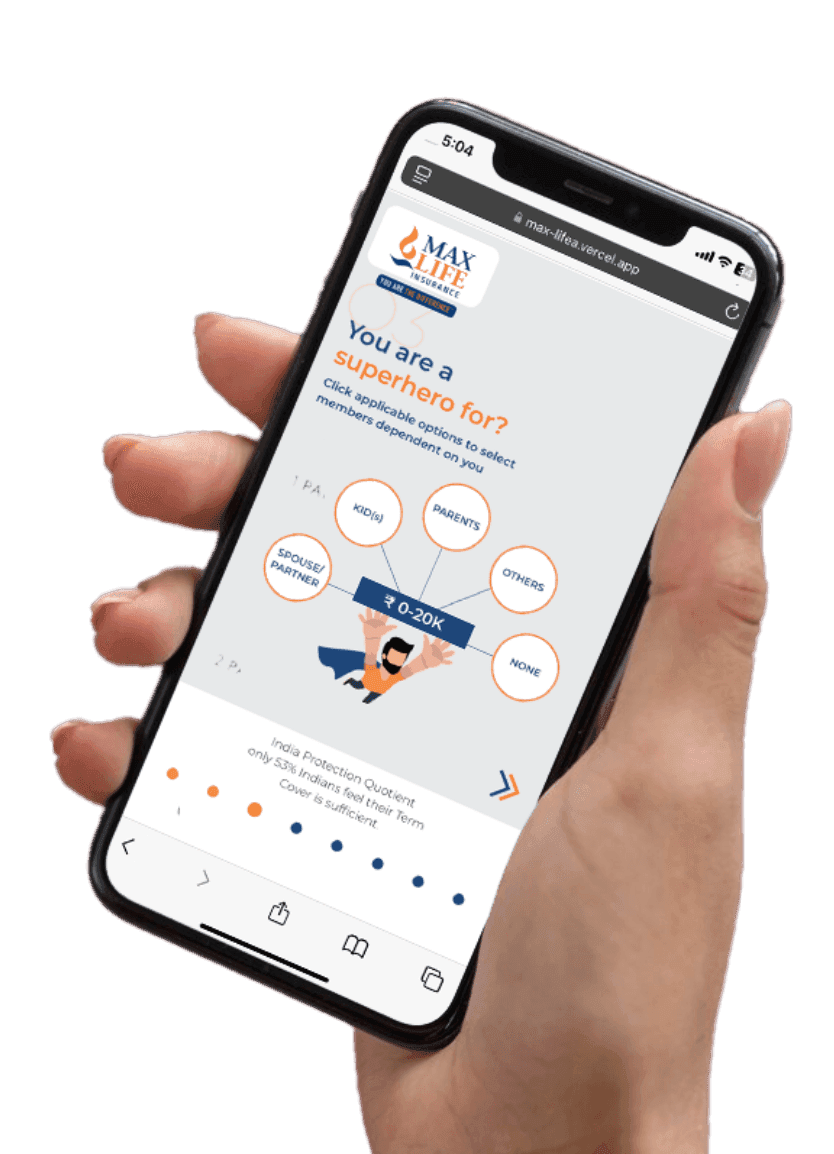
Max Life Insurance

Transforming Digital Insurance Experience

The Problem

Max Life Insurance aimed to modernize its digital platform to deliver a seamless and user-friendly experience. The existing system lacked intuitive navigation, real-time tracking, and personalized features, making policy management inefficient.

Our Approach

Our team developed a high-performance, user-centric digital platform with intuitive UI/UX, secure and scalable architecture, real-time policy tracking, personalized dashboards, and seamless third-party integrations to enhance overall user experience.

What We Achieved

  • Improved user engagement and retention
  • Faster and seamless policy management
  • Enhanced customer experience with better UX
  • Scalable platform supporting growing users
Max Life Insurance App
Clutch 5.0 rating

Recognized. Trusted. Preferred

Awards & Recognition

We are proud to be recognized by leading platforms and industry experts for our innovation, impact, and excellence

TopDevelopers

TopDevelopers

Top Mobile App Developers

Freelancer

Freelancer

Top Mobile App Developers

AppFutura

AppFutura

Top Mobile App Developers

GoodFirms

GoodFirms

Top Mobile App Development

Clutch

Clutch

Top Mobile App Developers

Excellence isn't claimed.It's recognized

These achievements reflect our commitment to
delivering world-class AI solutions that help
businesses grow and lead

FAQ's

UX — user experience — is the structural layer: how a product flows, how intuitive the navigation is, how quickly a user can complete a task without getting lost or frustrated along the way. UI — user interface — is the visual layer that sits on top of that structure: the colours, typography, button styles, spacing, and layout that users actually see and interact with. A useful analogy: UX is the blueprint of a building, and UI is the interior design. A beautifully decorated building with a confusing floor plan is still frustrating to be in — and a clearly laid-out building with dated finishes fails commercially even if it functions perfectly. Both disciplines need each other for a product to succeed. At SpaceToTech, our UI and UX designers work from the same brief and in the same Figma file — they're not separate teams throwing work over a fence at each other, because that's where design intent falls apart. The difference between UI and UX design matters in practice, but the two should never be treated as separate projects.
Cost varies significantly by scope, and any agency quoting a fixed number before understanding your project is working from assumptions rather than your brief. That said, based on SpaceToTech's project history: a simple app design with no dedicated research phase runs approximately $3,000–$10,000. Mid-complexity projects with user research, wireframing rounds, and interactive prototyping typically fall between $10,000–$30,000. Enterprise design systems, full product redesigns, or multi-platform projects with usability testing can reach $30,000–$80,000 and above. The factors that push cost higher include the number of screens, the depth of the user research phase, revision round allowances, third-party tool integrations, and the complexity of the user roles involved. Working with a UI UX design agency based in India — SpaceToTech specifically — typically means 50–65% lower cost than equivalent agencies in the USA or UK, without the quality reduction that phrase sometimes implies. To get an accurate estimate for your project, book a free scoping call and we'll work through the scope with you.
A simple mobile app design — limited screens, no extensive research phase — typically takes 4–8 weeks from kickoff to final handoff. Add user research, multiple usability testing rounds, and a full component library, and you're looking at 8–16 weeks for mid-complexity work. Enterprise design systems, or full redesigns of large product suites, run 3–6 months depending on scope and stakeholder availability. The factor that drives timelines more than almost anything else is feedback speed — a design file that sits in internal review for two weeks without comment adds two weeks to the project, straightforwardly. SpaceToTech delivers a working Figma prototype within the first two weeks of most engagements so that early validation happens before UI UX design process decisions get locked in and expensive to change. That early test round almost always saves more time than it costs.
We follow six structured phases on every project: Discovery and User Research → Information Architecture → Wireframing → Visual UI Design → Prototyping and Usability Testing → Developer Handoff and Support. This is the service of creating UI/UX design the way it should work — research-first, validated at each stage, and ending with a handoff file a developer can build from without guesswork or follow-up questions. CMMI Level 3 certification means this process isn't a set of aspirational phases we follow when there's enough time — it's documented, measured, and followed on every engagement without exception. The double diamond design process and human-centered design methodology inform how we approach user research and prioritisation. You can read the full breakdown in the process section above — but the short version is that we don't skip phases when time gets tight, because that's precisely when skipping them costs the most.
Yes — and it's often more valuable than clients expect before they've tried it. Post-launch UX and technical support services from SpaceToTech include ongoing UX audits as your product evolves and new features get added, A/B testing support for conversion-critical design decisions, heatmap analysis using Hotjar to identify friction patterns in real-world usage, usability testing for new features before they ship to all users, and design updates as user feedback accumulates over time. Products always change after launch — user needs shift, new competitors emerge, features get added — and the original design starts showing stress points that weren't predictable at launch. Having the design team available to respond to those changes, rather than rebuilding from scratch every 18 months, keeps the product coherent and the user experience consistent.
Yes — and a UX audit is where we typically start. Before new pixels get drawn, we analyse what already exists: where users drop off, which screens generate the most support tickets, where navigation breaks down, what accessibility failures the current design has accumulated. That audit produces a prioritised issue list ranked by business impact rather than by how visually obvious the problem is. From there, we can take a phased approach — highest-impact fixes first, full redesign later if the structural foundation warrants it — or a complete rebuild if the underlying information architecture needs replacing entirely. The UK telemedicine case study above is a useful example: the issue wasn't that the product looked wrong. A specific user flow was losing people at a critical moment, and a targeted UX audit surfaced that before the client spent budget on a visual redesign that would have missed the actual problem entirely.
SpaceToTech has designed production products across 10+ global countries and multiple core industries. The verticals we have the deepest production experience in include Fintech, Healthcare, E-Commerce, EdTech, SaaS, Real Estate, Logistics, Telecom, IoT, Oil & Gas, Travel, Manufacturing, and BFSI. The niche three — Telecom UI/UX design services, IoT UI UX design services, and Oil & Gas UI/UX design services — are worth calling out specifically because almost no generalist design agency has real production experience in them. Each of these industries has compliance requirements, user behaviour patterns, and design conventions that simply don't apply in consumer app or SaaS work, and can't be learned quickly from a brief. When SpaceToTech says we've designed for these sectors, we mean we've shipped live products in them — not that we've written a speculative case study.
Both — with different processes that reflect different constraints. For startups, the engagement is lean MVP design: core user journeys, fast iteration cycles, focused scope, and a process calibrated for speed without skipping validation entirely. The goal is a product you can put in front of real users quickly and learn from before spending more. For enterprise clients, the engagement looks considerably different: full design systems, multi-role dashboards, accessibility compliance documentation, longer discovery phases, and governance processes that satisfy procurement requirements. UI UX design for startups at SpaceToTech uses the same CMMI Level 3 quality standard as enterprise work — the process just runs at a different pace and scale. One consistent finding: startups that invest in even a lightweight user research phase before committing to a design direction waste significantly less engineering time in the sprints that follow.
Figma is our primary tool — for design, prototyping, component libraries, and developer handoff. Figma UI UX design is the most effective collaborative environment available because your team gets shared access from Day 1, design decisions are visible as they happen, version history is automatic, and developer handoff specs are built into the same file without a separate export step. Alongside Figma, we use Adobe XD for specific client handoff requirements, InVision for stakeholder prototype reviews, Maze for unmoderated usability testing, Hotjar for post-launch heatmap analysis, and Zeplin for detailed developer specification documentation. ProtoPie and Principle handle advanced micro-interaction prototyping for motion design validation. Sketch is available for client teams with existing Sketch-based workflows, though Figma is our strong recommendation for any new project starting from scratch.
Cost is the obvious answer, and it's a genuine one: India-based UI/UX agencies typically deliver at 50–65% of the cost of equivalent agencies in the USA or UK, without the quality reduction that phrase has sometimes implied in other disciplines. But the more specific question is why SpaceToTech — rather than any of the other Indian design agencies competing for the same search term. SpaceToTech is CMMI Level 3 certified, which means international process accountability that most Indian agencies cannot demonstrate. We've delivered 150+ projects, with production experience in Telecom, IoT, and Oil & Gas that generalist agencies don't have. Our 50+ team communicates in English as a genuine default, works across US, UK, UAE, and Australian time zones consistently, and has served clients in 10+ global countries over 4+ years. Hire UI UX designer India through SpaceToTech and you're not getting a cheaper version of something — you're engaging the best UI UX design agency in India for clients who need international delivery standards, because our existing client base requires it of us every day.

Hire Dedicated UI/UX Designers from India

Choose the model that fits your design and delivery goals.

Dedicated Designer

A full-time senior UI/UX resource focused solely on your product. Works directly with your internal team.

160 Hours/MonthDaily Design UpdatesMonthly Contract

Project Based

Fixed scope and fixed timeline engagements. Ideal for redesigns, MVP UX, or feature-level design sprints.

Milestone-based paymentsStrict adherence to scopeFast turnaround

Team Augmentation

Seamlessly add vetted designers and UX strategists to your existing team and fill skill gaps instantly.

Flexible scalingImmediate onboardingFull transparency

Supporting Insights

Custom Software Development Cost in India 2026 guide cover image
Blogs31/07/2026

Custom Software Development Cost in India: The Complete 2026 Pricing & Decision Guide

Custom software development cost in India ranges from around $15,000 for a lean MVP to well over $500,000 for a multi-crore enterprise platform, and that range alone will not help you set a real budget. What actually matters is where your project sits on that spectrum and why. This guide is built to be a decision-making tool, not another price list. By the end, you will know what a realistic budget looks like for a project like yours, which pricing model fits your situation, and how to spot a quote that will cause problems six months in. If you want the fuller picture of how a custom build gets planned before it even reaches the pricing stage, our Complete Guide to Custom Software Development walks through the full process from planning to launch. Quick Answer: How Much Does Custom Software Development Cost in India? Custom software development in India typically costs between $15,000 and $600,000+ , depending on complexity, with most mid-sized business applications landing between $40,000 and $150,000 . Here is the cost snapshot most readers are looking for. Treat this as a starting point, not a quote; every row below is broken down in detail further in this guide.  Project Type  Cost (INR)  Cost (USD)  Typical Timeline  Simple software / MVP  ₹13L - ₹38L  $15,000 - $40,000  6 - 14 weeks  Mid-complexity platform  ₹38L - ₹1.4Cr  $40,000 - $150,000  4 - 9 months  Enterprise-level system  ₹1.4Cr - ₹5.7Cr+  $150,000 - $600,000+  9 - 18+ months A simple software build usually means one core workflow, a handful of screens, and one or two integrations. Mid-complexity platforms add multiple user roles, several third-party integrations, and a proper admin panel. Enterprise systems bring compliance requirements, legacy-system integration, and multi-region deployment into the picture, which is where costs climb fastest. What Actually Drives Custom Software Development Cost in India Two projects with the same page count can cost twice as much as each other, and the gap rarely comes from the number of screens on the brief. It usually comes down to six variables that quietly decide the final number. Feature complexity is the biggest one: a booking flow with real-time availability checks takes far longer to build correctly than a static content page, even though both count as "one screen" on paper. Integrations add up fast too, since every third-party API you connect, a payment gateway, a CRM, a shipping provider, brings its own setup, error handling, and long-term maintenance work. Security and compliance requirements change the math further. A healthcare app that needs to handle patient data responsibly, or a fintech dashboard that needs PCI-DSS compliance, carries real engineering overhead that a standard business tool doesn't. The technology stack you choose matters as well, since a modern, well-supported stack is usually faster and cheaper to build and maintain than a niche one, mostly because more developers already know it well. Team composition plays its part too: a solo developer costs less per hour but takes longer overall, while a small dedicated team with a QA engineer and a project lead costs more per hour but usually ships faster with fewer defects. And then there's timeline pressure : compressing a six-month build into three months means paying for a bigger parallel team, which raises the total bill even though nothing about the actual scope has changed. Industry context adds its own layer. A logistics platform that needs live GPS tracking and route optimisation carries a different cost profile than a retail inventory tool, even at a similar screen count. And increasingly, one more factor shows up in almost every estimate: AI. Adding AI software development or Generative AI features, an in-app assistant, automated document processing, predictive analytics, typically adds a 15-30% premium over a standard build, mostly because of the extra data engineering and model integration work sitting underneath it. Custom Software Development Cost in India by Project Type Once you know roughly where your project falls, the next question is what that actually buys you in terms of team size and delivery time. A good development partner will tell you honestly which tier your idea actually belongs in, rather than quoting low just to win the deal.  Project Type  Cost Range (INR / USD)  Team Size  Timeline  Simple software  ₹13L - ₹38L / $15K - $40K  2 - 3 people  6 - 14 weeks  Mid-complexity platform  ₹38L - ₹1.4Cr / $40K - $150K  4 - 7 people  4 - 9 months  Enterprise-level system  ₹1.4Cr - ₹5.7Cr+ / $150K - $600K+  8 - 15+ people  9 - 18+ months A one-line rule worth remembering here: if you're not sure which tier your idea falls into, a 30-minute scoping call will tell you faster than any calculator. Cost by Business Stage: Startup vs SMB vs Enterprise Project complexity is one lens. Business stage is another, and it changes what "reasonable cost" even means, because a startup and an enterprise are optimising for completely different things.  Business Stage  Typical Budget  What It Buys  Startup  $15,000 - $50,000  Lean MVP, one core workflow, fast iteration  SMB  $50,000 - $200,000  Mid-market build, multiple modules, integrations  Enterprise  $200,000 - $600,000+  Multi-module, compliance-heavy, legacy integration Startups should optimise for speed to first users, not feature completeness. SMBs are usually replacing a patchwork of spreadsheets and off-the-shelf tools with one system built around how they actually work. Enterprises are the outlier: at this stage, cost is less about screens and more about integration with existing systems, security audits, and vendor accountability, which is why it's worth reviewing top enterprise software developers in India specifically rather than a general vendor list. Software Developer Hourly Rate in India (2026) Hourly rate is the number every buyer fixates on, but it only tells part of the story. The Stack Overflow Developer Survey consistently shows a wide global pay gap by region, and India remains one of the largest cost advantages available without a corresponding drop in code quality, provided you vet the vendor properly.  Experience Level  Hourly Rate (USD)  Monthly Equivalent  Junior (0-2 yrs)  $15 - $25  $2,400 - $4,000  Mid-level (2-5 yrs)  $25 - $45  $4,000 - $7,200  Senior (5+ yrs  $45 - $70  $7,200 - $11,200  Solution Architect  $70 - $100+  $11,200 - $16,000+ These are blended market rates, not a single agency's price card, so treat them as a sanity check against any quote you receive. If a vendor's number is dramatically below this range, ask why before you ask when they can start. For a full breakdown of what goes into that number, our guide on cost to hire a software developer in India covers salary, overhead, and agency margins separately. And if rate alone isn't enough to decide on, our list of top software developers in India is a reasonable starting point for shortlisting. Pricing Models Compared: Fixed Price vs Time & Material vs Dedicated Team The pricing model you choose affects your risk exposure as much as your total spend. Get this wrong and even a fairly priced project can feel expensive by the end.  Mode  Best For  Key Risk  Fixed price  Well-defined scope, short timelines  Any scope change triggers a renegotiation  Time & material  Evolving requirements, ongoing products  Costs can drift if there's no budget discipline  Dedicated team  Long-term builds, in-house extension  Requires more active management on your side Fixed price feels safest on paper, but it only works if your requirements are genuinely locked, which is rarer than most founders assume. Time & material is more honest about how software actually gets built, but it puts the burden of tracking spend on you. A dedicated team model sits in between: you get predictable monthly costs and a team that behaves like an extension of yours, without the fixed-price rigidity. If you're choosing between a dedicated setup and hiring freelancers piecemeal, this comparison of dedicated developers vs freelancers is worth reading before you commit either way. A Real Cost Estimate: What a Typical Project Actually Adds Up To Ranges are useful, but nothing beats seeing the math behind a real number. Here's a worked example for a mid-complexity build: an MVP with roughly 20 screens, 2 third-party integrations, and an admin panel.  Work Item  Estimated Hours  Notes  UI/UX design (20 screens)  160 - 200 hrs  Wireframes through to final UI  Frontend development  320 - 400 hrs  ~16-20 hrs per screen, incl. states  Backend + database  280 - 360 hrs  Core logic, data models, APIs  2 integrations (payment + one API)  80 - 120 hrs  Setup, error handling, testing  Admin panel  100 - 140 hrs  Role-based access, reporting views  QA and testing  120 - 160 hrs  Functional, regression, UAT support  Project management  10-15% of total  Ongoing throughout the build Add that up at a blended mid-level rate of roughly $30-35/hour and you land somewhere around $35,000-$50,000 for the core build, before hosting, third-party licensing fees, and post-launch support. That's the honest math behind a mid-complexity quote, not a number pulled from a generic price list. This is a worked example, not a live calculator, since every project's real numbers shift once you get into specifics. At Space To Tech , we scope projects like this around business goals first, then translate that into hours, not the other way around. That's usually where a quote either holds up or falls apart three months later. Hidden Costs Every Business Should Consider Before Starting Development The development quote is rarely the full cost of getting to a working, maintained product. These line items catch most first-time buyers off guard. Cloud and hosting – ongoing infrastructure cost that scales with usage; check AWS Pricing if you want to model this yourself before committing to a stack. Third-party API and payment gateway fees – most charge a percentage per transaction or a flat monthly fee, on top of your dev cost. App store fees – one-time developer account fees plus, for some categories, ongoing revenue share. Compliance and certification costs – audits, certifications, and legal review for regulated industries are usually quoted separately from development. Post-launch QA – bugs surface once real users start behaving unpredictably; budget for at least one stabilisation cycle after launch. Change requests – anything outside the original scope document, however small it feels, is billable work. Data migration – moving historical data from an old system is almost always underestimated, especially if the old data is messy. User training – documentation, onboarding sessions, and internal champions all take real time to set up properly. None of these are reasons to avoid custom software. They're reasons to ask your vendor to itemise them upfront instead of finding out after the invoice arrives. Total Cost of Ownership: What Happens After Launch "Maintenance costs money" is true but not useful. Here's what that actually breaks down into, as a rough percentage of your original build cost, per year.  Cost Line  Typical Annual Cost  What It Covers  Annual maintenance  15-20% of build cost  Bug fixes, dependency updates, small tweaks  Future upgrades  Project-based  New features added after initial launch  Scaling costs  Usage-based  Infrastructure growth as user base grows  Cloud/hosting  $100 - $5,000+/month  Depends heavily on traffic and data volume  Security  5-10% of build cost  Patching, monitoring, periodic audits  Support  $500 - $5,000+/month  SLA-backed response for issues and incidents A reasonable rule of thumb: budget 15-20% of your original build cost annually just to keep the product healthy, before you add a single new feature. Vendors who skip this conversation during sales are usually the ones with the vaguest maintenance clauses in the contract. 10 Ways to Reduce Custom Software Development Cost Without Compromising Quality None of these are about paying less per hour. They're about not paying for hours you didn't need to spend. Start with an MVP. Ship the smallest version that solves the real problem, then let actual usage tell you what to build next. Fix the scope for phase one. A locked scope document is the single biggest lever against cost overrun, more than any negotiation tactic. Reuse proven frameworks. Building on well-supported, mature frameworks instead of custom infrastructure saves months of otherwise invisible work. Right-size the team. A bloated team doesn't move faster; it usually moves slower due to coordination overhead, and it definitely costs more. Choose the stack deliberately. Pick technology based on your team's long-term maintenance needs, not what's trending this year. Negotiate dedicated-team monthly pricing over hourly for long projects. It's usually 10-15% cheaper once a project runs past four months. Invest in QA early. Catching a bug in development costs a fraction of catching it after launch, when real customer data is involved. Prioritise ruthlessly. Every "nice to have" you defer to phase two is money you don't spend this quarter. Avoid scope creep through formal change orders. Verbal "just add this real quick" requests are where budgets quietly disappear. Pick the engagement model that matches your requirement stability. Stable requirements favour fixed price; evolving ones favour time & material or a dedicated team. ROI of Custom Software Development A cheaper SaaS subscription looks attractive in year one. The math changes once you run it out three to five years, especially at scale.    One-Time Custom Build  Multi-Year SaaS Subscription  Year 1 cost  $40,000 - $150,000 (build)  $5,000 - $30,000/year  Years 2-5 cost  15-20%/year maintenance  $5,000 - $30,000/year, often rising  5-year total (typical)  $70,000 - $270,000  $25,000 - $150,000+  Ownership & customisation  Full control, your IP  Limited to vendor's roadmap SaaS wins on speed and low upfront cost, which is exactly why it makes sense for generic needs. Custom software wins on ownership, automation tailored to your actual workflow, and the fact that you stop paying a per-seat tax as your team grows. The real ROI shows up in three places: time saved through automating manual work, fewer licensing fees stacking up across departments, and a product you can actually shape around how your business runs, instead of the other way around. Red Flags to Watch for When Comparing Quotes The lowest quote in your inbox is rarely the cheapest option by the time the project finishes. Before you sign anything, read our full breakdown of red flags when hiring software developers in India , and watch specifically for these during vendor comparisons. The lowest-quote trap – an unusually low number usually means junior-only staffing, under-scoped hours, or a plan to bill you for everything later as a "change request." No IP or code ownership clause – if the contract doesn't explicitly say you own the code and assets, assume you don't. No documentation – undocumented codebases make switching vendors later expensive and slow, which is exactly the leverage a bad vendor wants. Hidden maintenance clauses – some contracts lock you into the original vendor for support at inflated rates; read the fine print before you sign. No warranty period – a reasonable vendor stands behind post-launch bugs for a defined window at no extra charge. Vague or undefined scope – if the proposal can't tell you what's included in writing, assume everything not listed will be billed separately. Custom Software Development Cost: India vs USA vs UK vs UAE vs Australia SpaceToTech works with clients across all five of these markets, and the rate gap between them is the single biggest reason India keeps winning outsourcing decisions. Country Hourly Rate Range (USD) Relative Saving vs USA India $15 - $70 60-75% lower USA $100 - $200 Baseline UK $70 - $150 25-40% lower UAE $50 - $120 35-50% lower Australia $80 - $160 20-35% lower If you're comparing local vendors first, our list of top custom software development companies in the USA is a useful benchmark for what US-based teams typically quote for custom application software development before you compare it against an Indian partner's number for the same scope. For UK-based teams weighing a similar decision, this breakdown of custom software development in the UK covers local rates in more depth. The gap isn't just about labour cost either. India's IT sector has more than two decades of outsourcing maturity behind it, meaning established time-zone overlap practices, strong English-language communication, and contract structures that Western clients are already familiar with. That's a large part of why the savings translate into real delivered software rather than just a lower number on a quote. In-House Team vs Outsourcing to India: Which Costs Less? On paper, an in-house hire looks simpler. Once you add up the fully-loaded cost, the comparison usually isn't close. Cost Factor In-House (US/UK) Outsourcing to India Salary (senior dev, annual) $120,000 - $180,000 $25,000 - $60,000 Benefits & overhead 20-30% on top of salary Included in agency rate Recruiting & hiring time 6-12 weeks typical 1-3 weeks to onboard Infrastructure & tooling Your responsibility Often included Bench risk if project pauses You still pay salary You scale the team down In-house makes sense when the work is genuinely ongoing, deeply tied to your product roadmap, and you have the budget to build a full team with redundancy. For most founders and mid-market companies, outsourcing software development to India gets you the same calibre of engineering at a fraction of the fully-loaded cost, without the hiring lead time. If you're weighing this seriously, it's worth reading how to hire software developers from India the right way, and this practical walkthrough on how to hire top software developers in India before you start vendor conversations. How to Choose the Right Custom Software Development Partner Price comparisons only get you so far. The vendor you choose matters more than the number on their quote, and this checklist is what actually separates a good partner from a risky one. Relevant industry portfolio – ask for examples in your specific domain, not just "we've built apps before." Transparent pricing structure – you should be able to see exactly what's included, and what triggers an extra charge. Clear IP and ownership terms – get this in writing before the project starts, not after. Defined post-launch support model – know exactly what happens the day after launch, not just the day of. Communication practices – regular updates, a single point of contact, and time-zone overlap that actually works for your team. Before you sign with anyone, it's worth reading through the skills to verify before hiring software developers so you're evaluating actual technical depth, not just a polished sales deck. From there, our lists of top software development companies and top custom software development companies in India are good starting points for building a shortlist. If location and time-zone overlap matter to you, it's worth knowing that a large share of India's engineering talent is concentrated around Delhi NCR. SpaceToTech itself is a software development company in Noida , part of the same tech corridor that includes many of the top software developers in Delhi , which means access to a deep, mature talent pool without the higher costs of Bangalore or Mumbai. Putting a Real Number on Your Project  Custom software pricing in India isn't complicated once you strip away the vague ranges floating around online. It comes down to three things: which complexity tier your project actually falls into, a pricing model that matches how stable your requirements are, and a vendor who's upfront about maintenance and IP terms before you sign anything. Get those three right, and the number on your quote stops being a guess and starts being a plan you can actually execute against. When you're ready to turn a budget range into a real conversation, SpaceToTech works as a Custom Software Development Company built around goals-first scoping rather than a generic hourly rate card, across teams in the US, UK, UAE, Australia, and India.



React Native security layered protection illustration for enterprise mobile apps
Blogs12/07/2026

React Native Security: 15 Best Practices to Build Secure Enterprise Apps

React Native security is the practice of protecting an app's data, authentication, and code from theft, tampering, and interception across the JavaScript bridge, native modules, and network layer. For any team building a secure React Native app for enterprise users, security is not a single feature you bolt on before launch. It is a set of layered decisions made across storage, authentication, network calls, and code protection.This guide walks through what React Native app security actually means, the most common risks enterprise teams run into, and a complete framework of React Native security best practices you can apply today, whether you are technical or leading the business side of a mobile project. What Is React Native Security? React Native security is the set of practices that protect user data, authentication credentials, and app logic across the JavaScript bridge, native modules, and network layer of a React Native application. It combines secure storage, encrypted network communication, code hardening, and dependency management into one layered defense. Security in React Native is not a plugin you install once. It is an ongoing discipline that touches how you store tokens, how you talk to your APIs, how you ship updates, and how carefully you vet the open source packages your app depends on. Because React Native blends JavaScript with native iOS and Android code, this discipline looks a little different from securing a purely native app, which is exactly why enterprise teams benefit from a dedicated approach rather than borrowing a native security checklist wholesale. If you are earlier in the process and still evaluating the framework itself, our React Native app development guide covers the fundamentals end to end. This article picks up from there and focuses specifically on how to secure what you build.  Why React Native Security Matters for Enterprise Apps React Native app security stops being a developer-only concern the moment your app starts handling real user data, payments, or business logic that a competitor would love to see. For enterprise decision makers, weak security carries four kinds of cost: Data breaches that expose customer PII, credentials, or financial details, often triggering mandatory disclosure obligations and lasting reputational damage. Compliance exposure. Regulated industries such as finance, healthcare, and HR tech face GDPR, HIPAA, or PCI-DSS obligations that a single insecure endpoint or unencrypted data store can violate. Erosion of user trust. Users rarely forgive a breach, and mobile apps live or die by repeat usage and word of mouth. Direct financial risk from incident response, legal exposure, and lost business, on top of the engineering time spent fixing the issue after the fact rather than before launch. None of this is unique to React Native. What is unique is that its cross-platform nature means a single vulnerability, say an unencrypted AsyncStorage call, ships to both iOS and Android at once. That is the tradeoff of a shared codebase: faster delivery, but also faster propagation of any security gap. How React Native's Architecture Creates Unique Security Considerations To understand why React Native needs its own security lens, it helps to understand how the framework works under the hood. Our React Native architecture explained guide covers this in depth, but the short version is that React Native connects a JavaScript thread to native iOS and Android modules through a bridge, or in the New Architecture, through JSI, the JavaScript Interface. This bridge is powerful because it lets one JavaScript codebase drive native UI and native capabilities on both platforms. It also means the app's attack surface includes three layers instead of one: the JavaScript bundle itself, which can be extracted and inspected, the native modules it talks to, and the growing list of third-party npm packages most React Native apps depend on. Securing a React Native app for enterprise use means addressing all three layers, not just the parts a native iOS or Android developer would traditionally worry about. Common React Native Security Risks and Vulnerabilities Before getting into best practices, it is worth naming the recurring risks that show up across React Native codebases. Building a secure React Native app starts with knowing what you are defending against: Reverse engineering of the JavaScript bundle. Without protection, an attacker can extract and read an app's JS bundle, exposing business logic, hardcoded keys, and API endpoints. Insecure local storage. Storing tokens, passwords, or personal data in plain, unencrypted storage is one of the most common React Native security issues found in audits. Weak authentication and session handling. Missing multi-factor authentication, long-lived tokens, or predictable session identifiers all widen the door for account takeover. Insecure API communication. Skipping certificate pinning or relying on plain HTTP instead of properly configured HTTPS leaves data exposed in transit. Dependency and supply-chain risk. React Native apps often pull in dozens of npm packages, and one outdated or malicious dependency can introduce a React Native security vulnerability without a single line of your own code changing. Each of these maps to a well-documented category in the OWASP Mobile Top 10, which this guide returns to shortly. React Native Security Best Practices: A Complete Framework Building a secure React Native app comes down to applying the following React Native security best practices consistently, not just at launch, but through every release. Whether you are evaluating a vendor's approach, or reviewing your own team's checklist for a fast-moving product (including teams exploring React Native for startups who still cannot afford to cut corners on security), these nine areas cover the full stack. 1. Secure Authentication and Authorization Authentication is usually the first thing attackers probe. Use OAuth 2.0 with PKCE (Proof Key for Code Exchange) rather than the older implicit grant flow, which is no longer considered safe for mobile apps. Libraries like react-native-app-auth wrap the native AppAuth SDKs for iOS and Android and support PKCE out of the box. Pair this with short-lived JWT access tokens, commonly around 15 minutes, and longer-lived refresh tokens that rotate on every use, so a leaked token has a limited window of usefulness. Add biometric authentication such as Face ID, Touch ID, or fingerprint as a second factor using react-native-biometrics or expo-local-authentication, and enforce role-based authorization on the server so a compromised client cannot simply request data it should not see. 2. React Native Secure Storage React Native secure storage is one of the most misunderstood areas of the framework. According to the official React Native documentation , Async Storage, the default key-value store bundled with most React Native apps, is unencrypted by design. It is fine for non-sensitive preferences, but it should never hold tokens, passwords, or personal data, a point worth trusting since it comes straight from the framework's own maintainers rather than a third-party blog. For anything sensitive, use react-native-keychain or expo-secure-store, which write to the iOS Keychain and Android Keystore respectively, both hardware-backed and encrypted by the operating system. For larger datasets, such as an offline database, SQLCipher provides transparent 256-bit AES encryption. The rule of thumb: if losing this data would embarrass you or hurt a user, it does not belong in plain AsyncStorage. 3. Network and API Security Every API call an app makes should run over HTTPS, but HTTPS alone is not enough. Certificate pinning, or better, public-key pinning using the SPKI hash, restricts an app to trust only its own server's certificate, so even if an attacker installs a rogue root certificate on a device, a pinned app refuses the connection. Layer in API request signing, such as HMAC-SHA256 with a timestamp and nonce, to prevent replay attacks, and validate every API response against a schema on the client using a library like zod, so a compromised or spoofed API cannot quietly inject malicious data into the app. 4. Code Protection Against Reverse Engineering Because the JavaScript bundle can be extracted from any installed app, protecting it matters. Enable Hermes, React Native's JavaScript engine and the default since version 0.70, which compiles JS to bytecode rather than shipping plain, readable JavaScript. On Android, enable ProGuard or R8 to minify and obfuscate native Java and Kotlin code, and confirm Metro bundle minification is switched on for production builds. For an extra layer, javascript-obfuscator can add string encryption and control-flow flattening to the bundle. None of this makes reverse engineering impossible, but it raises the cost and time required enough to deter casual attackers, and genuine secrets should still live on the server regardless of how well the client is obfuscated. 5. Root and Jailbreak Detection A rooted Android device or a jailbroken iPhone gives an attacker, or sometimes the device owner, far more access to an app's storage and memory than the OS normally allows. Libraries such as react-native-jail-monkey can detect this state at runtime. What you do with that information depends on the app's risk profile. A banking or healthcare app might block access entirely on a compromised device, while a lower-risk consumer app might simply show a warning or log the event for fraud analysis. There is a genuine UX tradeoff here, since some users root their devices for legitimate reasons, so it is worth defining a clear policy rather than defaulting to an outright ban. 6. Secure Deep Linking and WebView Handling Deep links make navigation smoother, but they can also be intercepted or spoofed by another app registered for the same URL scheme, potentially exposing authentication tokens or routing a user to an unintended screen. Validate any data arriving through a deep link before acting on it, and avoid passing sensitive tokens directly in a link's query parameters. If the app uses WebViews, treat them as untrusted by default. Restrict which domains they can load, disable JavaScript execution where it is not needed, and never inject app secrets into a WebView's context. 7. Third-Party Dependency and Supply-Chain Security Most React Native apps depend on dozens, sometimes hundreds, of npm packages, and each one is a potential entry point. Use software composition analysis tooling to flag known vulnerabilities in the dependency tree, and review a package's maintenance history, community size, and how it handles sensitive data before adding it to a production app. Keep dependencies patched on a regular cadence rather than letting them drift for months. A large share of real-world mobile security incidents trace back to a known, already-patched vulnerability in an outdated library rather than a novel attack technique. 8. Secure CI/CD and OTA Update Pipelines Over-the-air updates through CodePush or EAS Update let a team ship JavaScript changes without a full app store review, which is convenient and also a serious attack surface if left unprotected. Only accept signed updates from your own backend or the official update endpoint, and verify the signature before applying anything. Restrict who on the team can publish an update, use HTTPS and certificate pinning on the update endpoint itself, and keep an audit trail of every release. Treat the OTA pipeline as a privileged system, since an attacker who compromises it can push malicious code straight to the entire user base without ever going through app store review. 9. Session Management and Secure Logout When a user logs out, make sure the app actually clears locally stored tokens and cached personal data rather than just hiding the login screen. If a device is later shared or resold without a factory reset, leftover session data can expose the previous user's account. On Android specifically, be aware that the App Auto Backup feature can quietly back up app data to a user's Google Drive account, including data assumed to stay on-device. Either exclude sensitive files from backup or encrypt them, so a backup copy is never equivalent to a security hole. React Native Security and the OWASP Mobile Top 10 There is no need to invent a security framework from scratch. The OWASP Mobile Top 10 , maintained by the Open Web Application Security Project, a nonprofit whose lists are already used as a baseline by many enterprise security teams, gives a well-tested view of the most critical mobile risks. Mapping it to React Native makes it easier to see where each best practice above actually applies. OWASP Mobile Risk Category How It Shows Up in React Native Covered In Improper Credential Usage Hardcoded API keys or secrets in the JS bundle, weak token handling Secure Authentication and Authorization Insecure Data Storage Sensitive data left unencrypted in AsyncStorage React Native Secure Storage Insufficient Transport Layer Protection Missing HTTPS/TLS or no certificate pinning Network and API Security Insecure Authentication No MFA, weak session handling, implicit OAuth grant misuse Secure Authentication and Authorization Insufficient Cryptography Weak or custom encryption instead of platform-standard libraries React Native Secure Storage Client Code Quality and Code Tampering Unobfuscated JS bundle, no root or jailbreak detection Code Protection Against Reverse Engineering Insecure Data via Deep Links Deep links exposing tokens or sensitive routes Secure Deep Linking and WebView Handling Use of Components with Known Vulnerabilities Outdated or unpatched npm dependencies Third-Party Dependency and Supply-Chain Security React Native Security Checklist Use this React Native security checklist before any major release. It is designed to be shared with a team or turned directly into sprint tickets. Store all tokens, passwords, and personal data in Keychain/Keystore, never in plain AsyncStorage. Enforce HTTPS everywhere and add certificate or public-key pinning on every API call. Use OAuth 2.0 with PKCE and short-lived, rotating JWT tokens. Add biometric authentication as a second factor for sensitive actions. Enable Hermes, ProGuard/R8, and Metro minification for every production build. Run root and jailbreak detection and define a clear response policy. Validate deep link data before acting on it, and sandbox WebViews to trusted domains only. Run software composition analysis on dependencies and patch on a fixed cadence. Sign and verify every OTA/CodePush or EAS update, and restrict who can publish. Clear local tokens and cached data on logout, and account for Android Auto Backup exposure. Map current coverage against the OWASP Mobile Top 10 before each major release. Schedule a penetration test at least annually, and after any payment or compliance-sensitive feature ships. React Native Security Tools and Libraries at a Glance A quick reference for the libraries mentioned throughout this guide, so you do not have to hunt back through each section. Tool / Library What It Secures Platform react-native-keychain Encrypted credential storage via iOS Keychain / Android Keystore iOS + Android expo-secure-store Encrypted key-value storage for Expo-managed apps iOS + Android react-native-app-auth OAuth 2.0 + PKCE native authentication flows iOS + Android react-native-ssl-pinning Certificate/public-key pinning to block MITM attacks iOS + Android react-native-jail-monkey Root and jailbreak / compromised-device detection iOS + Android javascript-obfuscator JS bundle obfuscation (string encryption, control-flow flattening) Build-time, cross-platform SQLCipher 256-bit AES encryption for local SQLite databases iOS + Android Hermes (built-in) Compiles JS to bytecode, harder to decompile than plain JS Default on RN 0.70+ Common React Native Security Mistakes to Avoid Hardcoding API keys or secrets directly in the JavaScript source, where they can be extracted from the bundle. Storing tokens or passwords in AsyncStorage without encryption. Skipping SSL or certificate pinning because it feels like extra setup work. Letting dependencies drift for months without checking for known vulnerabilities. Failing to clear local data on logout, leaving the next user of a shared device exposed. Relying on obfuscation alone instead of moving real secrets to the server. How Often Should a React Native App Undergo a Security Audit? Run automated dependency and static-analysis scans on a quarterly basis at minimum, since new vulnerabilities in existing packages are disclosed constantly. Schedule a full penetration test before any major release and at least once a year regardless of release cadence. Outside that regular schedule, trigger an additional audit whenever the app adds a payment feature, takes on a new compliance requirement, or shortly after any security incident, even a minor one. Treating an audit as a one-time, pre-launch checkbox is one of the more common ways enterprise teams end up with an outdated security posture within a year of shipping. Are React Native Apps Secure for Enterprise Use? Yes, when the practices above are actually implemented and maintained. Security in React Native depends far more on implementation choices than on the framework itself. A well-secured React Native app, with encrypted storage, pinned network calls, hardened code, and a maintained dependency tree, holds up just as well as a comparable native app for most enterprise use cases. Where React Native genuinely differs from native development is the shared codebase across iOS and Android, which means a security gap can propagate to both platforms at once, but also means a fix reaches both platforms at once too. For enterprise teams, the practical takeaway is to treat security as a release-gate requirement, not an afterthought, regardless of which framework sits underneath the app. Final Thoughts React Native security is not a single setting to switch on. It is a layered practice across storage, authentication, network calls, code protection, dependencies, and release pipelines, applied consistently from the first sprint through every update after launch. Teams that treat it this way build apps that hold up under real scrutiny, not just at launch, but a year and a dozen releases later. If you are planning a new build or reviewing an existing app's security posture, our team can walk through this checklist against your specific codebase. Our engineers regularly hire and pair with React Native developers who bring this exact framework into client projects from day one, and it is part of how we approach every app we build as a mobile app development company .

Dark blue cover graphic comparing dedicated developers vs freelancers hiring models for 2026, Space To Tech
Blogs26/07/2026

Dedicated Developers vs Freelancers: Which Hiring Model Is Best for Your Business in 2026?

You've already decided to build the product. Now comes the harder question: who actually builds it? Most founders default to whichever option feels cheaper or faster in the moment — a freelancer from a marketplace, or a dedicated team from a development partner like SpaceToTech . Both can work. But they solve different problems, and picking the wrong one doesn't just cost money — it costs months of rework when an unmanaged codebase has to be rebuilt by someone else. This guide breaks the decision down the way a CTO would: by cost (including the costs nobody puts on the invoice), by scalability, by risk, and by what actually happens six months into the project — not just what a sales page promises on day one. Quick Answer Dedicated developers work exclusively on your project under a structured, ongoing engagement — best for products that need to scale, evolve, and be maintained over time. Freelancers work project-to-project across multiple clients — best for small, well-defined, short-lived tasks. If your roadmap extends past a single deliverable, a dedicated team almost always wins on total cost and risk, even though the hourly rate looks higher.   Dedicated Developers Freelancers Best for Long-term products, ongoing roadmaps Isolated tasks, quick fixes, MVPs Commitment Full focus on your project Split across multiple clients Cost structure Predictable monthly / sprint-based Lower hourly rate, unpredictable total IP & NDA protection Formal, enforceable from day one Harder to enforce, inconsistent Scalability Add developers as the roadmap grows Re-sourcing required for each new skill gap Code ownership Continuous — same team, same context Fragmented — knowledge leaves with the freelancer Management overhead Low — structured delivery process High — you become the project manager Typical contract Retainer or time-and-material Fixed-price per task What Are Dedicated Developers? A dedicated developer — or dedicated development team — is hired to work exclusively on your product for the duration of the engagement. They're not juggling five other clients between your standups. They join your sprints, learn your codebase, and are accountable to your roadmap the way an in-house hire would be, without the overhead of a permanent employment contract. This model typically runs on retainer or time-and-material contracts, with milestone-based delivery and NDA protection built in from the first day, not negotiated after a scope dispute. What Are Freelance Developers? A freelancer is an independent contractor who takes on discrete, usually short-term engagements — often several at once, across different clients. They're well suited to a scoped task with a clear finish line: a landing page, a one-off integration, a bug-fix sprint. What they're structurally not built for is sustained ownership of an evolving product, because their business model depends on rotating through clients, not embedding in one. Neither model is "better" in the abstract. The mismatch happens when a founder hires a freelancer for what is actually a 12-month product build, or hires a dedicated team for a two-week fix. Dedicated Developers vs Freelancers: Side-by-Side Comparison Factor Dedicated Developers Freelancers Continuity Same developer(s) throughout the product lifecycle Different freelancers likely for different phases Architecture ownership Long-term accountability for technical decisions Little incentive to think past the current task Communication cadence Structured — standups, sprint reviews, shared tools Ad hoc — depends on individual availability Security & compliance Formal NDA, IP assignment, structured processes Varies widely, harder to enforce across jurisdictions Quality control Peer review, QA built into delivery Self-reported, no independent oversight Response to scope change Absorbed into sprint planning Often triggers a new negotiation or new hire Onboarding cost per hire Paid once, amortized over the engagement Paid every time you switch freelancers The Real Cost Comparison — Why "Cheaper" Freelancers Often Cost More This is the part most comparison articles skip, and it's the one that actually changes decisions. A freelancer quoting $30/hr looks obviously cheaper than a dedicated developer at $45/hr. But the hourly rate is not the total cost. Here's a realistic 12-month comparison for a single mid-level developer role:    Freelancer  Dedicated Developer  Base cost (160 hrs/mo × 12 mo)  $30/hr → $57,600  $45/hr → $86,400  Rework from inconsistent quality  +$15,000–$25,000  Included in delivery process  Delays from split attention across clients  +$8,000–$15,000 (opportunity cost)  Minimal — dedicated focus  Re-onboarding a new freelancer mid-project  +$3,000–$6,000 per switch  Not applicable  IP / security risk exposure  Hard to quantify, rarely $0  Contractually mitigated  Realistic 12-month total  ~$85,000–$105,000  ~$86,400 The gap narrows or disappears once you account for what actually happens on a real project: a freelancer who ghosts mid-sprint, code that needs rework because nobody reviewed it, or the two weeks it takes a replacement freelancer to understand what the last one built. None of that shows up on the original quote. Contract Types: Fixed-Price, Time-and-Material, and Retainer Both models can run under different contract structures, and picking the wrong one causes more disputes than picking the wrong hiring model does. Fixed-price: set scope, set price. Works when requirements are fully locked before development starts — common with freelancers on small, well-defined tasks. Breaks down fast if scope changes. Time-and-material: you pay for hours actually worked. Best when requirements will evolve, which is true of almost every real product. Common with dedicated teams because it absorbs scope change without renegotiation. Retainer: a fixed monthly commitment for ongoing capacity — standard for dedicated teams supporting a live product long-term (maintenance, iteration, new features). This is also why what it actually costs to hire a developer in India is worth reading alongside this comparison — the hourly-rate numbers only tell part of the story; the engagement model determines whether you actually pay that rate or something well above it. Hidden Costs Businesses Often Ignore The TCO table above covers the costs a contract can put a number on. These don't show up on any invoice, and they're usually bigger than founders expect: Founder time — every hour a founder spends re-explaining context to a new freelancer is an hour not spent on the business, and it's rarely tracked as a cost. Communication overhead — coordinating across several freelancers' schedules eats more calendar time than one structured standup with a dedicated team. Replacing a freelancer — sourcing, vetting, and re-onboarding a replacement resets the learning curve on your own codebase. Delayed launches — a missed freelance handoff can stall a release by weeks, not days, because there's no bench to absorb the gap. Lost revenue — every week a launch slips is a week competitors don't have to wait. Context switching — a freelancer splitting attention across clients context-switches on your project too, and that cost is invisible until velocity drops. Most of these surface as the same warning signs covered in red flags when hiring software developers in India — vague timelines, slow communication, and unclear ownership tend to compound quietly until a project is already behind. Scalability: Which Model Grows With Your Product? A freelancer model scales by addition — every new skill gap means sourcing, vetting, and onboarding another independent contractor, with no guarantee they'll mesh with what the last one built. A dedicated team scales by extension — the same team structure absorbs new developers who inherit existing context, documentation, and conventions. For a startup expecting to go from MVP to Series A build-out, or an SME adding a mobile app to an existing web product, the dedicated model's scaling curve is close to linear. The freelance model's scaling curve gets steeper with each additional hire, because coordination overhead compounds. Security, IP Protection, and NDA Enforcement This is the risk category founders underweight until it matters. A dedicated development partner typically has NDA and IP-assignment terms built into the master agreement before work starts — enforceable, consistent, and backed by a company rather than an individual. Freelance arrangements vary enormously: some marketplaces offer boilerplate NDAs, many don't, and enforcement across borders is genuinely difficult if a dispute arises. If your product involves proprietary algorithms, unreleased features, or customer data, this alone can be the deciding factor regardless of cost. Communication, Time Zones, and Team Collaboration Dedicated teams are built around your working rhythm — shared tools, scheduled standups, a single point of accountability. Freelancers communicate on their own terms, which is fine for a task with minimal back-and-forth and a problem when a project needs daily alignment. If you're coordinating across time zones already, a structured dedicated team — the kind covered in why founders hire developers from India — is generally easier to keep in sync than several independent freelancers on their own schedules. Knowledge Retention and Long-Term Maintenance Every time a freelancer's engagement ends, the undocumented context in their head leaves with them — architectural decisions, workarounds, the reason a particular library was chosen. A dedicated team retains that knowledge because the same people maintain what they built. For products with a maintenance phase (nearly all of them), this difference compounds every time a bug needs fixing six months after launch. Best Hiring Model by Business Stage Stage Recommended Model Why Pre-seed / idea validation Freelancer or small dedicated pair Speed and low commitment matter more than scale Startup, post-MVP Dedicated developer(s) Continuity matters once real users depend on the product SME, scaling product Dedicated development team Coordination and knowledge retention outweigh hourly savings Enterprise Dedicated team + formal governance Security, compliance, and accountability are non-negotiable Whichever stage you're at, it's worth comparing vetted providers rather than picking the first result — SpaceToTech's roundup of top software developers in India is a reasonable starting shortlist if you want to see how established teams structure pricing and delivery before you commit. Real-World Scenarios: Which Model Fits Your Situation? "I need a landing page built in two weeks." — Freelancer: scoped, short, low risk. "I have a live SaaS product and a backlog that keeps growing." — Dedicated team: continuity and roadmap ownership matter more than hourly rate. "I need a one-off Stripe integration." — Freelancer: well-defined, finite task. "I'm about to raise a Series A and need to scale engineering fast." — Dedicated team: you need people who'll still understand the codebase in a year. Can You Switch From Freelancers to a Dedicated Team Mid-Project? Yes, and it's more common than most founders expect — usually after the "cheap MVP" built by rotating freelancers hits its first real scaling problem. The switch works best when you treat it as an audit first: a dedicated partner reviews the existing codebase, documents what's salvageable, and rebuilds only what's genuinely broken rather than starting over. Ask any partner you're evaluating for this audit step explicitly — vetting developers properly before you commit applies here as much as it does to a first hire. External References The U.S. Bureau of Labor Statistics projects software developer employment to grow roughly 15% between 2024 and 2034, much faster than the average for all occupations — demand for the underlying skillset isn't the question; how you staff for it is. For context on the freelance side of this comparison: MBO Partners' 2025 State of Independence report counts roughly 73 million US independent workers under a broad definition, while the U.S. government's narrower count of primary-job independent contractors is closer to 10 million — a reminder that "freelancer" covers a very wide range of commitment levels, not a single hiring category. On the dedicated/offshore side, NASSCOM's 2026 Annual Strategic Review puts India's technology sector revenue at roughly $315 billion for FY26, with direct tech employment approaching 6 million — the scale behind the dedicated offshore-team model this article discusses. Why Businesses Choose Dedicated Developers Over Freelancers Strip away the cost tables for a moment and the pattern is simple: businesses that switch to a dedicated model are usually buying predictability, not just code. Accountability — one team, answerable to your roadmap, not a rotating cast of contractors, so there's a single party responsible when something slips. Predictable delivery — sprint commitments instead of "I'll get to it when I can," because capacity is reserved rather than shared across clients. Team continuity — the people who built it are still there to maintain it, which is why dedicated teams reduce onboarding costs: the same engineers retain product knowledge across multiple release cycles instead of relearning it each time. A dedicated point of contact — a project manager who owns delivery, not a founder doing PM work on the side between five different freelancer threads. Lower business risk — enforceable IP terms and structured QA reduce the odds of a dispute becoming a legal problem instead of a support ticket. That's the model SpaceToTech is built around: a dedicated team, not a rotating bench of contractors, working as an extension of your product organization. Which Model Is Right for You? If you're validating an idea or need a single, well-defined task done, a freelancer is a reasonable, low-commitment choice. But if you're building something you expect to still be maintaining, scaling, or iterating on a year from now, a dedicated team consistently outperforms on total cost, security, and continuity — even when the hourly number looks less attractive at first glance. Every business has different technical, budget, and growth requirements. If you're unsure whether a freelancer or a dedicated team is the right fit, our experts can help you evaluate the best engagement model based on your product roadmap and long-term goals. Compare vetted teams on our list of top software developers in India , or go straight to talking through your roadmap with our dedicated development team .

Ready to Design a Product Your Users Will Actually Use?

We’ve been helping Customer globally

So how does it work? Check for yourself by their feedback.

Client Feedback

Get a Callback