IT Staff Augmentation Services in India to Build High-Performing Teams

If you're looking for IT staff augmentation services in India that go beyond filling seats, Space To Tech places pre-vetted developers, engineers, and specialists who integrate into your team, tools, and delivery cadence — so you scale capacity without the long-term hiring overhead.

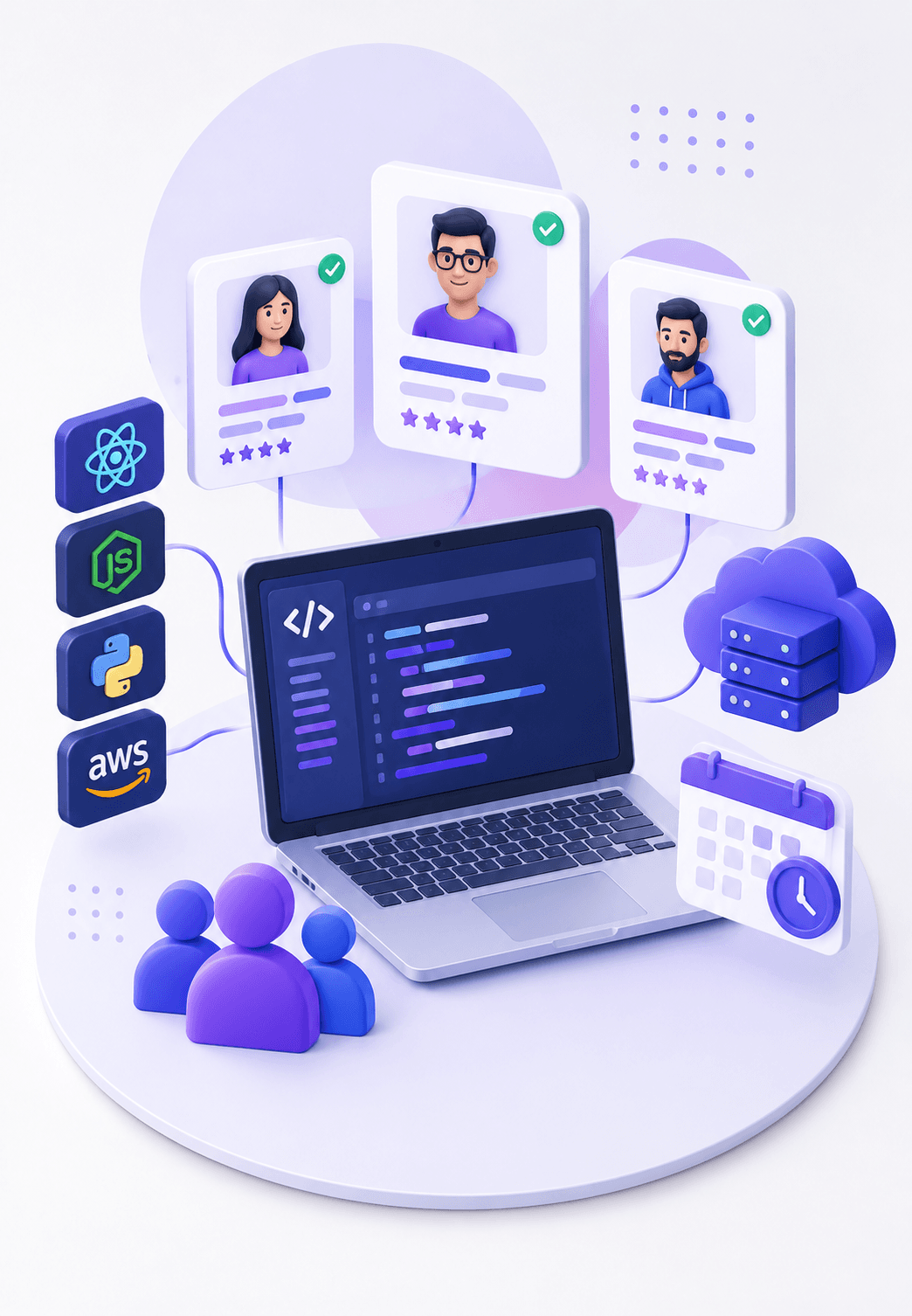
IT staff augmentation services ecosystem illustration
Trusted by global brands

What We Offer in Our IT Staff Augmentation Services

We provide skilled IT professionals who seamlessly integrate with your team, helping you scale faster, access specialized expertise, and deliver projects efficiently.

Experienced IT Professionals on Demand

We provide skilled IT professionals who can immediately contribute to your project, from software development to system management. Whether you need developers, testers, UI/UX designers, or data analysts, we have the right expertise for your project.

Flexible Staffing Solutions

We offer flexible IT staff augmentation services, allowing you to scale your team based on project requirements. Whether you need additional staff for a short-term project or long-term assistance, we provide the resources that align with your business goals.

Expertise Across Multiple Technologies

Our staff augmentation services cover a wide range of technologies and domains. From software development (Java, .NET, Python) to cloud services (AWS, Azure), data analytics, cybersecurity, and more, we provide professionals skilled in the latest technologies.

Seamless Integration with Your Existing Team

Our professionals integrate effortlessly with your existing teams, working with your processes, tools, and workflows to ensure smooth collaboration and fast project execution.

Short-Term and Long-Term Engagements

Whether you need support for a specific project or long-term IT expertise, we offer staff augmentation services that fit your needs. Our flexible contracts allow businesses to adjust staffing levels based on evolving requirements.

Cost-Effective Staffing Solutions

Hiring full-time employees can be costly and time-consuming. Our IT staff augmentation companies in India provide cost-effective solutions by offering access to highly skilled professionals without the overhead of long-term employment contracts.

Advantages of IT Staff Augmentation Services in India

Choosing IT staff augmentation services offers numerous benefits, particularly in terms of flexibility, cost savings, and access to top talent. Here's how our services can benefit your business:

Advantages of IT staff augmentation services

Our IT staff augmentation company connects you with highly skilled IT professionals, offering access to top talent in India — developers, engineers, and specialists ready to join your team.

How to Choose the Right IT Staff Augmentation Company

Choosing an IT staff augmentation company isn't just about rates — use this checklist to evaluate track record, vetting, security, pricing transparency, and engagement flexibility before you commit.

Track record and domain experience

Has The Company Delivered Work In Your Industry Or Technology Stack Before, Or Is This Their First Attempt At It?

As an IT staff augmentation company that works with clients across India, the US, and UK, we've built our own process around these exact criteria — transparent process, pre-vetted talent, and flexible contracts with no long-term lock-in.

Delivery Models

Onsite, Remote & Hybrid Staff Augmentation

How your augmented team works with you matters just as much as who they are. That's why we offer three delivery models under our staff augmentation services — so you're choosing the setup that fits how your team actually operates, not adapting your workflow to ours.

Remote Staff Augmentation

Remote Staff Augmentation

Remote Staff Augmentation

How It Works

Professionals work from our delivery center, fully integrated into your tools and communication channels

Best For

Distributed teams comfortable with async collaboration

Most of our IT staff augmentation services in India clients start remote and shift to a hybrid model as the engagement grows — but honestly, the choice is always yours, and we'll tell you which model actually fits your project rather than pushing whichever is easier for us.

Industries We Provide IT Staff Augmentation For

Our IT staff augmentation services in India aren't generic — the right augmented staff for a fintech compliance system look nothing like the right team for a retail app handling a Black Friday traffic spike. We've built out staff augmentation services across a range of sectors, each with its own pace, risk profile, and technical demands.

BFSI

BFSI

Augmented teams for secure, compliance-heavy platforms including core banking, payments, and risk systems

Healthcare

Healthcare

Developers and QA specialists experienced with patient data privacy and healthcare integrations

Manufacturing

Manufacturing

IT professionals for ERP systems, IoT-enabled production tracking, and supply chain management

Retail & E-commerce

Retail & E-commerce

Front-end and back-end engineers who can scale quickly around seasonal demand

Logistics

Logistics

Engineers for fleet tracking, warehouse systems, and real-time logistics platforms

EdTech

EdTech

Product engineers and QA for learning platforms, content delivery, and student experience

Whatever industry you operate in, our IT staff augmentation company brings professionals who already understand the domain constraints — so they contribute from week one instead of learning your industry on your dime.

IT Staff Augmentation Services for Global Distributed Teams Everywhere

We support businesses across five markets with flexible remote and distributed technology teams. Here's how that breaks down by region:

World map

USA

Nearshore and offshore augmentation with working-hour overlap built around US teams. Dedicated location page live.

Wherever your team sits, the process, the vetting, and the standards stay the same. UK and Australia don't have a dedicated location page live yet, so those engagements run through this page rather than a localized one for now.

Scale Your Team with the Right IT Talent

Get skilled developers, cloud engineers, QA experts, and domain specialists when you need them — without the delay of full-time hiring.

Want to See Our Recent Work?

Domino's logo

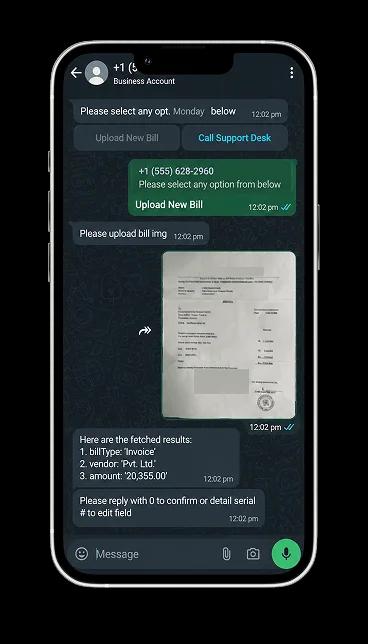
Domino's WhatsApp
Chatbot

Robust mobile ordering with live tracking, loyalty rewards, and seamless payment integration.

Domino's app preview
Mahalaxmi Polypack logo

Mahalaxmi Polypack

Smart digital factory management with real-time production visibility.

Vibasa logo

Vibasa Foundation

Building a kinder future through compassion, service, and collective action.

Greenply logo

Greenply

Digital product experience for a leading brand, designed to strengthen discovery and customer trust.

Greenply app preview
Domino's logo

Domino's WhatsApp
Chatbot

Robust mobile ordering with live tracking, loyalty rewards, and seamless payment integration.

Domino's app preview
Mahalaxmi Polypack logo

Mahalaxmi Polypack

Smart digital factory management with real-time production visibility.

Vibasa logo

Vibasa Foundation

Building a kinder future through compassion, service, and collective action.

Greenply logo

Greenply

Digital product experience for a leading brand, designed to strengthen discovery and customer trust.

Greenply app preview
Clutch 5.0 rating

Recognized. Trusted. Preferred

Awards & Recognition

We are proud to be recognized by leading platforms and industry experts for our innovation, impact, and excellence

TopDevelopers

TopDevelopers

Top Mobile App Developers

Freelancer

Freelancer

Top Mobile App Developers

AppFutura

AppFutura

Top Mobile App Developers

GoodFirms

GoodFirms

Top Mobile App Development

Clutch

Clutch

Top Mobile App Developers

Excellence isn't claimed.It's recognized

These achievements reflect our commitment to
delivering world-class AI solutions that help
businesses grow and lead

FAQ's

What is IT staff augmentation?
IT staff augmentation is a flexible staffing model where businesses hire external IT professionals for specific projects or skill gaps. These professionals work alongside your in-house team, offering expertise and skills as needed.
Do you offer IT staff augmentation services in India?
Yes, we specialize in providing IT staff augmentation services in India, connecting businesses with skilled professionals across various IT domains.
How quickly can I hire IT professionals through staff augmentation?
We can provide skilled IT professionals within a short timeframe, typically 1–2 weeks, depending on the skills required. We aim to match you with the right talent quickly to meet project deadlines.
What are the benefits of staff augmentation over full-time hiring?
Staff augmentation allows you to scale your team quickly without the time and cost involved in recruitment, training, and long-term hiring commitments. It provides access to specialized talent on-demand for project-specific needs.
How do you ensure the quality of augmented staff?
Our IT staff augmentation company thoroughly vets all professionals through a rigorous selection process, including technical interviews, background checks, and assessments. This ensures that you receive highly skilled and reliable professionals for your projects.

Supporting Insights

Web Development Companies
Blogs09/10/2026

Web Development Companies: A Guide to Choosing the Right Partner

Which company is best for web development? The honest answer is the one whose technical expertise, industry experience, pricing model and support match your specific project. A famous name or the lowest quote rarely tells you that. With so many web development companies offering different technologies, pricing models and service packages, choosing a partner takes more than comparing portfolios. This guide shows how to compare the best web development companies , assess professional web development services, and shortlist a partner that fits your budget and goals, including what small businesses should prioritise. Use it as a practical filter before you request a single proposal. Understanding What Makes a Web Development Company the Right Choice A strong web development company combines technical depth with business understanding. Before comparing names, define what good looks like. Key Qualities of Professional Web Development Services Professional web development services share visible traits: a structured discovery process, clear scoping documents, named project managers and regular progress demos. Look for teams that ask about your users, revenue model and growth plans before quoting. Companies that jump straight to a price often skip the planning that prevents rework later. Responsive design, accessibility (WCAG) awareness and documented testing should be standard, not extras. Strong partners also document decisions, so you are never dependent on one developer's memory. Essential Technical Skills and Industry Experience Match skills to your project, not to trends. Front-end work typically involves React, Angular or Vue; back-end work uses Node.js, Python, PHP or .NET; ecommerce may call for Shopify, WooCommerce or headless setups. Ask about experience with APIs, cloud hosting, CI/CD and security practices aligned with OWASP guidelines. Industry experience matters too: a team that has built booking, fintech or marketplace platforms before will anticipate problems a generalist team discovers mid-build. Ask for examples of similar problems solved, not a list of logos. Evaluating the Best Web Development Companies for Business Needs Every agency's website claims to be the best. Verify it independently. Comparing Portfolios, Client Reviews, and Case Studies Review live projects, not just screenshots. Open the sites on mobile, test load speed and check whether the work resembles your scope. Read reviews on independent platforms such as Clutch and GoodFirms, and notice how companies respond to criticism. Strong case studies state the problem, the approach and measurable outcomes, such as improved conversion rate or page speed. Ask to speak with one or two past clients; reputable firms agree readily. A short call with a former client often reveals more about deadlines, honesty and after-launch behaviour than any case study. Assessing Industry Expertise and Project Delivery Experience Industry expertise shortens learning curves, but it is not the only factor. Ask how many similar projects the team has delivered, how they handled delays and who would work on yours. Delivery experience shows in details: realistic timelines, documented change-request processes and honest answers about past setbacks. A team that admits where a project struggled and explains the fix is usually more trustworthy than one claiming a flawless record. If your needs go beyond a standard website, such as custom business applications, complex integrations or enterprise platforms, also review our guide to the Best Custom Software Development Companies . Not sure whether you need a website or a custom platform? Talk to SpaceToTech's team for a free scoping conversation. Comparing Top Web Development Companies and Their Services Custom Web Development, Web Applications, and Ecommerce Solutions Most companies fall into three service categories. Knowing which you need narrows the field quickly. Service Best for Verify before hiring Custom web development Unique workflows, brand-led sites Code ownership, documentation Web applications Portals, dashboards, SaaS products Architecture, scalability testing Ecommerce solutions Online stores, marketplaces Payment security, platform fit, integrations Technology Stack, Scalability, Security, and Ongoing Support Ask why a company recommends a particular stack. Good answers reference your scale, budget and maintainability, not the team's habits. Confirm scalability planning (hosting, caching, database design), security practices (HTTPS, input validation, regular patching, backups) and what ongoing support includes: response times, monitoring and update schedules. Written service terms beat verbal promises. Also ask how the team handles performance: Core Web Vitals, image optimisation and caching directly affect both user experience and search visibility. Choosing a Web Development Company for Small Businesses Small businesses need a partner that respects limited budgets without cutting essential quality. Budget-Friendly Development Solutions for Growing Businesses Start with a minimum viable website: core pages, a clear conversion path and fast mobile performance. Phased delivery lets you launch sooner and add features as revenue grows. Template or CMS-based builds can suit simple needs, but confirm you can customise later without rebuilding. Be cautious of the cheapest quote; unclear scope usually returns as change requests. A clear brief, agreed priorities and a fixed list of launch-day must-haves keep costs predictable. Essential Features, Flexible Engagement Models, and Maintenance Prioritise responsive design, on-page SEO basics, analytics, contact or booking forms, SSL and a CMS you can edit yourself. Ask about flexible engagement, such as a fixed-price launch followed by a monthly retainer, and clarify what maintenance covers: backups, security patches, uptime monitoring and minor content updates. Small businesses benefit most from partners who explain trade-offs in plain language. Evaluating the Cost and Value of Professional Web Development Services Factors That Influence Website Development Costs Cost varies because projects vary. Key drivers include complexity, number of pages or templates, custom design, third-party integrations, ecommerce or user-account features, content migration and ongoing maintenance. Team location and seniority also affect rates. Request itemised proposals so you can see where the money goes. Proposals that bundle everything into one figure make fair comparison nearly impossible. Comparing Pricing Models, Project Timelines, and Long-Term Value Pricing model Best for Watch out for Fixed price Clearly defined scope Change-request fees Time and materials Evolving requirements Budget drift without caps Dedicated team or retainer Long-term products  Commitment and management overhead Judge value across the full lifecycle: hosting, maintenance, updates and redesign cycles often outweigh the build cost. Brochure sites typically take weeks and custom applications months; unrealistically short promises deserve questions. Ask what happens if the project overruns, and who pays for it, before you sign. Want a transparent, itemised estimate for your project? Contact SpaceToTech to compare scope, timeline and cost. How to Choose a Web Development Company That Fits Your Goals Questions to Ask Before Hiring a Development Partner Who will work on my project, and can I meet them? How do you handle scope changes and delays? Who owns the source code, design files and accounts after launch? What does your testing and security process involve? How often will we communicate, and through which channels? What does post-launch support cost, and what response times apply? Clear, specific answers matter more than polished ones. Vague replies at this stage usually predict vague delivery later. Red Flags to Identify During the Selection Process Walk away, or at least probe further, if you see any of these: Guaranteed search rankings or traffic Quotes issued without any discovery conversation Reluctance to share references or live work Vague contracts with no intellectual property clause Pressure to sign quickly No clear explanation of testing or security Making the Final Decision on a Web Development Partner Comparing Shortlisted Companies Using a Decision Checklist Score each shortlisted company from 1 to 5 on technical fit, relevant portfolio, communication, pricing transparency, security practices and post-launch support. Weight the criteria that matter most to your project, then compare totals. Trust consistent gaps over a single impressive score. Involve the colleagues who will actually work with the website, such as marketing or operations, so the final choice reflects day-to-day needs. Aligning Business Goals, Communication, and Post-Launch Support Choose the partner who understands your goals, communicates clearly and commits to support after launch. A launch is a beginning; the relationship should last through updates and growth. Where possible, run a small paid discovery phase or pilot before committing to a large build. This reveals how the team communicates under real conditions, which no sales presentation can show. Conclusion Choosing among web development companies comes down to fit, not fame. Define your goals and budget, verify portfolios and reviews independently, compare pricing models on lifecycle value, and test every shortlisted partner against the same checklist. The right company will be transparent about scope and cost, honest about risk, and committed to supporting your website long after launch. Ready to shortlist a partner? Book a consultation with SpaceToTech and get a clear plan for your web project.

Seven-stage custom software development process roadmap from discovery to launch and support
Blogs08/10/2026

Custom Software Development Process: What Happens at Every Stage

Quick answer: The custom software development process moves through seven practical stages: discovery and requirements, architecture and design, development sprints, QA and testing, user acceptance testing, deployment and launch, and ongoing maintenance. Stages often overlap and loop back, because every stage produces decisions the next one depends on. Most people who search for the custom software development process are not looking for a textbook definition. They want to know what they will be asked to do, what the team will hand back, and when they can safely say "yes, move on." That is what this article covers. If you need the broader picture first, our custom software development process guide walks through the fundamentals, benefits, types and costs. Here, we stay inside the lifecycle and look at each stage in practical terms: what happens, what you contribute, what you should receive, and what to confirm before the project advances. Custom Software Development Process at a Glance  Stage  Main purpose  Key output  1. Discovery and requirements  Understand the problem, users and constraints  Agreed scope and prioritized requirements  2. Architecture and UI/UX design  Decide how the system will work and feel  Technical plan, wireframes, prototypes  3. Development sprints  Build the product in working increments  Working features demonstrated each sprint  4. QA and testing  Find and fix defects before users do  Test results and resolved issues  5. User acceptance testing (UAT)  Let business users confirm it fits real work  Acceptance feedback and sign-off  6. Deployment and launch  Move the software into production safely  Live release, monitoring, handoff notes  7. Maintenance and improvement  Keep the software secure and useful  Fixes, updates and planned enhancements There is no single fixed number of stages in the industry. Some teams describe six, others seven or eight. In this guide, we break the lifecycle into seven practical stages because it keeps each decision point easy to see. Real projects are also rarely a clean staircase. A design review may reveal a missing requirement, and a sprint demo may change the priority list. That is normal. What matters is that each change is discussed and recorded before it affects the next stage. What Is the Custom Software Development Process? It is the structured path from a business problem to a working, supported software product. Instead of adapting your workflow to a packaged tool, the team builds software around how your business already operates, or how you want it to operate. The process matters because custom software is expensive to change late. A misunderstood requirement costs very little to fix in a conversation and a great deal to fix after the code is written. Each stage in the software development lifecycle exists to catch a different kind of misunderstanding while it is still cheap. A typical custom software project moves through discovery and scoping, architecture and design, development, QA and testing, UAT, deployment, and ongoing support. The sections below follow that flow. 1. Discovery and Requirements What happens during discovery? Discovery is where the team learns your business before writing anything. Expect stakeholder conversations, workflow walkthroughs, a review of existing systems, and honest questions about what success looks like. The goal is to turn a loose idea into a scope that everyone reads the same way. What should be defined before development starts? At minimum, you want clarity on four things: The problem and the users. Who will use the software, and what is slowing them down today? Functional requirements. What the software must do, written in terms a non-technical person can verify. Non-functional requirements. Performance, security, availability and compliance expectations. Priorities and constraints. What is essential for launch, what can wait, and what limits apply to budget, systems or timing. Requirements also look different by industry. A site-management tool for a builder has very different data and field-access needs than a finance dashboard, which is why custom software development for construction starts from a different set of questions than a generic project would. Discovery is also the right moment to decide how you will measure results. If you cannot say what "better" means in numbers or outcomes, it is hard to prove value later. Our breakdown of software ROI explains why those outcomes should be defined before a single feature is built. What should you receive from this stage? You should leave with a written scope, a prioritized requirements list, and a clear view of known risks and open questions. The exact format varies between teams, so ask what the document will look like and who signs it off. What you provide: business rules, process knowledge, access to current systems, and the time of people who actually do the work. What to confirm before moving forward: the scope, priorities, known risks and open questions should be documented and understood by the people responsible for approving the project. Common mistake: treating discovery as a formality. Skipped or rushed discovery is the most common source of scope disputes later. 2. Architecture and UI/UX Design Once the scope is clear, the next stages turn those decisions into the architecture, design, development, testing and deployment work behind a custom software solution . Architecture and design belong in the same stage because the screens people see depend on the structure underneath, and the structure has to support the screens people need. System architecture and technical planning This is where the team decides how the software is put together: the database structure, how components talk to each other through APIs, which third-party systems it connects to, and how it will handle security and growth. The choice of technology stack is made here, and it should be explained in terms of your needs rather than the team's preferences. Architecture is also where AI features either fit cleanly or become a painful retrofit. If an intelligent feature is part of your product vision, the thinking in our guide on AI in custom software development is worth reading before this stage closes, since data, infrastructure and integration choices all depend on it. UI/UX flows, wireframes and prototypes Designers map user flows, sketch wireframes, and often build clickable prototypes. The value is simple: it is far cheaper to change a prototype than finished code. Put real users in front of it if you can. What should be approved before development? Before building begins, confirm the architecture direction, the key user flows, and the assumptions behind the scope. If a prototype made someone say "wait, that is not how we do it," this is the time for that conversation. What you provide: feedback on flows, input on integrations and access to the systems the software must connect with. What to confirm before moving forward: the architecture direction, the main user flows and the scope assumptions are agreed in writing, and any integration risks have an owner. Common mistake: approving designs without testing the core flow with someone who will use it daily. 3. Development Sprints What happens during a development sprint? Development is usually organized into short cycles called sprints. A typical sprint follows a simple loop: plan what to build, build it, review the result with you, collect feedback, and reprioritize. The team works from a backlog, a ranked list of features and tasks drawn from the requirements. Along the way, developers use version control to track every change and peer code reviews to catch problems early. At the end of each sprint, you should see working software, not a status slide. How Agile fits into custom software development Agile is a way of delivering in increments and adjusting as you learn. In practice, agile custom software development means you see progress regularly, can redirect priorities between sprints, and avoid waiting months to discover that something is off. It does not mean "no plan." The architecture and scope from earlier stages still guide the work. What you provide: timely answers to questions, feedback on demos, and a single point of contact who can make decisions. What you should receive: working increments, demo sessions, and visibility into what is done, in progress and next. What to confirm before moving forward: each sprint's outcome matches what was planned, and the backlog priorities for the next sprint reflect your latest feedback. Common mistake: slow feedback. A demo nobody reviews is a missed correction that returns later as rework. 4. Quality Assurance and Testing Why QA should start before launch Testing is not a final gate at the end of development. Good teams test as features are built, so defects are found while the code is still fresh in the developer's mind. Leaving it all to the end concentrates risk into the weeks you can least afford problems. Types of testing used in custom software Functional testing checks that each feature does what the requirements say. Integration testing confirms that modules and external systems work together. Regression testing makes sure new changes have not broken existing features. Performance testing looks at speed and stability under realistic load. Security testing checks for vulnerabilities in access control, data handling and dependencies. Not every project needs every category at the same depth. A small internal tool and a customer-facing platform handling payments have different testing priorities, and a good team will explain the reasoning. What you provide: realistic test data and clarity on critical business scenarios. What you should receive: test results, a record of defects found and fixed, and an honest list of anything still open. What to confirm before moving forward: critical and high-priority defects are resolved, and any remaining known issues are listed and accepted by you. Common mistake: assuming the build team's testing replaces your own validation. That is what the next stage is for. 5. User Acceptance Testing (UAT) What happens during UAT? UAT is where the people who will actually use the software confirm that it works for their real tasks. QA asks, "Does the software work as built?" UAT asks, "Does it do what the business needed?" Those are different questions, which is why UAT deserves its own stage rather than being folded into testing. A typical UAT round includes agreed test scenarios, hands-on use by business users, feedback logged as defects or change requests, fixes, and retesting. It ends with formal acceptance against the criteria set earlier. What you provide: the right testers, enough of their time, and clear acceptance criteria. What you should receive: a documented list of resolved issues and a sign-off point you control. What to confirm before moving forward: every high-priority requirement from discovery has been checked by someone who will rely on it, and the acceptance decision is recorded. Common mistake: letting UAT drift into new feature requests. Anything new should be logged separately so it does not delay launch. 6. Deployment and Launch What should be ready before go-live? Deployment moves the tested software from a staging environment into production, where real users and real data are involved. Before that happens, check that: the production environment is configured and secured, data migration, if needed, has been rehearsed, user access and permissions are set up, monitoring is in place so problems are noticed quickly, a rollback plan exists in case something goes wrong, and documentation and handoff notes are ready for your team. Some launches are a single switch. Others roll out to a small group first, then expand. Both are valid. The right choice depends on how many people rely on the system and how costly an interruption would be. What you provide: final approvals, access credentials and a launch-day contact. What to confirm before moving forward: the go-live checklist is complete, the rollback plan is understood, and someone on your side owns the launch decision. Common mistake: treating launch as the finish line. It is the point where real usage starts producing the most useful feedback. 7. Maintenance and Continuous Improvement Why custom software needs ongoing maintenance Software does not stand still after launch. Operating systems change, third-party services update, security issues are discovered, and your own business keeps evolving. Maintenance covers bug fixes, security patches, dependency updates and performance monitoring. Continuous improvement is the other half. Once people use the software daily, they will find things to refine and ideas to add. A short feedback loop and a prioritized improvement backlog turn the first release into a product that keeps earning its place. What you provide: usage feedback and a clear sense of which improvements matter most. What you should receive: a defined support arrangement, regular updates and a transparent way to request changes. What to confirm before moving forward: the support scope, response expectations and the process for requesting enhancements are agreed before the project team steps back. Common mistake: budgeting for the build and nothing for what comes after. Agile vs. Waterfall vs. Hybrid: Which Fits Custom Software? The lifecycle above describes what needs to happen. The methodology describes how the work is organized around it. Waterfall completes each stage before the next begins. It suits projects with fixed, well understood requirements and strict approval gates. Agile delivers in short iterations and adapts based on feedback. It fits projects where requirements will sharpen as people see working software. Hybrid combines the two, often with thorough upfront planning and architecture, followed by iterative delivery. No single option is right for every project. Many custom builds land on a hybrid because discovery and architecture benefit from careful upfront thinking, while development benefits from regular feedback. The point of choosing a methodology is to match the way you work, not to follow a trend. What Should You Receive at Each Stage of a Custom Software Project?  Stage  What you should receive  What you approve  Discovery  Scope, prioritized requirements, risk list  Scope and priorities  Architecture and design  Technical plan, wireframes, prototypes  Architecture direction and key flows  Development sprints  Working increments and demos  Sprint outcomes and next priorities  QA and testing  Test results and defect status  Readiness for business testing  UAT  Resolved issues and acceptance record  Formal acceptance  Deployment  Live release, monitoring, handoff notes  Go-live readiness  Maintenance  Fixes, updates, improvement plan  Enhancements and support terms Ask your team to confirm these outputs early. If a stage has no visible output, it is hard to know whether it is complete. What Is the Client's Role in Custom Software Development? Software development client responsibilities are easy to underestimate. Projects move at the speed of decisions, and most of those decisions belong to you. In practice, your role includes: sharing business rules, workflows and subject-matter expertise, giving access to systems, data and the people who use them, reviewing demos and prototypes promptly, making approvals at the end of each stage, and testing during UAT with people who know the work. You do not need to be technical. You do need to be available, and ideally to name one person who can speak for the business. Common Risks That Delay Custom Software Projects Most delays trace back to a handful of causes, and each appears at a predictable stage. Unclear requirements (discovery): vague goals create arguments later about what was promised. Scope creep (any stage): adding features without adjusting time or priorities pushes everything back. Slow decisions and feedback (design and sprints): waiting on approvals stalls the team. Integration complexity (architecture and development): connecting to older or poorly documented systems often takes longer than expected. Testing gaps (QA and UAT): skipped scenarios turn into production problems. Launch readiness gaps (deployment): missing data, access or monitoring causes avoidable surprises. The remedy is rarely heroic. Clear scope, quick feedback and honest conversations about trade-offs handle most of these before they grow. If you're comparing development partners, our guide on how to choose a custom software development company in the USA covers what to evaluate before you commit. How Long Does Custom Software Development Take? There is no honest universal answer. Duration depends on scope, the number of integrations, the complexity of the logic, the size of the team, and how quickly feedback and approvals arrive. A focused internal tool and a multi-module platform are very different undertakings. What you can do is ask for a timeline broken down by stage, with the assumptions stated. That makes it easier to see where time is going and which decisions could speed things up. If budget planning is part of your thinking, our breakdown of custom software development cost in the USA shows how scope and complexity connect to pricing. What Can Change the Timeline? A timeline is an estimate built on assumptions. When an assumption changes, the schedule moves with it. The most common factors are: Changing requirements: new ideas after discovery are normal, but each one needs to be weighed against time. Integrations: connecting to external or legacy systems adds work, especially when documentation is thin. Approval delays: a sprint that waits days for a decision loses momentum. Data migration: moving and cleaning existing data often takes more effort than expected. Testing complexity: more user roles, devices and scenarios mean more to verify. Compliance and security requirements: regulated environments add review steps and extra documentation. Scope changes: adding features mid-project without trading something out extends the plan. Raise these early. A team that knows about a data migration or a compliance review in week one can plan for it. One that finds out in week ten usually cannot. Planning Your Own Project Understanding the process is the first step. The next is finding a team that explains each stage as clearly as this article does. If you are ready to talk through your requirements, the team at SpaceToTech, a software development company focused on building software around real business needs, can walk you through scope and next steps. 


Web Development Companies
Blogs08/10/2026

Web Development Companies: The 3 Types of Web Development Explained

Web development is usually divided into three types: front-end, back-end, and full-stack. Each covers a different layer of how a website or web application works. If you're planning a new platform, knowing the difference affects your team structure, your budget, and how you read vendor proposals. It also helps you judge what web development companies actually offer, beyond the pitch deck. This guide explains each type, the technologies behind it, and how experienced providers combine them on real projects. Web Development Fundamentals: What the Discipline Covers Web development is the work of building and maintaining websites and web applications. That covers everything from a ten-page company site to a customer portal handling thousands of logins a day. Before getting into the three types, it helps to see how the pieces connect. How Web Development Services Fit Together Most web development services fall into a few buckets: website design and build, custom web application development, e-commerce platforms, CMS setup, API integrations, and ongoing maintenance. A single project often touches several of these. A B2B portal, for example, needs an interface, a database, user authentication, and connections to your CRM. Every one of those tasks lands in one of the three types below. Web Development Technologies Behind Modern Websites Technologies are the tools of the trade: languages, frameworks, databases, and hosting setups. Browser-facing work relies on HTML, CSS, and JavaScript, as documented by sources like MDN Web Docs. Server-side work uses languages such as Python, Java, PHP, or JavaScript (via Node.js). No single stack is "best." The right one depends on what you're building, who will maintain it, and how much it needs to scale. The Three Types of Web Development at a Glance Here is the quick version before we go deeper. Front-End, Back-End, and Full-Stack Compared   Front-End Back-End Full-Stack Focus What users see and interact with Servers, databases, logic, security Both layers Typical tools HTML, CSS, JavaScript, React, Angular, Vue Node.js, Python, Java, PHP, SQL and NoSQL databases A mix of both sets Main concern Usability, speed, accessibility Data integrity, performance, security Cohesion between layers Best for Interface-heavy projects Data-heavy or integration-heavy projects Smaller teams, MVPs, end-to-end ownership Why Some Guides Group Types Differently "Three types" is a convention, not a rule. Some guides classify by the kind of site instead: static sites, dynamic sites, and e-commerce platforms. Others add categories like CMS development or progressive web apps. The front-end, back-end, and full-stack split is the most common because it maps to how teams are staffed, which is why we use it here. Front-End Development: Building the User Experience Front-end development covers everything a visitor sees and touches: layouts, buttons, forms, menus, animations. It's where design becomes working code, and it has a direct effect on whether people stay on your site or leave. Core Front-End Technologies HTML structures the content. CSS controls how it looks. JavaScript makes it interactive. On top of those, most teams use frameworks such as React, Angular, or Vue to build complex interfaces without reinventing common patterns each time. Good front-end work also covers the less visible parts: responsive layouts that work on phones, page speed, and accessibility standards like WCAG, which matter for both usability and legal compliance in many markets. When Front-End Work Takes Priority Front-end expertise matters most when the interface is the product. Think customer dashboards, booking flows, or marketing sites where conversion depends on how fast and clear the experience feels. If your pages are slow or confusing, a powerful back end won't save the user experience. Back-End Development: Powering Logic, Data, and Security If the front end is the dining room, the back end is the kitchen. It processes requests, stores and retrieves data, enforces business rules, and keeps sensitive information protected. Users never see it, but they feel it whenever something loads slowly or fails. Common Back-End Languages, Frameworks, and Databases Popular server-side choices include Node.js, Python (with Django or Flask), Java (with Spring), PHP (with Laravel), and .NET. Data is typically held in relational databases like PostgreSQL and MySQL, or in NoSQL options like MongoDB when the data structure is flexible. The choice usually comes down to your existing systems, your team's skills, and your performance needs. Be wary of any provider who recommends a stack without asking about those three things first. Back-End Services Businesses Commonly Request The most common requests are API development, third-party integrations (payment gateways, ERPs, CRMs), user authentication and permissions, database design, cloud hosting, and security hardening. For regulated industries, expect extra requirements around audit logs, encryption, and data residency. Ask any vendor how they handle these early, not after the build is underway. Full-Stack Development: Bridging Both Layers Full-stack developers work across the front end and the back end. They can take a feature from database to screen without handing it between specialists, which cuts down on coordination overhead. Where Full-Stack Teams Add Value Full-stack teams are a strong fit for MVPs, internal tools, and early-stage products where speed and flexibility matter more than deep specialization. Because one person understands the whole flow, small bugs and mismatches between layers get caught sooner. Trade-Offs of Full-Stack Versus Specialist Teams Full-stack isn't automatically better. Someone who covers everything rarely goes as deep in any one area as a dedicated specialist. For high-traffic platforms, complex security requirements, or heavily customized interfaces, a team with separate front-end and back-end experts usually produces stronger results. Many mature projects use both: full-stack developers for coordination, specialists for the hard parts. How Web Development Companies Apply Each Type In practice, a web development company rarely treats the three types as separate offerings. They're roles inside a single delivery process. How a Web Development Company Structures Project Teams A typical project team includes front-end developers, back-end developers, a project manager, a QA engineer, and often a designer and DevOps support. Full-stack developers may lead smaller builds or bridge the layers on larger ones. [Insert short anonymised example from a real project: team size, stack chosen, and why.] The question to ask is not "Do you do front-end or back-end?" It's "Who owns each layer on my project, and how do they work together?" What Separates the Top Web Development Companies The top web development companies tend to share a few habits. They ask about business goals before proposing a stack. They show relevant work, not just polished screenshots. They're open about trade-offs and timelines. And they stay involved after launch, because websites need updates, security patches, and performance tuning. If you're building a shortlist, our guide to the best custom software development companies compares leading providers side by side. Choosing the Right Development Approach and Partner Once you understand the three types, the decision gets more practical: who should build this, and how? Evaluation Criteria for Web Development Companies Use a simple checklist: Relevant experience: Have they built something similar in your industry or at your scale? Technical depth: Can they explain why they'd choose a particular stack for your project? Process clarity: Do they describe how they handle scoping, testing, and change requests? Security practices: What do they do about authentication, data protection, and updates? Support after launch: Is maintenance included, or priced separately? References: Will they connect you with past clients? Request a scoped proposal rather than relying on rankings or review sites alone. For a wider comparison, see how leading custom software development firms compare . In-House Team vs. Agency: An Honest Comparison In-house gives you control, deep product knowledge, and tight alignment with your business. The costs are salaries, recruitment time, and the difficulty of covering every specialty with a small team. An agency gives you immediate access to a full range of skills and faster starts. The trade-offs are less day-to-day control, the need for clear communication, and the risk of knowledge leaving with the vendor if documentation is weak. Neither is the right answer for everyone. Many companies use a hybrid: an agency for the initial build, an in-house team for long-term ownership. Conclusion Front-end, back-end, and full-stack aren't competing options. They're three layers of the same product, and most real projects need all of them working together. Front-end shapes how your site feels to use, back-end keeps it fast, secure, and connected to your systems, and full-stack developers help the two layers fit together. For a business, the practical takeaway is to start with your project's needs, not a technology trend . Decide where the complexity sits, then look for a partner who can explain how they'll staff each layer and why. If you're ready to compare vendors, our guide to the best custom software development companies is a good next step. And if you'd like to talk through scope first, contact our team for a no-obligation conversation . Ready to plan your project? When you're ready to compare vendors, explore our full ranking of custom software development companies .

We Build Digital Products That Drive Real Growth

From idea to launch, we help startups and enterprises build scalable apps, AI solutions & custom software.

View Our Work
Trusted byGlobal Clients

150+Projects Delivered

OngoingSupport
UAE

UAE

USA

USA

INDIA

INDIA

Book a Free Consultation

Your information is safe with us.