Flutter App Development Company Helps YouBuild Applications for Multiple Screens!

Space to Tech is a trusted Flutter app development company delivering scalable and high-performance cross-platform applications. We combine technical expertise, agile methods, and user-focused design to build seamless digital experiences. Our solutions help businesses launch faster, reduce costs, and achieve long-term growth.

100% Cross-platform development

Native-like performance

90% Scalable app architecture

Agile development process

80% Cost-effective solutions

Fast time-to-market

Trusted by global brands

What You Can Expect

0+

Projects Delivered

0+

Years of Experience

0+

Experts

0+

Countries

Top-Notch Flutter Developers in the US and Indiafor Your Next Mobile App Project!

Create stunning, high-performing cross-platform apps in Dart that run as fast as native apps on iOS, Android, and the web. Global startups, SMEs, and corporations rely on Space To Tech, a CMMI Level 3 certified Flutter app development company, for scalable, secure, and aesthetically appealing digital solutions. Our Flutter experts focus on speed, smooth user experience, and long-term scalability. From MVP launches to enterprise modernization, we align architecture and delivery workflows with business goals so your app can evolve confidently over time.

Advantages of Flutter For Mobile App Development

Cross-Platform Development

Developers can build apps across iOS, Android, web, and desktop from a single Flutter codebase without maintaining separate native teams.

Swift Deployment

Hot reload and reusable widgets let teams iterate quickly and move from build to release with shorter delivery cycles.

Components Library

Flutter ships with a rich widget library and Material and Cupertino components to deliver consistent, polished UI across devices.

3rd Party Integration

Payment gateways, CRMs, analytics, and authentication layers integrate smoothly so your app fits into a larger product ecosystem.

Live Reloading & Debugging

Flutter hot reload lets developers preview UI and logic changes in real time, making debugging faster and more precise.

Cost-effective Maintenance

One shared codebase reduces long-term maintenance effort, updates, and feature rollouts across platforms.

Deploy feature-rich iOS and Android apps from a single codebase to reduce costs and expand your reach.

Custom Flutter AppDevelopment Services We Offer

We leverage the power of Google's Flutter framework to build robust, scalable, and cross-platform mobile applications that feel indistinguishable from truly native solutions.

Flutter Consulting

Expert guidance on strategy, architecture, and feasibility for your cross-platform vision.

Learn More

App Development

End-to-end development of high-performance mobile apps for iOS and Android platforms.

Learn More

UI/UX Design

Editorial-grade interfaces that prioritize user flow and brand identity across all screen sizes.

Learn More

API Integration

Seamlessly connecting your mobile application to third-party services and legacy backend systems.

Learn More

App Migration

Effortless migration of your existing native apps or other hybrid apps to Flutter.

Learn More

Enterprise Solutions

Building secure, scalable, and feature-rich applications tailored for corporate operations.

Learn More

QA & Testing

Rigorous automated and manual testing to ensure zero-defect deployments every time.

Learn More

Support & Maintenance

Continuous updates, monitoring, and performance optimization for long-term app health.

Learn More

Staff Augmentation

Integrate our world-class developers directly into your existing internal tech teams.

Learn More

Why Businesses Choose to Outsource Indian
Developers to Make Flutter Apps

Cost Efficiency

Reduce development costs by up to 40% using a shared codebase without compromising quality.

Geographic Flexibility

Access a global talent pool of expert developers regardless of your physical headquarters.

Faster Time-to-Market

Simultaneous development for iOS and Android ensures your product reaches users faster.

The Trust Indicators

  • Weekly Sprint Reviews & Demos
  • Rigid Timelines & Milestones
  • Direct Access to Your Developers
  • IP Protection & Security Protocols

Global Flutter App Development Services for Businesses

Build high-performance, scalable Flutter apps with a dedicated team that supports you from concept to launch, tailored for startups and enterprises worldwide.

World map

INDIA

Space to Tech's dedicated development center run by Flutter and Dart experts provides industry-leading flutter app development services in India. Delivering scalable, secure, and high-performing applications across sectors is our speciality. Our team has deep expertise in healthcare, e-commerce, logistics, financial, and SaaS, enabling us to customise solutions for every business. You may get organised workflows, open communication, and full project ownership when you choose our flutter app development services in India. Our devotion to globally recognised quality standards as a CMMI Level 3 certified business guarantees dependability, consistency, and predictable delivery outcomes.

Hire Professional Dedicated Flutter App Developers from India

Choose the model that fits your project velocity.

Dedicated Developer

A full-time senior resource focused solely on your project. Integrated into your team.

160 Hours/MonthDaily Status ReportsMonthly Contract

Project Based

Fixed scope and fixed timeline projects. Ideal for MVPs or specific feature builds.

Milestone-based paymentsStrict adherence to scopeFast turnaround

Team Augmentation

A multi-disciplinary team of engineers, designers, and QA experts to scale your roadmap fast.

End-to-end managementStrategic oversightHigh-speed velocity

Enterprise Flutter App Development Solutions

Flutter has rapidly become one of the most powerful frameworks in modern mobile app development, enabling businesses to build high-performing, visually stunning applications for Android and iOS from a single codebase. As a leading Flutter app development company, Space To Tech delivers best custom Flutter app development services that combine the speed of the Flutter framework with enterprise-grade architecture, clean UI, and long-term scalability. …

We Serve Flutter Mobile App Development
Clients Worldwide

Leading Innovation in Flutter App Development for Modern Businesses.

Healthcare & Telemedicine

Healthcare & Telemedicine

Applications help manage consultations and patient records. They also handle real-time interactions while keeping things stable for care teams.

Healthcare & Telemedicine

Applications help manage consultations and patient records. They also handle real-time interactions. This is done while keeping things stable and making sure data is handled in a way. This is really important, in places where things have to work all the time. Clear triage and follow-up paths reduce guesswork when schedules are full. Access controls and audit trails support trust without slowing clinicians down.

E-Commerce & Retail

E-Commerce & Retail

Performance directly impacts conversions. Fast browsing, stable checkout, and traffic spikes handled without slowing down.

E-Commerce & Retail

Performance directly impacts conversions. The focus stays on fast product browsing, stable checkout flows, and handling traffic spikes without slowing down during high-demand periods. Catalog slices, image lazy-loading, and predictable pagination keep first paint sharp. Cart and payment steps recover gracefully from brief network blips. Inventory and promos stay in sync so shoppers rarely hit dead ends. Search and filters stay responsive on mid-range devices.

FinTech & Banking

FinTech & Banking

Financial applications require precise execution—secure authentication, real-time transactions, and stable integrations.

FinTech & Banking

Financial applications require precise execution. Secure authentication, real-time transactions, and stable integrations are handled in environments where even small delays create larger risks. Step-up checks feel fast, not blocking. Ledger updates and receipts stay consistent across channels. Monitoring catches anomalies early so teams can intervene before balances drift. Third-party rails fail over cleanly instead of leaving users stuck.

Logistics & Supply Chain

Logistics & Supply Chain

Operations depend on visibility—tracking, route updates, and coordination without interruptions.

Logistics & Supply Chain

Operations depend on visibility. Apps handle tracking, route updates, and backend coordination so businesses can monitor movement without interruptions. Drivers get clear manifests and exception flows when a stop slips. Dispatch dashboards reflect live ETAs without hammering the API. Proof-of-delivery and handoff scans close the loop for finance and support. Offline pockets buffer critical reads until signal returns.

EdTech & E-Learning

EdTech & E-Learning

Users don't always have stable connections. Platforms handle offline access and consistent delivery across devices.

EdTech & E-Learning

Users don't always have stable connections. Platforms are designed to handle offline access and consistent content delivery across devices. Lessons, quizzes, and media resume where learners left off. Progress syncs when connectivity returns without duplicate submissions. Classroom and cohort views stay legible on small screens. Release cadence favors stability so exam week is never a surprise deploy.

Social Networking

Social Networking

Growth can be unpredictable. Applications manage real-time updates and scaling without performance drops.

Social Networking

Growth can be unpredictable. Applications are built to manage real-time updates and scaling challenges without performance drops. Feeds and notifications batch sensibly under load. Moderation queues stay usable when spikes hit. Media and chat avoid blocking the main thread on modest phones. Feature flags and gradual rollout limit blast radius when experiments ship.

On-Demand & Marketplace

On-Demand & Marketplace

Speed and coordination matter—matching, notifications, and transactions designed to work without delays.

On-Demand & Marketplace

Speed and coordination matter. Matching systems, notifications, and transaction handling are designed to work without delays. Supply and demand signals update without thrashing the client. Push and in-app alerts respect quiet hours yet surface time-sensitive offers. Disputes and payouts follow transparent states both sides can track. Maps and ETAs stay honest when traffic or weather shifts mid-trip.

Real Estate

Real Estate

Search experience defines usability—filters, maps, and listing performance reduce friction in discovery.

Real Estate

Search experience defines usability. Filters, maps, and listing performance are structured to reduce friction in property discovery. Saved searches and alerts feel instant without re-querying everything. Tour scheduling respects agent calendars and time zones. Document rooms keep versions tidy for buyers, sellers, and counsel. Performance budgets stop galleries from freezing mid-scroll.

Food & Hospitality

Food & Hospitality

Ordering flows must remain fast and reliable. Every step—from browsing to checkout—is optimized to reduce drop-offs.

Food & Hospitality

Ordering flows must remain fast and reliable. Every step—from browsing to checkout—is optimized to reduce drop-offs. Reservations and kitchen pacing stay aligned when dine-in, pick-up, and delivery peak together. KDS and courier handoffs match promised prep times. Payments, tips, and retries stay calm so one hiccup does not abandon the basket. Loyalty and menu updates stay quick on everyday staff devices.

SaaS & Enterprise Tools

SaaS & Enterprise Tools

Applications support internal operations—multi-user dashboards and integrations built for consistent performance.

SaaS & Enterprise Tools

Applications support internal operations. Multi-user environments, dashboards, and integrations are structured for consistent performance. Role-aware navigation keeps noise low for each persona. Heavy charts stream aggregates instead of shipping giant payloads. Webhooks and imports retry with backoff so nightly jobs finish cleanly. Observability ties UI latency to backend queues for faster triage.
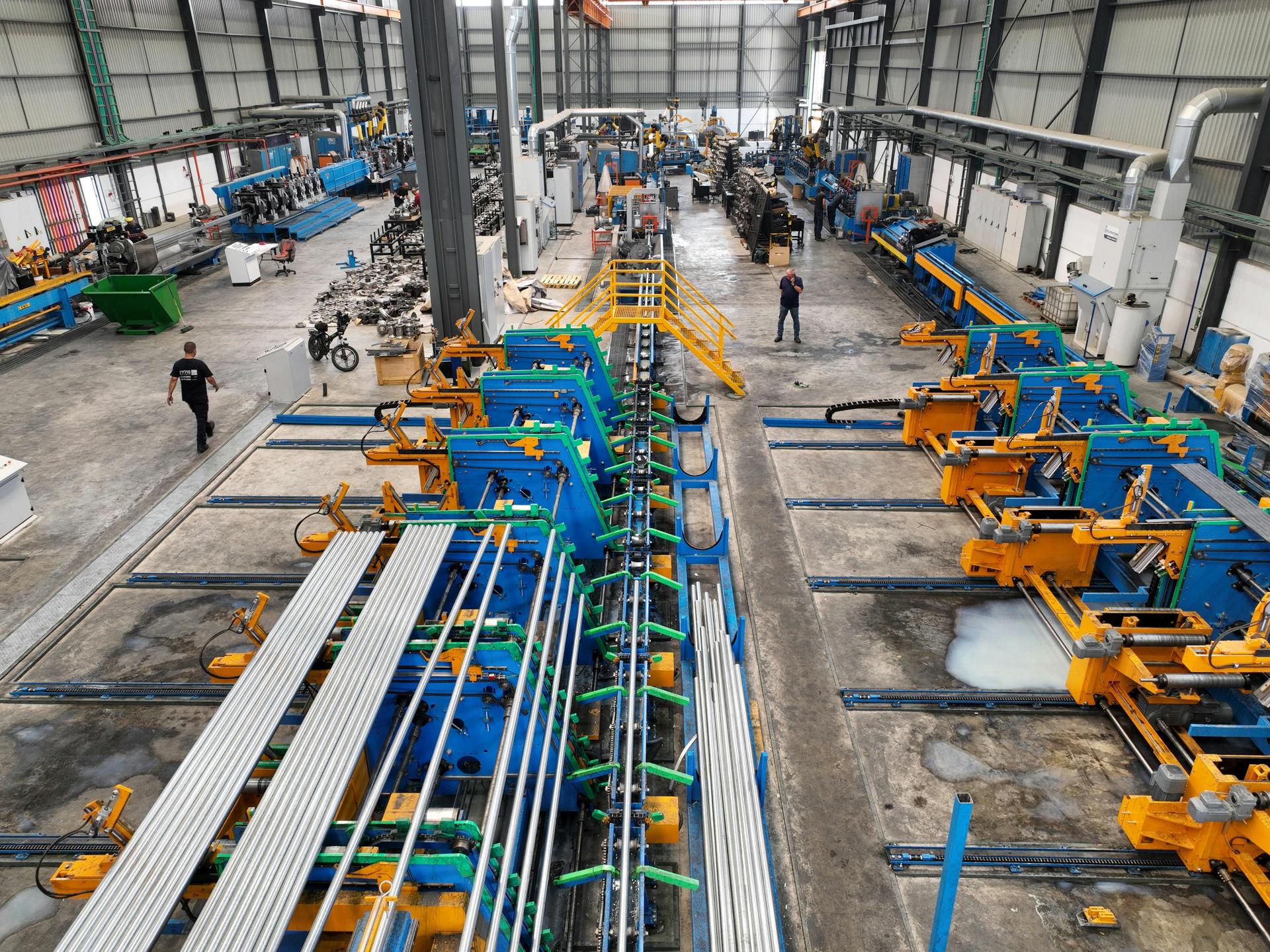
Manufacturing

Manufacturing

Legacy systems are common. Apps integrate without replacing existing infrastructure entirely.

Manufacturing

Legacy systems are common. Apps are designed to integrate without replacing existing infrastructure entirely. Read-only mirrors and scoped writes reduce risk to PLCs and historians. Floor tablets tolerate gloves, dust, and intermittent Wi-Fi. Shift handovers capture notes and counts without duplicate entry. Change windows and staged rollouts avoid surprises during production peaks.

Travel & Hospitality

Travel & Hospitality

Users expect instant results—booking flows and real-time updates without delays or inconsistencies.

Travel & Hospitality

Users expect instant results. Booking flows and real-time updates are handled without delays or inconsistencies. Fare and room rules evaluate quickly before checkout. Itinerary changes propagate to wallets and notifications in one pass. Partner feeds degrade gracefully when an upstream API slows. Currency and locale stay coherent across search, pay, and post-trip support.

Healthcare & Telemedicine

Healthcare & Telemedicine

Applications help manage consultations and patient records. They also handle real-time interactions while keeping things stable for care teams.

Healthcare & Telemedicine

Applications help manage consultations and patient records. They also handle real-time interactions. This is done while keeping things stable and making sure data is handled in a way. This is really important, in places where things have to work all the time. Clear triage and follow-up paths reduce guesswork when schedules are full. Access controls and audit trails support trust without slowing clinicians down.

E-Commerce & Retail

E-Commerce & Retail

Performance directly impacts conversions. Fast browsing, stable checkout, and traffic spikes handled without slowing down.

E-Commerce & Retail

Performance directly impacts conversions. The focus stays on fast product browsing, stable checkout flows, and handling traffic spikes without slowing down during high-demand periods. Catalog slices, image lazy-loading, and predictable pagination keep first paint sharp. Cart and payment steps recover gracefully from brief network blips. Inventory and promos stay in sync so shoppers rarely hit dead ends. Search and filters stay responsive on mid-range devices.

FinTech & Banking

FinTech & Banking

Financial applications require precise execution—secure authentication, real-time transactions, and stable integrations.

FinTech & Banking

Financial applications require precise execution. Secure authentication, real-time transactions, and stable integrations are handled in environments where even small delays create larger risks. Step-up checks feel fast, not blocking. Ledger updates and receipts stay consistent across channels. Monitoring catches anomalies early so teams can intervene before balances drift. Third-party rails fail over cleanly instead of leaving users stuck.

Logistics & Supply Chain

Logistics & Supply Chain

Operations depend on visibility—tracking, route updates, and coordination without interruptions.

Logistics & Supply Chain

Operations depend on visibility. Apps handle tracking, route updates, and backend coordination so businesses can monitor movement without interruptions. Drivers get clear manifests and exception flows when a stop slips. Dispatch dashboards reflect live ETAs without hammering the API. Proof-of-delivery and handoff scans close the loop for finance and support. Offline pockets buffer critical reads until signal returns.

EdTech & E-Learning

EdTech & E-Learning

Users don't always have stable connections. Platforms handle offline access and consistent delivery across devices.

EdTech & E-Learning

Users don't always have stable connections. Platforms are designed to handle offline access and consistent content delivery across devices. Lessons, quizzes, and media resume where learners left off. Progress syncs when connectivity returns without duplicate submissions. Classroom and cohort views stay legible on small screens. Release cadence favors stability so exam week is never a surprise deploy.

Social Networking

Social Networking

Growth can be unpredictable. Applications manage real-time updates and scaling without performance drops.

Social Networking

Growth can be unpredictable. Applications are built to manage real-time updates and scaling challenges without performance drops. Feeds and notifications batch sensibly under load. Moderation queues stay usable when spikes hit. Media and chat avoid blocking the main thread on modest phones. Feature flags and gradual rollout limit blast radius when experiments ship.

On-Demand & Marketplace

On-Demand & Marketplace

Speed and coordination matter—matching, notifications, and transactions designed to work without delays.

On-Demand & Marketplace

Speed and coordination matter. Matching systems, notifications, and transaction handling are designed to work without delays. Supply and demand signals update without thrashing the client. Push and in-app alerts respect quiet hours yet surface time-sensitive offers. Disputes and payouts follow transparent states both sides can track. Maps and ETAs stay honest when traffic or weather shifts mid-trip.

Real Estate

Real Estate

Search experience defines usability—filters, maps, and listing performance reduce friction in discovery.

Real Estate

Search experience defines usability. Filters, maps, and listing performance are structured to reduce friction in property discovery. Saved searches and alerts feel instant without re-querying everything. Tour scheduling respects agent calendars and time zones. Document rooms keep versions tidy for buyers, sellers, and counsel. Performance budgets stop galleries from freezing mid-scroll.

Food & Hospitality

Food & Hospitality

Ordering flows must remain fast and reliable. Every step—from browsing to checkout—is optimized to reduce drop-offs.

Food & Hospitality

Ordering flows must remain fast and reliable. Every step—from browsing to checkout—is optimized to reduce drop-offs. Reservations and kitchen pacing stay aligned when dine-in, pick-up, and delivery peak together. KDS and courier handoffs match promised prep times. Payments, tips, and retries stay calm so one hiccup does not abandon the basket. Loyalty and menu updates stay quick on everyday staff devices.

SaaS & Enterprise Tools

SaaS & Enterprise Tools

Applications support internal operations—multi-user dashboards and integrations built for consistent performance.

SaaS & Enterprise Tools

Applications support internal operations. Multi-user environments, dashboards, and integrations are structured for consistent performance. Role-aware navigation keeps noise low for each persona. Heavy charts stream aggregates instead of shipping giant payloads. Webhooks and imports retry with backoff so nightly jobs finish cleanly. Observability ties UI latency to backend queues for faster triage.

Manufacturing

Manufacturing

Legacy systems are common. Apps integrate without replacing existing infrastructure entirely.

Manufacturing

Legacy systems are common. Apps are designed to integrate without replacing existing infrastructure entirely. Read-only mirrors and scoped writes reduce risk to PLCs and historians. Floor tablets tolerate gloves, dust, and intermittent Wi-Fi. Shift handovers capture notes and counts without duplicate entry. Change windows and staged rollouts avoid surprises during production peaks.

Travel & Hospitality

Travel & Hospitality

Users expect instant results—booking flows and real-time updates without delays or inconsistencies.

Travel & Hospitality

Users expect instant results. Booking flows and real-time updates are handled without delays or inconsistencies. Fare and room rules evaluate quickly before checkout. Itinerary changes propagate to wallets and notifications in one pass. Partner feeds degrade gracefully when an upstream API slows. Currency and locale stay coherent across search, pay, and post-trip support.

Building High-Performance Apps with Flutter Excellence

Our achievements are driven by real results—high-performing apps that support growth and deliver lasting business impact.Discover projects where we created meaningful outcomes.

Max Life Insurance

Transforming Digital Insurance Experience

The Problem

Max Life Insurance aimed to modernize its digital platform to deliver a seamless and user-friendly experience. The existing system lacked intuitive navigation, real-time tracking, and personalized features, making policy management inefficient.

Our Approach

Our team developed a high-performance, user-centric digital platform with intuitive UI/UX, secure and scalable architecture, real-time policy tracking, personalized dashboards, and seamless third-party integrations to enhance overall user experience.
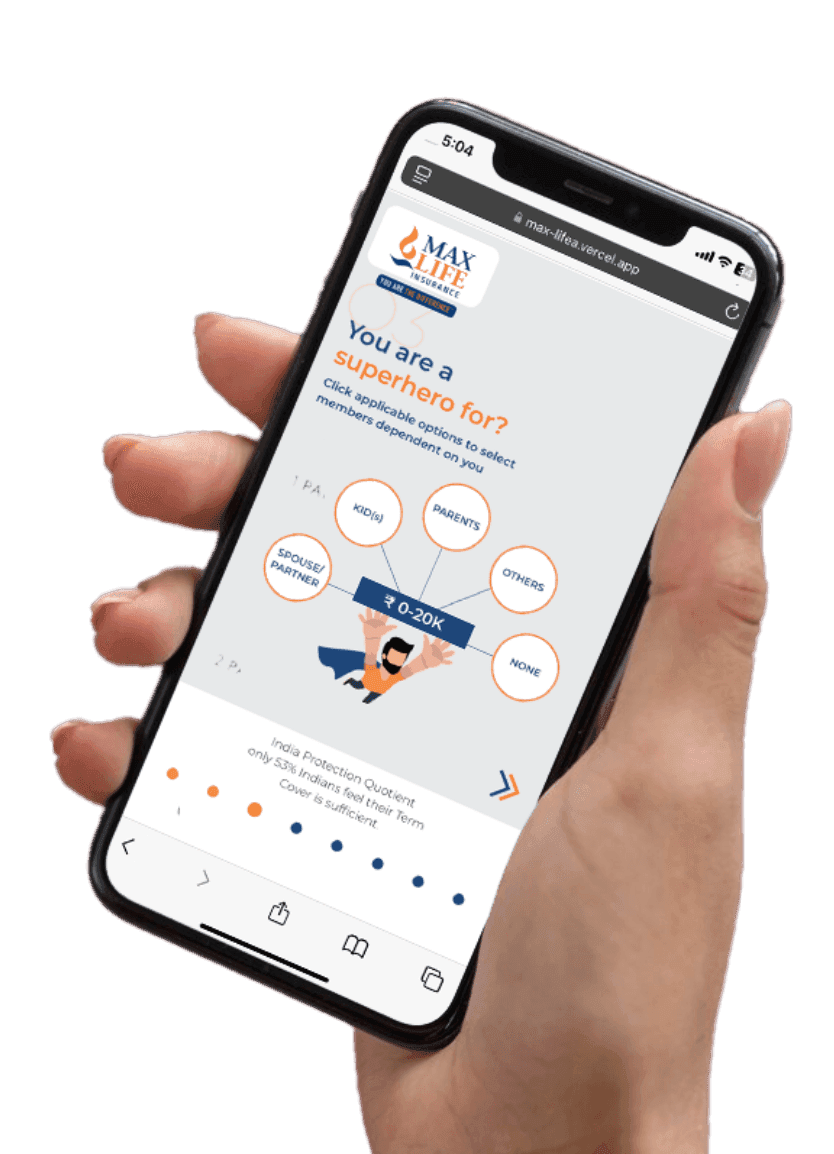

What We Achieved

  • Improved user engagement and retention
  • Faster and seamless policy management
  • Enhanced customer experience with better UX
  • Scalable platform supporting growing users
Max Life Insurance App

Projects We Are Proud Of

Domino's logo

Domino's WhatsApp
Chatbot

Robust mobile ordering with live tracking, loyalty rewards, and seamless payment integration.
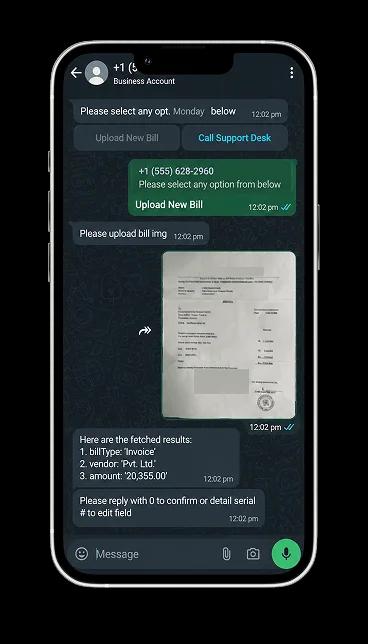
Domino's app preview
Mahalaxmi Polypack logo

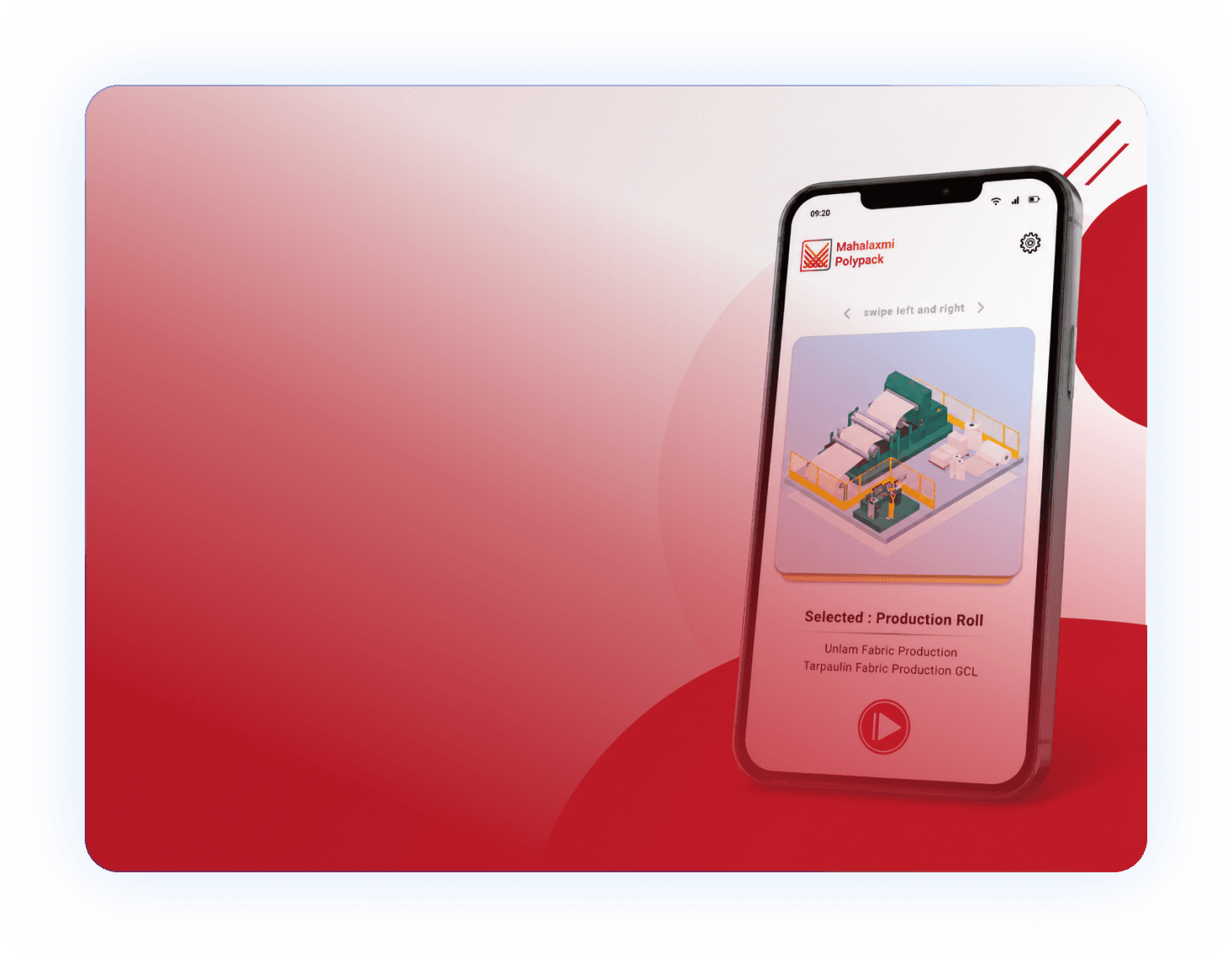
Mahalaxmi Polypack

Smart digital factory management with real-time production visibility.

Vibasa logo

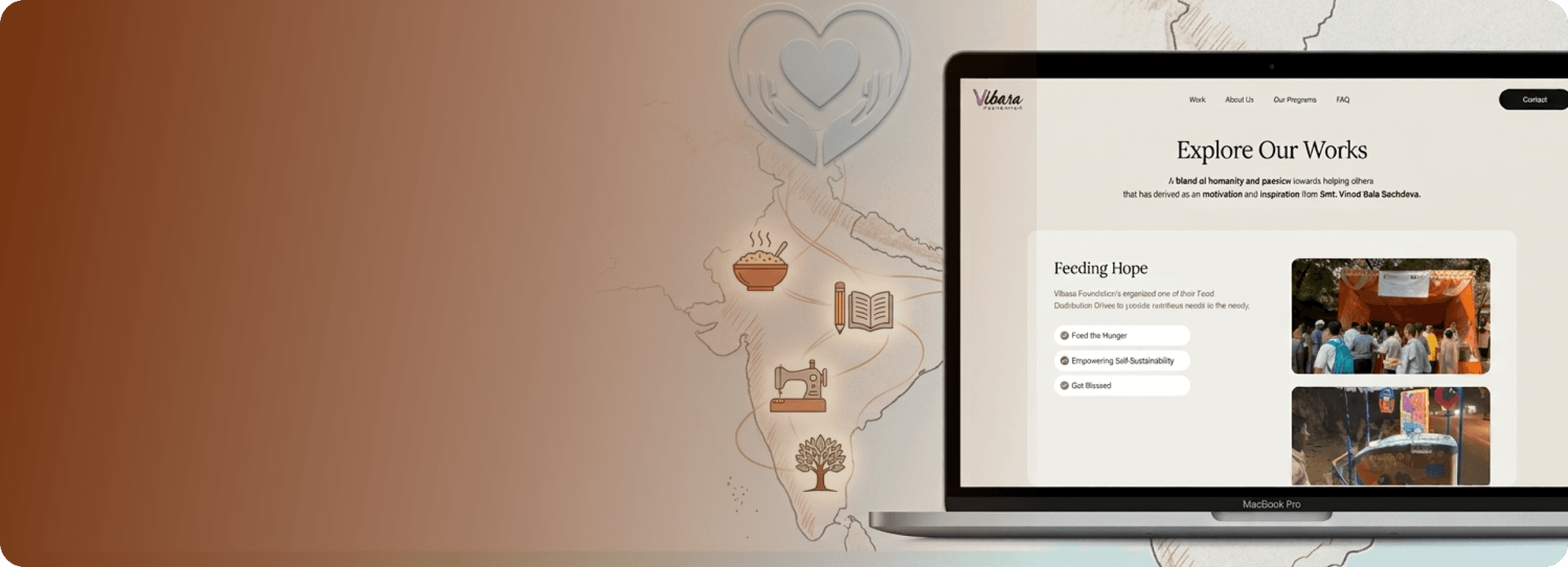
Vibasa Foundation

Building a kinder future through compassion, service, and collective action.

Greenply logo

Greenply

Digital product experience for a leading brand, designed to strengthen discovery and customer trust.

Greenply app preview
Domino's logo

Domino's WhatsApp
Chatbot

Robust mobile ordering with live tracking, loyalty rewards, and seamless payment integration.
Domino's app preview
Mahalaxmi Polypack logo

Mahalaxmi Polypack

Smart digital factory management with real-time production visibility.

Vibasa logo

Vibasa Foundation

Building a kinder future through compassion, service, and collective action.

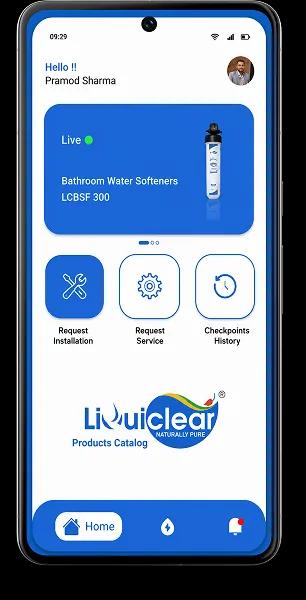
Greenply logo

Greenply

Digital product experience for a leading brand, designed to strengthen discovery and customer trust.

Greenply app preview
Clutch 5.0 rating

Recognized. Trusted. Preferred

Awards & Recognition

We are proud to be recognized by leading platforms and industry experts for our innovation, impact, and excellence

TopDevelopers

TopDevelopers

Top Mobile App Developers

Freelancer

Freelancer

Top Mobile App Developers

AppFutura

AppFutura

Top Mobile App Developers

GoodFirms

GoodFirms

Top Mobile App Development

Clutch

Clutch

Top Mobile App Developers

Excellence isn't claimed.It's recognized

These achievements reflect our commitment to
delivering world-class AI solutions that help
businesses grow and lead

Frequently Asked Questions About Flutter App Development

What is Flutter and why is it used in app development?
For the development of cross-platform applications, Flutter, an open-source framework created by Google, is frequently utilised in Flutter app development. It shortens development times while keeping UI and performance consistent across platforms by letting developers use a single codebase to build apps for web, Android, and iOS.
How much does Flutter app development in India generally cost?
When compared to Western markets, Flutter app development in India is much more affordable. It is perfect for both startups and organisations because it may reduce development expenses by 50-60% without sacrificing solution quality.
How long does it take to build a Flutter application?
A project's complexity determines how long it will take for flutter app development services to complete. It usually takes 6-10 weeks for basic applications and 12-20 weeks for mid-level apps. The features and integrations of an enterprise-level application determine how long it takes to complete.
Can I hire a dedicated Flutter developer?
Dedicated recruiting, team augmentation, and project-based delivery are just a few of the flexible engagement methods that make it easy to hire a flutter application developer.
Why should I outsource Flutter app development services?
Businesses can improve their development times, cut expenses, and gain access to talented developers by outsourcing flutter app development services. An effective way to scale without adding operating costs, it is a strategic approach for firms.

Supporting Insights

Seven-stage custom software development process roadmap from discovery to launch and support
Blogs08/10/2026

Custom Software Development Process: What Happens at Every Stage

Quick answer: The custom software development process moves through seven practical stages: discovery and requirements, architecture and design, development sprints, QA and testing, user acceptance testing, deployment and launch, and ongoing maintenance. Stages often overlap and loop back, because every stage produces decisions the next one depends on. Most people who search for the custom software development process are not looking for a textbook definition. They want to know what they will be asked to do, what the team will hand back, and when they can safely say "yes, move on." That is what this article covers. If you need the broader picture first, our custom software development process guide walks through the fundamentals, benefits, types and costs. Here, we stay inside the lifecycle and look at each stage in practical terms: what happens, what you contribute, what you should receive, and what to confirm before the project advances. Custom Software Development Process at a Glance  Stage  Main purpose  Key output  1. Discovery and requirements  Understand the problem, users and constraints  Agreed scope and prioritized requirements  2. Architecture and UI/UX design  Decide how the system will work and feel  Technical plan, wireframes, prototypes  3. Development sprints  Build the product in working increments  Working features demonstrated each sprint  4. QA and testing  Find and fix defects before users do  Test results and resolved issues  5. User acceptance testing (UAT)  Let business users confirm it fits real work  Acceptance feedback and sign-off  6. Deployment and launch  Move the software into production safely  Live release, monitoring, handoff notes  7. Maintenance and improvement  Keep the software secure and useful  Fixes, updates and planned enhancements There is no single fixed number of stages in the industry. Some teams describe six, others seven or eight. In this guide, we break the lifecycle into seven practical stages because it keeps each decision point easy to see. Real projects are also rarely a clean staircase. A design review may reveal a missing requirement, and a sprint demo may change the priority list. That is normal. What matters is that each change is discussed and recorded before it affects the next stage. What Is the Custom Software Development Process? It is the structured path from a business problem to a working, supported software product. Instead of adapting your workflow to a packaged tool, the team builds software around how your business already operates, or how you want it to operate. The process matters because custom software is expensive to change late. A misunderstood requirement costs very little to fix in a conversation and a great deal to fix after the code is written. Each stage in the software development lifecycle exists to catch a different kind of misunderstanding while it is still cheap. A typical custom software project moves through discovery and scoping, architecture and design, development, QA and testing, UAT, deployment, and ongoing support. The sections below follow that flow. 1. Discovery and Requirements What happens during discovery? Discovery is where the team learns your business before writing anything. Expect stakeholder conversations, workflow walkthroughs, a review of existing systems, and honest questions about what success looks like. The goal is to turn a loose idea into a scope that everyone reads the same way. What should be defined before development starts? At minimum, you want clarity on four things: The problem and the users. Who will use the software, and what is slowing them down today? Functional requirements. What the software must do, written in terms a non-technical person can verify. Non-functional requirements. Performance, security, availability and compliance expectations. Priorities and constraints. What is essential for launch, what can wait, and what limits apply to budget, systems or timing. Requirements also look different by industry. A site-management tool for a builder has very different data and field-access needs than a finance dashboard, which is why custom software development for construction starts from a different set of questions than a generic project would. Discovery is also the right moment to decide how you will measure results. If you cannot say what "better" means in numbers or outcomes, it is hard to prove value later. Our breakdown of software ROI explains why those outcomes should be defined before a single feature is built. What should you receive from this stage? You should leave with a written scope, a prioritized requirements list, and a clear view of known risks and open questions. The exact format varies between teams, so ask what the document will look like and who signs it off. What you provide: business rules, process knowledge, access to current systems, and the time of people who actually do the work. What to confirm before moving forward: the scope, priorities, known risks and open questions should be documented and understood by the people responsible for approving the project. Common mistake: treating discovery as a formality. Skipped or rushed discovery is the most common source of scope disputes later. 2. Architecture and UI/UX Design Once the scope is clear, the next stages turn those decisions into the architecture, design, development, testing and deployment work behind a custom software solution . Architecture and design belong in the same stage because the screens people see depend on the structure underneath, and the structure has to support the screens people need. System architecture and technical planning This is where the team decides how the software is put together: the database structure, how components talk to each other through APIs, which third-party systems it connects to, and how it will handle security and growth. The choice of technology stack is made here, and it should be explained in terms of your needs rather than the team's preferences. Architecture is also where AI features either fit cleanly or become a painful retrofit. If an intelligent feature is part of your product vision, the thinking in our guide on AI in custom software development is worth reading before this stage closes, since data, infrastructure and integration choices all depend on it. UI/UX flows, wireframes and prototypes Designers map user flows, sketch wireframes, and often build clickable prototypes. The value is simple: it is far cheaper to change a prototype than finished code. Put real users in front of it if you can. What should be approved before development? Before building begins, confirm the architecture direction, the key user flows, and the assumptions behind the scope. If a prototype made someone say "wait, that is not how we do it," this is the time for that conversation. What you provide: feedback on flows, input on integrations and access to the systems the software must connect with. What to confirm before moving forward: the architecture direction, the main user flows and the scope assumptions are agreed in writing, and any integration risks have an owner. Common mistake: approving designs without testing the core flow with someone who will use it daily. 3. Development Sprints What happens during a development sprint? Development is usually organized into short cycles called sprints. A typical sprint follows a simple loop: plan what to build, build it, review the result with you, collect feedback, and reprioritize. The team works from a backlog, a ranked list of features and tasks drawn from the requirements. Along the way, developers use version control to track every change and peer code reviews to catch problems early. At the end of each sprint, you should see working software, not a status slide. How Agile fits into custom software development Agile is a way of delivering in increments and adjusting as you learn. In practice, agile custom software development means you see progress regularly, can redirect priorities between sprints, and avoid waiting months to discover that something is off. It does not mean "no plan." The architecture and scope from earlier stages still guide the work. What you provide: timely answers to questions, feedback on demos, and a single point of contact who can make decisions. What you should receive: working increments, demo sessions, and visibility into what is done, in progress and next. What to confirm before moving forward: each sprint's outcome matches what was planned, and the backlog priorities for the next sprint reflect your latest feedback. Common mistake: slow feedback. A demo nobody reviews is a missed correction that returns later as rework. 4. Quality Assurance and Testing Why QA should start before launch Testing is not a final gate at the end of development. Good teams test as features are built, so defects are found while the code is still fresh in the developer's mind. Leaving it all to the end concentrates risk into the weeks you can least afford problems. Types of testing used in custom software Functional testing checks that each feature does what the requirements say. Integration testing confirms that modules and external systems work together. Regression testing makes sure new changes have not broken existing features. Performance testing looks at speed and stability under realistic load. Security testing checks for vulnerabilities in access control, data handling and dependencies. Not every project needs every category at the same depth. A small internal tool and a customer-facing platform handling payments have different testing priorities, and a good team will explain the reasoning. What you provide: realistic test data and clarity on critical business scenarios. What you should receive: test results, a record of defects found and fixed, and an honest list of anything still open. What to confirm before moving forward: critical and high-priority defects are resolved, and any remaining known issues are listed and accepted by you. Common mistake: assuming the build team's testing replaces your own validation. That is what the next stage is for. 5. User Acceptance Testing (UAT) What happens during UAT? UAT is where the people who will actually use the software confirm that it works for their real tasks. QA asks, "Does the software work as built?" UAT asks, "Does it do what the business needed?" Those are different questions, which is why UAT deserves its own stage rather than being folded into testing. A typical UAT round includes agreed test scenarios, hands-on use by business users, feedback logged as defects or change requests, fixes, and retesting. It ends with formal acceptance against the criteria set earlier. What you provide: the right testers, enough of their time, and clear acceptance criteria. What you should receive: a documented list of resolved issues and a sign-off point you control. What to confirm before moving forward: every high-priority requirement from discovery has been checked by someone who will rely on it, and the acceptance decision is recorded. Common mistake: letting UAT drift into new feature requests. Anything new should be logged separately so it does not delay launch. 6. Deployment and Launch What should be ready before go-live? Deployment moves the tested software from a staging environment into production, where real users and real data are involved. Before that happens, check that: the production environment is configured and secured, data migration, if needed, has been rehearsed, user access and permissions are set up, monitoring is in place so problems are noticed quickly, a rollback plan exists in case something goes wrong, and documentation and handoff notes are ready for your team. Some launches are a single switch. Others roll out to a small group first, then expand. Both are valid. The right choice depends on how many people rely on the system and how costly an interruption would be. What you provide: final approvals, access credentials and a launch-day contact. What to confirm before moving forward: the go-live checklist is complete, the rollback plan is understood, and someone on your side owns the launch decision. Common mistake: treating launch as the finish line. It is the point where real usage starts producing the most useful feedback. 7. Maintenance and Continuous Improvement Why custom software needs ongoing maintenance Software does not stand still after launch. Operating systems change, third-party services update, security issues are discovered, and your own business keeps evolving. Maintenance covers bug fixes, security patches, dependency updates and performance monitoring. Continuous improvement is the other half. Once people use the software daily, they will find things to refine and ideas to add. A short feedback loop and a prioritized improvement backlog turn the first release into a product that keeps earning its place. What you provide: usage feedback and a clear sense of which improvements matter most. What you should receive: a defined support arrangement, regular updates and a transparent way to request changes. What to confirm before moving forward: the support scope, response expectations and the process for requesting enhancements are agreed before the project team steps back. Common mistake: budgeting for the build and nothing for what comes after. Agile vs. Waterfall vs. Hybrid: Which Fits Custom Software? The lifecycle above describes what needs to happen. The methodology describes how the work is organized around it. Waterfall completes each stage before the next begins. It suits projects with fixed, well understood requirements and strict approval gates. Agile delivers in short iterations and adapts based on feedback. It fits projects where requirements will sharpen as people see working software. Hybrid combines the two, often with thorough upfront planning and architecture, followed by iterative delivery. No single option is right for every project. Many custom builds land on a hybrid because discovery and architecture benefit from careful upfront thinking, while development benefits from regular feedback. The point of choosing a methodology is to match the way you work, not to follow a trend. What Should You Receive at Each Stage of a Custom Software Project?  Stage  What you should receive  What you approve  Discovery  Scope, prioritized requirements, risk list  Scope and priorities  Architecture and design  Technical plan, wireframes, prototypes  Architecture direction and key flows  Development sprints  Working increments and demos  Sprint outcomes and next priorities  QA and testing  Test results and defect status  Readiness for business testing  UAT  Resolved issues and acceptance record  Formal acceptance  Deployment  Live release, monitoring, handoff notes  Go-live readiness  Maintenance  Fixes, updates, improvement plan  Enhancements and support terms Ask your team to confirm these outputs early. If a stage has no visible output, it is hard to know whether it is complete. What Is the Client's Role in Custom Software Development? Software development client responsibilities are easy to underestimate. Projects move at the speed of decisions, and most of those decisions belong to you. In practice, your role includes: sharing business rules, workflows and subject-matter expertise, giving access to systems, data and the people who use them, reviewing demos and prototypes promptly, making approvals at the end of each stage, and testing during UAT with people who know the work. You do not need to be technical. You do need to be available, and ideally to name one person who can speak for the business. Common Risks That Delay Custom Software Projects Most delays trace back to a handful of causes, and each appears at a predictable stage. Unclear requirements (discovery): vague goals create arguments later about what was promised. Scope creep (any stage): adding features without adjusting time or priorities pushes everything back. Slow decisions and feedback (design and sprints): waiting on approvals stalls the team. Integration complexity (architecture and development): connecting to older or poorly documented systems often takes longer than expected. Testing gaps (QA and UAT): skipped scenarios turn into production problems. Launch readiness gaps (deployment): missing data, access or monitoring causes avoidable surprises. The remedy is rarely heroic. Clear scope, quick feedback and honest conversations about trade-offs handle most of these before they grow. If you're comparing development partners, our guide on how to choose a custom software development company in the USA covers what to evaluate before you commit. How Long Does Custom Software Development Take? There is no honest universal answer. Duration depends on scope, the number of integrations, the complexity of the logic, the size of the team, and how quickly feedback and approvals arrive. A focused internal tool and a multi-module platform are very different undertakings. What you can do is ask for a timeline broken down by stage, with the assumptions stated. That makes it easier to see where time is going and which decisions could speed things up. If budget planning is part of your thinking, our breakdown of custom software development cost in the USA shows how scope and complexity connect to pricing. What Can Change the Timeline? A timeline is an estimate built on assumptions. When an assumption changes, the schedule moves with it. The most common factors are: Changing requirements: new ideas after discovery are normal, but each one needs to be weighed against time. Integrations: connecting to external or legacy systems adds work, especially when documentation is thin. Approval delays: a sprint that waits days for a decision loses momentum. Data migration: moving and cleaning existing data often takes more effort than expected. Testing complexity: more user roles, devices and scenarios mean more to verify. Compliance and security requirements: regulated environments add review steps and extra documentation. Scope changes: adding features mid-project without trading something out extends the plan. Raise these early. A team that knows about a data migration or a compliance review in week one can plan for it. One that finds out in week ten usually cannot. Planning Your Own Project Understanding the process is the first step. The next is finding a team that explains each stage as clearly as this article does. If you are ready to talk through your requirements, the team at SpaceToTech, a software development company focused on building software around real business needs, can walk you through scope and next steps. 

Web Development Companies
Blogs08/10/2026

Web Development Companies: The 3 Types of Web Development Explained

Web development is usually divided into three types: front-end, back-end, and full-stack. Each covers a different layer of how a website or web application works. If you're planning a new platform, knowing the difference affects your team structure, your budget, and how you read vendor proposals. It also helps you judge what web development companies actually offer, beyond the pitch deck. This guide explains each type, the technologies behind it, and how experienced providers combine them on real projects. Web Development Fundamentals: What the Discipline Covers Web development is the work of building and maintaining websites and web applications. That covers everything from a ten-page company site to a customer portal handling thousands of logins a day. Before getting into the three types, it helps to see how the pieces connect. How Web Development Services Fit Together Most web development services fall into a few buckets: website design and build, custom web application development, e-commerce platforms, CMS setup, API integrations, and ongoing maintenance. A single project often touches several of these. A B2B portal, for example, needs an interface, a database, user authentication, and connections to your CRM. Every one of those tasks lands in one of the three types below. Web Development Technologies Behind Modern Websites Technologies are the tools of the trade: languages, frameworks, databases, and hosting setups. Browser-facing work relies on HTML, CSS, and JavaScript, as documented by sources like MDN Web Docs. Server-side work uses languages such as Python, Java, PHP, or JavaScript (via Node.js). No single stack is "best." The right one depends on what you're building, who will maintain it, and how much it needs to scale. The Three Types of Web Development at a Glance Here is the quick version before we go deeper. Front-End, Back-End, and Full-Stack Compared   Front-End Back-End Full-Stack Focus What users see and interact with Servers, databases, logic, security Both layers Typical tools HTML, CSS, JavaScript, React, Angular, Vue Node.js, Python, Java, PHP, SQL and NoSQL databases A mix of both sets Main concern Usability, speed, accessibility Data integrity, performance, security Cohesion between layers Best for Interface-heavy projects Data-heavy or integration-heavy projects Smaller teams, MVPs, end-to-end ownership Why Some Guides Group Types Differently "Three types" is a convention, not a rule. Some guides classify by the kind of site instead: static sites, dynamic sites, and e-commerce platforms. Others add categories like CMS development or progressive web apps. The front-end, back-end, and full-stack split is the most common because it maps to how teams are staffed, which is why we use it here. Front-End Development: Building the User Experience Front-end development covers everything a visitor sees and touches: layouts, buttons, forms, menus, animations. It's where design becomes working code, and it has a direct effect on whether people stay on your site or leave. Core Front-End Technologies HTML structures the content. CSS controls how it looks. JavaScript makes it interactive. On top of those, most teams use frameworks such as React, Angular, or Vue to build complex interfaces without reinventing common patterns each time. Good front-end work also covers the less visible parts: responsive layouts that work on phones, page speed, and accessibility standards like WCAG, which matter for both usability and legal compliance in many markets. When Front-End Work Takes Priority Front-end expertise matters most when the interface is the product. Think customer dashboards, booking flows, or marketing sites where conversion depends on how fast and clear the experience feels. If your pages are slow or confusing, a powerful back end won't save the user experience. Back-End Development: Powering Logic, Data, and Security If the front end is the dining room, the back end is the kitchen. It processes requests, stores and retrieves data, enforces business rules, and keeps sensitive information protected. Users never see it, but they feel it whenever something loads slowly or fails. Common Back-End Languages, Frameworks, and Databases Popular server-side choices include Node.js, Python (with Django or Flask), Java (with Spring), PHP (with Laravel), and .NET. Data is typically held in relational databases like PostgreSQL and MySQL, or in NoSQL options like MongoDB when the data structure is flexible. The choice usually comes down to your existing systems, your team's skills, and your performance needs. Be wary of any provider who recommends a stack without asking about those three things first. Back-End Services Businesses Commonly Request The most common requests are API development, third-party integrations (payment gateways, ERPs, CRMs), user authentication and permissions, database design, cloud hosting, and security hardening. For regulated industries, expect extra requirements around audit logs, encryption, and data residency. Ask any vendor how they handle these early, not after the build is underway. Full-Stack Development: Bridging Both Layers Full-stack developers work across the front end and the back end. They can take a feature from database to screen without handing it between specialists, which cuts down on coordination overhead. Where Full-Stack Teams Add Value Full-stack teams are a strong fit for MVPs, internal tools, and early-stage products where speed and flexibility matter more than deep specialization. Because one person understands the whole flow, small bugs and mismatches between layers get caught sooner. Trade-Offs of Full-Stack Versus Specialist Teams Full-stack isn't automatically better. Someone who covers everything rarely goes as deep in any one area as a dedicated specialist. For high-traffic platforms, complex security requirements, or heavily customized interfaces, a team with separate front-end and back-end experts usually produces stronger results. Many mature projects use both: full-stack developers for coordination, specialists for the hard parts. How Web Development Companies Apply Each Type In practice, a web development company rarely treats the three types as separate offerings. They're roles inside a single delivery process. How a Web Development Company Structures Project Teams A typical project team includes front-end developers, back-end developers, a project manager, a QA engineer, and often a designer and DevOps support. Full-stack developers may lead smaller builds or bridge the layers on larger ones. [Insert short anonymised example from a real project: team size, stack chosen, and why.] The question to ask is not "Do you do front-end or back-end?" It's "Who owns each layer on my project, and how do they work together?" What Separates the Top Web Development Companies The top web development companies tend to share a few habits. They ask about business goals before proposing a stack. They show relevant work, not just polished screenshots. They're open about trade-offs and timelines. And they stay involved after launch, because websites need updates, security patches, and performance tuning. If you're building a shortlist, our guide to the best custom software development companies compares leading providers side by side. Choosing the Right Development Approach and Partner Once you understand the three types, the decision gets more practical: who should build this, and how? Evaluation Criteria for Web Development Companies Use a simple checklist: Relevant experience: Have they built something similar in your industry or at your scale? Technical depth: Can they explain why they'd choose a particular stack for your project? Process clarity: Do they describe how they handle scoping, testing, and change requests? Security practices: What do they do about authentication, data protection, and updates? Support after launch: Is maintenance included, or priced separately? References: Will they connect you with past clients? Request a scoped proposal rather than relying on rankings or review sites alone. For a wider comparison, see how leading custom software development firms compare . In-House Team vs. Agency: An Honest Comparison In-house gives you control, deep product knowledge, and tight alignment with your business. The costs are salaries, recruitment time, and the difficulty of covering every specialty with a small team. An agency gives you immediate access to a full range of skills and faster starts. The trade-offs are less day-to-day control, the need for clear communication, and the risk of knowledge leaving with the vendor if documentation is weak. Neither is the right answer for everyone. Many companies use a hybrid: an agency for the initial build, an in-house team for long-term ownership. Conclusion Front-end, back-end, and full-stack aren't competing options. They're three layers of the same product, and most real projects need all of them working together. Front-end shapes how your site feels to use, back-end keeps it fast, secure, and connected to your systems, and full-stack developers help the two layers fit together. For a business, the practical takeaway is to start with your project's needs, not a technology trend . Decide where the complexity sits, then look for a partner who can explain how they'll staff each layer and why. If you're ready to compare vendors, our guide to the best custom software development companies is a good next step. And if you'd like to talk through scope first, contact our team for a no-obligation conversation . Ready to plan your project? When you're ready to compare vendors, explore our full ranking of custom software development companies .

Software Development Companies in India
Blogs07/10/2026

AI-Powered Software Development Companies in India: Who Leads the Market?

Ask ten CTOs who the top software developers in India are and you'll get ten different answers, usually based on whoever they hired last. That's the trouble with "best of" lists: they rank companies without telling you what to measure. This guide works differently. We'll look at why India leads in AI delivery, how the market is structured, and how to judge a partner on proof, not polish. We build AI products at SpaceToTech, so we'll be upfront about where we fit and where we don't. Why India Leads Global AI-Powered Software Development Scale comes first. Nasscom puts India's tech industry revenue at roughly $315 billion for FY26, and the ML and data engineers behind much of it cluster in Delhi NCR, Bengaluru, Hyderabad and Pune. Cost helps, but not how people assume. Blended rates are often a third to half of US rates, yet the real saving is getting a whole team (engineers, QA, MLOps) for the price of a couple of local hires. Senior AI architects are the exception; they're scarce everywhere and priced accordingly. The ecosystem keeps compounding. The government-backed IndiaAI Mission funds compute and startups, global companies keep opening capability centres here, and time-zone overlap with Europe and Asia plus strong English make daily collaboration easy. Add three decades of delivering for banks, retailers and health systems, and AI work grows from real delivery muscle, not from scratch. Top Software Developers in India: Who Leads the Market in 2026 No neutral body ranks Indian vendors, so any numbered "Top 10" is opinion. We use five criteria instead: delivery record, genuine AI depth, client retention, security certifications and pricing transparency. Here's how the market breaks down. Tier Examples Best for Trade-off Global IT majors  TCS, Infosys, Wipro, HCLTech Large transformation programmes Slower, costlier, high minimums AI-native specialists  Fractal Analytics, Tredence Data science and analytics-heavy work Narrower on app and UX work Product engineering firms  Persistent Systems, Appinventiv End-to-end product builds Quality varies by assigned team Boutique studios  SpaceToTech and similar End-to-end product builds & Mid-market mobile apps and chatbots Capacity limits on very large programmes  Where SpaceToTech fits. We're a Delhi NCR company focused on mobile apps, AI chatbots and related digital products. We suit startups and mid-market teams that want senior attention and quick iteration. If you're replacing a core banking platform across five countries, a larger firm is the better call. For a broader app-focused view, see our guide to top app developers in India . Software Development Companies in India: Market Landscape and Key Player Categories Enterprise giants bring governance and scale, along with formal processes and minimum engagement sizes. AI-native firms bring specialist talent, though some have shorter track records. Boutique and mid-size agencies give you direct access to senior people and flexible terms. Freelancers and marketplaces suit narrow, well-defined tasks; risk climbs quickly once a project needs continuity, security or architecture. Vendor type Budget Speed Risk Scalability  Enterprise IT  High Slower start  Low delivery risk Very high AI-native firm   Medium–high Fast  Medium (newer records) High Boutique / mid-size  Medium Fast Low–medium Medium  Freelancer  Low Fast on small tasks High Low How to Evaluate AI Software Development Companies in India Use this as a scorecard when you compare AI software development companies in India. Technical depth. Ask about LLM and RAG projects, model deployment (MLOps) and cloud partnerships. Vague answers are an answer. Proof of work. Look for case studies with measurable outcomes, reviews on Clutch or GoodFirms, and clients you can phone. Security and IP. ISO 27001, signed NDAs, clear IP ownership and a stance on data residency. Delivery maturity. Agile cadence, weekly demos, honest reporting and workable time-zone overlap. Red flags. Generic "AI-powered" claims, no discovery phase, and timelines that sound too good. Want a second opinion on your shortlist? Book a free consultation with SpaceToTech and we'll pressure-test your scope, even if you end up choosing someone else. Your stage Usually a better fit Watch out for Startup AI-native or boutique firm Thin processes, key-person dependence SMB Boutique or mid-size agency Capacity when you scale Enterprise IT major, or AI-native with enterprise references Slow onboarding, layered communication Top AI Development Companies in India: Strengths, Specializations, and Trade-Offs The top AI development companies in India differ most in specialisation. Some excel at NLP and conversational AI, others at computer vision, predictive analytics or generative AI. Ask for named projects in your category, not a generic AI portfolio. Every firm also has limits: large ones are slower and pricier, small ones run out of capacity. Your stage should drive the choice. Generative AI Development Services in India: What Leading Firms Actually Deliver Strip away the hype and generative AI development services in India come down to four things: LLM integration, retrieval-augmented generation (RAG) over your own documents, custom copilots, and fine-tuning. Typical business uses are support agents, content automation and document intelligence. Build, buy or customise? Most problems don't need a custom model. A well-built RAG system on a commercial LLM covers support bots and internal knowledge search. Fine-tune only when you have proprietary data, strict privacy needs or cost pressure at scale. Responsible AI isn't optional. Good teams test for hallucinations with evaluation sets, keep humans in the loop for risky outputs, and document governance. If a vendor can't explain how they do this, move on. See our AI development services for how we approach it. Machine Learning Development Company in India: Core Capabilities to Look For A strong machine learning development company in India spends more time on data than on models. Check four layers: Data engineering. Reliable pipelines, quality checks and labelling workflows. Model development. Sensible algorithm choices, proper validation and explainability. MLOps. CI/CD for models, monitoring and drift detection after launch. Industry fit. Fraud scoring in fintech, demand forecasting in retail, imaging triage in healthcare, route optimisation in logistics. Quick audit: do they version data and models? Monitor drift? Document validation results? Explain a prediction to a regulator? Four yeses is a good sign. Best AI App Development Company in India: What Sets the Leaders Apart The best AI app development company in India isn't the one with the flashiest demo. It's the one that designs AI features people trust: showing confidence, letting users correct mistakes and handing off to a human when needed. Also ask about native versus Flutter or React Native, cloud architecture for scale, and post-launch support, including model retraining and clear SLAs. App type AI feature  Business benefit   eCommerce Personalised recommendations Higher basket size, repeat purchases  Fintech Fraud detection, support chatbot Fewer losses, lower support load  Healthcare Symptom triage chatbot Shorter wait times AI-Driven Software Solutions for Enterprises: Real-World Use Cases AI-driven software solutions for enterprises pay off when tied to one measurable problem. These are the common starting points:  Use case  Department  KPI to track Predictive maintenance Operations Unplanned downtime Conversational support Customer service Resolution time, deflection rate Fraud detection Finance and risk  False-positive rate  Document processing Compliance and legal Processing time per document Measuring ROI. Set the KPI before the pilot, run a small pilot, then scale only what moves the number. Payback periods vary widely by use case, so be wary of anyone quoting one without seeing your data. Custom AI Software Development in India: Process, Timelines, and Cost Factors Custom AI software development in India follows a familiar path: discovery, data audit, prototype, build, test, deploy, monitor. Skipping the data audit is the most expensive shortcut.  Project type  Typical timeline  Indicative cost Proof of concept 4–8 weeks $10,000–$40,000 MVP 3–5 months $40,000–$150,000 Enterprise rollout 6–12+ months $150,000 and up What drives cost: data readiness, model complexity, integrations and compliance. How you pay: fixed price for a clear scope, time and materials when requirements will shift, or a dedicated team for long-term work. Hire AI Developers in India: Engagement Models and a Practical Hiring Checklist Model Control Cost Speed to start Dedicated team High Medium Medium Staff augmentation High Lower Fast Project-based Low Fixed Fast Hybrid Medium Medium Medium Decide which roles you need first: ML engineer, data scientist, LLM engineer or MLOps engineer. When you hire AI developers in India, vet them like this: Give a live problem from your own domain, not a puzzle. Review real code and ask what they'd change. Check portfolio claims against named projects. Agree on tooling, KPIs and knowledge transfer before day one. More on the hiring side in our guides to hiring top software developers in India and hiring software developers from India . AI Software Outsourcing to India: Risks, Compliance, and How to Mitigate Them Outsourcing has real risks. Here's how to handle them: Risk How to reduce it Quality drift Milestone reviews and written acceptance tests Communication gaps Fixed overlap hours and weekly demos Vendor lock-in Code in your repository, documented handover Data exposure NDAs, access controls, ISO 27001-certified vendors Compliance gaps Map the DPDP Act, GDPR or HIPAA to your market early Put IP ownership, SLAs and exit terms in the contract, and start with a paid pilot before committing. Our guide to outsourcing software development to India covers the contract side in more depth. Conclusion India's AI strengths are real: talent, cost efficiency and delivery experience. But the market is crowded, and the smartest buyers choose on fit, proof and transparency, then protect themselves with a pilot, a solid contract and early compliance planning. Use the criteria above, not a ranking, and you'll shortlist the right partner. Ready to talk it through? Book a free AI consultation with SpaceToTech and get a straight answer on scope, timeline and budget.

Businesses using Flutter app development services often achieve faster launches, lower development costs, and higher ROI with a single cross-platform solution.

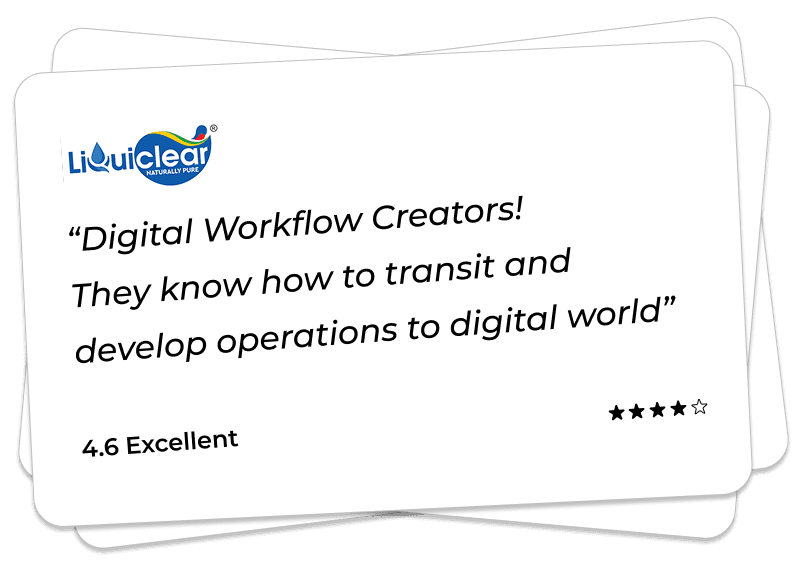
We’ve been helping Customer globally

So how does it work? Check for yourself by their feedback.
Client Feedback

We Build Digital Products That Drive Real Growth

From idea to launch, we help startups and enterprises build scalable apps, AI solutions & custom software.

View Our Work
Trusted byGlobal Clients

150+Projects Delivered

OngoingSupport
UAE

UAE

USA

USA

INDIA
INDIA

Book a Free Consultation

Your information is safe with us.