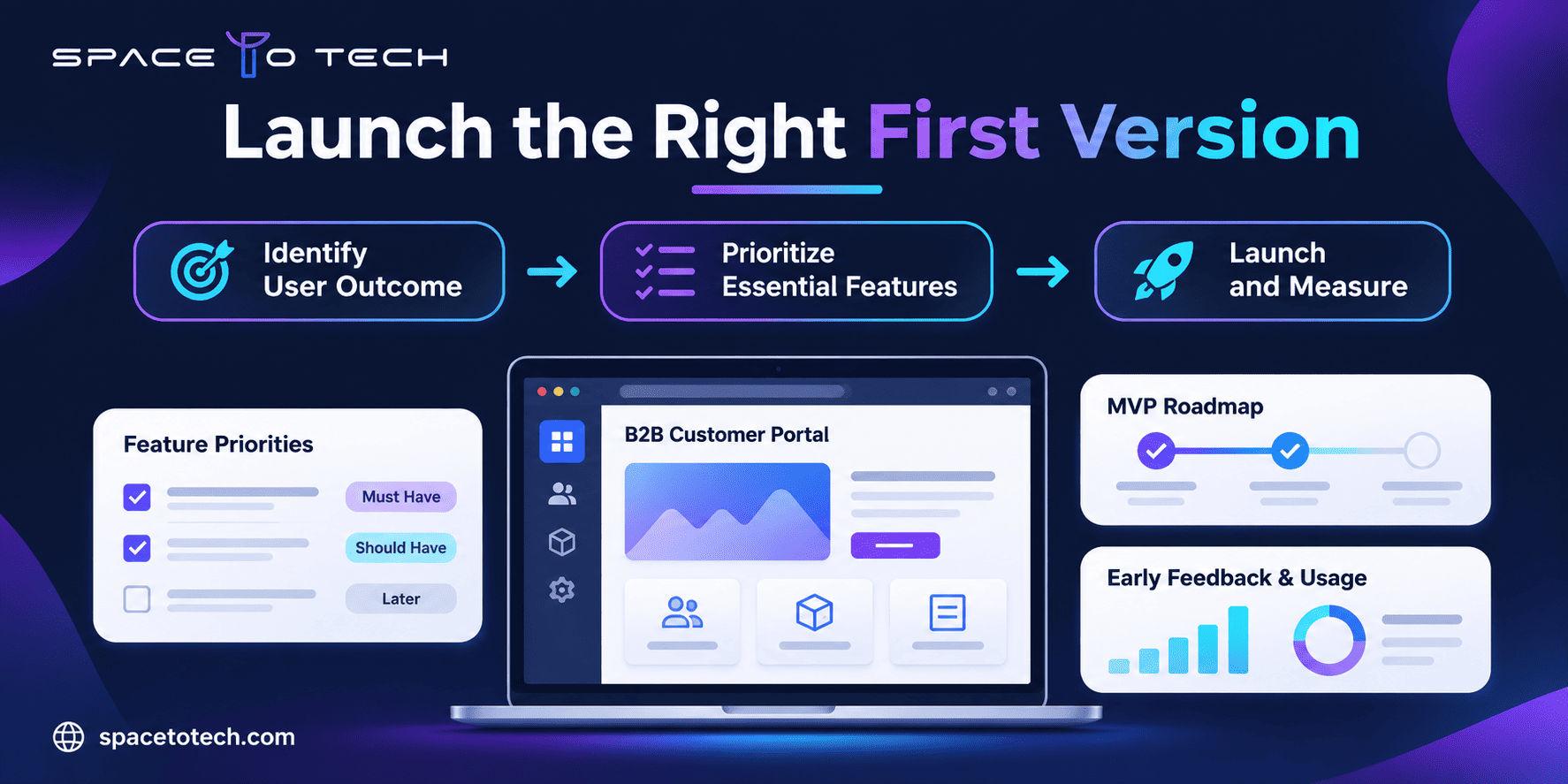
A founder has a clear idea for a B2B customer portal. Customers should submit requests, track progress and download a final report. During planning, the idea expands into live chat, advanced analytics, custom permissions, mobile apps and AI-generated recommendations. The original problem is still unresolved, but the first-release estimate has doubled.
That is the real challenge in MVP web app development: deciding what belongs in the first usable release and what should wait. A minimum viable product is not a deliberately unfinished application. It is the smallest reliable version that delivers a specific result and gives the team evidence about demand, usability or workflow value.
The broader web development guide explains how web projects move from planning to delivery. This article goes deeper into MVP scope, priorities, cost drivers and the questions founders and CTOs should settle before requesting a proposal.
What Is an MVP Web App?
An MVP web app is an early production version of a browser-based application built to test a defined product hypothesis with real users. It contains enough functionality to complete a meaningful task and enough quality controls to operate safely within its intended context. It does not need every feature on the roadmap.
The central test is simple: can the intended user obtain the promised result from beginning to end? For a purchasing portal, the result could be submitting and tracking an order. For an internal operations tool, it might be approving a request without forwarding spreadsheets and email chains. For a SaaS reporting product, it might be uploading data and receiving an actionable report.
MVP vs. Prototype vs. Full Product
Stage | Main purpose | What to expect |
An MVP can follow a prototype, but the two are not interchangeable. A clickable demonstration may validate navigation and perceived usefulness; it cannot validate whether a real integration works under production conditions.
When Should You Build a Web Application Rather Than a Website?
An app is justified when the user must sign in, work with personalized data, complete a transaction or manage a repeatable process. A marketing website with a contact form may be a better initial test when the primary uncertainty is simply whether customers want the service. The choice is explored in the website versus web application comparison.
Start With the Business Outcome, Not the Feature List
Before discussing frameworks or hiring developers, write down the assumption your product must test. “Build a modern customer portal” is a solution statement. “Allow customers to submit service requests and track status without emailing the account manager” describes a measurable problem.
Identify one primary user
Choose the person whose successful action makes the product worth testing. Some MVPs need a secondary operations or admin role, but adding five customer personas at launch usually multiplies permissions, screens and test cases. Write down the primary user’s context, trigger, constraints and desired result.
Describe the smallest valuable outcome
A good MVP outcome is observable: a request is submitted, an invoice is approved, an appointment is booked or a document is processed. “Increase engagement” is too broad until it is connected to a task and a measurement. Define the baseline, intended improvement and evidence you expect to collect during an agreed pilot period.
Pick a validation signal before coding
For an early SaaS product, activation may mean the first successful completed workflow. For an internal tool, it might be minutes saved per request or the percentage of requests handled without manual re-entry. For a paid B2B service, it could be the number of qualified pilot customers completing a meaningful transaction. Collect qualitative feedback alongside event data so the team understands why users succeed or leave.
How to Scope an MVP Web App in Five Steps
Step 1: Map one complete user journey
Write the path from entry to result: the user opens the app, identifies themselves if necessary, supplies information, receives confirmation and can inspect the result. Include errors and cancellation, not just the ideal path. A short diagram or numbered sequence is more useful than a 40-item feature wishlist.
Step 2: List the capabilities the journey requires
Identify the screens, data fields, rules, permissions, integrations and notifications needed to complete that journey. Distinguish a genuine dependency from a convenience. The core process might require a status update by email but not a fully customizable notification center.
Step 3: Prioritize by value, effort and risk
Classify requirements as Must Have, Should Have, Later and Out of Scope. “Must” means the core outcome cannot be tested safely or meaningfully without it. A feature that executives like, but users can live without during the pilot, normally belongs in a later release.
Step 4: Define acceptance criteria and exclusions
Every launch feature needs a testable result. “Customers can track requests” is ambiguous. “An authenticated customer can see only their own requests, including creation date, current status and last update” is specific enough to implement and test. Name excluded features as clearly as included ones. That makes changes visible instead of silently expanding the contract.
Step 5: Set the launch and learning plan
Agree on deployment ownership, production support, event tracking, feedback collection and the date for reviewing evidence. An MVP without post-launch learning can become a permanent, underfunded application rather than a validation tool.
Which MVP Features Should Be Built First?
There is no universal “five features every MVP needs” list. The minimum depends on the user journey. Authentication may be critical for a portal handling private data and unnecessary for a public calculator. Payments may be central to a paid marketplace, but premature for a concierge pilot where invoices are handled manually.
Capability | Initial decision | Reason |
A Worked B2B Example: Turning a Large Portal Idea Into an MVP
Consider a fictional industrial equipment supplier whose customers currently email service requests and call account managers for updates. The founder proposes a portal with tickets, equipment history, video chat, auto-quoting, AI issue classification, mobile apps and multilingual support. The first question is not which framework can build it. It is which workflow customers need most urgently.
Define the first release boundary
The target outcome is to let one pilot customer submit a service request and check its status without emailing the account manager. The first version serves customers and an internal coordinator; technicians can continue using existing tools during the pilot.
Feature | V1 decision | Why |
Define acceptance and success criteria
For example, a customer must be able to submit a complete request from a supported desktop or mobile browser; the coordinator must see it in the work queue; each customer must see only their own requests; and the system must record submission failures. These are illustrative requirements. Actual thresholds should be established with the client during discovery.
After launch, measure pilot account activation, successful request completion, failed submissions, support calls per request and user-reported friction. If customers still call the account manager despite using the portal, investigate whether the status information is timely enough. That learning is more useful than celebrating the number of features shipped.
What Else Must a Production MVP Include?
“Minimum” does not mean skipping the safeguards needed to run the product. A production MVP typically needs basic monitoring, appropriate access control, reliable backups or recovery arrangements, privacy notices, operational support and clear error handling. The exact standard depends on the data, market and use case.
Security and privacy fundamentals
Use appropriate authentication and authorization, protect sensitive data in transit and at rest, log important events, manage secrets securely and apply routine dependency updates. Document where data is stored and which team handles incidents. The OWASP Application Security Verification Standard provides a useful technical reference for planning application security requirements.
Accessibility and QA belong in V1
A broken onboarding form or inaccessible primary button can invalidate a product test because users never reach the feature being tested. Include critical-path keyboard checks, form validation, browser and device coverage, error states and integration tests. Accessibility requirements should be aligned with the intended user base and relevant standards, including applicable W3C accessibility guidelines.
Ownership, support and analytics
Decide who owns the code, cloud accounts, repository, domain, designs and analytics property. Agree on issue triage and a route for urgent fixes after deployment. Instrument the key activation and completion events before launch; Google’s documentation on Google Analytics events is one possible reference if that platform is selected.
MVP Web App Development Cost: What Actually Changes the Estimate?
A useful cost estimate follows the scope, not a generic per-screen rate. Two applications with ten screens may have very different budgets if one needs straightforward forms and the other requires complex user permissions, legacy integrations and audit trails.
Cost driver | Why effort rises | Scoping question |
SpaceToTech’s existing web application development services page presents $10,000–$25,000 as an illustrative “MVP Web App” tier, while another existing article describes larger MVP web apps in a higher range. Those figures are not directly interchangeable; this guide does not promise a price without an agreed scope. Buyers should request estimates with explicit assumptions, exclusions and ongoing costs.
Build, Buy, No-Code or Hybrid?
Custom development is not automatically the right answer. If the product mainly reproduces a standard process, an existing SaaS tool or a no-code workflow can validate demand faster. If the business advantage depends on proprietary workflow rules, unusual integrations, fine-grained access or a differentiated user experience, custom engineering may be justified.
Approach | Good fit | Trade-off |
The broader custom software development guide covers build-versus-buy decisions across the full software lifecycle. For an MVP, keep the decision tied to what needs validation now.
How Long Does MVP Web App Development Take?
MVP schedules cannot be calculated reliably from a feature count alone. A team needs time for discovery, design, implementation, integration, QA, launch preparation and customer feedback. Some tasks can overlap, but dependencies still matter.
Phase | Core deliverable | Common delay |
SpaceToTech’s pillar discusses a general three-to-five-month timeline for many web-app MVPs. That is an indicative planning reference, not a guaranteed delivery window. Smaller controlled pilots may take less time; complex enterprise workflows can take longer. The delivery plan should identify owners, dependencies and decision deadlines.
How to Prevent MVP Scope Creep Without Ignoring Feedback
A good product team should welcome new information without automatically adding every suggestion to the launch backlog. For each request, ask whether the new feature is required to test the agreed primary outcome, whether it prevents a serious risk, or whether it can be tested after release.
- Keep one version-controlled scope document with explicit in-scope and excluded features.
- Record each new request with estimated impact on cost, timeline, dependencies and QA.
- Require one named decision-maker to approve scope changes.
- Place valuable but noncritical ideas in a post-launch backlog.
- Review the MVP hypothesis before expanding the delivery commitment.
A simple scope-change log protects both the buyer and the development agency. It also prevents teams from debating whether a request was “always included” after implementation has already begun.
What Should Your MVP Development Brief Contain?
Before obtaining quotes, prepare a concise document describing the problem, users, core journey, essential workflows, integrations, data, operating environment, quality expectations, budget envelope, launch dependencies and acceptance tests. You can adapt the broader web development project brief to this narrower first-release problem.
Brief field | Example of useful detail |
How to Choose an MVP Development Partner
Compare agencies on their ability to challenge unnecessary features, describe technical trade-offs and take responsibility for a working release. A polished portfolio does not substitute for clear discovery notes, documented exclusions, QA plans or post-launch ownership.
A useful vendor shortlist may include firms from your broader review of web development companies, but check each company’s actual experience with the product type you are building. A vendor strong in brochure websites may not be the right team for an authenticated SaaS platform.
Questions founders and CTOs should ask
- What exact customer outcome will your proposed first release validate?
- Which requested features would you remove from V1, and why?
- What assumptions are excluded from your estimate?
- Who owns the code, repository, cloud accounts and deployment process?
- How are integrations, security, accessibility and failure states tested?
- How will you record change requests and measure the pilot after launch?
MVP Scoping Checklist Before You Sign a Development Contract
- One target user and measurable product outcome are documented.
- The end-to-end journey works on paper, including errors and exceptions.
- Must-have features are separated from later releases and exclusions.
- Security, privacy, accessibility and QA expectations are included.
- Third-party dependencies, data access and approval owners are named.
- Acceptance criteria, milestones and change-control procedures are agreed.
- Hosting, software licenses, support and ownership are accounted for.
- Analytics and pilot feedback will inform the next roadmap decision.
Build the First Version Around What You Need to Learn
The smartest first release is not the one with the fewest lines of code. It is the smallest dependable product that gives you an answer about your business. Define the customer outcome, remove optional complexity, make the important workflow work, then use real feedback to decide where to invest next.
For founders and B2B teams considering custom software development, a scoped MVP is also the foundation for a useful agency conversation. SpaceToTech develops web applications, SaaS products and business software for organizations with different levels of technical maturity. If you already have a product idea or a draft requirements document, contact SpaceToTech to discuss the core workflow, technical constraints and a realistic first-release scope.