Trusted iOS Development Partner

iOS App Development Company

Apple doesn't compete on volume — it competes on spending behavior, and that single fact should shape every decision an iOS App Development Company makes. Apple's users convert at higher rates, subscribe longer, and return more consistently than any other mobile audience, which means building for iOS isn't just mobile development with a different OS target — it's building for a behavioral profile that expects consistency across every screen. 

Trusted by startups and enterprises across the globe
SwiftUI
struct ContentView: View {  var body: some View {    VStack {      Text("Hello, iOS!")    }  }}
Swift DevelopmentRobust & scalable iOS solutions
SwiftUI DevelopmentBeautiful UI with modern framework
App Store DevelopmentHassle-free App Store submission
AI IntegrationSmart features with AI & ML
Apple WatchAppsExtend experience to your wrist
Vision ProAppsNext-gen spatial experiences

0+

MOBILE APPS DELIVERED

0+

iOS DEVELOPMENT EXPERTS

0+

CLIENTS ACROSS THE GLOBE

0%

CLIENT RETENTION RATE

0+

YEARS IN iOS DEVELOPMENT

Trusted by global brands

Space To Tech structures its iOS app development services around Apple's ecosystem rules first, because the real failure point isn't code quality — it's an app that works perfectly in staging and still gets rejected because one permission flow didn't match Apple's expectations.

That gap isn't bad luck; it's a knowledge deficit.

Once you've shipped enough iOS products, the review process stops feeling arbitrary and starts feeling predictable. That predictability is exactly what separates teams that launch cleanly from teams that don't.

iOS app development ecosystem illustration

What Does an iOS App Development Company Actually Build?

Native iOS Development

We build native applications for iPhone, iPad, and other Apple devices using Swift-based technologies, ensuring high performance, security, and seamless user experiences.

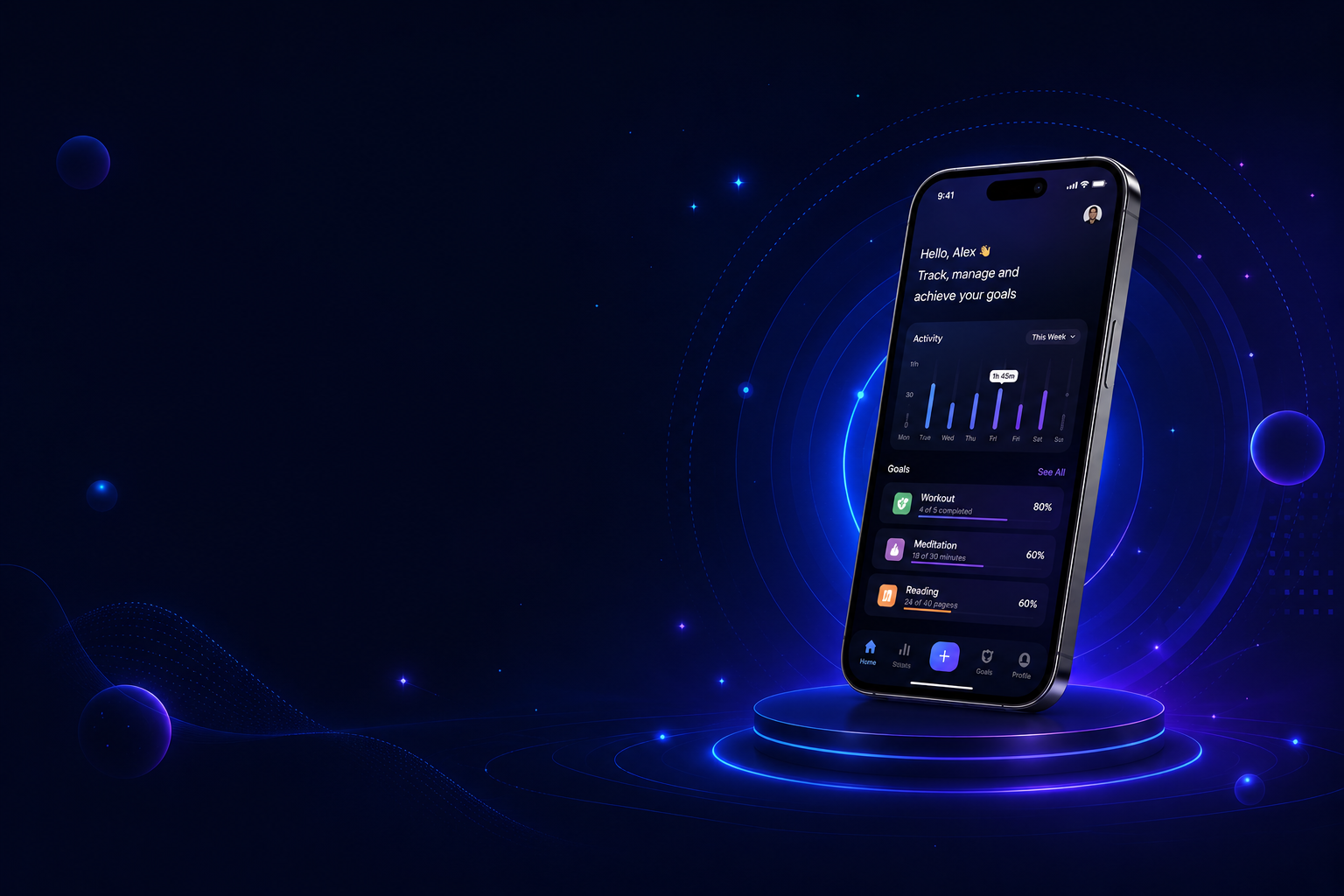
iOS Phone Display

Build Smarter Apple Experiences with Our Team

We help startups and enterprises develop scalable iOS solutions that combine performance, usability, and reliability.

iOS App Development Services We Offer

Most custom builds begin when existing SaaS or templates fail to match real workflows. We build custom iOS app development services when product logic is too specific for generic mobile patterns. These apps often depend heavily on APIs, authentication layers, and strict UI consistency. The challenge is not building features—it's keeping Apple's behavioral expectations intact while still meeting business logic.

Custom iOS App Development

Most custom builds begin when existing SaaS or templates fail to match real workflows. We build custom iOS app development services when product logic is too specific for generic mobile patterns. These apps often depend heavily on APIs, authentication layers, and strict UI consistency. The challenge is not building features—it's keeping Apple's behavioral expectations intact while still meeting business logic.

iPhone App Development

Most consumer-facing products still launch on iPhone first because that is where engagement, payments, and push-driven retention concentrate. Startups and brands need an iPhone app development company fluent in the Swift programming language, SwiftUI, and UIKit inside Xcode—from onboarding flows to push notifications. Proper iPhone builds handle device-specific edge cases so native iOS app experiences feel fast, stable, and review-ready.

iPad App Development

iPad apps behave differently from iPhone apps in ways that are not obvious until layout decisions break workflows. We've built systems where iPad becomes the primary dashboard device, not a secondary screen. That changes navigation logic completely. An iPad app development company designs for multitasking, orientation, and Apple app development patterns that iOS mobile app development for phones cannot simply scale up.

Swift & SwiftUI Development

Swift is now the foundation of Apple development. It reduces runtime crashes and improves compile-time safety. SwiftUI shifts UI development into state-driven architecture. Combine framework often supports reactive flows, while MVVM keeps structure readable under scale. This combination is now default for new builds at Space To Tech—Swift app development that ships faster, crashes less, and passes App Store review more predictably.

iOS App Development for Startups & MVPs

Founders validating ideas cannot afford six-month builds before learning whether users will pay. An iOS app development company for startups ships a minimum viable product (MVP) with only the flows needed to test demand, onboard users, and gather analytics. Custom iOS app development services scoped for MVPs reduce burn, speed investor demos, and create a foundation that can evolve without a full rewrite.

Enterprise iOS App Development

Large organizations rolling apps to thousands of staff face MDM (Mobile Device Management) policies, security audits, and strict internal workflows—not App Store consumer patterns. Enterprise iOS app development covers Apple Developer Enterprise Program distribution where required, VIPER architecture for complex domains, and app sandbox rules that protect corporate data.

Apple Watch App Development

Notifications on a wrist, quick approvals, and health-adjacent data capture require a dedicated Apple Watch app—not a shrunken iPhone UI. Wearables app builds extend core product value to glances, complications, and workout sessions users expect from modern Apple app development and cohesive iOS app development services.

Apple TV & visionOS Development

Living-room experiences and spatial computing demand interfaces built for distance viewing and immersion—not touch-first phone layouts. Apple TV app and visionOS / Apple Vision Pro projects use SwiftUI and platform-specific interaction models. Brands reaching beyond the pocket need an iOS app development agency that understands each form factor's constraints.

Apple Ecosystem Integration

Users expect Apple Pay at checkout, Face ID / Touch ID for sign-in, Siri integration for repeat tasks, and HealthKit or iCloud sync where relevant. Deep linking ties marketing campaigns to in-app destinations, while CloudKit can reduce backend overhead for Apple-centric products.

iOS UI/UX Design

App rejection and churn often trace back to navigation confusion—not missing features. Design aligned with Apple Human Interface Guidelines (HIG) and iOS Human Interface patterns ensures controls, typography, and gestures match user expectations. An iOS mobile app development company pairing SwiftUI-ready design with HIG compliance reduces rework before code ships.

iOS Game Development

Games on iOS compete on frame rate, tactile feedback, and monetization—not just art direction. An iOS game development company combines ARKit for augmented experiences, CoreML for on-device intelligence, and in-app purchases wired to Apple's commerce rules for sustainable Apple app development.

Backend & API Integration for iOS

Mobile apps fail when local state, offline storage, and server truth diverge under real network conditions. Backend and API integration for iOS connects RESTful APIs, Core Data or CloudKit persistence, and dependency tooling via Swift Package Manager or CocoaPods—including Firebase integration when rapid backend setup matters.

App Store Launch & Optimization

A finished build still needs a disciplined App Store submission, TestFlight beta cycles, and App Store Optimization (ASO) so the right users find it. Navigating the App Store review process—metadata, privacy labels, screenshots, and guideline compliance—determines whether launch day becomes traction or a rejection loop.

iOS App Migration & Modernization

Legacy Objective-C codebases and UIKit-heavy screens become expensive to extend as Apple deprecates APIs and users expect modern UI. Objective-C to Swift migration and UIKit to SwiftUI migration reduce technical debt while restoring iOS version compatibility across current devices.

iOS QA & Performance Testing

Crashing on one iOS version or leaking memory on older hardware erodes ratings overnight. iOS QA and performance testing across device matrices—via TestFlight and automated suites—surfaces app sandbox violations, race conditions, and animation jank before customers do.

iOS App Support & Maintenance

Ship day is the start of entitlement requests, OS updates, and breaking API changes—not the finish line. Post-launch support keeps apps stable through new iOS version compatibility cycles, security patches, and feature requests from active users through ongoing iOS app development services.

Custom iOS App Development

Most custom builds begin when existing SaaS or templates fail to match real workflows. We build custom iOS app development services when product logic is too specific for generic mobile patterns. These apps often depend heavily on APIs, authentication layers, and strict UI consistency. The challenge is not building features—it's keeping Apple's behavioral expectations intact while still meeting business logic.

iPhone App Development

Most consumer-facing products still launch on iPhone first because that is where engagement, payments, and push-driven retention concentrate. Startups and brands need an iPhone app development company fluent in the Swift programming language, SwiftUI, and UIKit inside Xcode—from onboarding flows to push notifications. Proper iPhone builds handle device-specific edge cases so native iOS app experiences feel fast, stable, and review-ready.

iPad App Development

iPad apps behave differently from iPhone apps in ways that are not obvious until layout decisions break workflows. We've built systems where iPad becomes the primary dashboard device, not a secondary screen. That changes navigation logic completely. An iPad app development company designs for multitasking, orientation, and Apple app development patterns that iOS mobile app development for phones cannot simply scale up.

Swift & SwiftUI Development

Swift is now the foundation of Apple development. It reduces runtime crashes and improves compile-time safety. SwiftUI shifts UI development into state-driven architecture. Combine framework often supports reactive flows, while MVVM keeps structure readable under scale. This combination is now default for new builds at Space To Tech—Swift app development that ships faster, crashes less, and passes App Store review more predictably.

iOS App Development for Startups & MVPs

Founders validating ideas cannot afford six-month builds before learning whether users will pay. An iOS app development company for startups ships a minimum viable product (MVP) with only the flows needed to test demand, onboard users, and gather analytics. Custom iOS app development services scoped for MVPs reduce burn, speed investor demos, and create a foundation that can evolve without a full rewrite.

Enterprise iOS App Development

Large organizations rolling apps to thousands of staff face MDM (Mobile Device Management) policies, security audits, and strict internal workflows—not App Store consumer patterns. Enterprise iOS app development covers Apple Developer Enterprise Program distribution where required, VIPER architecture for complex domains, and app sandbox rules that protect corporate data.

Apple Watch App Development

Notifications on a wrist, quick approvals, and health-adjacent data capture require a dedicated Apple Watch app—not a shrunken iPhone UI. Wearables app builds extend core product value to glances, complications, and workout sessions users expect from modern Apple app development and cohesive iOS app development services.

Apple TV & visionOS Development

Living-room experiences and spatial computing demand interfaces built for distance viewing and immersion—not touch-first phone layouts. Apple TV app and visionOS / Apple Vision Pro projects use SwiftUI and platform-specific interaction models. Brands reaching beyond the pocket need an iOS app development agency that understands each form factor's constraints.

Apple Ecosystem Integration

Users expect Apple Pay at checkout, Face ID / Touch ID for sign-in, Siri integration for repeat tasks, and HealthKit or iCloud sync where relevant. Deep linking ties marketing campaigns to in-app destinations, while CloudKit can reduce backend overhead for Apple-centric products.

iOS UI/UX Design

App rejection and churn often trace back to navigation confusion—not missing features. Design aligned with Apple Human Interface Guidelines (HIG) and iOS Human Interface patterns ensures controls, typography, and gestures match user expectations. An iOS mobile app development company pairing SwiftUI-ready design with HIG compliance reduces rework before code ships.

iOS Game Development

Games on iOS compete on frame rate, tactile feedback, and monetization—not just art direction. An iOS game development company combines ARKit for augmented experiences, CoreML for on-device intelligence, and in-app purchases wired to Apple's commerce rules for sustainable Apple app development.

Backend & API Integration for iOS

Mobile apps fail when local state, offline storage, and server truth diverge under real network conditions. Backend and API integration for iOS connects RESTful APIs, Core Data or CloudKit persistence, and dependency tooling via Swift Package Manager or CocoaPods—including Firebase integration when rapid backend setup matters.

App Store Launch & Optimization

A finished build still needs a disciplined App Store submission, TestFlight beta cycles, and App Store Optimization (ASO) so the right users find it. Navigating the App Store review process—metadata, privacy labels, screenshots, and guideline compliance—determines whether launch day becomes traction or a rejection loop.

iOS App Migration & Modernization

Legacy Objective-C codebases and UIKit-heavy screens become expensive to extend as Apple deprecates APIs and users expect modern UI. Objective-C to Swift migration and UIKit to SwiftUI migration reduce technical debt while restoring iOS version compatibility across current devices.

iOS QA & Performance Testing

Crashing on one iOS version or leaking memory on older hardware erodes ratings overnight. iOS QA and performance testing across device matrices—via TestFlight and automated suites—surfaces app sandbox violations, race conditions, and animation jank before customers do.

iOS App Support & Maintenance

Ship day is the start of entitlement requests, OS updates, and breaking API changes—not the finish line. Post-launch support keeps apps stable through new iOS version compatibility cycles, security patches, and feature requests from active users through ongoing iOS app development services.

iOS vs Android
Which Platform Should You Build First?

This decision is usually made too early.
iOS works better for monetization-heavy products in premium markets. Android works better for reach-first strategies. Cross-platform works when speed matters more than platform depth.

PLATFORM

iOS First

iOS First
REVENUE PER USER
Higher
DEVELOPMENT SPEED
Faster
APP REVIEW
Strict
MARKET FIT
US / UK / UAE / AU
PLATFORM

Android First

Android First
REVENUE PER USER
Lower
DEVELOPMENT SPEED
Slower
APP REVIEW
Flexible
MARKET FIT
Global reach
PLATFORM

Cross-Platform

Cross-Platform
REVENUE PER USER
Mixed
DEVELOPMENT SPEED
Fastest
APP REVIEW
Dual complexity
MARKET FIT
Balanced

Insight

We usually ask one question before recommending: where are the first 1,000 paying users expected to come from. That decides the platform more than anything else.

Swift vs Objective-C
Why It Matters

Apple has already moved forward.

Swift is now the default for new development. Objective-C remains for legacy systems but is no longer recommended for modern builds.

Swift improves safety through strict typing and reduces runtime errors. SwiftUI removes much of the manual UI management that UIKit required.

Swift Development
VS
{C}

Comparison

Dimension
Apple direction
Safety
Code size
UI system
SWIFT
Primary
High
Lower
SwiftUI
OBJECTIVE-C
Legacy
Moderate
Higher
UIKit

Space To Tech uses Swift and SwiftUI for all new systems. Objective-C is only used when migration is unavoidable.

App Store Launch Strategy —
From Build to Live

We prepare your application for review, approval, and discovery —
ensuring a smoother path from development to the App Store.

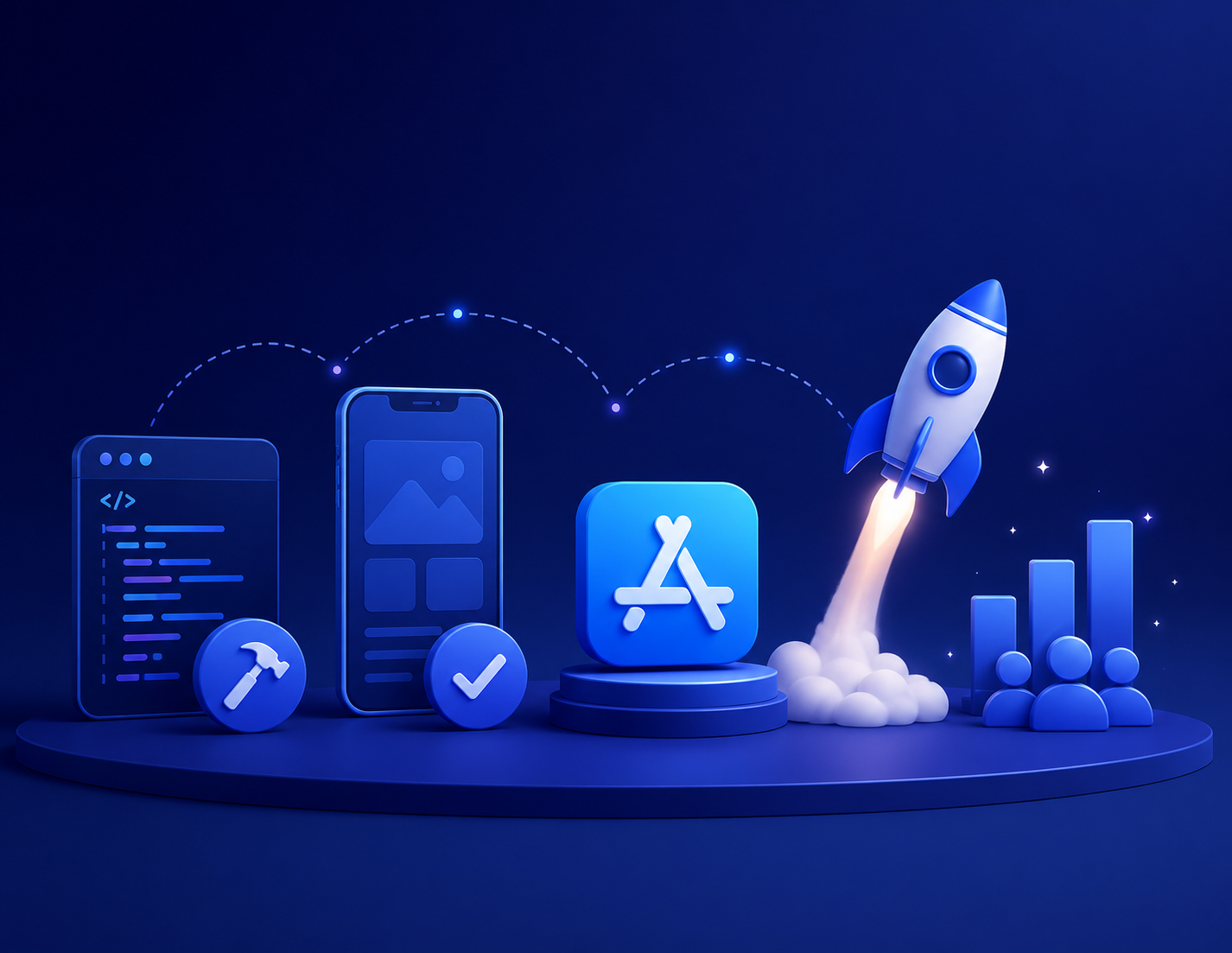
App Store Launch Illustration

Compliance Starts Early

App Store submission is not a final step. It is a compliance checkpoint that shapes development decisions earlier than most teams expect.

Prepare for Apple Review

Apple reviews every submission. Rejections often come from predictable issues—privacy gaps, crashes, or guideline violations. Around 40% of first submissions are rejected.

Test with Real Users

We use TestFlight extensively before release. It exposes device-specific issues that don’t appear in development environments.

Deployment & Launch

App Store Optimization is prepared alongside development, not after approval. Metadata, screenshots, and keyword strategy influence visibility directly.

Why Businesses Outsource
iOS App Development to India

Cost difference is visible, but not the only factor. India-based teams typically range from $20–$50/hour compared to $120–$200/hour in the US or UK. The bigger advantage is exposure to multiple Apple ecosystem builds across industries. iOS development is sensitive to Apple's review system. Small mistakes can delay launches. That's why structured sprint reviews aligned with Apple HIG matter more than raw coding speed. Space To Tech follows sprint-based delivery with direct developer access and documented APIs. That reduces miscommunication, which is usually the real failure point in outsourcing.

What We Offer:

Custom iOS App Development
Apple HIG-Compliant UI/UX Design
Sprint-Based Agile Development
Direct Developer Collaboration
Secure & Scalable App Architecture

Take Your Vision Further with Custom iOS Development

Apple Logo
iOS
Logo on Mac
iOS Developer

iOS App Development for Global Markets

Different regions have different user behaviors. The iOS technology remains consistent. Expectations rarely do.

World map

INDIA

India projects focus on cost-efficient architecture, fintech growth apps, and scalable consumer platforms. UPI integration, regional language support, and lightweight performance for mid-range devices are common requirements. Compliance with RBI and DPDP regulations increasingly shapes data handling decisions.

Hire Dedicated iOS App Developers

When you hire dedicated iOS app developers through Space To Tech, they integrate directly into your existing workflows — attending standups, syncing with your tools, and shipping inside your sprint cadence as if they were in-house. Three engagement models cover every organizational need.

Dedicated Developer Model

A full-time iOS engineer embedded inside your team for ongoing product work, long-term feature development, and continuous iteration.

Team Augmentation Model

Specialized iOS capacity added alongside your existing engineering team — without replacing your internal structure or disrupting established processes

Project-Based Delivery Model

Full lifecycle execution from architecture and UI development through QA, performance optimization, and App Store submission — built for companies that need a complete product without building a permanent team.

Build Future-Ready iOS Applications

We create seamless, scalable, and visually engaging iOS apps tailored to your business goals. Our developers focus on performance, creativity, and premium user experiences.

Industries We Build iOS Apps For

At Space To Tech, we build native iOS applications that streamline operations, improve user experiences, and help businesses grow faster across Apple's ecosystem.

FinTech

FinTech apps are built around Apple Pay, biometric authentication, and real-time transaction flows. Security architecture is treated as a core requirement, not a layer added at the end. Regulatory compliance — PCI-DSS, Open Banking, and regional financial standards — shapes decisions from the first sprint.

Our iOS Technology Stack

Space To Tech develops custom iOS apps using modern technologies, agile processes, and Apple-first best practices.

Core Stack

Swift, SwiftUI, and Xcode form the core stack. UIKit and Objective-C remain for legacy support. MVVM is the default architecture, while VIPER is used for enterprise-scale systems.

Swift

Swift

Swift UI

Swift UI

X code

X code

UI Kit

UI Kit

How Much Does iOS App Development Cost?

Estimated ranges below reflect India-based team rates. Final quotes depend on scope, device targets, and how much App Store readiness is built into the first release.

Simple iOS App

Basic UI, 1–3 features

$5,000 – $15,000

MVP iPhone App

Core features, App Store ready

$12,000 – $30,000

Mid-Complexity iOS App

Multiple modules, API integration

$25,000 – $60,000

Advanced iOS App

Real-time, payments, custom backend

$50,000 – $100,000+

Enterprise iOS Application

Complex workflows, security, scale

$70,000 – $180,000+

iPad App

Standalone or companion

$10,000 – $40,000

Apple Watch App

Companion experience

$8,000 – $25,000

iOS Game

Casual to mid-core

$20,000 – $80,000+

Dedicated iOS Developer

Monthly retainer

$3,000 – $7,000/month

Simple iOS App

Basic UI, 1–3 features

$5,000 – $15,000

MVP iPhone App

Core features, App Store ready

$12,000 – $30,000

Mid-Complexity iOS App

Multiple modules, API integration

$25,000 – $60,000

Advanced iOS App

Real-time, payments, custom backend

$50,000 – $100,000+

Enterprise iOS Application

Complex workflows, security, scale

$70,000 – $180,000+

iPad App

Standalone or companion

$10,000 – $40,000

Apple Watch App

Companion experience

$8,000 – $25,000

iOS Game

Casual to mid-core

$20,000 – $80,000+

Dedicated iOS Developer

Monthly retainer

$3,000 – $7,000/month

Feature complexity, the number of Apple device types (iPhone only vs iPhone + iPad + Watch), backend requirements, App Store review preparation, and TestFlight testing scope all shape the final quote. A single-platform MVP costs less than a multi-device product with payments and real-time sync—we scope every engagement after mapping these drivers, not guessing from a generic hourly rate.

Design, Develop, and Launch Exceptional iOS Apps

From startups to enterprises, we deliver high-quality iOS solutions focused on usability, speed, and long-term scalability.

Clutch 5.0 rating

Recognized. Trusted. Preferred

Awards & Recognition

We are proud to be recognized by leading platforms and industry experts for our innovation, impact, and excellence

TopDevelopers

TopDevelopers

Top Mobile App Developers

Freelancer

Freelancer

Top Mobile App Developers

AppFutura

AppFutura

Top Mobile App Developers

GoodFirms

GoodFirms

Top Mobile App Development

Clutch

Clutch

Top Mobile App Developers

Excellence isn't claimed.It's recognized

These achievements reflect our commitment to
delivering world-class AI solutions that help
businesses grow and lead

FAQs

An iOS app development company builds native applications for iPhone, iPad, and Apple Watch using Swift and SwiftUI. The work covers UI/UX aligned with Apple Human Interface Guidelines, backend and API integration, TestFlight testing, App Store submission, and post-launch maintenance—so products ship review-ready, not just code-complete.
Ranges typically run from $5,000 for simple apps to $180,000+ for enterprise systems. India-based teams often bill $20–$50/hour compared with $120–$200/hour in the US or UK. Feature complexity, device targets (iPhone only vs iPhone + iPad + Watch), and backend scope are the main variables—not geography alone.
Swift is Apple's modern, official language (since 2014). It is faster to write, safer at compile time, and required for SwiftUI. Objective-C is the legacy language still supported for existing codebases but is no longer recommended for new iOS builds.
Simple apps: 6–10 weeks. Mid-complexity builds: 12–20 weeks. Full enterprise applications: 24–40+ weeks. App Store review typically adds 1–7 days after submission when metadata, privacy labels, and crash-free builds are prepared correctly.
Apple reviews every app before publishing. Common rejection triggers include crashes, guideline violations, incomplete privacy disclosures, and misleading metadata. Around 40% of first submissions are rejected—experienced iOS teams structure compliance and TestFlight testing from early sprints to avoid most triggers.
Choose iOS first if your audience is in the US, UK, UAE, or Australia and you are targeting premium users or subscription revenue. Choose Android first for broader reach or price-sensitive markets. Cross-platform (e.g. React Native) fits when you need both platforms with one codebase and can accept some platform trade-offs.
Yes. Space To Tech builds across iPhone, iPad, Apple Watch, and Apple TV using a unified Swift/SwiftUI codebase where device logic allows—shared business logic with layouts and interactions tuned per form factor.
SwiftUI is Apple's declarative UI toolkit (since 2019). It is required for Apple Watch and visionOS and is the default for new iOS products. State-driven UI reduces manual layout code, speeds development, and cuts UI-related bugs compared with UIKit-only approaches.
Yes. Space To Tech offers dedicated developer, team augmentation, and project-based models with sprint reviews, NDAs, full codebase ownership for the client, and App Store account access retained by you—not the vendor.
HIG is Apple's official design standard for iOS apps—navigation patterns, typography, controls, and gestures users expect on iPhone and iPad. Apps that ignore HIG often feel 'off' to users or fail review. Experienced iOS companies apply HIG from day one, not as a post-launch fix.

Supporting Insights

React Native vs Native App Development – Which Is Better for Your Business  | SpaceToTech
Blogs22/06/2026

React Native vs Native App Development: Which Is Better for Your Business?

Picture this: you're a startup founder with a solid app idea, a lean budget, and investors asking when you'll launch on both iOS and Android. The question sitting in your inbox from your tech lead reads: "Should we go React Native or build natively for each platform?" That single decision will shape your development timeline, your burn rate, and how fast you reach users. It's not a developer question — it's a business question. The react native vs native debate has been running for years, but in 2025–2026 the conversation looks very different. React Native's New Architecture has closed performance gaps that once made the choice obvious. Native development has simultaneously become more accessible with SwiftUI and Jetpack Compose. Neither option is universally superior. But one will be right for your business — and this guide on react native vs native app development breaks down every factor so you can make that call with confidence. From development cost and time-to-market to performance, scalability, and user experience, this article covers what every founder, product manager, and CTO needs to know before committing to a path. For teams already exploring cross platform app development, understanding these trade-offs is the starting point for every smart mobile strategy. Understanding React Native and Native App Development React Native is an open-source development framework created and maintained by Meta. It lets developers build mobile applications for both iOS and Android using JavaScript and React — a single codebase that compiles down to native code through its bridge and JavaScript Interface (JSI) architecture. Where React Native uses a single codebase to target multiple platforms simultaneously, native app development requires building separate apps — Swift or Objective-C for iOS, Kotlin or Java for Android — each tailored specifically to its platform. The distinction matters because it shapes everything: team size, timelines, costs, and the ceiling of what your app can achieve technically. Two terms worth knowing at a glance: native modules are platform-specific pieces of code (written in Swift or Kotlin) that React Native apps can call when they need direct access to device hardware; native components are the actual UI elements — buttons, text inputs, scroll views — that React Native renders using the platform's own rendering engine, not a web view. React Native is backed by Meta and benefits from strong community support, with over 120,000 questions answered on Stack Overflow alone. That ecosystem longevity matters for business decision-makers who worry about a framework going stale. For a deeper technical overview of how the framework is structured and what it can build, refer to our complete React Native guide . React Native vs Native Apps: Key Differences at a Glance Before going section by section, here's the headline contrast in the react native vs native apps decision — the five distinctions that matter most to a business audience: Codebase: React Native targets both platforms from one JavaScript codebase; native means two separate codebases in two different languages. Development cost: React Native typically runs 30–40% cheaper because a single team handles both platforms. Performance: Native delivers the highest possible performance; React Native is near-native for most business apps. Time to market: React Native ships to both app stores simultaneously; native teams run parallel tracks that double coordination overhead. Team size: React Native needs one cross-platform team; full native mobile app development for both platforms requires two specialised squads. These are the headline trade-offs. Everything below expands on each one in detail. Development Cost Comparison React Native projects typically cost 30–40% less than building two separate native apps. The reason is structural: one team, one codebase, and shared business logic mean you're not paying twice to build the same feature. Development resources — engineering hours, QA cycles, and tooling — are consolidated rather than duplicated. Three cost factors drive the difference: Initial development cost is the most visible. A native build for both platforms requires separate iOS and Android developers writing platform-specific code. React Native development lets a single team deliver both, which directly compresses your budget without sacrificing functionality for the vast majority of app types. Team size and development resources compound the savings. Native teams need Swift specialists, Kotlin specialists, and separate QA engineers who understand each platform's quirks. React Native teams draw from the broader JavaScript talent pool, which is deeper and more cost-competitive to hire from. Long-term maintenance cost is where the savings really accumulate. Every bug fix, design update, or feature addition gets deployed once in React Native — not twice. For startups operating within a startup budget, this ongoing efficiency is often the most compelling argument. Maintenance cost over a two-year roadmap can be 40–50% lower than maintaining two parallel native codebases. That said, native development cost can absolutely be justified for complex, high-scale apps where platform-specific performance or deep OS integration is non-negotiable. The economics only tip clearly toward React Native when you're building for both platforms. If you're weighing exact figures for your project, our breakdown of React Native app development cost in 2026 goes deeper on budget planning. Development Time and Time-to-Market Speed has a business value that's easy to underestimate. A founder who needs to validate an idea in the market in three months faces a very different calculation than one operating on a six-month runway with guaranteed funding. React Native allows simultaneous app publishing to both the App Store and Google Play. Developers write a feature once and it ships everywhere — no coordinating between two platform teams, no maintaining two separate sprint backlogs, no waiting for Android to catch up with iOS (or vice versa). Native teams building for both platforms typically run parallel development sprints, which doubles the coordination overhead. Features get built twice, reviewed twice, tested twice. Even with strong project management, that process adds weeks — sometimes months — to a launch timeline. For an MVP, that delay can be the difference between getting to market ahead of a competitor or behind one. The development speed advantage of React Native is well-documented: most industry estimates place time-to-market at 40–60% faster for cross-platform projects versus full native builds for both platforms. For a startup validating its idea, faster time to market directly reduces burn, compresses the feedback loop, and gets real user data into the product roadmap sooner. For an established company launching a new product line, faster time to market means earlier revenue. Performance Comparison This is where React Native has historically been on the defensive. And it's where the 2025–2026 landscape has shifted meaningfully. For most business applications — eCommerce platforms, SaaS tools, marketplace apps, enterprise workflow tools — React Native delivers app performance that is indistinguishable from native to end users. Engineering analyses through 2025 consistently show that for UI-driven applications using common patterns, React Native's performance is on par with fully native apps. Smooth scrolling, fluid animations, fast cold starts: these are all achievable in React Native when built correctly. The reason is architectural. React Native's New Architecture — specifically the Fabric Renderer, TurboModules, and JavaScript Interface (JSI) — has eliminated the performance bottlenecks that previously defined the native vs cross-platform debate. Fabric replaced the old UI manager, JSI removed the bridge bottleneck, TurboModules cut memory overhead, and the Hermes engine made JavaScript execution faster. The result is high performance at React Native's level that would have seemed implausible three years ago. That said, native performance still has a genuine edge in specific scenarios: real-time gaming, AR/VR applications, apps with heavy GPU usage, deep OS-level sensor access, or advanced computational tasks. For those use cases, iOS app development in Swift or Android app development in Kotlin — with direct hardware access — is still the technically superior choice. The honest summary: React Native cross-platform performance is now "good enough" for the vast majority of business apps. Native still wins at the performance ceiling. Most businesses building data-driven, UI-focused apps will never hit that ceiling. User Experience and UI Flexibility A common misconception is that React Native apps look like web apps wrapped in a native shell. That's not accurate. React Native uses real native components to render its UI — the same buttons, scroll views, and navigation elements that a Swift or Kotlin developer would use. The result is an app that looks and behaves like a native application on each platform, not a generic cross-platform compromise. The user experience trade-off is more nuanced than "React Native looks good enough." For most business apps, React Native delivers an excellent user interface and user experience without the overhead of maintaining two codebases. Where native development gains an edge: highly custom, platform-specific animations that rely on deep OS APIs, or UI patterns that need to match the very latest platform design languages immediately after release. When iOS introduces something like Dynamic Island or Android rolls out the latest Material You interactions, native developers can access those features the same day. React Native developers typically wait weeks or months for community library support to catch up. For companies where the UI itself is the product differentiator — where the design experience is the core value proposition — native gives designers and developers pixel-perfect control with no abstraction layer in the way. For companies where the product value is in the data, workflows, or service being delivered, React Native's user interface is more than sufficient. Code Reusability and Maintenance This is React Native's strongest business argument, and it's worth taking seriously. With a single codebase, every bug fix, feature update, and design change is deployed once and lands on both platforms simultaneously. That's not just convenient — it fundamentally changes the maintenance cost structure of your app over time. Long term maintenance in React Native is half the effort: one QA cycle, one deployment, one version to track. Contrast that with native development. Fixing a bug in a native iOS app means a separate fix written in Swift, reviewed, tested, and deployed. Fixing the same bug in the native Android app means a separate fix in Kotlin — another PR, another QA cycle, another App Store / Play Store submission. Two separate development tracks for every change, for the life of the product. Code reusability in React Native typically reaches 70–90% of shared code between platforms, depending on how much platform-specific UI customisation the app requires. The remaining 10–30% handles platform-specific visual tweaks. In practice, this means your engineering team spends the vast majority of their time building new features rather than maintaining parallel implementations. It's worth noting that code reusability extends further than mobile. In some architectures — particularly with React Native Web — teams can share business logic with their web front-end, creating a single source of truth across all platforms. The long-term maintenance implications of that kind of shared architecture are significant for any product team thinking beyond the initial launch. Scalability and Long-Term Growth "Can React Native scale to enterprise level?" This is one of the most common objections from CTOs evaluating the framework for serious production use. The answer is yes — with the right architecture and the right team. The evidence isn't theoretical. Shopify, Microsoft Teams, and Meta's own Facebook and Instagram apps all use React Native at significant scale. These are high-traffic, complex products with demanding performance requirements and large engineering teams. React Native handles them. App scalability in the framework is a function of architecture decisions, not an inherent ceiling of the technology. Third party integrations — payment gateways, mapping services, analytics platforms, push notification services, authentication providers — are well-supported across the React Native ecosystem. Most major SDKs provide React Native libraries, and the ones that don't typically have well-maintained community alternatives. Where native scales better is at the very high end of OS-level complexity: custom hardware integrations, advanced sensor access, real-time data processing at the system level. For enterprise applications that are primarily data-driven and workflow-focused, React Native is a proven, production-tested choice. For businesses evaluating alternative cross-platform frameworks, Flutter app development is another option worth comparing before committing to a path. When to Choose React Native React Native is the clear choice in several specific scenarios. This isn't about which technology is more impressive — it's about which one aligns with your business context. Choose React Native when: You're a startup validating an MVP and need to reach users on both platforms without doubling your development cost. The development speed advantage is real and the startup budget savings are significant. Your product needs to launch on iOS and Android simultaneously. React Native's simultaneous app publishing removes the coordination overhead of running two parallel native tracks. Your team has limited development resources and you can't sustain two specialised platform teams. One React Native team delivering both platforms is operationally simpler and more cost-effective. Your app relies heavily on third party integrations — payments, maps, analytics — where React Native's ecosystem is mature and well-supported. You're prioritising development speed and want to iterate quickly based on early user feedback. React Native's hot reloading and shared codebase compress the iteration cycle. Community support and ecosystem maturity matter to your decision. React Native's Meta-backed community is active, well-funded, and unlikely to stagnate. For teams ready to move forward, our React Native development services can help you launch faster with the right architecture from day one. Planning a mobile app project? Discuss your requirements with our React Native specialists and discover the most cost-effective development approach for your business. Talk to Our React Native Team → When to Choose Native App Development Native development is genuinely the better strategic choice in specific situations. Acknowledging that directly should build confidence in this comparison — there's no universal winner. Choose native when: Your app requires cutting-edge platform-specific features immediately after an iOS or Android OS release. Native developers access new APIs on launch day; React Native teams wait for ecosystem support. Performance is mission-critical at the OS level — real-time gaming, AR/VR experiences, heavy media processing, or apps that need deep hardware integration. These use cases genuinely benefit from the direct access that iOS app development and Android app development provide. Your business is large enough to sustain two dedicated platform teams long-term. If you already have Swift specialists and Kotlin specialists on staff, the organisational overhead of native development is already built in. Your product's competitive differentiator is a deeply customised UI that must mirror platform-specific features — Dynamic Island behaviour, advanced haptic patterns, platform-specific features tied to specific OS versions — immediately on launch. Enterprise applications at the very high end of complexity — custom hardware integrations, security-level OS access, advanced sensor fusion — can justify the additional cost and team size that native demands. React Native vs Native App Development: Comparison Table The table below summarises the core trade-offs in the react native vs native app development decision across nine factors. Use it as a quick reference when presenting options to stakeholders. Factor React Native Native App Development Development Cost Lower — single team, shared codebase Higher — separate iOS and Android teams Time to Market Faster — simultaneous app publishing Slower — two parallel development tracks Performance Near-native for most business apps Best possible — direct OS access Code Reusability 70–90% shared code across platforms Zero — separate codebases UI Flexibility Very good — uses native components Maximum — pixel-perfect platform control Maintenance Cost Lower — one codebase to maintain Higher — two separate update cycles Best For Startups, MVPs, cross-platform products High-performance or platform-specific apps Community Support Large — backed by Meta, strong ecosystem Platform-specific — Apple / Google support Team Size Needed Smaller — one cross-platform team Larger — dedicated iOS and Android teams Which Option Is Best for Your Business? There's no universal answer, because the right choice depends entirely on your business requirements. Here's how to think about it by situation: If you're a startup with a limited budget and a deadline: React Native is almost always the right starting point. You get both platforms, faster time to market, lower initial and long-term costs, and a codebase that's maintainable by one team. The performance and UI flexibility you're giving up are trade-offs you won't feel at the MVP stage. If you're an enterprise building a mission-critical tool with unique hardware requirements or deep OS integration: Native is worth the investment. The additional cost buys you capabilities and performance headroom that React Native can't match at the ceiling. If you're a mid-size company launching a cross-platform SaaS tool, marketplace, or eCommerce app: React Native is a strong fit. Companies like Shopify have proven it scales. Your user experience will be excellent, your maintenance cost will be lower, and your team will ship features faster. If your app's UI is the product — if the interaction design and visual experience are the primary differentiators — native gives designers the pixel-perfect control and immediate access to platform updates that React Native can't offer on day one. Ultimately, the decision comes down to this: if you're building for both iOS and Android with business requirements that fall within the majority of app categories, React Native delivers far more value per dollar spent. If you're operating at the performance ceiling or need features the moment a new OS ships, native is the right call. If you want a second opinion based on your specific project, our team at SpaceToTech helps founders and product teams choose the right approach based on their goals, timeline, and budget — not on what's trending. For founders specifically evaluating this for their first product, our guide on React Native for startups is worth reading before making a final decision. And if Flutter is still in the running, our breakdown of React Native vs Flutter covers that comparison directly. Still unsure which path is right for your project? Connect with our experts for a free consultation. We'll review your project goals, budget, and timeline and recommend the approach that gives your business the best outcome. Get a Free Consultation →



React Native vs Flutter 2026 comparison cover image
Blogs19/06/2026

React Native vs Flutter in 2026: Which Framework Should Businesses Choose?

Picking the wrong cross-platform framework doesn't just cost you a few weeks of rework it can quietly add 20–30% to your app's lifetime cost through hiring delays, rebuilds, and technical debt. We've watched founders make this call in five minutes based on a Reddit thread, and we've watched CTOs spend three months in analysis paralysis. Neither extreme works. This guide is written for the people who have to live with the decision founders, product managers, and CTOs not for developers comparing syntax. If you've already explored React Native app development services or Flutter app development services , you've probably noticed most comparisons online are written by developers, for developers. This one isn't. React Native vs Flutter: A Quick Answer for Decision-Makers In short: React Native vs Flutter comes down to talent availability versus UI consistency. React Native, built by Meta on JavaScript/TypeScript, gives you access to a much larger developer pool and lower hiring costs. Flutter, built by Google on Dart, gives you near pixel-perfect UI consistency across platforms and stronger web/desktop support out of the box. When React Native is the better business choice: you're working with a JavaScript team already, need to hire fast, want the largest possible developer talent pool, or you're building a consumer app where native look-and-feel matters more than pixel-identical UI. When Flutter is the better business choice: you need the same UI across mobile, web, and desktop from day one, you're building something animation- or graphics-heavy, or your team is comfortable investing extra hiring time for a smaller but fast-growing Dart talent pool. The honest answer depends on five factors: budget, timeline, team composition, long-term scalability needs, and risk tolerance for newer ecosystems. We'll walk through each below. Framework Overview: What Business Leaders Need to Know React Native , maintained by Meta, lets teams build mobile apps using JavaScript and TypeScript the most widely used programming languages in the world. It's been production-tested since 2015 and powers apps at Meta, Microsoft, and Shopify. For a deeper technical walkthrough, see our React Native app development guide . Flutter , built by Google, uses the Dart language and renders every pixel itself via the Skia graphics engine rather than relying on native platform components. This gives Flutter near-identical UI across iOS, Android, web, and desktop at the cost of a steeper learning curve for most existing dev teams. The core difference that affects your business: React Native talks to native UI components through a bridge (now the JSI in its New Architecture), so your app looks and feels native by default. Flutter draws its own UI from scratch, so it looks identical everywhere which is a feature for some brands and an unnecessary constraint for others. Performance: What It Actually Means for User Experience Forget frames-per-second benchmarks what matters to your business is retention, App Store ratings, and conversion. Both frameworks now deliver performance that's indistinguishable to end users for the vast majority of business apps: e-commerce, fintech dashboards, booking apps, internal tools. React Native's New Architecture has closed most of the historical gap with Flutter's compiled approach. Where Flutter still has an edge is animation-heavy or game-like interfaces, thanks to the Skia rendering engine. The practical takeaway: unless you're building something visually intensive, performance shouldn't be your deciding factor. Development Cost Comparison: React Native vs Flutter This is the section most comparison articles skip they mention cost as a factor without quantifying it. Here's actual market-rate data for 2026.  Factor  React Native  Flutter Avg. Developer Rate (US) $45–$150/hr $45–$130/hr Typical MVP Timeline 8–14 weeks 10–16 weeks Code Reuse (iOS + Android) ~70–80% ~85–95% Year 1 MVP Build Cost (est.) $40K–$120K $50K–$130K React Native usually wins on initial MVP cost simply because hiring is faster and cheaper. Flutter's higher code-reuse rate can narrow that gap over a longer product lifecycle, since less platform-specific code needs maintaining. For a granular breakdown across regions and project sizes, we've published a dedicated React Native app development cost guide. Total cost of ownership over three years tends to favor React Native for startups (lower entry cost, faster iteration) and is closer to a toss-up for enterprises, where Flutter's reduced platform-specific maintenance can offset its higher build cost. Hiring and Developer Availability: The Factor Most Articles Ignore Talent availability is often the real deciding factor, and it's rarely discussed with real numbers.  Region  React Native Talent Pool  Flutter Talent Pool Global (approx.) 3M+ JS-background developers 500K–800K Dart/Flutter developers Avg. Time to Hire (Senior) 3–6 weeks 5–10 weeks Freelancer Availability Excellent Good, growing fast Because React Native is built on JavaScript, virtually any experienced JS or front-end developer can ramp up quickly which is why agencies and in-house teams alike find it 4–5x easier to staff. If you're exploring offshore or distributed hiring to stretch your budget further, our breakdown on how to hire developers from India covers regional rate differences and vetting approaches that apply to both frameworks. Scalability: Which Framework Grows With Your Business? Both frameworks scale to enterprise workloads Meta, Microsoft, and Shopify run React Native at massive scale; BMW, eBay, and Alibaba run Flutter. The real scalability question isn't "can it handle growth," it's "can your team keep maintaining it as it grows." React Native's larger ecosystem means more pre-built libraries for payment gateways, analytics, and third-party integrations useful when you're racing to add features post-launch. Flutter's single, self-contained rendering approach means fewer platform-specific bugs creep in as your codebase grows, which can reduce long-term technical debt. Security and Enterprise Readiness For fintech, healthcare, or any regulated industry, security architecture matters more than UI polish. Both frameworks support the encryption, secure storage, and authentication patterns needed for HIPAA, GDPR, and SOC 2 compliant apps — neither has an inherent security advantage. What matters more is whether your development team follows secure coding practices regardless of framework, and whether your vendor has experience navigating compliance audits for the framework you choose. Community, Ecosystem, and Long-Term Risk React Native benefits from Meta's continued open-source investment and an enormous npm ecosystem long-term risk here is low. Flutter's community is large and growing quickly, backed by Google, though Google does have a documented history of sunsetting developer products over the years. That's a genuine, if modest, long-term risk worth factoring into a multi-year roadmap, even as Flutter's current momentum remains strong. React Native vs Flutter for Startups If you're a founder with a tight runway, the calculus is simple: faster hiring and lower upfront cost usually outweigh marginal UI differences. Most early-stage teams choose React Native because it shortens time-to-market and keeps burn rate predictable. We go deeper into MVP-specific decision-making, including investor perception of tech stack choices, in our dedicated guide on React Native for startups . React Native vs Flutter for Enterprise Applications For enterprise buyers, the decision shifts toward integration with existing systems, compliance requirements, and team scaling. Both frameworks are proven at scale — the better question is which one your existing engineering org can support. A team with strong JavaScript expertise will move faster on React Native; a team building a true multi-platform product (mobile + web + desktop) from one codebase may find Flutter's unified rendering model worth the Dart ramp-up. The Business Decision Framework: How to Choose in 2026 Run your project through these seven factors and weigh which matter most to you: Budget — React Native generally costs less to build and staff initially. Timeline — React Native MVPs typically ship 2–4 weeks faster. Team background — JavaScript teams favor React Native; teams open to learning Dart can consider Flutter. UI requirements — Need pixel-identical UI across platforms, including web/desktop? Lean Flutter. Hiring runway — Need to scale a team fast? React Native's talent pool is deeper. Long-term risk tolerance — React Native carries marginally lower platform-risk; Flutter carries marginally higher Google-dependency risk. Animation/graphics intensity — Heavy on custom animation or game-like UI? Flutter's Skia engine has an edge. For startups under roughly $100K budget: React Native is usually the pragmatic default. For scale-ups in the $100K–$1M range: the decision depends more on existing team skills than framework capability. For enterprise budgets above $1M: both are viable; the deciding factor is usually integration complexity and compliance needs rather than cost. Our Recommendation After building cross-platform apps across both frameworks for startups, scale-ups, and enterprise clients, our default recommendation is React Native for most business use cases it gets teams to market faster and keeps hiring costs manageable. We recommend Flutter specifically when a client needs identical UI across mobile, web, and desktop from a single codebase, or when the product is animation-heavy. If you're weighing this decision for your own project, our team can walk through your specific budget, timeline, and team setup explore our React Native app development services or get in touch through SpaceToTech for a framework consultation tailored to your business.

React Native startup development guide showing faster mobile app launches, lower costs, and cross-platform development benefits in 2026
Blogs16/06/2026

Why Is React Native for Startups a Great Choice in 2026?

Every startup faces the same early mobile decision: build native apps for iOS and Android separately, or find a smarter path. React Native is that smarter path for the majority of startup use cases but only if you understand what you're actually signing up for. This guide is written for founders, CTOs, and product leaders making a real technology decision not for developers looking for a tutorial. By the end, you'll know whether React Native fits your product, your team, and your funding stage, along with a concrete framework to make the call. What Is React Native? React Native is an open-source mobile app framework created by Meta (Facebook) that lets developers build applications for both iOS and Android using a single JavaScript codebase. Instead of maintaining separate codebases in Swift (iOS) and Kotlin (Android), your team writes once and deploys to both platforms. For non-technical founders, the business analogy is straightforward: imagine writing one user manual that works for two different products simultaneously. You update the manual once, and both products reflect the change.  Quick Facts  React Native Created by Meta (Facebook) Initial Release 2015 Language JavaScript / TypeScript Platforms iOS + Android (+ Web via React Native Web) Notable Production Users Meta, Shopify, Discord, Tesla, Coinbase, Bloomberg Architecture (2026) New Architecture — Fabric renderer, JSI bridge For a deeper technical overview of how the framework operates, see SpaceToTech's React Native App Development Services page. Why Startups Choose React Native in 2026 Startup decisions are constrained decisions. You are working with limited runway, a small team, and a product that may need to pivot. React Native was built for exactly this environment not because Meta designed it with startups in mind, but because its architecture naturally aligns with startup constraints. Three specific advantages make React Native the default choice for most early-stage mobile products: Cost Efficiency That Extends Runway A single codebase means one development team instead of two. That difference compounds: one QA process, one deployment pipeline, one set of UI components to maintain. For a pre-seed startup spending $50,000 on an MVP, the difference between React Native and dual native development can be $20,000–$40,000 — that's additional months of runway, not just a line-item savings. Faster Hiring and Smaller Engineering Teams React Native draws from the JavaScript talent pool the largest developer community in the world. When you're hiring a first mobile developer or evaluating an offshore development partner, the available talent is significantly broader than the Kotlin or Swift-specific pools. This matters practically: shorter hiring timelines, more competitive rates, and better selection at any given budget. Community, Ecosystem, and Long-Term Viability React Native's GitHub repository consistently ranks among the most-starred open-source mobile frameworks. The 2023–2024 New Architecture release (Fabric renderer + JSI bridge) addressed the most common performance criticisms that had followed the framework since 2017. In 2026, the objection that React Native is 'not production-ready' no longer holds. The companies shipping on it Discord, Shopify, Coinbase have production standards that most startups won't approach for years. How React Native Helps Startups Launch Faster Single Codebase, Two Platforms, Half the Timeline The most direct time-to-market benefit is simple arithmetic. A native iOS app and a native Android app built by separate teams takes 6–10 months for a full MVP. A React Native team building both simultaneously takes 3–5 months. That timeline difference is the difference between launching before a competitor and launching after one. React Native's hot reloading capability compounds this advantage during iteration. When your PM identifies a UX problem during testing, the fix ships to both platforms simultaneously. There is no 'iOS version of that bug fix ships next week' situation a reality that anyone who has shipped native apps knows is frustratingly common. Iterating Toward Product-Market Fit Faster Lean startup methodology is built on the cycle: build, measure, learn. React Native shortens the build phase, which means more cycles in the same timeframe. If your product is pre-PMF — which is true of almost every startup at the MVP stage the ability to run two additional iterations in the time your competitor runs one is a genuine competitive advantage, not just a development efficiency. How React Native Reduces MVP Development Costs Cost transparency is something most React Native articles avoid. Here are concrete ranges by funding stage, based on typical project scopes:  MVP Stage  Native iOS + Android  React Native  Estimated Saving Pre-Seed MVP $60,000 – $120,000 $35,000 – $70,000 ~40–45% Seed-Stage MVP $100,000 – $200,000 $60,000 – $120,000 ~35–40% Series A Rebuild $200,000 – $400,000+ $120,000 – $220,000 ~35–45% Note: Ranges depend on features, team location, and complexity. For a detailed breakdown, see SpaceToTech's React Native App Development Cost guide. The savings come from three compounding factors: shared UI components (built once, used on both platforms), a single QA team running one test suite, and shared backend integration work. Add working with an experienced offshore React Native development partner, and those cost ranges compress further Indian-based agencies typically charge $25–$50/hr versus $100–$250/hr for US firms, for comparable technical output. SpaceToTech's React Native App Development Services are built around this model transparent pricing, dedicated teams, and a track record of delivering for global clients across the US, UK, UAE, and Australia. React Native vs Native Development for Startups This is a business decision, not a technical one. The question is not 'which framework is more powerful' it's 'which approach fits our constraints.'  Factor  React Native  Native (iOS + Android) Team Size 1–2 developers 2–4 developers (separate teams) Time to MVP 3–5 months 6–10 months Cost (MVP) $35K – $120K $60K – $200K+ Codebase Single shared codebase Two separate codebases Performance Near-native (New Architecture) Fully native Best For Startups, MVPs, SaaS apps Games, AR/VR, hardware-intensive apps Where native development genuinely wins: apps that require deep hardware integration (custom Bluetooth controllers, specialized camera sensors), high-frame-rate graphics engines, or AR/VR experiences. For the vast majority of startup use cases consumer apps, SaaS mobile products, marketplace apps, fintech products React Native is the more rational choice. React Native vs Flutter for Startups Flutter is a serious competitor and deserves an honest comparison. The decision comes down to your team's existing skills and your hiring market.  Factor  React Native  Flutter Language JavaScript / TypeScript Dart Developer Pool Very large (JS ecosystem) Growing, but smaller Backed By Meta (Facebook Google UI Customization Good Excellent (Skia renderer) Web Support Partial (RN Web) Strong Best For JS-fluent teams, startup MVPs UI-priority apps, Dart-fluent teams The practical recommendation: if your existing team or your planned hires know JavaScript or React, React Native is the clear choice. The talent pool advantage is real there are dramatically more React Native developers available for hire globally than Dart/Flutter specialists, which translates to faster hiring and lower rates. If UI consistency across platforms is your primary product differentiator, and you're willing to invest in Dart training or find Flutter-specific talent, Flutter is worth evaluating. For a deeper technical comparison, see our React Native vs Flutter breakdown. Startup Success Stories Built with React Native Social proof matters but context matters more. These companies did not choose React Native because it was trendy. They chose it because it solved a real business problem. Meta (Facebook): Built the original React Native framework to solve their own cross-platform problem. The fact that Meta continues to invest in and maintain the framework is the strongest possible signal of long-term viability. Shopify: Migrated their mobile commerce products to React Native and has publicly praised the developer experience and performance outcomes. For a company processing billions in GMV, this is not a casual decision. Discord: Built their mobile apps on React Native and has maintained them through significant scale, with documented engineering blog posts on performance optimisation at volume. Coinbase: Chose React Native for their crypto wallet and exchange apps, where security and reliability are non-negotiable product requirements. Bloomberg: Rebuilt their market data terminal mobile app on React Native, prioritising development speed and team consolidation over native performance margins. The pattern across these companies: React Native was chosen for speed, team efficiency, and cost not as a compromise. That's the same reason it makes sense for startups today. Can React Native Scale as Your Startup Grows? This is the most common objection from CTOs and technical investors, and it deserves a direct answer: yes, React Native scales with one important clarification. Most startup scaling problems are backend and infrastructure challenges, not frontend framework challenges. Your database, API layer, caching strategy, and CDN architecture will determine whether your product survives rapid user growth not whether you built your mobile frontend in React Native or Swift.  Startup Stage  React Native Suitability  Notes Pre-Seed / MVP Excellent Ideal speed and cost matter most Seed (0–10K users) Excellent No performance issues at this scale Series A (10K–100K users) Very Good May need native modules for specific features Series B+ (100K+ users) Good Architecture review recommended Enterprise / IPO Scale Case-by-case Evaluate based on app complexity React Native's New Architecture (released 2023–2024) addressed the primary technical objection that had followed the framework for years the JavaScript bridge bottleneck. The Fabric renderer and JSI (JavaScript Interface) bring React Native meaningfully closer to native performance. For any startup planning to raise a Series A or beyond, this is an important update that changes the calculus compared to evaluations made pre-2023. For architecture-specific guidance relevant to your startup stage, see our React Native Architecture resource. When React Native Is NOT the Right Choice Any advisor who tells you React Native is always the right answer is selling you something. Here is when to reconsider: Graphics-intensive games or AR/VR apps: Frame-rate-critical rendering still performs better in native code. If your product's core experience is a 3D environment or augmented reality, go native or use a dedicated game engine. Deep device hardware integration: If your app needs to communicate with proprietary Bluetooth hardware, custom sensors, or specialized device APIs, the additional native module work can erode the cost advantage. Swift/Kotlin-only teams with no JavaScript experience: Retraining cost is real. If your engineering team is native-only and you are mid-project, switching frameworks creates risk rather than efficiency. Single-platform products: If you only need an iOS app — for an enterprise internal tool, for example — the cross-platform advantage disappears. Native iOS development makes more sense. Frame-rate-critical animations as a core product feature: High-frequency animations that define the product experience (think Lottie-heavy onboarding, physics simulations) can strain React Native's runtime even with the New Architecture. Being transparent about these limitations is more valuable to a founder than a blanket endorsement. If your use case falls in this list, the right answer is to say so early rather than rebuild later. Is React Native Worth It for Startups in 2026? Yes for the majority of startup mobile products, React Native is the pragmatic, cost-effective, and founder-rational choice in 2026. The three strongest reasons come down to economics: it cuts development costs by 35–45%, reduces time to MVP by 30–40%, and gives you access to the widest developer talent pool available for mobile development. The New Architecture updates have removed the most credible technical objections, and the production track record of companies like Shopify and Discord has validated it at significant scale. The question is not whether React Native is worth it as a framework it is whether it fits your specific product, team, and stage. The decision framework below helps you answer that. Decision Framework for Startup Founders Run through this before briefing your first developer or development agency. It takes five minutes and will prevent months of the wrong technical direction.  Choose React Native If  Reconsider If You need iOS + Android from day one Your app requires AR/VR or 3D graphics as a core feature You want to extend runway and reduce dev costs Your team is native-only (Swift/Kotlin) with no JS experience You're validating an MVP before raising a seed round Your product requires deep device hardware integration Your team knows JavaScript or React Your core feature depends on frame-rate-critical animations You need to scale post-funding but move fast now You're building for a single platform only You want access to a large global developer pool Your investors have explicitly required a native-only stack Final Recommendations React Native is the right starting point for most startup mobile products in 2026. The architecture is mature, the ecosystem is large, the talent pool is deep, and the cost and speed advantages over native development are consistent and meaningful. The most common mistake founders make is not choosing the wrong framework it's choosing the right framework and implementing it poorly. React Native's architecture patterns, performance optimisation techniques, and security practices require experience to get right. A first-time React Native project built by developers learning the framework on your budget will not deliver the advantages described in this guide. If you want to build your startup's mobile product on React Native and want experienced development partners  not generalists SpaceToTech React Native App Development Services is the right place to start the conversation. We work with founders at pre-seed through Series B stages, across the US, UK, UAE, and Australia. Already have a rough product brief? Contact SpaceToTech for a no-obligation project estimate.

We’ve been helping Customer globally

So how does it work? Check for yourself by their feedback.

Client Feedback

SignUp for a Call: to transform your Ideas into Reality.

Let’s Book a free consultation call for you
Your’s first and The right Step!

UAE

INDIA

USA

Giphy Coming Soon

Coming Soon

You agree to our Privacy Policy

Get a Callback