Here's a scene that plays out more often than it should. A founder asks an agency for "a website," gets a quote, and signs. Three months later it turns out what they really wanted was a platform where customers log in, track orders, and download invoices. The agency built a lovely brochure. The founder needed software.
Nobody lied. They just used one word for two very different things.
That gap is what this guide is about. We'll cover what separates a website from a web application, when each one makes sense, what they cost, and how to size up web development companies without being swayed by a slick pitch deck. If you're a business owner, founder, or CTO about to spend real money, it should save you a few expensive conversations.
Website vs Web Application: What's the Core Difference?
The short version
A website publishes information. Visitors read it, watch it, and maybe fill in a contact form. A web application is software that happens to live in a browser. Users sign in, put their own data in, and the system works on it and sends something back that's specific to them.
Put another way: websites communicate, web applications do work.
A quick "read or do" test
Think about your idea and ask three things:
- Will people need an account and their own dashboard?
- Will the system store or calculate data that belongs to each user?
- Will two users see different results?
Mostly no? You want a website. Two or more yeses? You're looking at a web application.
Where it gets fuzzy
Plenty of products are both. Take an online store. The product pages and blog are website content, built to rank in search. The cart, the account area, and the order tracker behave like an application. Progressive web apps (PWAs) blur things further by adding offline access and "install to home screen" behavior to either.
So don't force a label. Decide which parts of your project are content and which are software, and plan each accordingly.
Why this matters for your budget
The label decides who you hire and how much you spend. A brochure site needs design, copy, and SEO. An application needs back-end engineers, database design, and security testing. Hire a design studio to build the second one and you'll find out the hard way.
What Is a Website? Types, Features, and Best-Fit Use Cases
A website is a public, content-led presence whose job is to inform people, earn their trust, and bring in enquiries. Anyone with a browser can usually open it. No account required.
What defines a website
- Content comes first. Pages, images, video, and downloads are organized for readers.
- A CMS runs it. Your team updates content through WordPress, Webflow, or a headless CMS, no developer needed.
- Search drives growth. Rankings bring the visitors, so page speed and on-page SEO carry real weight.
- Interaction stays light. Think contact forms, site search, a chat widget, or a booking link.
Common types of websites
| Type | Main goal | Typical example |
| Corporate / brochure | Credibility and lead generation | Consultancy, manufacturer, law firm |
| Ecommerce storefront | Sell products online | D2C fashion or electronics brand |
| Portfolio | Show off past work | Design studio, photographer |
| Blog / publisher | Attract organic traffic | Industry news site |
| Landing page | Convert one campaign | Webinar or product launch page |
What a good one includes in 2026
It should work on every screen size, meet WCAG 2.2 accessibility guidelines, and score well on Core Web Vitals: Largest Contentful Paint, Interaction to Next Paint, and Cumulative Layout Shift. Speed isn't cosmetic, either. Google research from 2016 found that 53% of mobile visits are abandoned if a page takes longer than three seconds to load. It's an older study, but the behavior it describes hasn't gone away.
Add structured data (schema), clean analytics, and a CMS your own team can edit, and you've covered the baseline.
Who it suits best
Local service businesses, B2B firms chasing leads, professional practices, nonprofits, event organizers. Basically anyone whose goal is to be found and trusted rather than to process user data. A good website development company can deliver this quickly, and without a startup-sized budget.
What Is a Web Application? Types, Features, and Real-World Examples
A web application is software you use through a browser. It has a front end (what you see), a back end (the rules and logic), and a database, which is why every user can have their own data and their own experience.
What defines a web application
- Accounts and roles. Customers, staff, and admins each see different things.
- Logic on the server. Calculations, approvals, and workflows run behind the scenes.
- Integrations. Payments, CRMs, ERPs, and messaging tools plug in through APIs.
- Live behavior. Notifications, real-time updates, and shared editing.
Types of web applications
| Type | What it solves | Familiar example |
| SaaS platform | Sells software by subscription | Salesforce, Zoho |
| Customer or vendor portal | Self-service accounts and orders | Bank or insurance portals |
| Dashboard / analytics | Turns raw data into decisions | Marketing and finance dashboards |
| Marketplace | Connects buyers and sellers | Airbnb-style booking platforms |
| Internal tool (CRM, HRMS, ERP) | Replaces spreadsheets and manual work | Custom dispatch or inventory systems |
| Progressive web app | App-like feel without an app store | Offline-capable field-service tools |
Examples you already use
Google Docs, Trello, and Canva all run in the browser with nothing to install, and your work follows you from device to device. On a smaller scale, picture a logistics company with a dispatch dashboard. Planners assign drivers, track deliveries, and generate invoices from one screen, instead of juggling spreadsheets and phone calls.
A natural home for AI
Because web applications already hold structured user data and secure APIs, they're the obvious place to add AI features like chatbots, recommendations, and document processing. If that's on your roadmap, our AI chatbot development guide explains how the pieces connect.
Security is not optional
Applications handle personal and sometimes financial data, so they need proper authentication, encryption, audit logs, and testing against the OWASP Top 10 vulnerabilities. Depending on who your users are, compliance might also mean India's Digital Personal Data Protection Act, 2023, or the EU's GDPR.
Expert tip: When you talk to a web application development company, ask how security testing fits into each sprint. If the answer is "before launch," keep looking. Security bolted on at the end is expensive and usually incomplete.
Website vs Web Application: Side-by-Side Comparison
The comparison table
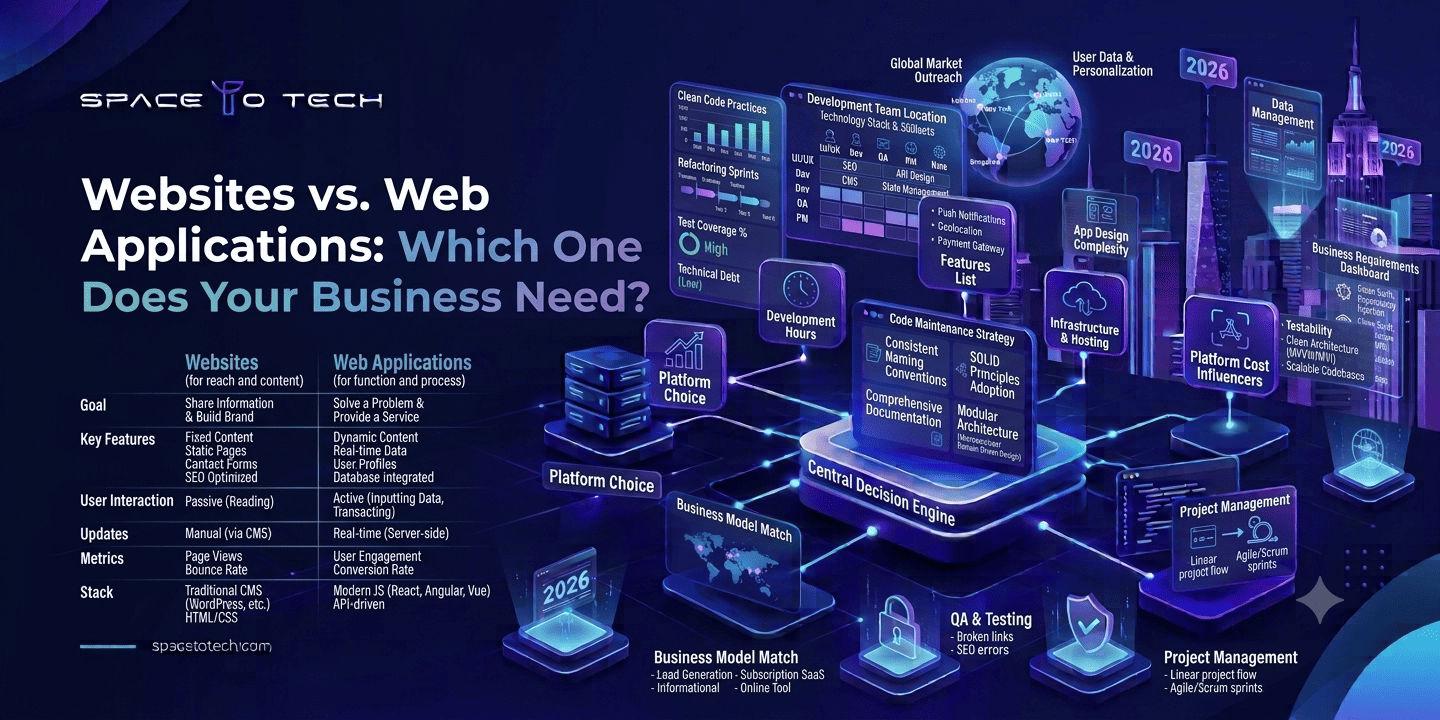
| Criteria | Website | Web application |
| Main purpose | Inform, persuade, generate leads | Complete tasks, process data, automate workflows |
| User interaction | Mostly one-way (read, click, submit a form) | Two-way (input, processing, personalized output) |
| Login needed? | Rarely | Almost always |
| Back-end complexity | Low to moderate (a CMS) | High (logic, database, APIs) |
| Typical build | WordPress, Webflow, Next.js | React or Angular with Node.js, Django, Laravel, or .NET |
| Cost | Lower | Often several times higher |
| Timeline | Weeks | Months |
| Maintenance | Content, plugin, and security updates | Feature releases, monitoring, scaling, patches |
| Role of SEO | Central to growth | Limited to public pages; retention matters more |
| Scaling concern | Traffic spikes | Concurrent users, data volume, integrations |
| Team needed | Designer, front-end developer, SEO/content | Product, UX, front-end, back-end, QA, DevOps |
Where websites win
Cost, speed, and organic reach. Websites are easier to maintain and rarely need specialist engineers. A fast, well-structured website will beat a half-finished application every single time.
Where web applications win
When the value comes from doing something for the user. Personalization, automation, and repeat use all live here. Applications also make a business stickier, because customers' data and routines end up inside them. The honest trade-off is higher cost, longer timelines, and an ongoing engineering commitment.
The middle path
You don't have to pick one forever. A headless setup pairs a content-managed marketing site with an application behind a login. A PWA can add offline and install features to a site you already have. For a lot of businesses, the lowest-risk route is a solid website now and application features layered on later.
When Does Your Business Need a Website?
When a website is enough
If your goal is to be found, trusted, and contacted, a website does the job. When customers mainly need to read about your services, check pricing, see proof, and reach you by form, phone, or WhatsApp, an application just adds cost.
Who tends to get by with one
- Clinics and professional practices: service pages, doctor profiles, appointment request forms.
- Consultants and agencies: case studies, articles, enquiry funnels.
- Manufacturers and exporters: catalogs, certifications, B2B lead capture.
- Restaurants and local retailers: menus, locations, reviews, click-to-call.
Signs you've outgrown it
Look for manual workarounds. Staff retyping form submissions into spreadsheets. Customers emailing again and again for order status. Sales reps building quotes by hand. And the big one: when customers start asking, "Can I just log in and check this myself?"
The overbuilding trap
One of the most common mistakes is commissioning a custom platform before anyone has proven they want what you sell. If you haven't validated demand yet, launch a strong website with good lead capture first. Let real behavior justify the bigger investment.
When Does Your Business Need a Web Application?
The usual triggers
- Customers or partners need secure accounts and their own dashboards.
- Your core service is delivered through software, like subscriptions, bookings, or tracking.
- Manual processes eat hours and introduce errors.
- You need role-based access, approvals, or audit trails.
- Off-the-shelf tools don't fit how your business really runs.
What it looks like by industry
| Industry | Typical web application |
| Fintech | Onboarding, KYC workflows, lending or investment dashboards |
| Healthcare | Patient portals, scheduling, telehealth platforms |
| Logistics | Fleet tracking, dispatch, proof-of-delivery systems |
| Edtech | Learning platforms, assessments, student progress dashboards |
| Retail and marketplaces | Vendor portals, inventory sync, order management |
Build or buy?
Not every need justifies custom software. If a mature SaaS product covers 80% of your workflow, buying it is usually quicker and cheaper. Build when the missing 20% is your competitive edge, when licence fees will balloon as you grow, or when data ownership and integrations matter. That's where custom web development services earn their cost.
Start small
Pick the one workflow that delivers the most value, build that first, and put it in front of real users. A phased roadmap limits your risk and gives you evidence for what to build next.
How to judge the return
Track hours saved, error rates, support tickets avoided, conversion lift, and retention. An application that removes 20 hours of manual work a week often pays for itself sooner than leadership expects.
Still unsure which side of the line your project falls on? Tell the SpaceToTech team what you're trying to build at spacetotech.com/contact. You'll get a plain-English recommendation: website, web application, or a mix of both.
Cost, Timeline, and Technology Stack: Website vs Web Application
A quick note before the numbers: these are indicative 2026 market ranges, not quotes. Real pricing depends on scope, integrations, design depth, and where your development partner is based.
Cost, timeline, and stack at a glance
| Project type | Indicative cost (USD) | Typical timeline | Common technology stack |
| Corporate / brochure website | $3,000 to $15,000 | 3 to 8 weeks | WordPress, Webflow, or Next.js with a headless CMS |
| Ecommerce website | $8,000 to $40,000 | 6 to 12 weeks | Shopify, WooCommerce, Magento, or headless commerce |
| MVP web application | $25,000 to $80,000 | 3 to 5 months | React or Next.js, Node.js/Django/Laravel, PostgreSQL |
| Complex SaaS / enterprise app | $80,000 to $250,000+ | 6 to 12+ months | Microservices, AWS/Azure/GCP, Redis, CI/CD pipelines |
Why timelines slip
Websites move fast because templates, CMS platforms, and content are the main variables. Applications take longer because discovery, architecture, testing, and security reviews can't be skipped. In our experience of the industry, delays rarely come from the coding itself. They come from unclear requirements and slow feedback or content approvals.
Picking a technology stack
Choose technology for your team and your roadmap, not for what's trending. A CMS-based stack suits content teams. A JavaScript front end with a Node.js or Python back end suits interactive products. A managed cloud platform makes scaling easier. Whatever a vendor recommends, ask them to explain it in business terms.
Costs people forget
- Third-party integrations (payments, ERP, CRM, SMS).
- Compliance work, penetration testing, and data-residency rules.
- Maintenance, often budgeted at 15 to 20% of build cost per year.
- Infrastructure that has to grow with your users.
India versus the US and UK
Hourly rates in India are typically a fraction of what you'd pay in the US or UK, which is why so many companies outsource. Lower rates don't automatically mean lower quality, but they do make vetting more important. Our guide to outsourcing software development to India goes deeper on this.
Custom Web Development Services: What to Expect from the Process
Whether it's a site or an application, a mature development partner follows a fairly predictable sequence. Use it as a yardstick when you compare proposals.
1. Discovery and requirements
Workshops with your stakeholders pin down goals, users, features, success metrics, and constraints. By the end of this phase (usually one to two weeks) you should have a written scope, priorities, and a rough estimate.
2. UX/UI design and architecture
Designers produce wireframes and clickable prototypes while engineers plan the data model, integrations, and hosting. Testing a prototype with real users now costs a tiny fraction of what it costs to fix the finished product.
3. Development and QA
Work arrives in sprints, usually two weeks long, with demos, code reviews, and both automated and manual testing. You should see working software regularly, not just status reports.
4. Launch and DevOps
Launch isn't just flipping a switch. It includes performance tuning, security checks, analytics setup, and a rollback plan in case something goes wrong. Continuous integration and deployment pipelines make later releases safer.
5. Post-launch support
Agree on the support model before you sign: bug-fix windows, monitoring, hosting management, and a roadmap for what comes next. Products get better after launch, not at launch.
Curious how this would work for your project? Send your requirements to SpaceToTech at spacetotech.com/contact and get a scoped plan with a timeline and budget range.
How to Choose Between a Website Development Company and a Web Application Development Company
Are they really different?
There's overlap, and plenty of agencies do both. Still, the strengths differ. A website development company is usually strongest in design, content structure, SEO, and CMS work. A web application development company is strongest in back-end architecture, databases, security, and DevOps. Ask a design-led studio to build a complex platform, or an engineering shop to run a content-heavy marketing site, and you'll probably be disappointed.
| Your project | Best-fit partner | Why |
| Brochure or lead-gen site | Website development company | Design, SEO, and CMS depth at a lower cost |
| Ecommerce store on Shopify or WooCommerce | Website or ecommerce specialist | Platform expertise and a conversion focus |
| SaaS, portal, or marketplace | Web application development company | Architecture, security, and scalability |
| Marketing site plus customer portal | Full-service web development company | One team, consistent design and data |
Questions worth asking either type
- Have you built something like this before, and can I see it live?
- Who will actually work on my project? Are they in-house?
- How do you handle changes in scope?
- Who owns the code and design files when we're done?
Red flags
Be wary of fixed quotes with no discovery phase, no mention of testing, reluctance to share references, and pressure to sign quickly. And if a vendor agrees with every idea you have without ever questioning scope, they're not protecting your budget.
Full-service or specialist?
A full-service partner suits a growing business that will need web, mobile, and integrations over time, since one team means fewer handover headaches. A specialist can be the better pick for a narrow, technically demanding build. Choose for your three-year roadmap, not just this one project.
How to Evaluate the Top Web Development Companies Before You Hire
What "top" really means
Search for the top web development companies and you'll get plenty of lists. But "top" depends on who's asking. The best firm for a funded SaaS startup isn't the best one for a ten-person clinic. And since many listicles are pay-to-play, treat them as a starting point for a shortlist, never as a verdict.
Check the portfolio properly
Ask for live URLs and measurable results: load times cut, conversions lifted, hours saved. Request a call with a past client of similar size or in your industry. Case studies with no numbers and no names deserve follow-up questions.
Read reviews with a critical eye
Clutch, GoodFirms, and G2 carry verified reviews, but look at how recent they are, how many there are, and how big the projects were. A handful of five-star ratings from tiny jobs says little about whether a firm can handle yours. Read the three-star reviews first. They're usually the most honest.
Do the technical homework
Ask about code review, automated testing, version control, staging environments, and how they handle OWASP risks. Confirm you'll get repository access and documentation. If your CTO can join the call, the quality of the answers will tell you most of what you need to know.
Read the commercial terms
Look closely at IP ownership, payment milestones, change-request handling, support SLAs, and exit clauses. A good contract protects both sides. A vague one protects only the vendor.
A simple scorecard
Score each shortlisted company from 1 to 5 on the criteria below, then multiply by the weight. Treat the weights as a starting point and adjust them to what matters most to you.
| Criteria | Weight | What to look for |
| Relevant experience | 25% | Similar projects, industry understanding, live examples |
| Technical depth | 20% | Clear architecture reasoning, testing, security practices |
| Process and communication | 15% | Defined stages, sprint demos, a named point of contact |
| Client feedback | 15% | Recent verified reviews and reference calls |
| Commercial terms | 15% | Transparent pricing, IP ownership, SLAs |
| Post-launch support | 10% | Maintenance plans, response times, roadmap partnership |
Why Businesses Trust SpaceToTech as a Web Development Company
SpaceToTech is a technology services company based in Delhi NCR. We build websites, web applications, mobile apps, and AI chatbots for businesses that want technology to support growth, not just ship on time.
Web, mobile, and AI under one roof
A lot of projects start as a website and grow into an application, then pick up a mobile companion and AI-powered support. Using one team across those layers avoids the handover problems that appear when separate vendors build each piece. Our mobile work spans Flutter and React Native, alongside web.
A process you can see
Projects follow the stages described earlier: structured discovery, prototypes before build, sprint demos, and defined support after launch. The goal is simple. You should always know what's being built, why, and what it costs.
Proof you can check
We'd rather show you numbers than adjectives, so here's what we can stand behind.
SpaceToTech has more than five years of global experience, a team of 50+ specialists, and 150+ projects delivered. Support runs 24/7, which matters when your users and your developers sit in different time zones. On Clutch, we hold a 5.0 rating.
We've also picked up recognition from several independent platforms:
| Platform | Recognition |
| Clutch | Top 100 Companies, Sustained Growth (2022) |
| Clutch | Top App Development Company, Financial Services, Delhi |
| GoodFirms | Top Mobile App Development Company |
| AppFutura | Certified Mobile App Developer |
One thing worth being upfront about: most of these badges recognize our mobile app and software work rather than web development specifically. For web projects in particular, the best evidence is what clients say in their reviews. So don't take our word for it. Open our Clutch and GoodFirms profiles, read the comments, and ask us for a reference call with a client whose project looks like yours.
When we're probably not the right fit
If you need a simple five-page brochure site on a very tight budget, a template platform or a good freelancer may serve you better, and we'd tell you so. We're strongest where web, mobile, and AI need to work together, or where a custom application sits at the center of your business.
Ready to decide between a website and a web application? Talk to the SpaceToTech team at spacetotech.com/contact. You'll get an honest recommendation, even when the answer is the simpler (and cheaper) option.