How to Create a Chatbot

How AI Chatbots Are Replacing Traditional Help Desks

June 3, 2026

Table of Contents

AI chatbots solve what traditional help desks fundamentally cannot

Rule-based ticketing tools organise queues — they do not answer questions. LLM-powered chatbots read your knowledge base and generate accurate, contextual answers to queries they have never seen before, without additional programming.

Your knowledge base is the single most important build decision

A chatbot is only as good as the knowledge it can access. Compiling and structuring your FAQs, product docs, policies, and troubleshooting guides before writing a line of code determines 80% of the chatbot's answer quality at launch.

Python handles the AI layer; React handles the interface — use both

No-code tools work for simple FAQ bots but break under real integration demands. For a full help desk replacement, Python manages the LLM and retrieval logic while React delivers the embedded chat widget — one architecture, built once.

You do not need a custom-trained model to build a ChatGPT-style bot

Fine-tuning an LLM on your own data is expensive and rarely necessary. Prompt engineering combined with retrieval-augmented generation (RAG) covers 90% of help desk use cases at a fraction of the cost — and is faster to update when your product changes.

When one of our FinTech clients in the US came to us, their support team was drowning. Over 500 tickets per week, an average resolution time of eight hours, and a 24/7 coverage gap that was costing them customers every weekend. Within three months of deploying an AI chatbot we built on their platform, ticket volume routed to human agents dropped by 62%. Resolution time for common queries fell to under 30 seconds.

That is not a marketing claim. That is what happens when an AI chatbot is built correctly — with the right knowledge base, the right integration, and the right architecture decisions from day one.

If your business still runs on a traditional help desk, this guide explains why that is becoming a competitive disadvantage, and exactly how to create a chatbot that replaces it.


What is an AI help desk chatbot — and how is it different from old ticketing systems?

A traditional ticketing system (Zendesk, Freshdesk, Jira Service Desk) is fundamentally a routing and tracking tool. A human still has to read the ticket and write the answer. The system organizes the queue; it does not answer the questions.

A rule-based chatbot takes a step further — it follows a decision tree. "Press 1 for billing, Press 2 for technical support." It answers questions it was explicitly programmed to answer. Hit an edge case and it breaks.

An AI chatbot powered by a large language model (LLM) is architecturally different. It does not follow a script. It reads your knowledge base — your documentation, your FAQs, your product data — and generates accurate, contextual answers to questions it has never seen before. This is called retrieval-augmented generation (RAG), and it is the reason modern AI chatbots can answer questions your support team did not anticipate, without any additional programming.

The distinction matters when you are deciding what to build.


Why traditional help desks are failing modern businesses

The problems are not new. They have just become impossible to ignore.

Response time. The average first-response time on email-based support tickets is 12 hours, according to industry benchmarks. Customers contacting companies via chat expect a response in under two minutes. The gap is a churn driver.

Coverage cost. Running a 24/7 human support operation requires three staffed shifts. For startups and mid-market businesses, that cost is prohibitive. Most companies accept an 8-hour gap in support coverage as a compromise — and lose customers during it.

Repetition. In virtually every help desk we have audited at Space To Tech, between 60–70% of incoming tickets ask the same 20–30 questions. A human being answers the same billing question hundreds of times per week. This is not a good use of human intelligence.

Scalability. When a product launches or a promotion runs, ticket volume spikes. Human support cannot scale instantly. AI chatbots handle 10 conversations or 10,000 with identical response time and accuracy.


How AI chatbots handle what help desks cannot

The core capabilities that make AI chatbots a genuine replacement — not just a supplement — for traditional help desks:

Instant, always-on responses. No queue. No shift handover. A customer contacting support at 2 AM on a Sunday gets the same quality answer as one contacting at 9 AM on a Monday.

Access to live knowledge bases and databases. A well-built AI chatbot does not just answer from a static FAQ document. It can access online databases, query live order systems, check account status, and pull real-time data into its response. This is what separates a basic chatbot from one that actually resolves issues rather than redirecting them.

Multi-channel deployment. The same AI brain can power a chat widget on your website, a Zoom chatbot inside your workspace, and a Facebook Messenger bot — all simultaneously. One integration, multiple touchpoints.

Intelligent escalation. When a query exceeds the chatbot's confidence threshold, it hands off to a human agent with full conversation context pre-loaded. The human picks up exactly where the bot left off, without making the customer repeat themselves. This is the chatbot experience that retains customers.

Access to source code and technical documentation. For developer-facing support (SaaS products, API documentation, developer tools), a chatbot that can read and reference source code or technical docs answers questions that would normally require a senior engineer's time.


How to create a chatbot for your help desk — the core steps

Here is the process Space To Tech follows when we build chatbot systems for clients. Whether you are building from scratch or evaluating platforms, these five steps apply.

Step 1 — Define scope and use cases. Before any code is written, map the 20–30 most common support queries your team handles. These become the chatbot's priority training scenarios. Also define what the chatbot should escalate rather than answer — set a hard boundary early.

Step 2 — Build your knowledge base. This is the most important and most underestimated step. A chatbot is only as good as the knowledge it can access. Compile your FAQs, product documentation, return policies, pricing pages, and troubleshooting guides into a structured, indexed knowledge base. The quality of this document set determines 80% of the chatbot's answer quality.

Step 3 — Choose your tech stack. See the section below for a full breakdown. At minimum, you need: an LLM API (OpenAI, Anthropic, or Google), a vector database for knowledge base retrieval (Pinecone, Weaviate, or pgvector), and a frontend chat interface.

Step 4 — Integrate with your existing platform. The chatbot needs to connect to your CRM, order management system, or ticketing platform to answer account-specific questions. This integration layer is where most chatbot projects underdeliver — plan for it explicitly, not as an afterthought.

Step 5 — Test with real user flows. Do not test with your own team's questions. Test with the actual support tickets from the last 90 days. The gaps between what the chatbot handles well and where it fails will tell you exactly what to improve before launch.


Choosing the right tech stack: Python, React, or no-code?

This is where the "how to create a chatbot" question branches into three real paths, and the right answer depends on what you are building.

Python is the right choice when you need flexibility in the AI and NLP layer. Python's ecosystem — LangChain, LlamaIndex, Hugging Face — gives you control over how the chatbot retrieves from your knowledge base, how it handles multi-turn conversations, and how it connects to custom data sources. If your chatbot needs to do anything beyond answering FAQ-style questions, Python is the right foundation.

React is the right choice for the frontend chat widget that users interact with. A React-built chat interface embeds cleanly into any website, can be styled to match your brand, and handles real-time streaming responses well. React handles the UI layer; it does not handle the AI logic. You will need a Python or Node.js backend behind it.

No-code platforms (Intercom Fin, Tidio, Botpress) are the right choice when you need a basic FAQ bot deployed in days, not weeks, and your knowledge base is relatively contained. The honest trade-off: no-code tools are faster to launch but significantly more limited when you need the chatbot to access live databases, handle complex multi-step queries, or integrate deeply with your existing systems.

For most businesses replacing a full help desk, the right architecture is Python backend + React chat widget + LLM API — not a no-code tool.


Real example: how we built an internal chatbot for a FinTech client

A Series FinTech company based in the US came to us with a specific problem: their customer support team was handling 500+ weekly tickets, with an average resolution time of eight hours for straightforward queries. Nights and weekends had no coverage at all.

We built an AI chatbot with a RAG architecture — a Python backend using LangChain connected to their product knowledge base and live account database, with a React chat widget embedded in their customer portal. The chatbot could answer questions, check account status in real time, and escalate complex cases to human agents with full context.

Result: 62% reduction in tickets reaching human agents. Average resolution time for common queries dropped from eight hours to under 30 seconds. Weekend support coverage went from zero to 24/7.

The chatbot did not replace their support team. It gave the team back the hours they had been spending answering the same 30 questions repeatedly — so they could focus on the cases that actually needed human judgment.


How to create a chatbot like ChatGPT — LLM-powered bots explained

The architecture behind ChatGPT-style chatbots has three core components: an LLM (the language model that generates responses), a system prompt (instructions that define the chatbot's role, tone, and constraints), and a retrieval layer (the mechanism that pulls relevant information from your knowledge base before the LLM generates an answer).

One thing that surprises most clients: you almost never need to fine-tune the LLM on your own data. Fine-tuning is expensive, requires significant data preparation, and rarely outperforms a well-designed RAG pipeline for support use cases. Prompt engineering combined with retrieval covers 90% of help desk chatbot requirements at a fraction of the cost.

The practical implication: building a chatbot like ChatGPT for your specific business does not require training a custom model. It requires a well-structured knowledge base, a well-designed system prompt, and a retrieval layer that connects the two.


How to create a chatbot for Facebook Messenger and multi-channel deployment

The same AI backend that powers your website chat widget can serve multiple channels simultaneously. The AI logic lives in one place; the channel integrations are separate connection points.

For Facebook Messenger, the integration uses Meta's Webhook API — your AI backend receives messages from Messenger, processes them, and sends responses back. The chatbot experience is identical to your website version.

For Zoom, the Zoom Marketplace developer platform lets you deploy a Zoom chatbot that responds inside Zoom channels — useful for internal support bots serving your own team.

For website chat widget, a React or plain JavaScript embed handles the frontend. The widget connects to your AI backend via a simple API.

The important principle: build the AI layer once, integrate to channels as needed. Do not build separate bots for each channel — that creates maintenance complexity that compounds over time.


Should you build a chatbot business or buy a platform?

Some readers of this guide are not just looking to add a chatbot to their support operation — they want to understand how to create a chatbot business, either by building a SaaS chatbot product or by offering chatbot development as a service.

The honest breakdown:

Building a chatbot SaaS product (like Intercom or Tidio) is a multi-year, high-capital undertaking. It is a real business, not a side project. If you are considering this path, the differentiation has to be in a specific vertical or use case — a generic chatbot builder competing with established platforms is an extremely difficult position.

Offering chatbot development as a service is a viable and growing practice. Businesses need custom chatbot implementations that no-code platforms cannot deliver. If you have development capability, this is a strong service offering — particularly for FinTech, healthcare, and eCommerce clients who need deep system integrations.

Using a chatbot as an internal tool for your own business is the highest-ROI path for most companies reading this guide. Build once, run indefinitely, and recover the investment in support cost reduction within months.


Build your AI chatbot with Space To Tech

Space To Tech has built AI chatbot systems for clients in FinTech, eCommerce, and healthcare across the US, UK, and UAE. Every engagement includes full NDA coverage, complete source code ownership by you, and milestone-based delivery so you see working builds before the final handover — not after.

If you are ready to move beyond a traditional help desk, talk to our team about what the right chatbot architecture looks like for your specific platform and support volume.


Frequently Asked Questions

How long does it take to build an AI chatbot?

A basic FAQ chatbot with a knowledge base and website chat widget can be built and deployed in 2–4 weeks. A full help desk replacement with CRM integration, multi-channel deployment, and escalation logic typically takes 6–10 weeks, depending on the complexity of the integrations.

What is the difference between a rule-based and an AI chatbot?

A rule-based chatbot follows a fixed decision tree. An AI chatbot uses a language model to generate responses from your knowledge base. Rule-based bots are predictable but break outside their programmed scenarios. AI chatbots handle edge cases but require a well-structured knowledge base to perform accurately.

How much does chatbot development cost?

A no-code chatbot setup costs $50–$500/month in platform fees. A custom-built AI chatbot (Python backend, React frontend, LLM API, integrations) typically ranges from $8,000–$25,000 for initial development, depending on integration complexity, plus ongoing LLM API costs (usually $200–$800/month at moderate traffic volumes).

Can a chatbot replace human agents entirely?

No — and any vendor who tells you otherwise is overselling. AI chatbots handle high-volume, repetitive queries exceptionally well. Complex disputes, emotionally sensitive situations, and novel problems still require human judgment. The right goal is deflection of the 60–70% of tickets that do not need human attention, so your agents can focus where they actually add value.

Related Blogs

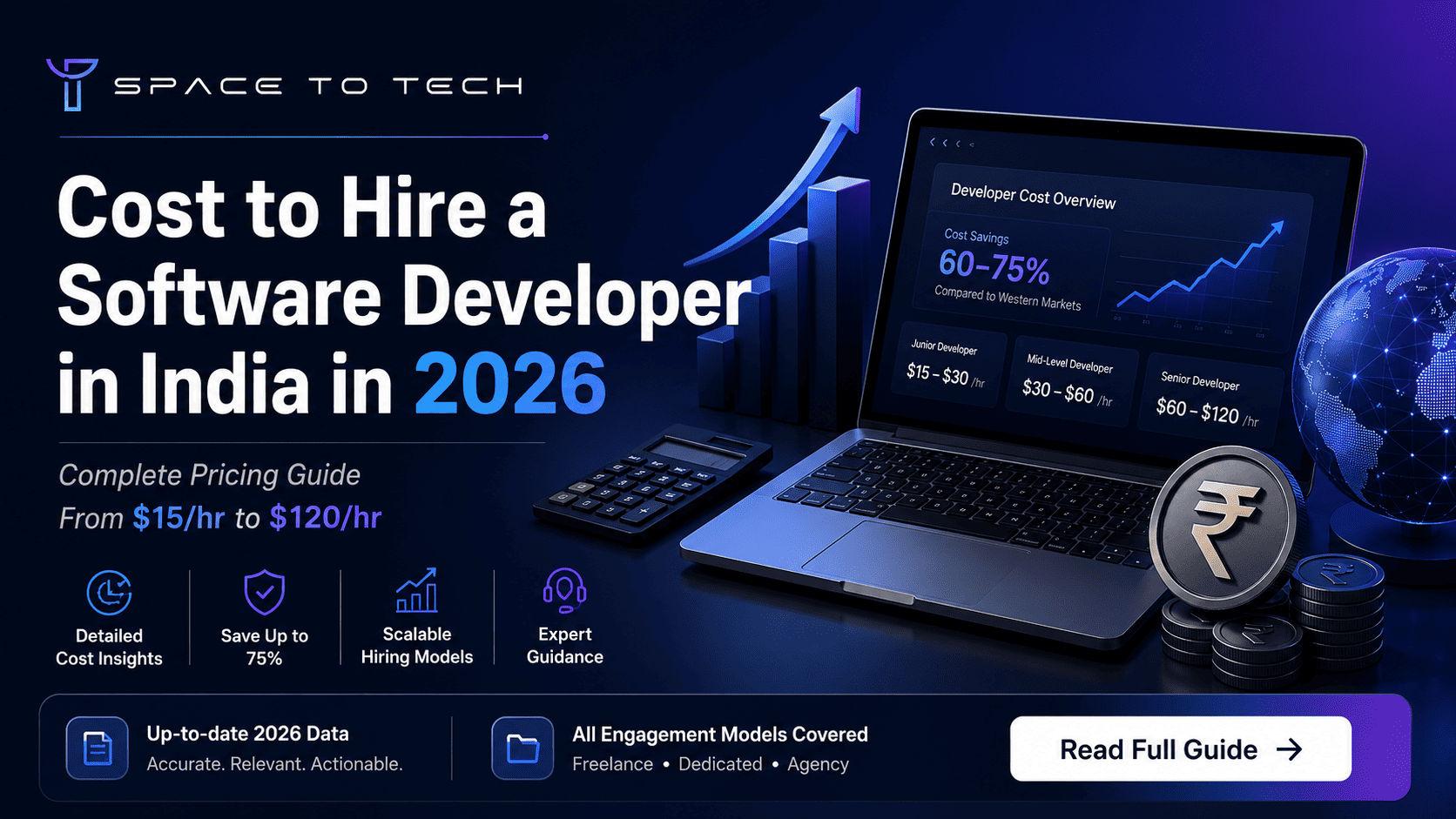
Cost to hire a software developer in India in 2026 – Complete pricing guide by SpaceToTech

How Much Does It Cost to Hire a Software Developer in India in 2026

Hiring engineers used to feel simpler. A company needed a website, maybe an internal tool, and a few developers could usually handle it. That changed fast. Now businesses are building SaaS platforms, AI integrations, cloud-native systems, mobile products, automation layers - and suddenly the question becomes less “Can we build this?” and more “What will the team actually cost us over the next year?” That’s why the topic of the cost to hire software developer in india keeps coming up for founders and CTOs in the US, UK, Australia, and Canada. India now has one of the largest engineering workforces in the world, somewhere above 5 million developers depending on whose report you read. But pricing still varies wildly. One company quotes $20/hour. Another says $90/hour for the same stack. Confusing honestly. This guide breaks down what businesses are actually paying in 2026, what changes those costs behind the scenes, and where companies usually overspend without realizing it. Why Global Companies Still Prefer Hiring Developers from India There’s a reason businesses continue building remote teams here year after year. Cost is obviously part of it. But that’s not the full story anymore. Ten years ago, companies outsourced mainly to save money. In 2026, most serious businesses are looking for speed, scalability, and engineering depth too. India has quietly become one of the strongest hubs for remote software development and offshore product engineering. Startups in the US use Indian backend teams. UK SaaS firms run entire support engineering operations from here. Australian companies often keep hybrid delivery models with product managers locally and developers offshore. A few things consistently drive that demand: Large availability of experienced engineers across web, mobile, AI, cloud, and enterprise stacks Strong English communication compared to many offshore markets Flexible time overlap with Western countries Mature outsourcing ecosystem with structured delivery models Lower long-term operational cost for scaling a software development team And honestly, Indian developers are no longer limited to support work. Many teams now handle architecture decisions, DevOps pipelines, AI systems, and enterprise-scale infrastructure directly. Typical Developer Hiring Costs in India for 2026 This is the section most people skip to first anyway. The cost to hire software developer in india depends heavily on experience level, project complexity, and hiring model. A startup hiring a single React developer for an MVP won’t pay the same as an enterprise building distributed cloud infrastructure. Still, these are realistic 2026 market averages. Experience Level Avg. Hourly Rate Approx. Monthly Cost Junior Developer $15 – $25/hr $2,000 – $3,500 Mid-Level Developer $25 – $45/hr $4,000 – $7,000 Senior Developer $45 – $80/hr $7,000 – $12,000 Lead Engineer / Architect $80 – $120/hr $12,000 – $18,000+ Freelancers sometimes charge less. Agencies usually charge more. Dedicated developer models land somewhere in the middle but often provide better stability long term. One thing businesses underestimate: cheap developers are rarely cheap once delays start stacking up. Rebuilding weak architecture six months later costs far more than paying for experienced engineering upfront. Developer Rates by Technology Stack and Specialization Not all engineers sit in the same pricing bracket. Specialized stacks change hiring costs fast. A basic frontend developer is easier to hire than someone working on AI infrastructure or enterprise CRM customization. That gap gets larger every year. Technology / Skill Avg. Hourly Rate (India) Common Use Cases React.js $20 – $45/hr SaaS dashboards, web apps Node.js $25 – $50/hr APIs, backend systems Flutter $25 – $50/hr Cross-platform mobile apps React Native $30 – $55/hr iOS + Android apps Salesforce $45 – $90/hr CRM workflows, enterprise systems Dynamics 365 $40 – $85/hr ERP and CRM integrations AI / ML Engineering $50 – $120/hr AI models, automation Blockchain $60 – $130/hr Smart contracts, Web3 Full Stack Development $35 – $75/hr End-to-end product builds Specialized engineers cost more because the talent pool is smaller and project failure risk is higher. At SpaceToTech, we’ve seen businesses try to save money by hiring generalists for complex AI or CRM implementations. Usually ends the same way - delays, unstable architecture, then rebuilding the system later with specialists anyway. What Actually Changes the Cost of Hiring Developers? This part matters more than people think. Two companies can both say they need a “mobile app,” but one project costs $8,000 and another crosses $150,000. The difference sits in the details. Here’s what usually affects pricing most: Experience level - Senior engineers solve problems faster and create fewer architectural mistakes. Tech stack complexity - AI systems, blockchain, and cloud-native infrastructure cost more than standard CRUD apps. Hiring model - Freelancers, agencies, and hire dedicated developers models all price differently. Location within India - Metro cities like Bangalore or Gurgaon typically cost more than tier-2 hubs. Project scope - Ongoing product development costs differently than fixed-scope projects. Team structure - A full software development team includes QA, DevOps, designers, and PMs - not just developers. And timelines matter too. Urgent delivery almost always increases cost because teams scale faster or work parallel sprint cycles. Comparing Hiring Models Before You Commit This is where businesses often make the wrong decision. The cheapest option upfront is not always the cheapest six months later. Hiring Model Typical Cost Best For Reality Check Freelancer Lowest Small tasks, short fixes Can become inconsistent for long-term products Dedicated Developer Moderate Startups, SaaS, scaling products Usually best balance of cost + reliability Development Agency Higher Large systems, enterprise delivery Strong process but higher overhead Freelancers work well for isolated tasks. But product companies usually outgrow them once infrastructure becomes more serious. The hire dedicated developers model has become popular because it gives businesses predictable monthly delivery without full in-house hiring overhead. Teams stay consistent. Knowledge stays inside the project. Communication improves over time too. That operational continuity matters more than people expect. India vs Other Countries: Cost Comparison in 2026 The gap is still significant. Country / Region Avg. Hourly Rate Technical Quality USA $100 – $200/hr High UK $80 – $150/hr High Eastern Europe $50 – $100/hr High Southeast Asia $25 – $60/hr Moderate–High India $20 – $80/hr High This is why companies continue hiring Indian engineering teams at scale. You’re often looking at 60–75% lower development cost compared to US or UK hiring, while still accessing experienced engineers across cloud, AI, backend systems, mobile app development , and enterprise software. That doesn’t mean every company delivers equally though. India has exceptional firms and terrible ones. Both exist simultaneously. The Hidden Costs Nobody Mentions Early Enough This is the uncomfortable part. Developer hourly rates are only one part of the total spend. A lot of businesses realize this too late. Some commonly overlooked costs: Onboarding time for new engineers QA and testing overhead Internal project management effort Communication delays across time zones Software licenses and infrastructure tools NDA, compliance, and IP protection setup Weak documentation also becomes expensive quietly. Teams lose weeks untangling poorly explained systems. A good engineering partner usually reduces these operational problems before they grow. That’s honestly one reason companies move from freelancers toward structured development teams. How Companies Usually Hire Developers in India Most successful hiring processes follow a fairly predictable flow. First comes scope definition. Even rough requirements help filter candidates faster. Then businesses shortlist vendors based on technical fit instead of pure pricing. Smart companies review architecture quality, not just portfolio screenshots. After that: Define project goals clearly Choose preferred tech stack Set budget expectations realistically Decide hiring model Conduct technical evaluation Start with a pilot sprint if possible Pilot engagements work surprisingly well. A small sprint reveals communication quality, delivery speed, and engineering maturity faster than sales presentations ever will. And honestly, strong developers explain trade-offs clearly. Weak ones usually hide behind buzzwords. Skills That Matter When Hiring Developers in 2026 Technical skills are only half the equation now. Yes, companies still look for Node.js, React, Flutter, AWS, PostgreSQL, Kubernetes, AI/ML, and backend engineering expertise. That part is expected. But soft skills quietly separate good engineers from difficult hires. The strongest developers usually have: Clear communication Product thinking Agile workflow familiarity Problem-solving ability Documentation discipline Ownership mindset At SpaceToTech, we pre-vet developers not just for coding ability but also sprint communication and architectural reasoning. Because technically strong engineers who cannot explain decisions become difficult inside long-term product teams. Types of Software Projects Companies Commonly Outsource The range is broader now than most people realize. Businesses regularly outsource: Web app development services for SaaS platforms Mobile app development for iOS, Android, Flutter, and React Native CRM systems using Salesforce and Dynamics AI automation tools and recommendation systems Blockchain infrastructure E-commerce platforms Enterprise dashboards API integration projects AI-related development has grown especially fast over the last two years. But interestingly, most companies are not building massive AI products from scratch. They’re adding AI layers into existing workflows instead. Why Businesses Choose SpaceToTech for Developer Hiring Most clients initially come to us because they need engineers quickly. They usually stay because the delivery process stays structured after onboarding. SpaceToTech works with startups and enterprises across the US, UK, UAE, Australia, and India through dedicated engineering and product delivery models. A few things clients usually care about most: Developers across 20+ technologies Flexible hiring structures Fast onboarding cycles Sprint-based delivery NDA and IP protection Transparent milestone planning We’ve also learned something important over time: clients value predictability more than flashy presentations. Clear sprint visibility matters. Honest timelines matter. Saying “this architecture may fail at scale” matters too. Not every agency likes those conversations. Serious engineering teams usually do. Common Questions Businesses Ask Before Hiring Indian Developers How much does it cost to hire a software developer in India monthly? Most businesses spend between $2,000 and $12,000+ monthly depending on developer seniority, specialization, and engagement model. Enterprise architects and AI engineers usually sit at the higher end. Is remote hiring from India reliable? Yes - if the delivery structure is mature. Established Indian engineering firms already manage long-term offshore teams for global companies across SaaS, fintech, healthcare, and enterprise software. Freelancer or dedicated developer - which is better? Freelancers work well for short isolated tasks. Dedicated developers are usually better for ongoing products requiring stability, sprint continuity, and long-term architecture planning. How fast can companies hire developers in India? Smaller engagements may start within days. More specialized roles - AI engineers, Salesforce architects, DevOps specialists - usually require longer evaluation and onboarding cycles. Can developers be hired for short-term projects? Absolutely. Many businesses hire developers for MVP builds, feature expansion, migrations, or temporary scaling during high-growth phases. Final Thoughts The conversation around the cost to hire software developer in india has changed a lot. Businesses are no longer choosing India only because it’s cheaper. They’re choosing it because the engineering ecosystem has matured fast - especially across SaaS, AI, cloud infrastructure, and product development. Good developers still aren’t “cheap.” Strong engineering rarely is. But India continues offering one of the best cost-to-quality ratios globally for software delivery in 2026. If you’re planning to hire dedicated developers or build a long-term software development team , SpaceToTech can help you evaluate the right structure, timeline, and hiring model based on your actual product goals - not generic sales estimates.

May 14, 2026

Read More..
Hire software developers from India — Top-tier engineers, faster delivery, up to 70% cost savings. SpaceToTech

Why Global Startups Hire Software Developers from India: The Key Advantages

Here's something that doesn't get said enough: most founders who decide to hire software developers from India don't do it because they read a blog post about it. They do it because someone they trust told them it worked. And then it works for them too. And then they tell someone else. That's not a marketing story. That's just how word spreads when something actually delivers. But if you're earlier in the process — still researching, still unsure — the "why India" question deserves a real answer. Not a list of bullet points, not a table of hourly rates pulled from thin air. An actual explanation of what's driving this, why it's held up for two decades, and what makes Indian software developers worth the coordination effort that comes with any distributed team. That's what this is. Why India's Developer Ecosystem Is Built to Serve Global Teams Start with the raw numbers, because they matter more than people realise. India produces over 1.5 million engineering graduates every year. Every single year. The active developer population is somewhere north of 5.8 million — NASSCOM put it there in 2024, and it's grown since. On GitHub, Indian developers are among the most active contributors on the platform. Stack Overflow's surveys have said the same thing for years running. Quick stats worth knowing: 1.5M+ engineering graduates annually 5.8M+ active software developers India (NASSCOM, 2024) Top 3 globally for GitHub contribution volume What that actually means when you're trying to hire software developers from India : you're not fishing in a small pond and hoping something bites. The talent is there — backend engineers, Android app developers , CRM developers , embedded software specialists, AI and NLP engineers, full-stack generalists. People with ten years of production experience who've shipped real things for international clients. The depth exists across the board, not just at the top end. The Real Reason Indian Dev Costs Are Lower — And Why Quality Stays High Everyone knows India is cheaper. Not everyone understands why that's not the same as saying India is worse.   Region   Avg. Hourly Rate   Approx. Annual Cost (Senior Dev)  United States   $100–$150/hr   $200,000–$300,000   United Kingdom   $80–$120/hr  $160,000–$240,000   India  $25–$45/hr  $50,000–$90,000 The gap is currency and cost of living. That's it. It's not a reflection of skill level — if it were, Google, Microsoft, Goldman Sachs, and JP Morgan wouldn't be running core engineering functions out of their India offices. They're not doing that for the novelty of it. They figured out a long time ago that the engineering talent is genuinely there. For a startup watching every dollar of burn, hiring offshore developers India means the savings don't just sit on a spreadsheet — they go back into the product. Into hiring another designer. Into a marketing push. Into runway. That's the real case for it, honestly. Not just "it's cheaper," but "cheaper lets you do more with what you have." What Actually Sets Indian Software Engineers Apart Technically There's a version of this conversation where someone says "but are they really as good?" and honestly, it's a fair question to ask once. Less fair to keep asking after you've seen the work. India's top engineering schools — IITs, NITs, BITs — compete globally. And beyond the institutions, thousands of certified developers have layered on certifications from AWS, Google, Microsoft, and specialized bootcamps that didn't exist ten years ago. The baseline has genuinely risen. When you hire software engineers in India today, you're finding people who are current on the frameworks your product actually uses. Custom software development, Dynamics CRM, mobile app development, embedded software for IoT, AI and machine learning — it's not theoretical familiarity. These are people who've shipped in these stacks. For startups building Android-first products, this technical depth means you can find and evaluate a capable Android app development company from India using a clear, informed framework — not just instinct. For startups that need a complete AI product built — not just AI features added to an app — pairing Indian developer talent with a dedicated AI Development Company gives you the right structure and expertise for that scope The skilled developers coming out of India's tech ecosystem aren't coasting on reputation. They're building it. Finding the Engagement Model That Actually Fits Your Startup One thing that catches people off guard: there's more than one way to structure this. A lot of founders assume it's one thing — "outsourcing" — and that assumption colors how they think about it. It's worth clearing up. Dedicated developers work on your product, inside your team, managed by you. If you need someone embedded for the long haul, this is closer to a remote hire than any traditional outsourcing arrangement. Companies that want to hire dedicated software developers India typically find this model gives them the most control and the most consistency. The developer actually learns the codebase. That matters more than people think. Contract developers are scoped to a project. Fast to start, clean to end. Works when you know exactly what you're building and you don't need someone to stick around after it ships. Offshore software development teams — a full squad, sometimes with a tech lead included — are for when a single developer won't move the needle fast enough. A dedicated software development team that operates as a unit, delivers as a unit. Most clients at SpaceToTech start with one dedicated developer and add from there as the product grows. Starting small isn't a weakness. It's just a sensible way to build trust before you scale it. How the Time Zone Gap Becomes a Competitive Advantage This is the thing people worry about most before they've tried it. It's rarely the thing they complain about after. IST overlaps with European mornings and US evenings. There's a real window every day where both sides are online at the same time. That handles the conversations that actually need to be live — sprint calls, design feedback, anything ambiguous enough that back-and-forth matters. Everything else? The remote developers keep working after your day ends. You come back the next morning and there's progress — not a message saying "waiting on your response from yesterday." For startups that are trying to hire remote talent and move faster than a traditional hiring cycle allows, that's a genuine operational advantage, not just a talking point. Why Communication With Indian Developers Is Rarely the Problem This one comes up less often as a concern, but it's worth addressing anyway. India is one of the largest English-speaking countries in the world by volume. The tech workforce specifically communicates in English — documentation, pull request comments, sprint notes, everything. It's not a secondary language being managed around. It's the working language. Beyond that, most Indian software developers working with international clients know Scrum. They know Agile. They've used Jira, Slack, Notion, GitHub. Sprint planning, retrospectives, backlog grooming — none of this is new to them. The adjustment period that people brace for usually doesn't materialise. And if you're on the fence, here's the simplest version: the companies that hire Indian software developers and then don't renew contracts are rare. The companies that expand those contracts are common. That tells you something about how the communication actually goes once the work starts. Every Specialist You Need, From Android Developers to AI Engineers The range here is genuinely wide. Wider than most people expect when they first start looking. Android app developers in India — Kotlin, Jetpack Compose, built for mobile-first products that need to perform across device types AI and NLP engineers — recommendation systems, conversational interfaces, intelligent features that actually accelerate app development rather than slow it down CRM and Dynamics CRM developers — CRM software, enterprise tools, sales infrastructure that doesn't fall apart under real usage Embedded developers — IoT products, hardware-connected apps, the low-level work that most generalists won't touch Backend engineers — scalable infrastructure, APIs, cloud architecture that holds up when traffic actually arrives The specialist you need is probably there. And probably available sooner than you'd expect. Software solutions at this level don't require a long search when the talent pool is this size. A Step-by-Step Roadmap to Hire Software Developers From India People overcomplicate this. It's actually not that many steps. Define your scope and tech stack first. Vague briefs produce vague results. Know what you're building, what it runs on, and what skills are actually required. Do this before any conversations start. Pick your model. Hire dedicated developer, go contract, or build an offshore software team . Each one fits a different stage. Don't default to whichever sounds most familiar. Vet properly. GitHub history, portfolio links, live apps you can actually download. A short paid technical assessment. Whether you're looking to hire a coder in India or a senior architect, this step doesn't change. Run a trial sprint. One to two weeks, paid. More useful than any interview. You'll know more from watching someone work than from anything they tell you about themselves. Set the communication infrastructure before you start. Standup cadence, sprint length, how you handle scope changes. Sort this upfront. Don't improvise it mid-project. Scale when it makes sense. One software developer to start is fine. Add when the output demands it, not before. It's not complicated. It just requires doing it in the right order. Red Flags to Watch Before You Hire — Don't Skip This Moving fast is good. Moving fast past obvious red flags is how projects go sideways. No GitHub profile, no portfolio, no shipped work you can actually look at Pricing that's vague — no milestones, no defined deliverables Won't offer a trial sprint or paid assessment before committing Communication during the sales process is slow or evasive — it doesn't improve once the contract is signed Timeline promises that don't hold up when you ask how they were calculated Before you hire developers or hire programmers in India , watch for these. A software expert or team that can't show you what they've built isn't hiding nothing. Any serious software development partner won't flinch at these questions. The ones who do are telling you something useful, even if they don't mean to. How SpaceToTech Connects Global Startups With Top Indian Developer Talent SpaceToTech is based in Noida. The clients are mostly in the USA, UK, UAE, and Australia — startups and growth-stage companies that needed engineering capacity without the overhead of local hiring. The vetting for dedicated software developers is thorough: technical assessments, portfolio review, trial sprints. The domains covered include custom software development , mobile app development , CRM software , and AI/NLP. Not claimed expertise — delivered work. Hiring dedicated developers through SpaceToTech is flexible in structure. Hire software developer India on a dedicated basis, run a contract engagement, or staff a full offshore team . When scope is clear, developers are ready to start within 72 hours. That's not a marketing line — it's just how the process runs when the brief is specific. Ready to Hire Software Developers from India? Talent, cost, flexibility, speed. India has all four. But the reason teams stay — the reason contracts get renewed and teams get expanded — isn't really about any of those things individually. It's that the work holds up. The communication is real. The developers care about what they're shipping. That's harder to put in a table than an hourly rate. But it's the part that actually matters six months in. Whether you need to hire software development team for a full product build or bring in one dedicated developer to move a stalled project forward — the path is the same. Start with something real, communicate clearly, and scale from there.

May 8, 2026

Read More..
Mobile App Development Company

How to Choose the Right Mobile App Development Company for Your Startup — 2026 Guide

Why Choosing the Right App Development Company Can Make or Break Your Startup Picture this: you have a brilliant mobile app startup idea — something that genuinely solves a real problem for real people. You spend weeks pitching it to friends, sketching wireframes on napkins, and finally deciding to turn it into a real product. So you Google 'app development company,' pick one that looks decent, and hand over your savings. Six months later, you have a buggy product that users hate, a development company that has gone silent, and an empty bank account. This scenario plays out far more often than it should. Startup founders lose time, money, and momentum every single day because they rushed the decision of choosing a mobile app development company. In an industry filled with promises and polished pitch decks, knowing how to separate the right partner from the wrong one is one of the most important skills a founder can develop. This guide walks you through every critical decision checkpoint — from clarifying your startup idea and choosing an MVP strategy, to evaluating portfolios, understanding app development costs, decoding platform choices, and asking the right questions before you sign anything. Whether you are building your first startup app or exploring your second venture, this is the resource that cuts through the noise. Build Your Startup App with the Right Development Partner Understanding Your Startup's App Idea Before You Hire Anyone Before you reach out to a single mobile app development company , you need to have clarity on your own vision. This sounds obvious, but an alarming number of founders walk into development conversations with nothing more than a vague business idea and enthusiasm. Enthusiasm is great — but it does not replace a defined product brief. Start by answering these questions honestly: What specific problem does your app solve, and for whom? Who is your target user — their age range, tech comfort level, and daily habits? What app category does your startup mobile app fall into — on-demand services, SaaS, e-commerce, fintech, healthcare, or education? Is this a consumer-facing mobile app (B2C) or a business-to-business application (B2B)? What does a successful version 1.0 look like — what features are must-haves vs nice-to-haves? Defining what 'done' looks like before you enter any development company conversation gives you immense leverage. It prevents scope creep — one of the biggest hidden drivers of inflated development costs — and signals to prospective mobile app developers that you are a serious founder worth working with. A vague app idea leads to vague quotes, vague timelines, and disappointing outcomes. Clarity, on the other hand, enables every subsequent decision. MVP First — Why Every App Startup Should Start with an MVP If there is one principle that separates experienced startup founders from first-timers, it is this: never build the full product first. A Minimum Viable Product (MVP) is the leanest, simplest version of your app that delivers enough value to attract real users and generate real feedback. Building a full-featured app from day one is one of the costliest mistakes a startup can make. Here is why: You invest months of development time and tens of thousands of dollars before knowing if anyone wants your product. Features that seemed essential during planning often turn out to be irrelevant once real users engage. A bloated feature list without user validation makes it nearly impossible to attract startup incubator funding or early-stage investors. A strong mobile app development company will always recommend an MVP-first approach. MVP app development validates your startup idea with real users, dramatically controls development costs, and creates a feedback loop that makes every subsequent version of the app smarter. The best app development companies structure their entire development process around phased delivery — starting lean, measuring results, and iterating. In practical terms, MVP development typically spans 8 to 16 weeks depending on the complexity of the core feature set. A startup MVP for an on-demand service app will look different from an MVP for a fintech application — but both should focus on proving the core value proposition before investing in premium UI, advanced integrations, or secondary features. When evaluating any development firm, ask specifically about their MVP development approach. If they jump straight into full-feature development without discussing validation, that is a red flag. N.ative vs. Cross-Platform — What Development Approach Is Right for Your Startup? One of the most consequential technical decisions a startup will make early on is choosing between native mobile app development and cross-platform development. Understanding the trade-offs will help you ask better questions when evaluating any app development company. Native Mobile App Development Native app development means building separate codebases for iOS (using Swift or Objective-C) and Android (using Kotlin or Java). Custom iOS app development and custom Android app development each optimise for the platform's full capabilities — delivering the best possible performance, access to hardware features, and platform-specific user experience. The trade-off: native is more expensive and takes longer. You are essentially building and maintaining two separate apps. This approach is the right call when your app demands peak performance, deep OS-level integration, or operates in a regulated industry like healthcare or fintech where stability is non-negotiable. Cross-Platform Development Cross-platform frameworks like React Native and Flutter allow mobile app developers to write a single shared codebase that runs on both iOS and Android. The result: faster delivery, lower development costs, and a single team maintaining one project. For most startup MVPs, cross-platform is the smarter starting point. It allows you to validate your app idea on both platforms simultaneously without doubling the budget. Many of the world's most successful startup apps — including early versions of major consumer platforms — launched cross-platform before investing in full native rebuilds. Native vs. Cross-Platform: Quick Comparison  Factor  Native Development  Cross-Platform (React Native / Flutter)  Performance  Highest — fully optimised per platform  Very good — near-native for most use cases  Development Cost  Higher — two separate codebases  Lower — single shared codebase  Time to Market  Slower  Faster — ideal for startup MVPs  Best For Fintech, healthcare, high-performance apps  MVPs, early-stage startups, broad reach  Platform Access  Full iOS & Android OS integration  Most features — some limitations The key is to ask any mobile development company to walk you through their recommended app development approach — and to explain why, based on your specific startup goals. Key Qualities to Look for in a Mobile App Development Company Not all app development companies are created equal. The market is crowded with development firms ranging from brilliant boutique agencies to low-cost shops that over-promise and under-deliver. Here is what actually separates a strong custom mobile app development company from a mediocre one. Proven Portfolio with Startup Projects A credible mobile app development company will have a portfolio that includes startup apps built from scratch — not just polished enterprise redesigns. Look for evidence that they understand the startup context: resource constraints, speed-to-market pressure, and the need to iterate quickly. In-House Mobile App Developers Many development companies act as middlemen, outsourcing your project to cheaper subcontractors without telling you. Insist on working with an app development firm that employs its own full-time mobile app developers. This protects code quality, communication, and intellectual property. iOS and Android Expertise Your development company should have demonstrable experience across both iOS app development and Android app development — and should be able to advise on platform strategy, not just execute whatever you request. Transparent App Development Process The best app development firms document and communicate their development process clearly. Look for structured phases: discovery, UI/UX design, development sprints, QA, and launch. If a company cannot articulate their process, they likely do not have one. Client References and Case Studies Ask for references from past startup clients and read case studies in detail. A reputable software development company will be transparent about past challenges and how they resolved them — not just show polished success stories. Post-Launch Support and Maintenance Building the app is only the beginning. A trustworthy app development company will offer ongoing maintenance, bug fixes, and feature updates after launch. Startups that ignore post-launch support end up with deteriorating apps that lose users. AI App Development Capabilities As AI becomes embedded in every category of mobile application, your development partner should have real experience with AI app development services — not just a checkbox on their website. One important warning: do not choose purely on price. The cheapest mobile app companies frequently deliver technical debt that costs three times as much to fix later. Value is about output quality and long-term partnership, not the lowest number on an invoice. Turn Your Startup Idea into a Scalable Mobile App   How to Evaluate a Development Company's Portfolio and Past Work Evaluating a mobile app development company's portfolio is one of the most important due-diligence steps you can take. Here is exactly what to look for — and the right questions to ask. Do their past mobile applications match your app category? A company that specialises in e-commerce startup apps may not be the best fit for a healthcare or fintech product. Have they built startup apps from scratch, or have they primarily worked with established enterprises with large budgets and long timelines? Are their apps actually live on the App Store and Google Play — and are those apps still being maintained and updated? Do their case studies show the full development process — discovery, wireframing, development sprints, QA, and launch — or just the final polished screenshots? Can they show examples of mobile application development across multiple industries, demonstrating versatility? A truly credible mobile development company will be transparent about past challenges and how they resolved them. Anyone can show a beautiful launch screenshot. What you want to see is problem-solving, iteration, and client partnership demonstrated in the case study narrative. For context, Space To Tech has built mobile applications across 25+ industries — including on-demand, healthcare, fintech, education, and SaaS — providing the kind of breadth that early-stage startups benefit from when their product touches multiple verticals or user groups. Understanding App Development Cost — What Startups Should Budget App development cost is the number one concern for every startup founder. The honest answer is that costs vary enormously based on a combination of factors — and any company that gives you a fixed price without understanding your requirements is guessing. Here are the key cost drivers every startup should understand before requesting quotes. What Drives Development Costs App complexity and total number of features Native vs. cross-platform development approach Whether you need iOS app development, Android app development, or both simultaneously Depth of UI/UX design — custom illustrations and animations vs. standard component libraries Third-party API integrations — payments, maps, messaging, social login Backend infrastructure — database architecture, server setup, and cloud configuration QA and testing coverage across devices and operating system versions Ongoing post-launch maintenance and support MVP vs. Full-Featured App A well-scoped MVP will typically cost 60 to 70 percent less than a full-featured app — and generate significantly more learning per dollar spent. Smart startup founders use MVP development to validate assumptions before committing to the full build app investment. Getting Accurate Quotes Always request itemised quotes from any development company. A detailed breakdown by phase — discovery, design, development, QA, deployment — tells you whether the team has genuinely scoped your project or is estimating from habit. Watch out for vague 'we will figure it out as we go' pricing; it is a reliable predictor of cost overruns. Geography Matters Working with a high-calibre software development company based in India — such as Space To Tech — can deliver world-class custom mobile app development at development costs that are significantly lower than equivalent firms in the United States or Western Europe, without sacrificing technical quality or communication standards. The App Development Process — What to Expect Step by Step A trustworthy development firm will walk you through a structured app development process before you sign any contract — not jump straight to code. Understanding the typical stages of mobile app development helps you evaluate whether a company is genuinely organised or just telling you what you want to hear. Discovery & Strategy — Workshops and interviews to understand your startup idea, target users, business model, and competitive landscape. Deliverables include a product brief, feature list, and project roadmap. UI/UX Design — Wireframes, user journey maps, and high-fidelity prototypes. The design phase defines how users will interact with every screen of your app before a single line of code is written. Frontend & Backend Development — Iterative development sprints building both the user-facing interface and the server-side infrastructure. Milestones should be clearly defined and deliverable. QA & Testing — Rigorous testing across devices, operating system versions, and user scenarios. Quality assurance is not optional for a startup app — bugs at launch destroy user trust permanently. App Store Submission — Preparation of App Store and Google Play listings, compliance checks, metadata optimisation, and submission. A good development company handles this on your behalf. Post-Launch Support — Monitoring, bug fixes, user feedback analysis, and planning for the next iteration. The best mobile app developers treat launch as the beginning, not the end. Before signing any contract, ask your potential development partner to walk through each of these stages in the context of your specific project. If a company cannot clearly articulate how they will take your startup idea through each of these phases to a live app on the App Store, that is a serious red flag. The best development services treat the entire process as a genuine collaboration — not a black box where you hand over a brief and receive an app six months later. iOS, Android, or Both? Platform Strategy for Startup Apps Most startups cannot afford — or should not attempt — to launch on both platforms simultaneously. The right platform choice for your first release depends on your target audience and market geography. Launch on iOS First If… Your target users skew toward higher-income professionals or tech-forward demographics Your primary market is the United States, Canada, the UK, Australia, or Western Europe Your monetisation strategy relies on in-app purchases or premium subscriptions (iOS users historically spend more) Your startup app is in categories like productivity, professional tools, or premium lifestyle Launch on Android First If… You are targeting emerging markets — India, Southeast Asia, Latin America, or Sub-Saharan Africa You want maximum geographic reach from day one (Android holds the majority of global market share) Your app addresses broad consumer needs rather than premium segments Your target users are more likely to use mid-range or budget smartphones A good development company will help you build a platform roadmap — advising on where to start and when to expand to the second platform — rather than simply executing whatever you say. On the technical side, it is worth knowing that App Store approval (Apple) typically takes one to three days for new submissions, while Google Play can be live within hours to a few days. A seasoned development firm will prepare your app to meet each platform's guidelines before submission, reducing costly rejection cycles. MVP & AI App Development Solutions  AI App Development — The Mobile App Trend Every Startup Needs to Know Artificial intelligence is no longer a futuristic add-on for well-funded tech giants. It is a practical, accessible, and increasingly expected component of competitive startup mobile apps. Startups that integrate AI capabilities from the beginning build smarter products that scale better and retain users longer. AI Capabilities Being Built Into Mobile Apps Right Now Smart content and product recommendations powered by behavioural data In-app chatbots and conversational interfaces for customer support and onboarding Voice recognition for hands-free control and accessibility Image recognition and processing for visual search, AR filters, and document scanning Predictive analytics that surface insights and automate decisions for users Personalisation engines that adapt the app experience to individual user behaviour over time Beyond individual features, current mobile app development trends point to three broader shifts that startup founders should understand: AI-powered UX (where the interface adapts dynamically based on user context), edge computing (processing data on-device for speed and privacy), and augmented reality integration (overlaying digital information on physical environments). The right AI software development company or app development firm will not bolt AI onto your product as an afterthought — they will help you architect your app's data model and feature set to support intelligent behaviour from the ground up. Space To Tech's AI app development services are built to meet exactly this need, giving startup founders access to AI capabilities that were, until recently, accessible only to well-capitalised technology companies. Questions to Ask a Mobile App Development Company Before You Sign Before committing to any development partner, use this checklist as your filter. Companies that cannot answer these questions clearly are not ready to be your development partner. Pre-Contract Question Checklist  Question to Ask  What a Good Answer Looks Like  How many startup apps have you built from the MVP stage?  Specific examples with outcomes, not vague claims  Do you offer both iOS and Android app development?  Yes, with native and cross-platform options explained  What is your development process from idea to launch?  Clear phase-by-phase breakdown with milestones  How do you handle scope changes during development?  A documented change request and approval process  What does post-launch support look like?  Defined SLAs, maintenance plans, and pricing tiers  Who owns the source code after delivery?  You do — full IP transfer with no conditions  Do you have experience with AI app development services?  Specific AI features built into past apps  How do you communicate progress?  Weekly updates, sprint reviews, shared dashboard  Will you sign an NDA before discussing our idea?  Yes, immediately and without hesitation Notice that the best answers are always specific, not generic. Any development company that responds to these questions with vague reassurances — 'We handle everything,' 'Trust us,' 'We are flexible' — has not earned your trust yet. Red Flags to Avoid When Choosing an App Development Company After observing patterns across the software development industry for years, the markers of bad development partnerships are remarkably consistent. Here are the red flags that should send you looking elsewhere, no matter how compelling the pitch.  Green Flags (Good Company)  Red Flags (Walk Away  Structured, documented development process No clear process — 'We figure it out as we go'  Itemised, milestone-based pricing Vague all-inclusive quotes with no breakdown  Live apps in the App Store and Google Play No live portfolio apps — only mockups or screenshots  Immediate NDA signing without hesitation Reluctance or refusal to sign an NDA  In-house mobile app developers disclosed clearly Undisclosed outsourcing to third parties  Phased delivery with clear milestones No milestone-based delivery — lump-sum payment upfront  Post-launch maintenance plan included No post-launch support offering  Realistic timelines with honest trade-offs Unrealistically short timelines to pressure signing That last point deserves emphasis: any mobile app development company that pressures you to sign a contract before conducting a thorough discovery phase is cutting corners — at your expense. A solid custom mobile app development project takes time to scope properly, and the best development companies are the ones that slow down early so they can move fast later. Build Smarter Apps with Future-Ready Technology   Conclusion — The Five Decisions That Define Your App Development Partnership Choosing the right mobile app development company is not a single decision — it is a series of connected decisions that compound in their impact on your startup's trajectory. Let us bring together the five most important ones. Define your app idea with precision. Know the problem you are solving, the user you are serving, and the category your startup mobile app belongs to before you talk to anyone. Start with an MVP. Partner with a development firm that champions mvp app development, because it is the single best way to validate your app startup idea while controlling development costs. Choose the right platform strategy. Decide between iOS and Android based on your audience — and work with a development company that can advise strategically, not just execute. Evaluate portfolios and process rigorously. Look beyond polished screenshots. Ask about challenges, timelines, and how they handled scope changes. A credible app development firm welcomes these questions. Partner with a company that understands both technology and startup business goals. The best mobile app development companies act as product partners — invested in your success, not just your payment. Space To Tech is a custom mobile app development company that has built mobile applications across 25+ industries — including on-demand, healthcare, fintech, SaaS, and education. We offer both native mobile app development and cross-platform solutions, and we partner with startups from the very first idea validation conversation all the way through to App Store launch and long-term product growth. We are not just a development company. We are a startup-focused software development company that understands what it takes to turn a business idea into a product users love — on time, on budget, and built to scale. Ready to Build Your Startup App? Get a Free Startup App Consultation Visit: spacetotech.com/contact

May 18, 2026

Read More..

Get a Callback