AI Chatbot
Development Company in USA | Build Smart Virtual Assistants

SpaceToTech is an AI chatbot development company in USA that builds custom chatbots for businesses that want faster customer support, better-qualified leads, and conversations connected to the systems their teams already use. Every project starts with a specific use case, whether that's a website assistant or an enterprise conversational workflow. From there, we plan the integrations, security controls, and post-launch improvements the bot will need to keep performing well.
AI chatbot development — virtual assistant with laptop and conversational UI
Trusted by global brands

Our AI chatbot development services cover conversational AI and generative AI chatbot development for customer service, product discovery, lead capture, internal knowledge access, and voice or messaging channels. We choose the approach and integrations around your business problem instead of reusing one bot architecture for every client.

If you are comparing options for AI chatbot development in USA, we shape the project scope around your audience, channels, data-handling requirements, and preferred delivery model. Share your workflow, and we'll recommend a suitable chatbot approach along with an indicative project estimate.

  • 50+Experts
  • 150+Projects Delivered
  • 5+Year Experience
  • 10+Countries Served
  • 24/7Support

Custom AI Chatbot Development Services in the USA

Every chatbot we build starts from a business goal, not a template. As an AI chatbot development company in USA, we can develop the following for your team.

Custom AI Chatbot Solutions

We design intelligent, tailored chatbots that match your brand voice and business needs. Whether it's an FAQ bot, eCommerce assistant, or multilingual support bot, we craft solutions specific to your audience and use cases. For example, a retailer might launch a product-finder assistant, while a clinic could use a bot to answer scheduling and policy questions.

Advantages of AI Chatbot Development for Your Business

  • 24/7 Customer Support

    A chatbot can answer common questions at any hour and pass complex or sensitive requests to your team, so fewer enquiries sit unanswered overnight.

  • Scalable Support Capacity

    Chatbots can handle many conversations at once, which helps your team get through busy periods without adding the same load to human agents. Actual savings depend on your ticket volume and use case.

  • Personalized Customer Journeys

    When connected to your CRM or product data, a chatbot can tailor answers using details such as past orders or account type, within the access rules you set.

  • Faster Lead Capture and Qualification

    A chatbot can ask qualifying questions, collect contact details, and route promising leads to your sales team quickly. Results vary with your traffic, offer, and follow-up process.

  • Multilingual and Multichannel Reach

    Support for more than one language and channel helps you meet customers where they already are. Language and channel scope is agreed during discovery.

Which Type of Chatbot Fits Your Business?

Not every business needs a large language model. A rule-based bot may be enough for fixed FAQs, while a support team fielding varied questions usually benefits from NLP or generative AI. Larger organizations with cross-department workflows often need enterprise or agentic capabilities. Some generative chatbots also use retrieval-augmented generation (RAG), a technique that pulls answers from your approved documents so responses stay grounded in your content. Use the table below as a starting point, then read our chatbot development guide for a deeper comparison.

  • Rule-based

    Fixed FAQs, simple lead capture, scripted flows

    Predictable answers, but limited flexibility

  • NLP / conversational AI

    Support teams handling the same intent phrased many ways

    Needs well-designed intents and testing

  • Generative AI

    Open-ended questions, summaries, product guidance

    Needs prompt design, guardrails and approved knowledge

  • Enterprise / agentic

    Cross-team workflows and actions inside business systems

    Deeper integrations, access control and longer timelines

Generative AI and Conversational AI Technology

Generative AI chatbots use large language models (LLMs) to understand open-ended questions and write natural responses. Conversational AI and NLP focus on recognizing intent and managing the flow of a conversation. Many projects combine both.

We work with OpenAI GPT, Google Gemini, Claude, and Dialogflow, and our team has hands-on experience with GPT-4 and Gemini. Which model fits depends on your use case, the quality of response you need, data sensitivity, speed, and budget, so we compare options before recommending one.

Good answers also depend on good inputs. Prompt design sets the bot's tone, boundaries, and escalation rules, while knowledge access, such as connecting the bot to your help center or internal documents, keeps responses tied to approved information. If you are weighing model choices, we walk you through the trade-offs during discovery.

Chatbot Integrations for Your Business

A chatbot is far more useful when it can see the right information and trigger the right action. We can connect your chatbot to the tools your team already uses:

Integration scope depends on the APIs available and your requirements. We confirm what is possible during discovery rather than assuming every combination is ready-made. If a legacy system needs work before it can connect, our custom application software development team can help.

AI Chatbots vs. AI Agents

A chatbot answers questions or guides someone through a defined flow. An AI agent goes a step further and can use tools and APIs to take authorized, multi-step actions. If you only need answers, a chatbot is usually the simpler and more affordable route. If you want the system to act on a request, an agent may justify the added scope. For automation beyond chat, visit our AI development company in USA page.

AI Chatbot
AI agent
  • Main job

    Answers questions and guides users

    Completes tasks on the user's behalf

  • Example

    Explains your return policy

    Checks the order, starts the return, and updates the CRM

  • Works within

    A defined flow or knowledge base

    Plans steps and calls approved tools or APIs

  • Best when

    You need support and lead capture

    You need workflow automation

Comparison of AI chatbot and AI agent capabilities

Our AI Chatbot Development Process

Our process is straightforward, so you always know what happens next.

Discovery

STEP

01

We define your goals, users, channels, and how success will be measured.

Conversation design

STEP

02

We map flows, tone, fallback replies, and when a human should take over, applying UI/UX design principles to the chat experience.

Data and model selection

STEP

03

We choose the approach, model, and knowledge sources that fit your use case.

Integrations and build

STEP

04

We develop the chatbot and connect it to your CRM, APIs, and other systems.

Testing and security

STEP

05

We test intents, edge cases, and access controls before anything goes live, supported by our software testing services.

Launch and monitoring

STEP

06

We release the bot, watch conversation data, and refine it over time.

Discovery

STEP

01

We define your goals, users, channels, and how success will be measured.

Conversation design

STEP

02

We map flows, tone, fallback replies, and when a human should take over, applying UI/UX design principles to the chat experience.

Data and model selection

STEP

03

We choose the approach, model, and knowledge sources that fit your use case.

Integrations and build

STEP

04

We develop the chatbot and connect it to your CRM, APIs, and other systems.

Testing and security

STEP

05

We test intents, edge cases, and access controls before anything goes live, supported by our software testing services.

Launch and monitoring

STEP

06

We release the bot, watch conversation data, and refine it over time.

AI Chatbot Solutions by Industry

The right chatbot looks different in every sector, so our AI chatbot development for US businesses is shaped by industry. We have delivered chatbot work in healthcare, FinTech, retail, and manufacturing, and we can support these other industries as well.

Healthcare

appointment questions, patient FAQs, and staff-facing information lookup, designed around your privacy requirements.

Banking and FinTech

account and product questions, onboarding guidance, and support triage with clear human handoff.

Manufacturing

internal knowledge assistants for procedures, parts, and support documentation.

Hospitality, SaaS, education, and real estate

booking help, product onboarding, student enquiries, and property lead qualification. SaaS teams can pair a chatbot with our SaaS application development services.

Curious how this looks in practice? Browse our portfolio for recent work.

Security and Access Controls

Chatbots often handle customer and business data, so we plan security into the build. Encryption helps protect data as it moves between your users, the chatbot, and your systems. Role-based access controls limit who can view or change conversations, knowledge content, and settings. For projects with HIPAA-sensitive requirements, we scope the architecture around those needs with your team during discovery.

Security shield with padlock and access control illustration

AI Chatbot Development Cost in the USA

Our indicative AI chatbot development costs for US clients range from $2,500 for a basic solution to $75,000+ for complex projects. The final estimate depends on features, model choice, integrations, data, security, hosting, and support.

  • Category:Basic / rule-based

    Range:$2,500–$5,000

    Timeline:2–4 weeks

  • Category:Generative AI

    Range:$7,500–$15,000

    Timeline:5–8 weeks

  • Category:Enterprise AI

    Range:$20,000–$50,000+

    Timeline:10–18 weeks

  • Category:Custom / complex

    Range:$25,000–$75,000+

    Timeline:12–24+ weeks

Ready to Plan Your AI Chatbot Project in the USA?

Looking for an AI chatbot development company in USA? Tell us about your use case, channels, and systems. We'll come back with a recommended approach and an indicative estimate.

Domino's

Domino's AI Chatbot Case Study

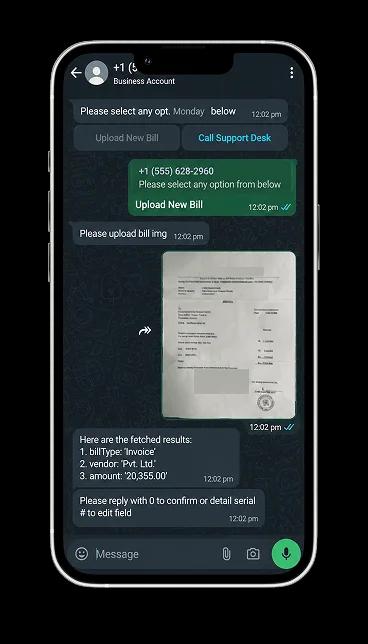
The Challenge: Domino's needed a faster, more convenient way for customers to place and manage orders directly through WhatsApp, while keeping the experience simple, connected, and easy to track.

How We Helped: We designed a WhatsApp-based ordering experience that lets customers browse, place orders, make secure payments, track deliveries in real time, and access loyalty rewards—all through a seamless conversational journey.

The Impact:

  • Faster and more convenient ordering
  • Seamless WhatsApp Chatbot experience
  • Secure and frictionless Payment integration
Domino's WhatsApp chatbot on a smartphone

Why Choose SpaceToTech as Your AI Chatbot Development Company in USA?

Chatbots are one part of what we build. We also deliver mobile app and custom software development for growing businesses, so your chatbot can sit inside a wider digital product when needed. Here is what working with us looks like:

Our team combines NLP, machine learning, and UX design to build chatbots with clear conversation flows, tested intents, and a defined handoff to a human when a question needs one.

SpaceToTech team collaborating on AI chatbot discovery
Clutch 5.0 rating

Recognized. Trusted. Preferred

Awards & Recognition

We are proud to be recognized by leading platforms and industry experts for our innovation, impact, and excellence

TopDevelopers

TopDevelopers

Top Mobile App Developers

Freelancer

Freelancer

Top Mobile App Developers

AppFutura

AppFutura

Top Mobile App Developers

GoodFirms

GoodFirms

Top Mobile App Development

Clutch

Clutch

Top Mobile App Developers

Excellence isn't claimed.It's recognized

These achievements reflect our commitment to
delivering world-class AI solutions that help
businesses grow and lead

Frequently Asked Questions

How much does AI chatbot development cost in the USA?
Our indicative range runs from $2,500 for a basic rule-based chatbot to $75,000+ for complex custom projects. The final figure depends on features, model choice, integrations, data, security, hosting, and support. Third-party API, cloud, LLM, and WhatsApp fees may be billed separately.
How long does it take to develop an AI chatbot?
A basic chatbot can take 2–4 weeks, and generative AI projects typically take 5–8 weeks. Enterprise builds often run 10–18 weeks, and complex custom projects can take 12–24+ weeks. Integrations, data readiness, and approval cycles all affect the timeline.
Should I choose a custom chatbot or an off-the-shelf tool?
Off-the-shelf tools suit simple, standard needs. A custom chatbot makes sense when you need your own workflows, brand voice, system integrations, or tighter control over data and responses. We can help you compare both before you commit to a scope.
Which AI models do you use: GPT, Gemini, or Claude?
We work with OpenAI GPT, Google Gemini, Claude, and Dialogflow. The right choice depends on your use case, response quality needs, data sensitivity, speed, and budget. We compare options during discovery and recommend the one that fits your project.
What platforms and business systems can your AI chatbots integrate with?
We can connect chatbots to websites, WhatsApp, Slack, and Microsoft Teams, plus CRMs such as Salesforce, HubSpot, and Zoho, Shopify or WooCommerce stores, ERP systems, payment gateways, databases, and APIs. Exact scope depends on the APIs and requirements involved.
What is the difference between an AI chatbot and an AI agent?
A chatbot answers questions or guides users through a set flow. An AI agent can also use tools and APIs to complete authorized, multi-step tasks, like updating a record or processing a request. We help you decide which level of automation your use case really needs.
Can your AI chatbots support multiple languages and voice?
Yes, depending on your requirements. We build multilingual chatbots and voice-enabled assistants for supported workflows. We agree on the languages and channels during discovery, then test them with realistic conversations before launch.
Do you provide chatbot maintenance after launch?
Yes. After launch, we can review conversation analytics, failed intents, and user feedback, then refine flows, knowledge content, prompts, or models as needed. Maintenance also covers monitoring and updates when connected APIs or models change.
How do you handle chatbot data security?
We use encryption and role-based access controls, and we design integration permissions for each project. If your project has HIPAA-sensitive requirements, we scope the architecture around them with your team during discovery.
Do you offer AI chatbot development services in the USA?
Yes. As an AI chatbot development company in USA, we build custom chatbots for US businesses and plan scope, channels, and data-handling requirements around your project. Discovery calls and updates can be scheduled to suit your working hours.

Still planning your chatbot rollout? and we'll walk through your use case.

Implement the idea — your chatbot roadmap starts with a focused discovery call.

Supporting Insights

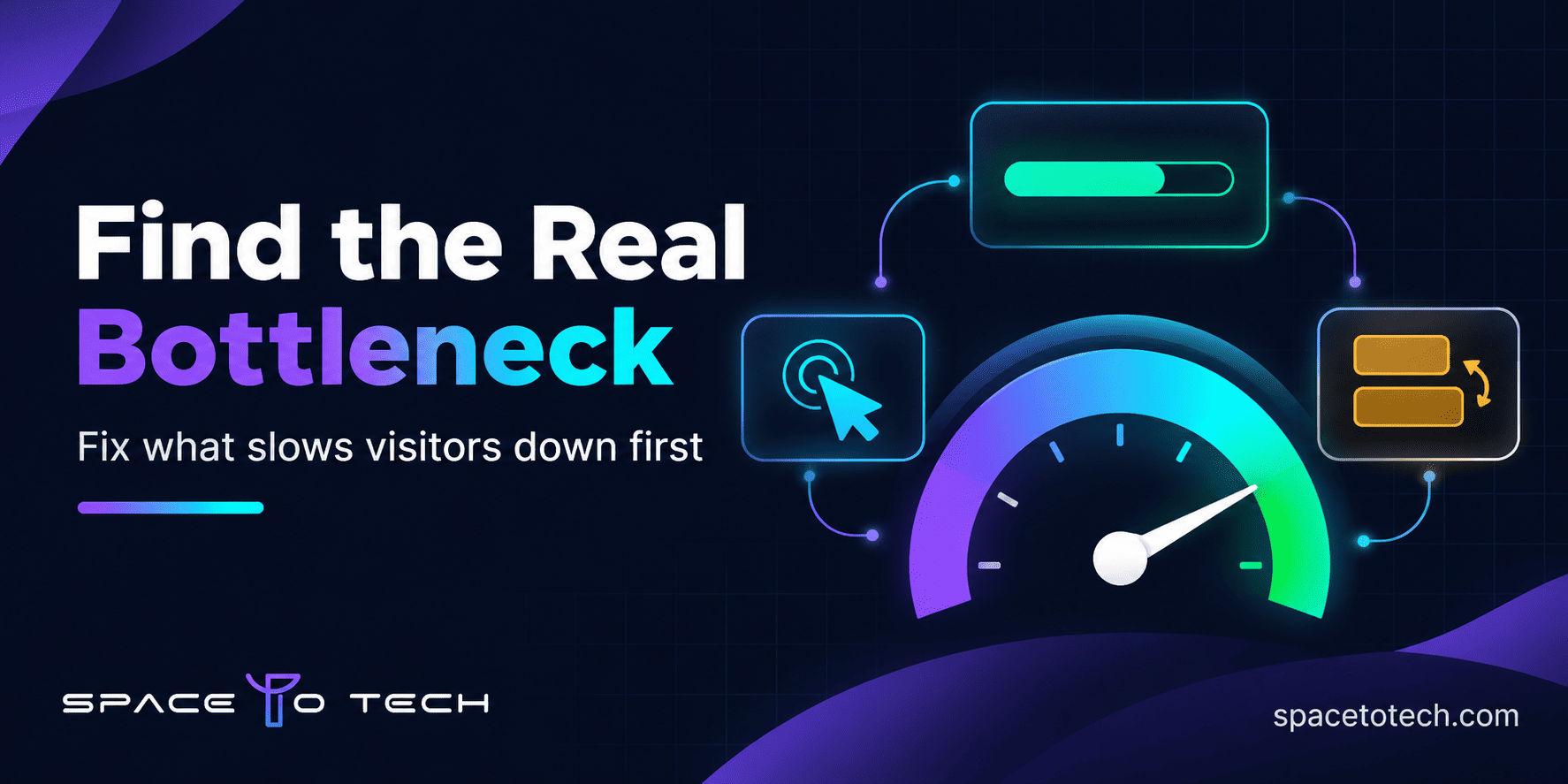
Dark navy graphic showing a website speed gauge, layout blocks and a prioritized fix checklist for website performance optimization
Blogs02/11/2026

Website Performance Optimization: What to Fix First on a Business Website

Most business websites do not have one big speed problem. They have five small ones, and the team ends up fixing the wrong one first. Someone compresses a few images, the PageSpeed score moves up by two points, and visitors still wait on the service page that actually brings in enquiries. Good website performance optimization starts with a different question. Instead of asking how to reach a perfect score, ask which delay costs you the most on the pages that matter. This guide gives you a practical order of work built around Google's three Core Web Vitals, so you spend developer time where it pays back. You will see what LCP, INP and CLS measure, how to check your own site, how to rank fixes by business value and effort, and when it makes sense to bring in outside help. None of it requires a redesign to get started. What Core Web Vitals Measure and What Counts as Good Core Web Vitals are three real-user measurements that describe page experience: how fast the main content appears, how quickly the page reacts and how stable the layout stays. Google publishes the targets in its Core Web Vitals documentation . A page is considered good only when all three metrics pass at the 75th percentile, which means at least three out of four visits meet the target. Mobile and desktop are assessed separately. Metric What it measures Good Needs improvement Poor LCP How long the largest visible element takes to load 2.5 s or less 2.5 to 4 s Over 4 s INP How quickly the page responds after a tap or click 200 ms or less 200 to 500 ms Over 500 ms CLS How much visible content moves unexpectedly 0.1 or less 0.1 to 0.25 Over 0.25 Largest Contentful Paint (LCP): how fast the main content loads LCP is the time it takes for the biggest element in view, usually a hero image or a large heading block, to render. On a business site this is typically the banner at the top of a service page. A slow LCP feels like staring at a blank screen. Interaction to Next Paint (INP): how responsive the page feels INP measures how long the page takes to visually respond after someone opens a menu, expands an accordion or presses a form button. It replaced First Input Delay as a Core Web Vital in March 2024, so any guide still talking about FID is out of date. Cumulative Layout Shift (CLS): why elements jump around CLS scores how much content moves while the page loads. It is the reason someone goes to tap one button and hits a banner that loaded late instead. Why Website Speed Optimization Matters for a Business Website A slow page rarely fails loudly. Visitors simply leave, forms go unfinished and the enquiry never reaches your inbox. Speed problems tend to sit exactly where money changes hands: a pricing page that takes four seconds to show its first image, a submit button that does nothing for half a second after a tap, a contact form that slides down the screen as the page finishes loading. Search is part of the picture, though a smaller part than many vendors suggest. Google uses Core Web Vitals as part of its page experience signals, but it also says that good scores do not guarantee top rankings. Treat SEO website speed as one benefit among several. Relevance and content quality still lead. What speed does is remove friction for people who already found you. That is why performance belongs in the plan from the first sprint. A web application development team that sets page weight and script budgets early avoids most of the rework described in the rest of this guide. How to Check Your Website Before You Change Anything Do not begin with a speed test on your homepage. Begin with the pages that earn enquiries: your top service pages, paid campaign landing pages, pricing and the contact page. Then use three sources in this order. Use Google Search Console to find affected URL groups The Core Web Vitals report in Search Console groups URLs by status and device using real Chrome user data. It tells you which groups are poor or need improvement and which metric is responsible. A group often points to a shared template, so one fix can clear dozens of pages at once. If your site has little traffic the report may be empty, and in that case you will lean on PageSpeed Insights and lab tests instead. Use PageSpeed Insights to test individual pages For page speed optimization at the single URL level, PageSpeed Insights shows real-user data when enough exists and a Lighthouse lab run with specific diagnostics beside it. Google explains how the two relate in its PageSpeed Insights documentation . Run each important page several times on mobile, since single runs vary. Understand field data versus lab data Lab data comes from a simulated device and network. It is repeatable but not real. Field data comes from real visits, but it is slower to change because it reflects a rolling 28 day window. That gap is why a page can look green in Lighthouse while Search Console still flags it. Use field data to decide what to fix and lab data to find out why. Website Performance Optimization: A Five Step Order of Work There is no universal order. "Always fix LCP first" works for some sites and wastes a month on others. A better way to improve website performance is to follow this sequence. Start with URL groups marked poor in field data, then rank them by how much the page matters to enquiries or sales. Identify the failing metric and the cause behind it, using the PageSpeed Insights diagnostics and Chrome DevTools. Check the scale. If the cause sits in a shared theme, template or script, fix it there once instead of page by page. Compare likely gain with effort and risk. A small change on a template used by forty pages beats a big change on one. Fix, retest in staging, deploy and watch field data until the status changes. The table below shows how the same logic plays out on common symptoms. Treat it as a starting point, because the same symptom can have different causes on different stacks. Symptom Look first at Priority Poor LCP on a key landing page Hero image size, server response time, render blocking CSS and JavaScript High, because the page earns enquiries Poor LCP across many templates Hosting, caching, shared theme assets High when important URLs are affected Poor INP on pages with forms, filters or menus Long JavaScript tasks, third party scripts, heavy event handlers High where visitors must interact Poor CLS across templates Missing image dimensions, late fonts, injected banners High, and often a cheap fix Poor results on mobile only Image sizes, script weight, responsive layout High if most traffic is mobile Low Lighthouse score, good field data Lab settings and test conditions Low until field data worsens Good vitals, weak conversions Form design, offer, copy, tracking Look beyond Core Web Vitals Who should do each fix Some fixes are content side. A marketer can resize images and remove an unused embed. Others need engineering: server caching, script bundling, refactoring a slow component. If your team lacks front end capacity, adding dedicated developers for a defined audit and fix sprint is usually faster than hiring. If you are weighing offshore options, our guide to outsourcing software development to India explains how engagement models differ in cost and control. How to Improve LCP: Images, Server Response and Render Blocking Code LCP is often the first metric people fix because the causes are visible. Check these in order. Resize and compress the hero image. Image optimization is the most common LCP win. Serve modern formats such as WebP or AVIF, and use responsive image sizes so a phone does not download a desktop banner. Never lazy load the main image. The element that counts as LCP should load early. Give it high priority and keep lazy loading for images further down the page. Cut server response time. If the first byte arrives late, nothing else can start. Look at hosting quality, server side caching and a content delivery network (CDN). Remove render blocking resources. Inline the small amount of CSS needed for the first screen, load the rest later and defer scripts that are not needed to paint the page. Load fonts sensibly. Preload the main font file and use a display setting that shows text immediately rather than waiting. How to Improve INP: JavaScript and Third Party Scripts INP problems almost always mean the browser is busy when someone taps. The usual causes are large JavaScript bundles, heavy click handlers, and a stack of third party tools such as tag managers, heatmaps, A/B testing scripts, consent banners and chat widgets. Break up long tasks so the browser can respond between chunks of work. Remove unused JavaScript and load code only on the pages that need it. Audit your tag manager. Old tags from past campaigns are a frequent source of delay. Load widgets late. A chat tool does not need to start before the page is usable. Chat is a good example. A live chat or AI chatbot development project adds a script to every page, so ask the team how the widget loads, whether it waits until the page is idle and whether it ships a large library of its own. One habit helps more than any technical trick: give every third party script a business owner. If nobody can explain why a script is on the site, it is a candidate for removal. How to Fix CLS: Images, Fonts and Late Content Layout shifts happen when the browser does not know how much space something needs. The common sources are images without dimensions, embeds and ads that load late, web fonts that swap in with different sizing, and banners injected above existing content. Set width and height or an aspect ratio on every image and video. Reserve space for embeds, cookie notices and promotional bars before they load. Match fallback fonts to the web font size so text does not reflow on swap. Animate with transforms instead of properties that move other content. Layout stability is partly a design decision. A UI/UX design process that defines fixed slots for banners, notices and embedded content prevents most shifts before a developer writes any CSS. Mobile Page Speed Optimization Mobile results often look worse than desktop because phones have slower processors and less stable connections. Google assesses each device group separately, so a site can pass on desktop and fail on mobile. If mobile visitors bring most of your traffic, mobile page speed optimization comes first. Test on a throttled mid-range device profile, not only on a fast laptop. Serve smaller images with responsive sizes. Check that desktop sliders and videos hidden with CSS are not still downloading on phones. Tap every menu, filter and button yourself and note any pause. To improve mobile website speed, start with the heaviest template people reach from a phone, which is usually a service or product page. A Note on WordPress, Shopify and Other Platforms The order of work stays the same on any platform, but the fixes differ. On WordPress, plugin count, theme weight and caching setup decide most outcomes. On Shopify, installed apps and theme scripts usually matter most. On custom builds, bundling and server response lead. Treat this guide as the framework and the platform as the place where you apply it. How to Validate and Monitor Your Fixes Record a baseline. Save field and lab results for each key template, on mobile and desktop, with the date. Define acceptance. For example: LCP at 2.5 seconds or less at the 75th percentile on mobile for the pricing template. Retest in staging. Run several lab tests after each change set and keep a log of what changed. Monitor field data after release. Because Search Console reflects a rolling window, expect weeks, not days, before a status changes. Keep checking. New plugins, tags, theme updates and content can undo good work, so retest after every significant release. Common Website Performance Optimization Mistakes Chasing a perfect score. A 100 in a lab test is not the goal. Passing the thresholds on real visits for pages that matter is. Fixing everything without ranking it. Twenty small changes with no order burn budget and hide which one worked. Redesigning before diagnosing. Many sites pass after targeted fixes. A redesign can bring the same problems back. Leaving scripts unowned. Tools added for one campaign stay for years and slow every page. Hiring without checking performance experience. When you shortlist a vendor, ask to see field data from sites they have shipped, not only design samples. If you need a process for that, here is how to choose a web development company on evidence. When to Bring in Professional Help Handle the content side yourself and bring in engineers when field data stays poor after image and caching fixes, when INP traces back to framework code, when a template change risks breaking other pages, or when you have no staging environment to test safely. At that point compare the top web development companies on evidence: audit method, field data from past projects and how clearly they communicate. If budget and time zone flexibility matter to you, look at web development companies in India and ask the same questions. SpaceToTech is a custom software development company based in Noida with clients across the US, UK, UAE, Australia and India. Our reviews begin with field data and end with a measured before and after, so you know whether a fix worked. Website performance optimization pays off when it is done in order: measure, rank, fix, retest. Do that on the pages that bring in business and the scores follow.

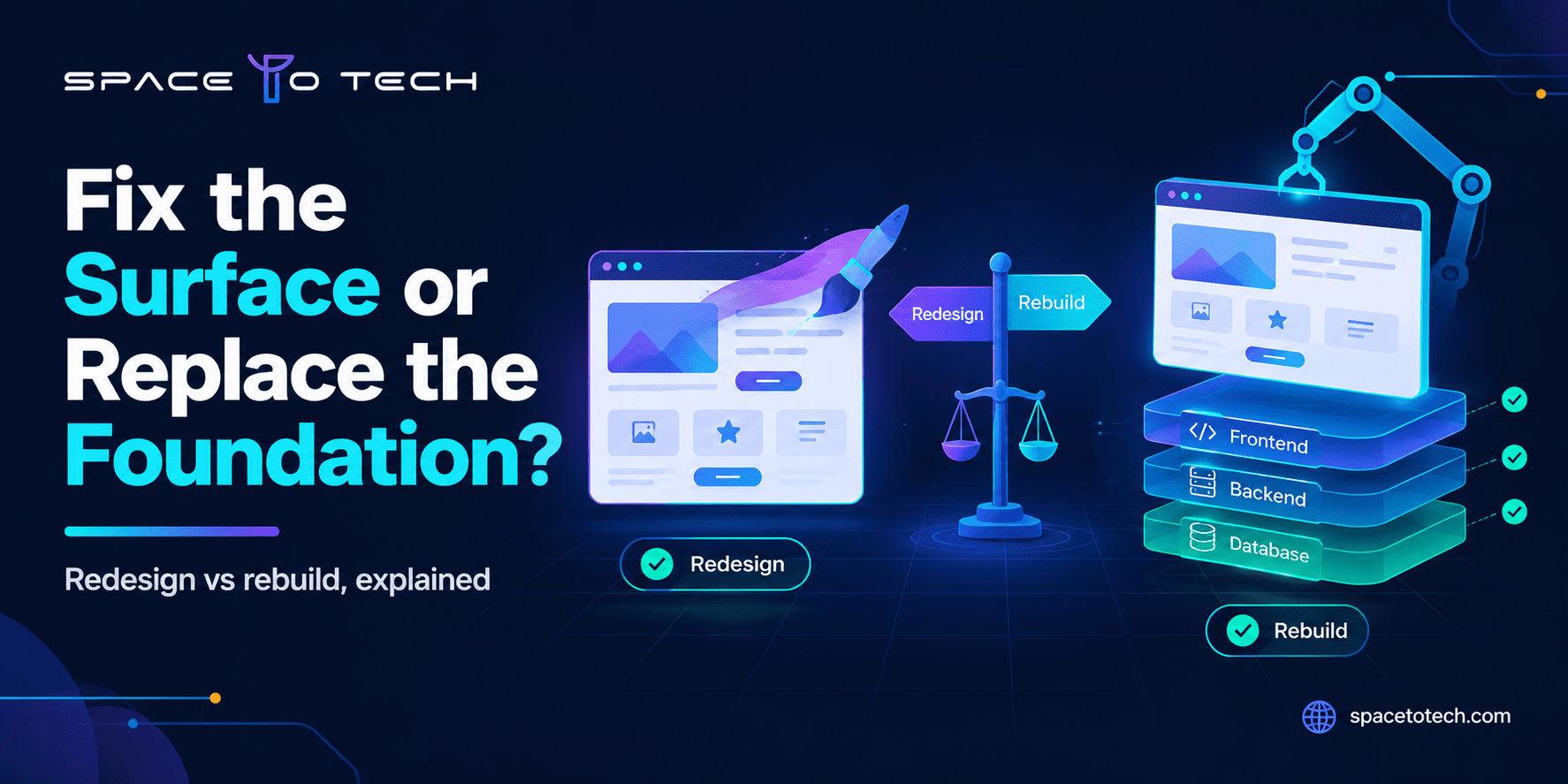
Illustration comparing a website redesign with a website rebuild, showing a refreshed interface layer above a replaceable code foundation
Blogs30/10/2026

Website Redesign vs Rebuild: How to Decide What Your Business Actually Needs

Your website is slow, the leads have dried up, and every small edit turns into a ticket. One person on the team says it just needs a fresh look. Another says it is time to start over. That disagreement is the heart of the website redesign vs rebuild question, and it gets much easier once you know where the problem actually lives. A redesign changes how the site looks, reads and guides people. A rebuild replaces what the site runs on: the code, the CMS, the database structure. Choose wrong and you either pay for polish on a shaky base or tear down a foundation that was perfectly fine. This article shows you how to diagnose the issue, compare cost and timelines, protect your search traffic and decide with a score instead of a hunch. What Is the Difference Between a Website Redesign and a Rebuild? A website redesign improves the front of the house. Layout, navigation, copy, visual style and user flows change, while the platform, hosting and core code stay in place. A website rebuild changes the structure behind it. The codebase, CMS, database or hosting stack gets replaced, and the design is usually rebuilt on top of the new base. The two overlap, which is why quotes get confusing. A redesign can touch templates and front-end code, and a rebuild often arrives with a new look. What separates them is the foundation. If the foundation stays, you are redesigning. If it goes, you are rebuilding. What a website redesign includes A redesign usually covers a refreshed visual identity, clearer navigation, rewritten or reorganized pages, stronger calls to action and better mobile layouts. The work sits closer to design and content strategy than to engineering, which is why many teams bring in UI/UX design services before anyone touches a template. Most redesigns keep the existing CMS and URL structure, so the SEO risk stays manageable. What a website rebuild includes A rebuild starts at the technical layer. That can mean moving from an aging custom build to a modern framework, replacing a CMS your team has outgrown, or restructuring the database so new features stop being painful. If you are unsure whether the next version should run on custom code or a CMS , settle that first, because it shapes cost, speed and who can edit content afterward. Rebuilds take longer and cost more, but they remove limits that no amount of redesign can touch. Redesign vs rebuild vs replatforming Replatforming is the middle case. You move the same content and a similar design onto a different platform, for example from an older CMS to a headless setup. Think of it as a rebuild where the design stays mostly intact. Three labels mean three different quotes, so make sure every proposal says which one it is pricing. When Should You Redesign Your Website? A redesign is the right call when the engine runs fine and the bodywork is what customers complain about. If the points below describe your site, you probably do not need to tear anything down. Your design and user experience feel dated Pages load without trouble, but visitors leave quickly. The layout feels cramped on phones, the brand has changed since launch, or forms look like they belong to a different decade. These are surface problems, and a redesign solves them at a fraction of rebuild cost. Your navigation and content no longer match what buyers need You added services, dropped others and kept stacking pages onto the menu. Now people cannot find the page that sells. Reorganizing the structure, rewriting key pages and sharpening calls to action usually lifts conversions more than any new technology. Your current platform still does its job Updates ship, security patches arrive, integrations work and editors publish without calling a developer. When all of that holds, rebuilding is expensive overkill. Redesign what visitors see and keep what works. When Should You Rebuild Your Website? A rebuild earns its price when the limits sit in the technology itself, not in the look. Three signs show up again and again. Your current technology blocks what the business needs next You want customer accounts, online booking, payments or a pricing calculator, and the platform only bends through stacks of plugins that fight each other. If what you need looks more like a logged-in product than a brochure, compare a website or a web application before you spend on a redesign. Once the requirement is a real product, teams that deliver custom web application development every week can scope it far more accurately than a design agency can. Technical debt makes every change slow and risky A simple text edit takes a week. Only one developer understands the code. A fix on one page breaks another. That is technical debt, and a new coat of paint does nothing for it. When maintenance eats the budget you would rather spend on growth, a rebuild pays for itself over time. Performance, security or integration needs go deeper than surface fixes Unsupported software versions, plugins that no longer get patches and speed problems rooted in how pages are generated all point downward. Run your site through a website security checklist . If the basics fail because the platform cannot support them, repairing the surface is wasted effort. Website Redesign vs Rebuild: Decision Matrix and Self-Check Start with the matrix. Find the row that sounds most like your site.  What you see  Likely path  Cost impact  Timeline  Main risk Dated look, healthy platform, mostly good content  Visual refresh  Lowest  2 to 4 weeks  Polish that hides structural problems  Confusing navigation, weak conversion, healthy platform  Structural redesign  Moderate  6 to 10 weeks  URL and content changes hurting rankings  Unsupported platform, constant breakage, slow to change  Full rebuild  High  10 to 20 weeks  Migration errors and scope growth  Design works, platform limits growth  Replatforming  Moderate to high  8 to 16 weeks  Broken redirects and data loss  Both problems, limited budget  Phased approach  Spread over quarters  Rolling  Scope drift between phases Now score your site. Answer yes or no to each question. Redesign signals The site works technically but looks outdated. Visitors struggle to find key pages even though pages load quickly. Your brand, offer or audience has changed since launch. Editors can publish and update without developer help. Security updates and integrations still work without workarounds. Rebuild signals The platform or framework is unsupported or close to end of life. Small changes routinely take days because the code is fragile. Planned features are impossible or very hard on the current platform. Speed or security problems trace back to the code, not the content. Only one person or vendor is able to maintain the site. If your yes answers cluster in the first group, redesign. If they cluster in the second, rebuild. If both groups score three or more, treat it as a phased project rather than forcing one answer. Website Redesign vs Rebuild Cost Cost depends on scope far more than on the word you choose. Published estimates run from a couple of thousand dollars for a basic refresh to well over a hundred thousand for enterprise rebuilds, and they are hard to compare because each vendor defines a redesign differently. Use the bands below as planning numbers for a small to mid-size business site, not as quotes.  Project type  Typical scope  Indicative budget (USD)  Timeline  Visual refresh  New styling on existing templates  $2,000 to $6,000  2 to 4 weeks  Structural redesign  New layouts, navigation and content on the same platform  $6,000 to $20,000  6 to 10 weeks  Full rebuild  New platform or codebase with content and data migration  $12,000 to $45,000  10 to 20 weeks  Rebuild with portals or integrations  User accounts, CRM, payments, custom features  $40,000 to $100,000+  16 to 30 weeks Page count moves these numbers quickly. If your site runs to dozens of pages, our breakdown of multi-page website cost shows how templates and page volume change the budget. Factors affecting redesign cost The number of unique page templates matters most, followed by how much copy needs rewriting, whether user research is included, and how many brand assets must be created. Accessibility fixes add effort too, though they are cheaper to build in than to bolt on later. Factors affecting rebuild cost Platform choice, the quality of the existing code, data migration, integrations and custom functionality drive the total. Integrations and data transfer are the line items most often underestimated, so ask every vendor to price them separately. Hidden costs, migration and ongoing maintenance Content cleanup, redirect mapping, regression testing and post-launch fixes rarely appear in the first quote. Hosting, licenses and updates continue after launch. A site that goes live without a care plan starts aging on day one, so budget for website maintenance cost from the beginning. Then compare three-year cost, not launch cost. A cheap redesign on a crumbling platform often gets repeated two years later. How to Plan a Website Redesign or Rebuild The website redesign process and the rebuild process share the same backbone. Rebuilds simply spend more time on the technical steps. Audit the existing website List every page with its traffic, rankings, backlinks and conversions. Add a technical review covering speed, security, code quality and plugin health. Mark each page as keep, improve, merge or remove. This audit is what turns the self-check score into a scoped plan. Define requirements and scope Write down goals, audiences, must-have features and success metrics. A written web development project brief keeps every vendor quoting the same thing and stops scope from drifting once work begins. Plan UX, content and technical changes Wireframe the key journeys, plan the content model and choose the stack. If the stack is still open, our overview of the technologies top web development companies use helps you ask better questions before you accept a recommendation. Develop, test and launch Build on a staging site and test forms, browsers, devices, speed and accessibility. Run the redirect map through a bulk test and agree a rollback plan before launch day. A good launch is boring because the surprises were found earlier. Measure results and maintain the website Compare traffic, rankings and conversions with your baseline at two, four and eight weeks. Schedule updates, backups and monitoring so the new site does not drift back into the state you just paid to fix. Timelines depend on content readiness, approval speed and integrations more than on coding. Late copy and slow feedback stretch schedules faster than any technical hurdle. How to Protect SEO During a Website Redesign or Rebuild Search traffic is the asset most often damaged at relaunch, and the damage is usually avoidable. Google's own site move guidance recommends preparing a URL map, setting up server-side redirects and monitoring traffic on both old and new URLs afterward. It also notes that permanent redirects do not cause a loss in PageRank and advises keeping them in place for at least a year. Audit existing URLs and organic performance Export pages from analytics and Search Console. Record which URLs earn clicks, rankings, backlinks and leads. These are the pages you protect first, and the numbers become the baseline you judge the launch against. Map redirects and preserve valuable content Redirect each old URL to its closest new equivalent with a single 301, not a chain. Keep titles, headings, structured data and internal links on pages that already rank. Update internal links to the new URLs instead of relying on redirects forever. Keep URLs stable unless a change has a clear reason, since AI answers and backlinks both point to specific addresses. Test crawling, indexing and tracking after launch Remove staging blocks, confirm robots rules, submit the new sitemap and check canonical tags. Verify that analytics fire on every template. Then watch crawl errors and index coverage for several weeks. Speed belongs on the checklist too. The thresholds in Core Web Vitals are a largest contentful paint under 2.5 seconds, an interaction to next paint under 200 milliseconds and a cumulative layout shift under 0.1. Can You Redesign and Rebuild a Website in Phases? Yes, and for many teams it is the safest route. In the first phase, fix what costs you leads today: key landing pages, navigation, forms and speed. In the second, replace the weakest technical components, such as hosting, checkout or the CMS. In the third, extend the product with new features. Each phase ships on its own, so you see results early, and a mistake costs one phase instead of the whole project. Phasing only works with guardrails. Freeze the URL structure unless there is a strong reason to change it, keep one shared backlog, and review results before approving the next phase. Without those rules, a phased project turns into three half-finished ones. How to Choose the Right Web Development Partner Ask for an audit before a quote. A partner who prices a rebuild without looking at your current site is guessing. Look for a clear scope, a written migration plan, named QA steps, code and account ownership on your side, and support terms after launch. If you are comparing proposals, our guide on how to choose a web development company explains how to score them side by side. SpaceToTech is a custom web and software development company working with teams in the US, UK, UAE, Australia and India. Whether the audit points to a redesign, a rebuild or a phased plan, we put the recommendation in writing with the reasoning behind it. If you want a second opinion on your current site, you can ask for a project assessment and compare it with what other vendors tell you.

Hire Dedicated App Developers in India
Blogs30/10/2026

How to Hire Dedicated App Developers in India for Your Startup

Building a mobile app is a major investment for a startup. You need more than someone who can write code: you need people who understand the product, make sensible technical decisions, communicate clearly and help you improve the app after launch. For many founders, hiring dedicated app developers in India is one way to access experienced engineering talent while keeping the team structure flexible. The right hiring decision depends on your product stage, technical requirements, budget and ability to manage development. A solo developer may be enough for a prototype, while a production-ready app may require mobile, backend, design, QA and DevOps expertise. This guide explains how dedicated developers work, what skills to assess, how to compare providers and how to plan the cost before signing an agreement. Why Should Startups Hire Dedicated App Developers in India? India is a major technology-services market with a broad pool of software engineers and companies working across mobile, web, cloud and emerging technologies. For a startup, the practical advantage is access to different skill sets without necessarily building a permanent in-house department from the beginning. However, the best reason to hire in India should be capability and delivery fit—not a belief that every Indian provider will automatically be cheaper or better. A dedicated engagement can help founders bring in developers who focus on one product, attend sprint meetings and work against an agreed backlog. It can be useful when the roadmap is evolving, when the startup needs to validate an MVP, or when an existing team needs additional mobile engineering capacity. The model can also reduce the recruitment and administration workload when the provider manages sourcing, payroll and resource continuity. Consider a startup building a booking platform. It may need a Flutter engineer for the mobile experience, a backend developer for availability and payments, and a QA specialist to test booking edge cases. Instead of recruiting every role permanently before the product has traction, the founder can begin with a lean team and adjust capacity as priorities become clearer. The trade-off is that the startup must still provide product direction, timely decisions and access to stakeholders. What Are Dedicated Mobile App Developers and How Do They Work? Dedicated mobile app developers are engineers assigned to work on a client's product for an agreed period and capacity. They may be employed by a development partner, but they work within the client's product priorities, tools and communication routines. Depending on the agreement, the client may manage day-to-day tasks directly while the provider handles recruitment, payroll, equipment, leave administration and replacement support. A typical engagement begins with a discovery discussion. The client explains the product, target users, platforms, existing systems and expected outcomes. The provider proposes developer profiles, a team structure and a commercial model. Once the people are selected and access is arranged, the team joins planning meetings, estimates tasks, develops features, reviews code, tests releases and demonstrates progress. The model is different from a fixed-price project. In a fixed-scope engagement, the provider is usually responsible for delivering an agreed set of outputs against milestones. In a dedicated model, the client generally pays for agreed capacity over time and can reprioritise work within the engagement. It is also different from hiring a freelancer: a provider may offer continuity, backup resources and access to complementary specialists. These benefits should be confirmed contractually rather than assumed. A healthy arrangement defines who owns the backlog, who approves releases, who reviews code, how performance is measured and how a developer can be replaced. Agree on working-hour overlap, communication channels, sprint length and escalation paths before the first sprint begins. What Are the Benefits of Hiring Dedicated App Developers for Startups? The first benefit is flexible capacity. Startups rarely have a perfectly stable roadmap. A team may need more backend support before an integration, additional QA before launch, or a designer during a major user-experience update. A dedicated arrangement can make it easier to add or reduce capacity, provided the contract includes clear notice periods and minimum commitments. The second benefit is continuity. Developers who remain involved over multiple releases build knowledge of the codebase, product decisions and customer feedback. This can reduce repeated explanations and make maintenance more efficient. Continuity matters particularly in apps with complex workflows, payment logic, third-party integrations or industry-specific requirements. The third benefit is access to a wider delivery skill set. A startup may not need a full-time QA engineer or DevOps specialist from day one, but it still needs testing and reliable deployment practices. A development partner can make specialist support available when the product requires it. Founders also retain the ability to review working software and reprioritise the backlog during regular sprint demonstrations. These benefits are not automatic. A dedicated team can become expensive if the product owner cannot provide decisions or a prioritised backlog. It can also underperform if the provider rotates people frequently or hides the actual engineers behind account management. Ask to meet the assigned team and define measurable expectations before committing. What Skills Should You Look for in Dedicated App Developers in India? Start with the platform strategy. For native iOS development , look for practical Swift and Apple-platform experience. For Android, assess Kotlin, Android architecture and device compatibility. If a shared codebase is appropriate, evaluate Flutter or React Native experience. The choice should follow product requirements: performance, device features, accessibility, team capability, release plans and long-term maintenance—not simply which framework has the lowest quote. Mobile skills alone are not enough for most production apps. Developers should understand API integration, authentication, data storage, error handling, app state, offline behaviour and secure communication with backend services. Ask how they would handle slow networks, token expiry, duplicate payment requests or interrupted uploads. These scenarios reveal whether a candidate thinks beyond the happy path. Quality and security should be part of the evaluation. Look for unit and integration testing, code reviews, automated build pipelines, crash reporting, dependency management and secure handling of credentials. Depending on the product, you may also need knowledge of encryption, role-based access, privacy requirements, audit logs and secure payment integrations. Ask candidates to explain a production issue they diagnosed and how they prevented it from recurring. Finally, assess communication and product thinking. A strong developer explains trade-offs in plain language, flags risks early, documents decisions and asks questions when requirements are unclear. Use a structured interview scorecard covering technical depth, problem-solving, code quality, communication, ownership and relevant domain experience. A short, paid, time-boxed exercise based on realistic work can be more informative than an abstract puzzle. How to Hire Dedicated App Developers in India: Step-by-Step Process 1. Define the product and the first release Write down the user problem, target audience, core user journeys and the smallest useful release. Separate must-have features from later enhancements. Include platform requirements, integrations, data sensitivity, expected user volume and measurable outcomes such as activation or successful transactions. 2. Decide the hiring model and team shape Choose between a direct employee, freelancer, staff augmentation, dedicated team or fixed-scope project. Decide whether you need one mobile engineer or a cross-functional group. A startup with an internal CTO may prefer individual augmentation; a founder without technical leadership may need a delivery lead and a more complete team. 3. Create a shortlist based on evidence Review relevant apps, live product links, case studies and references. Ask which work was completed by the proposed developers rather than assuming every portfolio project represents the same team. Check whether the provider has experience with your platform, integrations and industry constraints. 4. Interview the actual developers Meet the people who will do the work. Ask them to walk through an app architecture, explain a technical decision and discuss a production problem. Include a communication exercise: give a short product requirement and ask the candidate to identify assumptions, risks and clarifying questions. 5. Agree commercial, legal and delivery terms Document rates, working capacity, invoicing, leave coverage, replacement process, minimum term, notice period and change management. Include confidentiality, IP assignment, source-code ownership, repository access, data handling, subcontracting and termination obligations. Have qualified legal counsel review the agreement where appropriate. 6. Onboard and review the first sprint Give the team access to the issue tracker, repository, design files, documentation and test environments using least-privilege permissions. Agree sprint goals, definition of done, review cadence and release process. At the end of the first sprint, evaluate working software, code quality, communication and whether estimates were transparent. A practical hiring process should finish with a clear first milestone, not merely a signed contract. If the team cannot explain what it will demonstrate in the first two weeks, clarify scope and ownership before development starts. How to Choose App Developers for a Startup: Key Factors to Consider Compare providers against evidence rather than presentation quality. Relevant startup experience matters because early products involve uncertainty, changing priorities and incomplete requirements. Ask how the team handled scope changes, technical debt and user feedback in previous engagements. A company that only delivers fixed specifications may not be the right fit for a product that is still discovering its market. Review the portfolio in detail. Look for live applications, app-store presence where applicable, product complexity and the provider's exact contribution. Ask for a reference from a client with a similar project size. If a case study reports a business result, ask how it was measured and what the development team specifically influenced. Communication is a delivery capability. Confirm whether you can speak directly with engineers, how often you will see working software, which project tools are used and how blockers are escalated. Ask who will lead the technical work and whether that person will remain involved. A polished sales call is not a substitute for meeting the people assigned to your product. Finally, assess operational safeguards: secure development practices, access controls, backups, documentation, code ownership, transition support and post-launch maintenance. The contract should state that your organisation receives the agreed intellectual property and source code, and that access to cloud accounts, app-store accounts and repositories is controlled appropriately. What Is the Cost to Hire App Developers in India? There is no single reliable price for hiring app developers in India . Cost depends on experience, platform, specialist skills, engagement type, team composition, delivery responsibility and contract length. A direct employee's salary is not the same as the amount a client pays a development company: a vendor rate may also cover recruitment, administration, infrastructure, management, bench risk and business overhead. As one transparent salary reference, Adecco's India Salary Guide 2026 lists mobile app developer annual salary bands that vary by experience. Its published ranges include approximately ₹6–12 lakh for 0–3 years, ₹12–25 lakh for 3–7 years, ₹25–40 lakh for 7–10 years, and ₹40–60 lakh for 10–15 years. These are salary-guide figures, not guaranteed salaries, hourly freelance prices or agency quotations. Actual compensation varies by city, company type, skills and candidate. Cost factor What changes the price What to ask Experience and role Senior architecture or specialist capability generally costs more than routine implementation Which seniority is assigned, and who reviews the work? Technology and complexity Native features, real-time systems, AI, cloud and complex integrations may require specialist skills. Which technical requirements drive the estimate? Engagement model Direct hire, freelancer, dedicated resource and full delivery team include different responsibilities. What is included in the quoted rate? Team composition Design, QA, backend, DevOps and project leadership add capacity but reduce role gaps. Which roles are included and at what allocation? Ongoing operations Hosting, monitoring, maintenance, licences and support continue after launch. What recurring costs sit outside development? For a realistic budget, estimate the work by phase: discovery, UX/UI, development, testing, deployment and post-launch support. Add cloud infrastructure, third-party services, app-store accounts, analytics, security reviews and a contingency for unknowns. Ask providers to separate one-time setup costs from recurring charges and to state how change requests are priced. Do not select a provider solely because its quote is the lowest. An estimate that excludes testing, documentation or deployment can look attractive but create expensive rework. Compare the total cost of ownership and the likelihood that the team can maintain the product after launch. Should You Hire Individual Developers or a Dedicated App Development Team in India? An individual developer can be a sensible choice when the task is narrow, the architecture already exists, and your organisation has someone who can review code and manage delivery. Examples include adding a small feature, fixing a defined defect or extending an established app where design, backend and QA support are already available. A dedicated team is often more appropriate when the startup is building a new product or handling several connected workstreams. A lean MVP team might include a mobile developer, backend developer, UI/UX designer and part-time QA engineer, with a technical lead overseeing architecture and code quality. The exact structure should follow the feature set and risk profile; not every startup needs every role full-time. Consideration Individual developer Dedicated team Best fit Scope Narrow or clearly defined Multiple connected workstreams Team for product build Management Client manages closely Shared delivery structure Depends on internal leadership Coverage One skill set Mobile, backend, QA, design, lead Team for cross-functional needs Continuity risk Single-person dependency Can include backup and role coverage Check contract and named staffing Cost shape Lower initial commitment Higher monthly capacity Compare total delivery cost A staged approach can control risk: begin with a short discovery phase, build a lean MVP pod, review adoption and technical performance, then expand the team when the product has evidence of demand. Avoid hiring a large team before the startup has a prioritised backlog and a decision-maker available. Where Can You Find the Top App Developers in India for Your Startup? Start with specialist mobile app development companies when you need a coordinated team, delivery process and access to multiple disciplines. Ask for the proposed team structure, named technical lead, relevant work samples and a clear explanation of how delivery is managed. A provider's website is a starting point, not proof of capability. Founder referrals and professional networks can surface providers with a track record that is not obvious from search results. Ask peers who have completed a similar product what went well, what they would change and whether the same engineers remained involved. Verify references directly and ask about communication, estimation accuracy and post-launch support. Freelance marketplaces can work for specific tasks or short engagements, but the startup must check identity, availability, portfolio ownership, client references and backup arrangements. Review and comparison platforms such as Clutch and GoodFirms can help build an initial shortlist. Treat ratings as discovery signals; validate the work, team and claims independently. The phrase ' top app developers in India ' should not be treated as a universal ranking. The right provider is the one whose experience, team, delivery model and commercial terms fit your product. Shortlist a few candidates, give each the same brief and compare their questions and proposed approach—not just their final price. Top Mobile App Development Companies: What Should Startups Compare? Use a consistent scorecard so every company is evaluated on the same criteria. Start with portfolio relevance: has the company delivered products with comparable workflows, integrations, performance demands or regulatory requirements? Ask for a live demonstration and a reference, and identify the people who actually built the product. Next, compare engineering and delivery practices. A credible team should be able to explain architecture choices, code review, automated testing, release management, security and maintenance. Ask how often it demonstrates working software and how it handles a feature that turns out to be more complex than expected. Look for clear documentation and realistic risk communication. Compare pricing on an equal basis. One proposal may include QA and project management while another quotes only developer hours. Check minimum commitment, overtime, leave coverage, replacement terms, ramp-up and ramp-down, third-party costs and support after launch. A transparent proposal should make assumptions visible. Finally, meet the actual team. Confirm who owns technical decisions, who will communicate daily and whether the proposed developers are available for your timeline. Ensure the agreement defines intellectual property transfer, repository access, data handling, subcontracting and exit assistance. These details are as important as the framework or hourly rate. Common Mistakes to Avoid When Hiring App Developers for Your Startup The most common mistake is choosing only on price. A very low quote may reflect limited senior oversight, no dedicated QA, unrealistic delivery assumptions or important exclusions. Ask providers to explain the team composition and the assumptions behind the estimate. Compare the cost of a complete, maintainable release rather than the cost of the first coding month. Another mistake is beginning without a clear product goal. A long feature list is not a strategy. Define the user problem, priority journeys, acceptance criteria and the person who can make product decisions. Without a prioritised backlog, even capable developers can spend time building features that do not validate the business idea. Do not skip technical and reference checks. A polished portfolio may not represent the assigned team, and a technically strong developer may still be a poor fit if communication is unreliable. Interview the actual people, inspect relevant code or architecture where possible, and speak with previous clients. Finally, do not leave IP, documentation and exit arrangements until the relationship becomes difficult. Ensure your organisation controls its repositories and production accounts, receives documentation and credentials through secure processes, and has a defined transition plan. Confirm how data is returned or deleted when the engagement ends. Conclusion: How to Hire the Right Dedicated App Developers for Your Startup Hiring the right dedicated app developers in India starts with understanding what your startup needs now and what it may need next. Define the MVP, select the right engagement model, assess the actual developers, compare providers using evidence and plan for the full cost of building and maintaining the app. The best decision is not always the biggest team or the lowest quote; it is the arrangement that gives your product the right skills, continuity and accountability. Before you sign, make sure the scope, sprint process, communication, security responsibilities, IP ownership and exit terms are clear. Start with a focused first phase and review working software early. If you are evaluating a development partner, SpaceToTech can discuss your product goals, required skills and suitable engagement model so you can make an informed decision before committing to a build.


We Build Digital Products That Drive Real Growth

From idea to launch, we help startups and enterprises build scalable apps, AI solutions & custom software.

View Our Work
Trusted byGlobal Clients

150+Projects Delivered

OngoingSupport
UAE

UAE

USA

USA

INDIA

INDIA

Book a Free Consultation

Your information is safe with us.