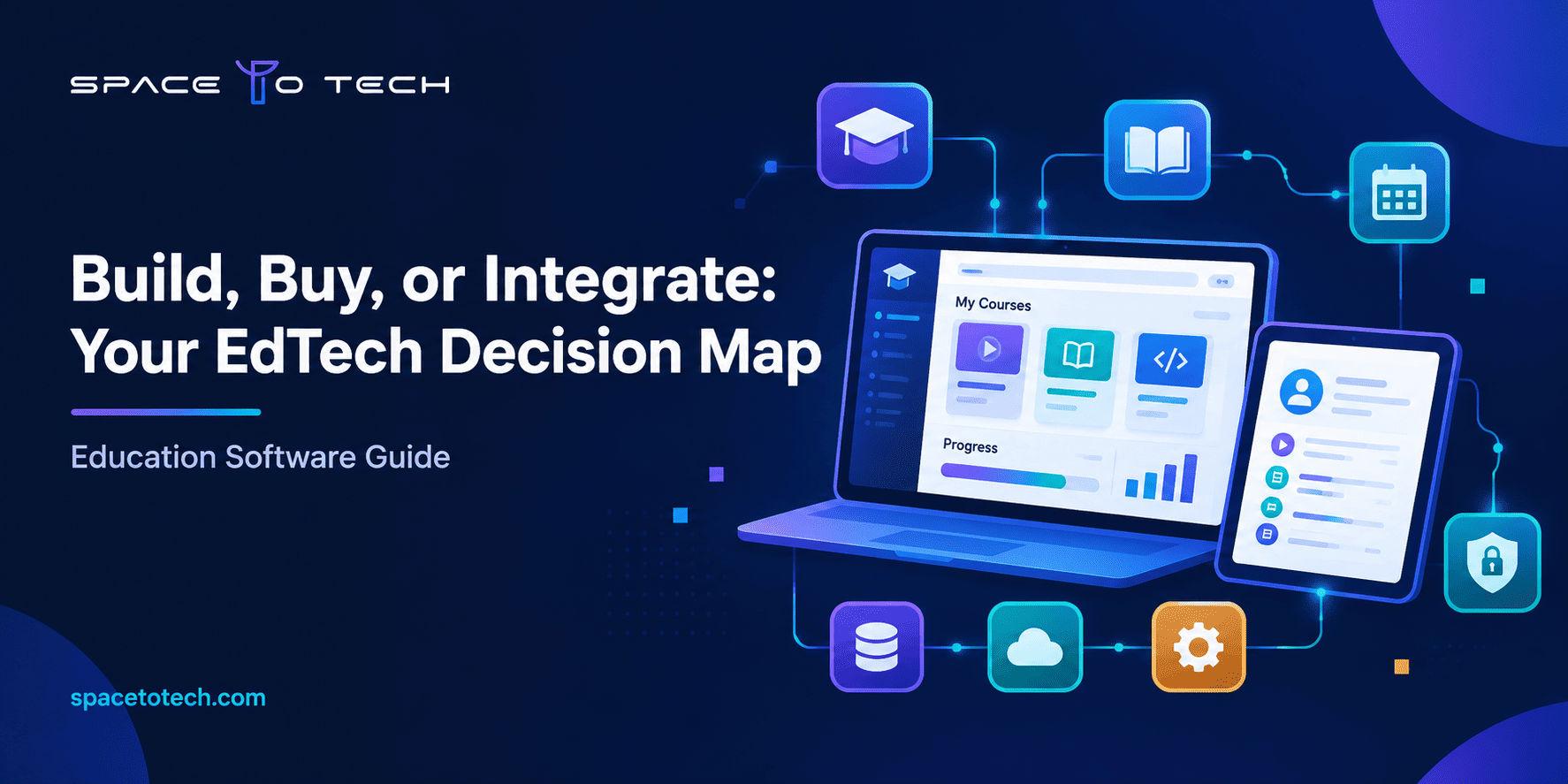
Educational software development is the process of planning, designing, building, and maintaining software that supports teaching, learning, or the administration of an education business. The right solution depends on who will use it, which problem it must solve, and which systems it has to connect with. This guide helps schools, colleges, training providers, and EdTech founders compare system types, choose features, plan a budget, and decide between buying, customizing, or building. If you are weighing a tailored platform, our custom software development services team can help you test the idea before you commit.
What Is Educational Software Development?
In plain terms, it is custom or configured software work for the education sector. That can mean a new learning platform for an online academy, a student records system for a college, or an exam portal for a coaching institute. The software might face students, teachers, parents, administrators, or all four.
The term sits close to EdTech software development, which usually refers to building products that an education company sells to others. Education software development for an institution is often an internal tool. The technical work overlaps, but the business goals differ, so the requirements differ too.
How education software supports learning and administration
Education software does two jobs. On the learning side, it delivers content, runs assessments, tracks progress, and keeps learners engaged. On the administration side, it handles admissions, enrollment, attendance, fee collection, timetables, and reporting. Many organizations need both, and the real challenge is getting these two sides to share data cleanly.
Who needs custom education software?
The usual buyers are:
- EdTech founders building a new learning product for a specific audience.
- Schools and school groups that want one system across several campuses.
- Colleges and universities that need to connect admissions, academics, and finance.
- Training companies and corporate learning teams that track skills and certifications.
- Coaching and test-prep businesses that run frequent assessments at scale.
If your workflows are close to the market norm, you may not need anything custom. If they are not, custom software development is worth a serious look.
When does an organization outgrow off-the-shelf software?
There are a few warning signs. Staff keep exporting data to spreadsheets to fill gaps. You pay for modules you never use while the one feature you need does not exist. Two systems cannot exchange student data without manual work. Or your learning model, such as cohort-based batches or a custom grading scheme, does not fit the product’s assumptions. When these problems become daily friction, a tailored build starts to make financial sense.
Types of Educational Software and Their Uses
Before you scope anything, get clear on which category you are actually buying or building. The names overlap in marketing material, but the purposes are different.
| Software type | Main purpose | Typical users | When it makes sense |
| Learning management system (LMS) | Deliver courses, assignments, and grades | Teachers, students, trainers | You run structured courses and need progress tracking |
| Student information system (SIS) | Store student records, enrollment, attendance, and results | Administrators, registrars, parents | You manage admissions and official records |
| School or college ERP | Combine academics, fees, HR, transport, and reports | School and college management | You want one system across departments |
| eLearning or online course platform | Sell and deliver paid courses online | Learners, instructors, course creators | Your business model is online education |
| Virtual classroom | Live teaching with chat, whiteboard, and recordings | Teachers and learners | You teach live and remotely |
| Online examination system | Create, schedule, and grade tests | Exam controllers, students | You run frequent or high-volume assessments |
| Corporate training platform | Assign training, track compliance and skills | HR and L&D teams, employees | You train staff or partners at scale |
Learning management systems (LMS)
An LMS is the classroom in software form. It holds courses, lessons, quizzes, and grades. Popular off-the-shelf options exist, but a custom LMS makes sense when you need unusual enrollment rules, branded learner journeys, or deep links to your own content library.
Student information systems (SIS) and school management software
An SIS is the system of record. It stores who is enrolled, who attended, and what they scored. School management software usually wraps an SIS with fee collection, timetables, and parent communication. Accuracy and access control matter more here than flashy design.
eLearning and online course platforms
This is the territory of eLearning software development. The focus is on content delivery, subscriptions or course purchases, learner engagement, and certificates. If you are building a product to sell, expect more attention on payments, marketing integrations, and analytics.
Virtual classroom and online examination software
Live classes need reliable video, low latency, and simple controls for teachers. Exam tools need question banks, timing rules, randomization, and result processing. Proctoring features raise privacy questions, so plan these carefully with legal input.
University ERP and corporate training platforms
Universities often need an ERP that ties admissions, academics, examinations, library, and finance together. Corporate training platforms lean toward compliance tracking, skill paths, and reporting for managers.
Essential Features of Education Software
Features should follow user roles. A teacher, a student, and a registrar each need a different view of the same data. Here are the groups that most projects cover.
User roles and student management
Role-based access is the backbone. Students should see their own records, teachers should see their classes, and administrators should see everything they are authorized to manage. Add enrollment, profile management, and parent or guardian access where relevant.
Course delivery, assessments, and progress tracking
Core needs include course creation, content uploads, assignments, quizzes, grading, and progress dashboards. Support for common content standards such as SCORM and xAPI can matter if you plan to reuse existing training content.
Reporting and learning analytics
Good reporting answers practical questions. Which learners are falling behind? Which course has the highest drop-off? Which batch has low attendance? Start with a small set of reports people will actually use, then expand.
Payments, notifications, and third-party integrations
Fee collection, course purchases, email and SMS alerts, calendar sync, and video tools are common. Each integration adds testing and maintenance work, so list them early.
Accessibility, security, and data protection
These are not extras. Accessibility should be planned against recognized guidance such as the Web Content Accessibility Guidelines (WCAG) from the W3C. Security needs encryption, access control, audit trails, and a tested backup plan.
What to build first and what to defer
A workable first release usually includes user roles, core course or record management, one or two reports, and the integrations the business cannot run without. Advanced analytics, gamification, AI recommendations, and extra mobile features can follow once real usage shows what matters.
Custom Education Software vs. Off-the-Shelf Solutions
Neither route is automatically better. The honest answer depends on workflow fit, budget, and your ability to maintain what you choose.
| Factor | Off-the-shelf | Customized existing platform | Fully custom build |
| Flexibility | Limited to the product’s design | Moderate | High |
| Upfront investment | Lowest | Medium | Highest |
| Integrations | Depends on available connectors | Often extendable through APIs | Designed around your systems |
| Maintenance | Vendor handles core updates | Shared with the vendor | Handled by you or your partner |
| Ownership and data control | Vendor terms apply | Partly yours | Typically yours, per contract |
| Time to launch | Fastest | Moderate | Longest |
Which route fits your situation? Treat this table as a starting point, not a rule. Your own workflows, budget, and team capacity decide the final call.
| Your situation | Route to consider | Main trade-off |
| Standard course delivery and basic reporting | Buy or configure an existing LMS | Fast to launch, but limited by the product’s design |
| Existing system works, but a few workflows are missing | Customize the platform | Closer fit, but depends on what the vendor allows |
| Multiple systems need to share student and course data | Integrate existing systems | Lower effort than a rebuild, but needs clear data ownership |
| A unique learning model or product is central to the business | Evaluate a custom build | Most control, with the highest upfront and upkeep effort |
When an existing LMS or SaaS product is enough
Choose a ready-made tool if your processes are standard, your user base is small or steady, and time to launch is the priority. Many institutions run well on a configured platform for years.
When custom educational software development makes sense
Custom educational software development may make sense when your learning model is distinctive, when the platform is your product, or when licensing fees would grow faster than your user count. It also helps when you need to own the data model and roadmap. Before approving a larger budget, weigh the expected benefits against build and upkeep costs so you can estimate your software ROI with real numbers instead of hope.
When integrating existing systems is the better option
Sometimes the best move is neither buying nor building a whole platform. If your LMS is fine but it cannot talk to your SIS or payment system, a focused integration project can solve the problem at a fraction of the effort. Interoperability standards such as the ones published by 1EdTech (for example LTI and OneRoster) exist for this reason.
How to Plan an Education Software Development Project
A clear education software development process saves more money than any later optimization. Here is a practical order of work.
Define users and the problem to solve
Write down who will use the system and what is going wrong today. “Teachers spend two hours a week re-entering attendance” is a better starting point than “we need a portal.”
Document workflows and functional requirements
Map the real workflows: admission, class scheduling, grading, fee collection, certificate issue. Then turn them into requirements. A short checklist helps:
- Who are the user roles, and what can each one see and do?
- Which existing systems must connect, and how does data move between them?
- Which data must be migrated, and how clean is it?
- Which security, privacy, and accessibility needs apply to your users and region?
- Which devices and browsers must be supported?
- How many users do you expect now and in two years?
These education software development requirements become the base for estimates and testing.
Choose first-release features and integrations
Rank every feature as essential, useful, or later. Keep the first release tight. It is easier to add a feature people ask for than to remove one nobody uses.
Select technology stack and architecture
Choose based on scale, team skills, and hosting needs. A modular architecture may make future changes easier, and an API-first approach can simplify integrations, but the right hosting and architecture depend on the product’s requirements. Your partner should explain these choices in plain language and give reasons.
Test, launch, and improve based on user feedback
Testing should include functional checks, performance under realistic load, security review, and user acceptance testing with actual teachers, students, and administrators. A pilot with one class or one campus often exposes problems early. For a deeper look at phases and QA, see our breakdown of the custom software development process.
How Much Does Education Software Development Cost?
There is no single price for education software, and any article that gives one without seeing your scope should be treated with caution. A reliable estimate needs your requirements. What you can do is understand what moves the number.
Main factors that affect development costs
- Feature count and workflow complexity. A simple course portal and a full university ERP are very different projects.
- Number and type of user roles. Students, teachers, parents, and administrators each need their own views and permissions.
- Platform choices. Web only, or web plus iOS and Android apps.
- Scale and performance. Thousands of concurrent exam takers need different infrastructure than a small batch of learners.
- Design effort. Learner-friendly, accessible interfaces take planning and testing.
How integrations, security, and user roles affect scope
These three are where budgets often drift. Every payment gateway, single sign-on setup, or connection to an existing record system adds design, development, and testing. Data migration from old systems can be messy and time consuming. Strong security and accessibility work needs time in the plan, not an afterthought at the end.
Ongoing hosting, support, and maintenance costs
Building is only the first bill. Plan for cloud hosting, monitoring, bug fixes, security updates, third-party license fees, and feature improvements. Ask your partner for a maintenance estimate based on hosting, support, security updates, and the changes you expect after launch.
How to plan a realistic first-release budget
Start with a discovery phase to define scope, then price a first release with the essential features. Keep a contingency for surprises, especially around migration and integrations. Delivery location also shapes budgets, because rates, team structure, and time zones differ by market. If you are comparing teams, our guide to custom software development cost in the USA explains how agency pricing works in that market, while the breakdown of the cost to hire a software developer in India covers offshore and hybrid delivery models. Those pages give broader pricing context, and your own estimate should still come from a scoped proposal.
Before you request a quote, prepare this information so the estimate reflects your real scope:
- User roles and the expected number of users.
- Required modules and first-release features.
- Existing systems and the integrations you need.
- Data migration, privacy, and security needs.
- Web and mobile requirements, plus the support you expect after launch.
Security, Accessibility, and Integration Considerations
Protecting student and institutional data
Student data deserves careful handling, and children’s data deserves more. Use encryption in transit and at rest, role-based access, audit logs, and regular backups. Limit who can see what, and keep only the data you need.
Planning for accessibility and different learner needs
Accessible design helps learners with visual, hearing, motor, or cognitive needs, and it often improves the experience for everyone. Aim for WCAG alignment, test with keyboard-only navigation and screen readers, and provide captions and transcripts for video.
Connecting LMS, SIS, payments, and reporting systems
Integration planning should answer three questions early: which system owns each piece of data, how often it syncs, and what happens when a sync fails. A clear education software integration plan prevents duplicate records and conflicting reports.
Evaluating applicable requirements across markets
Legal requirements depend on who you serve and where. In the United States, the Family Educational Rights and Privacy Act (FERPA) applies to schools that receive certain federal funding, and the Children’s Online Privacy Protection Act (COPPA) applies in particular contexts involving children under 13. In the European Union, the GDPR can apply, and in India, the Digital Personal Data Protection Act, 2023 is relevant. Not every law applies to every provider, so have a qualified legal or compliance adviser confirm what applies to your product.
How to Choose an Education Software Development Company
The market for an education software development company is crowded, and websites look alike. Look past the pitch and test for substance.
Evaluate relevant experience and technical capability
Ask for comparable work, not just general software experience. Can the team explain how they handled role-based access, large user loads, or integrations with existing records? Look at architecture thinking, not only screenshots.
Review scope, timelines, ownership, and support terms
Check who owns the source code and data, how change requests are handled, what the warranty period covers, and what post-launch support looks like. Vague answers here lead to expensive surprises.
Compare development partners and delivery models
Delivery model changes communication, time zones, and cost. If you are shortlisting in the US market, our list of custom software development companies in the USA and the guide on how to choose a custom software development company in the USA can help you set evaluation criteria. If you are considering an India-based team, review the custom software development companies in India to see how providers compare.
Questions to ask before signing an agreement
- Have you built education or learning products, and can you describe the workflows involved?
- How do you handle student data security and access control?
- Which integrations have you delivered, and how do you test them?
- Who owns the code, designs, and data after delivery?
- What does your QA and user acceptance testing process include?
- How is scope change priced and approved?
- What support and maintenance options are available after launch?
A good partner will welcome these questions. If answers stay vague, treat that as information.
Plan Your Education Software Project
Good educational software development starts with clear users, honest scope, and a first release that solves one real problem well. If you are deciding between buying, customizing, or building, bring your workflows, your list of systems to connect, and your priorities to a conversation with our team. We will help you shape a realistic first-release scope and a delivery plan that fits your goals. Talk to SpaceToTech about your education software project.