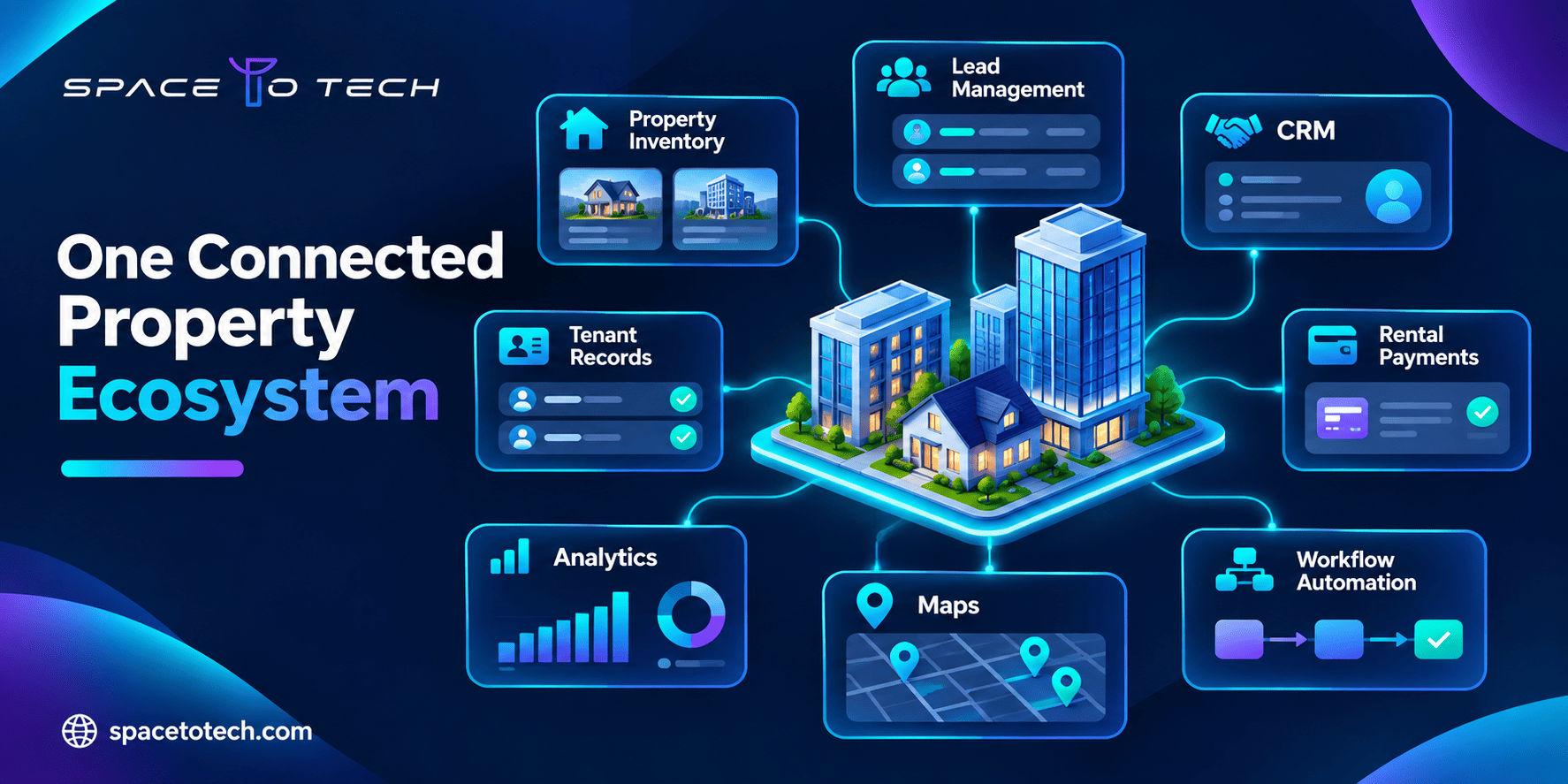
A property enquiry arrives through a listing website. An agent follows up over WhatsApp. The sales team tracks the buyer in a spreadsheet, while the finance department uses a separate system for payment records. By the time someone needs a complete view of the customer, the information is spread across four places.
For many real estate businesses, this is where software becomes an operational problem rather than just an IT decision.
Custom real estate software development helps property developers, brokerages, real estate agencies, and property management companies bring their workflows into a system designed around how they actually operate.
The goal is not always to replace every existing tool. Sometimes the right solution is a CRM connected to property inventory. In other cases, it is a complete platform covering listings, leases, maintenance requests, transactions, and reporting.
Businesses exploring custom software development often begin with a broader question: should they build a new application, improve their existing tools, or connect systems that already work reasonably well?
This guide explains the main types of real estate software, the features worth prioritising, integration requirements, development costs, and the decisions to make before starting a PropTech project.
What Is Custom Real Estate Software Development?
Custom real estate software development is the process of designing and building digital applications specifically for property-related business operations. Unlike ready-made products that offer the same underlying features to multiple customers, custom software can reflect an organisation’s sales process, approval structure, portfolio, reporting requirements, and customer interactions.
A residential brokerage might require lead assignment, agent communication, site-visit scheduling, and commission tracking. A property management business may focus on leases, recurring rent, maintenance vendors, tenant communication, and owner statements. A developer selling units across several projects may need property inventory, booking status, customer payment schedules, and coordination between sales and finance teams.
These companies all operate in real estate, but their software requirements are quite different.
How Is Real Estate Software Different from General Business Software?
Property businesses deal with relationships between people, locations, units, contracts, and financial transactions. A single property can involve an owner, tenant, broker, maintenance vendor, lender, and management company. Each may need access to different information. Real estate software must account for these relationships without creating duplicate records or exposing information to the wrong users.
- Unit availability and booking status
- Property ownership and occupancy records
- Lease dates and renewal schedules
- Buyer enquiries matched with available inventory
- Property inspections and maintenance histories
- Broker commissions and transaction milestones
- Portfolio-level revenue and occupancy reporting
The right system therefore needs an accurate underlying data model, not just a collection of dashboards.
Types of Real Estate Software Solutions
Real estate software solutions are best understood by the business processes they support.
Software type | Primary users | Purpose |
1. Real Estate CRM Software
A real estate CRM helps agents and sales teams manage relationships with buyers, sellers, landlords, and prospective tenants. Imagine an agency receiving enquiries from its website, property portals, online advertising, and telephone calls. Without a consistent system, an agent may contact the same prospect twice, overlook a serious buyer, or lose a conversation when a colleague leaves.
A custom real estate CRM can connect enquiries to a shared sales pipeline while retaining the information relevant to each property. Useful features include lead capture, automatic assignment, enquiry history, follow-up reminders, property recommendations, site-visit scheduling, communication logs, and conversion reporting.
For a larger brokerage, custom real estate CRM software development may also involve commission rules, branch management, team-level permissions, and integration with advertising channels. A CRM should make it easier for agents to act on customer information, not create another database to update after every call.
2. Property Management Software
Property management software development focuses on real estate operations after a property is occupied or placed under management. A company handling 40 rental units might be comfortable with spreadsheets; the same process can become difficult when a portfolio grows to several hundred properties across multiple locations.
Managers need to know which units are occupied, which leases are approaching renewal, what rent is outstanding, and which maintenance issues remain unresolved. A custom property management platform can bring these records into one operational view.
- Property and unit records, tenant onboarding, and lease management
- Rent schedules, payment reconciliation, and owner statements
- Maintenance requests, vendor assignments, and inspections
- Renewal notifications, expenses, and financial reports
For example, a tenant reports a leaking tap through a portal. The request is assigned to the appropriate maintenance team, its progress is recorded, and the property manager receives confirmation when the work is completed. The tenant avoids repeated calls and the manager retains a service history for the unit.
3. Real Estate Developer CRM
Developers frequently need more than a conventional sales CRM. Their sales processes are tied to project phases, unit inventory, payment milestones, channel partners, and handover schedules. A real estate developer CRM may support the process from the first enquiry to possession.
Typical capabilities include project-wise inventory, tower and floor selection, unit availability, lead assignment, bookings, payment schedules, broker management, cancellation tracking, and customer documents.
When a buyer reserves an apartment, its status should update across the sales dashboard, inventory records, and booking workflow. If separate spreadsheets are used, the same unit could be offered to multiple customers. A shared system keeps the transaction status consistent.
4. Real Estate Listing and Marketplace Platforms
Listing platforms help people discover properties, compare options, contact agents, and sometimes begin a transaction. These platforms often require web application development when they involve user accounts, searchable databases, dashboards, and frequently updated information.
Useful capabilities include location-based search, price filters, maps, saved searches, property comparisons, media galleries, virtual tours, agent profiles, and enquiry forms. Behind the scenes, listing moderation, data freshness, duplicate detection, and enquiry routing are equally important.
A polished marketplace still disappoints users if unavailable properties remain listed or their enquiries reach the wrong agent.
5. Real Estate Transaction Management Software
Real estate transaction management systems coordinate the steps involved in a sale, purchase, or rental agreement. Transactions can involve several people working on contracts, financing documents, inspections, approvals, and deadlines. A shared system reduces reliance on scattered email threads.
Features may include document checklists, approval workflows, reminders, status tracking, e-signature integration, and activity history. Legal requirements for signatures and record retention should be assessed for the market where the transaction occurs.
6. Real Estate Investment and Portfolio Software
Investors and asset managers focus on asset performance, rental income, expenses, occupancy, debt obligations, and portfolio exposure. Custom real estate investment software can consolidate financial and operational data across properties.
Potential features include property-level financial dashboards, cash-flow tracking, lease-expiration schedules, investment performance reporting, expense analysis, and scenario modelling. Data consistency makes it easier to spot underperforming assets and upcoming vacancy risk.
7. Commercial Real Estate Software
Commercial real estate often involves more complex lease and billing rules than residential rentals. Office, retail, industrial, and mixed-use properties may require rent escalations, shared expense allocations, space availability tracking, and tenant-specific reporting. Accurate calculations and audit records should take priority over decorative features.
Essential Features of Custom Real Estate Software
There is no universal feature checklist. The right capabilities follow what each user needs to accomplish.
User | Priority capabilities | Objective |
Property and Customer Data Management
Every system needs reliable core records. A CRM might centre on a person and enquiry history; a property application may centre on property, unit, lease, and tenant relationships. The database should reflect these connections without allowing the same information to be recreated in every department.
Workflow Automation
Automation works best when it removes predictable manual tasks: assigning new leads, sending renewal reminders, alerting customers to appointment changes, or routing maintenance requests. Sensitive financial approvals and consequential decisions may still require human review.
Dashboards and Reporting
A brokerage manager needs enquiry-to-visit conversion metrics; a property manager needs outstanding rent and unresolved service requests; an investor needs cash-flow reports. Dashboards should help each role make decisions, rather than combine unrelated numbers.
Mobile Access
Agents, inspectors, and maintenance teams spend significant time away from desks. Mobile access can support appointments, inspections, photos, document uploads, and notifications. Offline capture and later synchronisation may be valuable where connectivity is unreliable.
Real Estate Software Integrations: What Needs to Connect?
Integrations often determine whether a new platform is useful or simply creates another data silo. Identify where information originates, which tools teams use, and which systems require updates before development begins.
MLS and IDX Integration
For US real estate platforms, Multiple Listing Service (MLS) data can support property search and listing updates. Internet Data Exchange (IDX) describes frameworks under which eligible MLS listings may be displayed by authorised participants, subject to applicable rules. These are related but distinct concepts.
The RESO Web API is a standardised approach to real estate data exchange. RESO defines standards; it does not directly provide listing access or grant MLS data rights. Appropriate arrangements with the relevant data provider are still required.
Before promising MLS integration, check data rights, credentials, provider restrictions, update frequency, permitted display fields, and territory. Indian property feeds and data-sharing arrangements may work differently, so US-specific assumptions should not be imposed globally.
CRM and Communication Integrations
CRM systems may connect with website forms, email, SMS providers, telephony, advertising platforms, or authorised WhatsApp Business integrations. Conversation context should be preserved while respecting consent and provider policies.
Payment and Accounting Integrations
Property operations may require payment gateways, accounting software, invoicing, and financial reporting systems. Failed payments, reconciliation, refunds, and status verification all need explicit workflows. A notification alone should not automatically be treated as proof that funds were received.
Maps, Documents, and Identity Services
Other connections may include geolocation, mapping services, e-signatures, document storage, identity checks, and legally permitted tenant screening. Each new dependency introduces maintenance, licensing, and security considerations. Prioritise integrations required for a complete first-release workflow.
How AI Can Improve Real Estate Software
Artificial intelligence can help real estate operations, but only when source information is trustworthy. An assistant that cannot distinguish sold units from available ones creates frustration rather than value. Likewise, a lead-scoring model relying on incomplete records may make unreliable recommendations.
- Natural-language property search and relevant recommendations
- Lead prioritisation based on meaningful interaction history
- Extraction of information from invoices or lease documents
- Routine customer-service assistance and maintenance-request classification
- Portfolio analysis and forecasting support
For example, AI can extract data from vendor invoices, flag missing fields, and send uncertain cases for staff review. This is more practical than attaching a chatbot to every screen. Similar considerations apply to industry-specific AI solutions across other sectors.
How to Build Custom Real Estate Software
Step 1. Identify the Business Problem
Map the current process from the first enquiry to the completed transaction or service request. Find duplicate data entry, missing records, delayed approvals, and activities dependent on individual employees.
Step 2. Define Users and Permissions
Identify agents, managers, tenants, owners, administrators, and service providers. Specify what each role can view, create, approve, and modify.
Step 3. Select the Minimum Viable Product
Choose the smallest set of features supporting one complete business workflow. A brokerage MVP might include property inventory, lead capture, assignment, follow-up tracking, and basic reporting.
Step 4. Design Data and Integrations
Model the relationships between customers, properties, units, leases, transactions, and payments. Confirm important integration dependencies and plan data migration before development.
Step 5. Develop and Test Iteratively
Build reviewable increments and test real business cases, including exceptions such as duplicate bookings, failed payments, cancelled contracts, and interruptions to external data feeds.
Step 6. Deploy, Train, and Improve
Migrate validated records, train users, monitor issues, and measure adoption. Let real operational feedback shape later releases.
What Should the First Release Include?
For a CRM, the initial release may cover enquiries through scheduled visits. For a property management platform, it may handle property records, leases, rent schedules, and maintenance requests. For a marketplace, it may focus on listing administration, search, and enquiry routing. Reliability matters more than the number of modules.
Technology Stack for Real Estate Software Development
A platform may need a public website, internal dashboard, secure APIs, database, and mobile access. Technology selection should follow the expected workload, available expertise, integrations, and long-term maintenance needs.
Layer | Possible technologies | Role |
A modest rental platform might need straightforward relational queries and dependable processing. A national property marketplace may require dedicated search infrastructure, media optimisation, and background data synchronisation. Our guide on how to choose a tech stack examines the decisions behind frontend, backend, data, and cloud technologies.
Why Data Architecture Matters
A unit belongs to a property. A lease connects parties to a unit. A payment belongs to a financial obligation. A maintenance request may involve an occupant and vendor. If these relationships are poorly designed, reporting and future integrations become difficult. A sound data model often matters more than an unusually complex architecture.
Security, Compliance, and Data Ownership
Real estate platforms may hold contact information, identity documents, financial records, contracts, and ownership details. Plan secure authentication, role-based access, encryption, audit trails, backups, recovery, and document permissions from the outset.
The OWASP Application Security Verification Standard provides a useful framework for specifying and testing web application security controls.
Country-Specific Requirements
US requirements may involve relevant privacy rules, fair housing obligations, MLS agreements, payment regulations, and electronic signatures. In India, relevant rules may include the Digital Personal Data Protection framework, applicable state RERA requirements, and payment and electronic-record obligations. Applicability depends on the specific business and jurisdiction, so obtain appropriate professional review.
Who Owns the Software?
Development agreements should address source code, intellectual property, documentation, hosting accounts, third-party licences, database exports, and ongoing support. Ownership of a custom product does not automatically confer rights to externally licensed MLS data or proprietary third-party components.
Custom Real Estate Software vs Off-the-Shelf Software
Not every property business needs a custom application. Established software may already cover standard leases, rent collection, and tenant communication. Custom systems are more appropriate when critical processes require repeated workarounds or specialised integrations.
Factor | Off-the-shelf | Custom |
Consider building when teams maintain disconnected tools, repeat time-consuming manual work, or cannot support distinctive booking, commission, or approval rules. A smaller landlord with conventional operations may be better served by existing software. A hybrid approach can also work: retain reliable products while adding integrations or specialised modules. Our custom software vs off-the-shelf software comparison covers these tradeoffs in more detail.
How Much Does Custom Real Estate Software Development Cost?
Cost varies with user roles, integrations, data migration, security, technical complexity, and project scope. A focused internal CRM is fundamentally different from a marketplace covering multiple regions, property feeds, payments, and analytics. No responsible fixed quote can be offered without understanding the requirements.
Cost driver | Impact |
Illustrative Scopes
- Focused MVP: one complete flow, such as leads, inventory, assignments, and basic reporting.
- Mid-complexity platform: multiple connected modules, selected APIs, notifications, and analytics.
- Enterprise PropTech system: multiple organisations, extensive integrations, advanced security, and high-volume operations.
How Long Does Development Take?
A focused MVP may be feasible in a few months; complex platforms can take substantially longer. Discovery, architecture, integrations, testing, and data migration affect the schedule. Request estimates that separate discovery, design, engineering, quality assurance, deployment, licences, infrastructure, and support. A lower initial quote is not always a lower total cost.
Common Mistakes in Real Estate Software Development
Building Too Many Modules at Once
Launching CRM, marketplace, tenant portal, accounting, and advanced analytics simultaneously creates unnecessary scope risk. Start with the most important operational problem and expand after validation.
Ignoring Integration Constraints
Technical compatibility does not guarantee API access or data rights. Confirm MLS licences, vendor credentials, and allowed use before planning around any third-party feed.
Migrating Poor-Quality Records
Moving duplicate customers and outdated listings into a new application preserves the same problems. Include data mapping, cleaning, and testing in project scope.
Overcomplicating the MVP
Advanced forecasting or AI should not delay basic lead assignment, transaction accuracy, payment reconciliation, or document retrieval. Give reliability and adoption priority.
Leaving Maintenance Until Launch
Agree on ownership, support, monitoring, backups, and upgrades before release. Real estate operations and connected services will continue to change.
How to Choose a Real Estate Software Development Company
A strong development partner understands the workflow behind the software. Ask how it would structure properties, units, customers, and transactions, and how the system handles failed updates, concurrent edits, and payment discrepancies.
- How would you define the MVP for our business process?
- Which integrations require third-party permission or licensing?
- How will you prevent duplicate records and validate migration?
- What access controls and security testing are necessary?
- How will we review working software during delivery?
- Who owns source code, documentation, and cloud accounts?
- What support is included after launch?
- Which measurable outcomes should improve?
A good partner can explain when an existing product or a focused integration would be more sensible than a full custom build.
Planning Your Real Estate Software Project with SpaceToTech
SpaceToTech develops custom applications, web platforms, mobile products, and system integrations for businesses whose requirements are not always met by standard products. For a real estate organisation, the first discussion should focus on operational pain points rather than a predetermined feature package.
That may mean understanding why sales teams lose enquiries, property managers cannot keep unit records accurate, or monthly reporting depends on several disconnected systems. Requirements can then be shaped around users, workflows, data, integrations, and security.
As a global software development company, SpaceToTech works with businesses planning tailored digital solutions, including property listing platforms, CRM-connected workflows, and operational applications.
If you are evaluating a real estate CRM, property management system, listing platform, or broader PropTech product, define the workflow that needs improvement and the systems it must connect to.
Discuss your project requirements with SpaceToTech to scope a practical MVP, integration plan, and development approach.