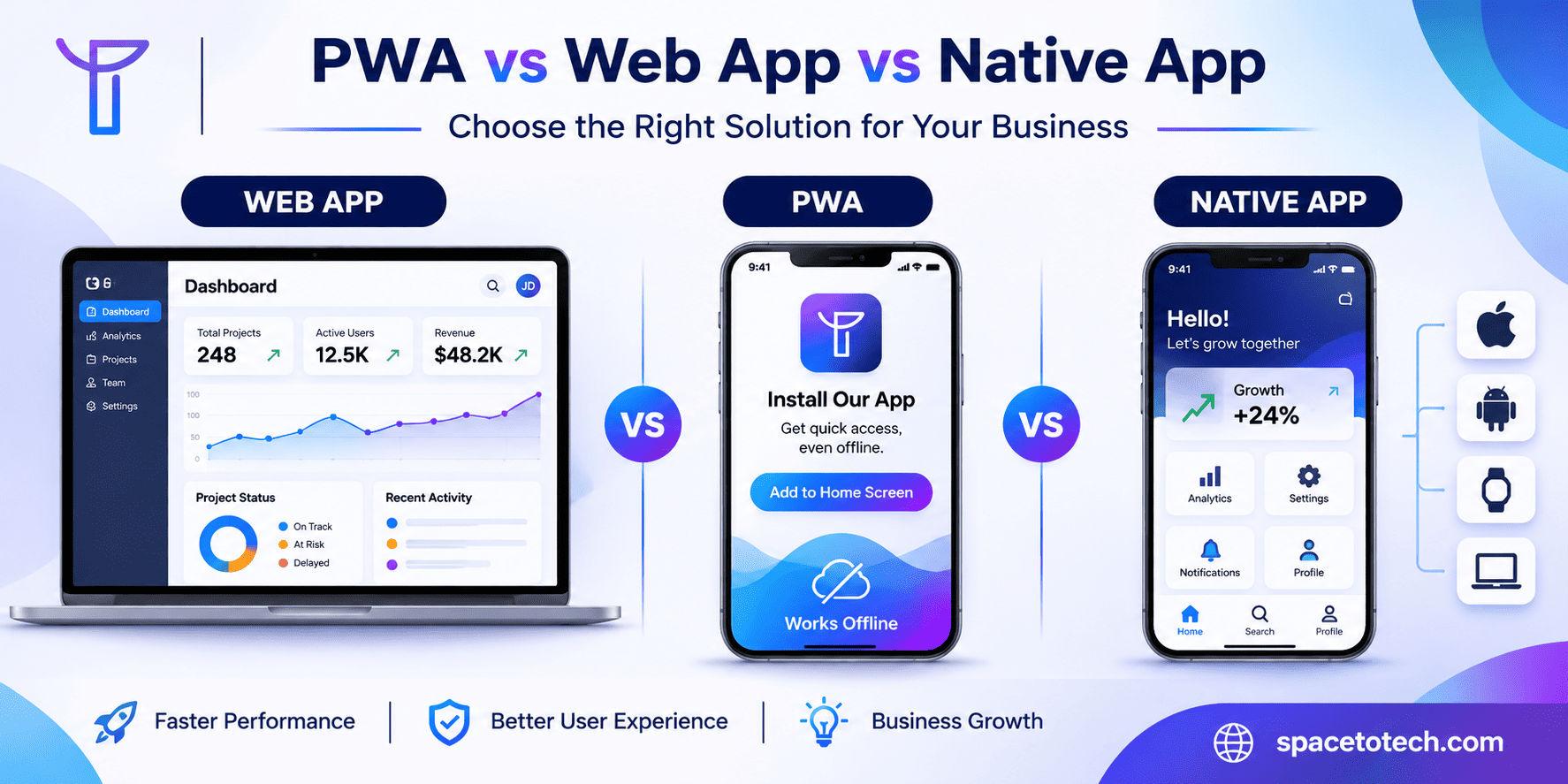
A customer opens your product on their phone. Should they use it in a browser, install it on their home screen, or download it from an app store? That choice shapes development effort, repeat usage, maintenance costs, and the experience your customers expect.
When comparing PWA vs web app vs native app, the right answer depends on the product, not on which framework is trending. A SaaS dashboard, an online store, and a fitness app connected to sensors have very different requirements. Our web development guide covers the broader choices behind planning, building, and maintaining web products; this article focuses on which application format to build.
For businesses evaluating a long-term engineering partner, the same decision belongs within a wider custom software development strategy: customer needs first, architecture second. Below, we compare core capabilities and show how to choose without paying for unnecessary complexity.
What Is a Progressive Web App (PWA)?
A Progressive Web App is a web application designed to offer enhanced capabilities through modern browsers. Users can access it through a URL, and supported platforms may allow installation with an icon and a standalone app-like window. A PWA may also cache selected content or send notifications, but those features do not appear automatically.
How a PWA Works
PWAs use familiar technologies such as HTML, CSS, JavaScript, and backend APIs. A web app manifest describes the app name, icons, start URL, and display behavior. Service workers can intercept network requests to manage caching and offline experiences. HTTPS provides the secure context needed for many browser APIs. A service worker is useful for advanced PWA behavior but is not a universal requirement for installation in every browser.
What Businesses Gain and and What They Do Not
For a returning customer, an installed PWA can reduce friction: tap an icon, resume a session, and possibly open previously cached information even during a poor connection. The business can maintain a shared web codebase instead of automatically building two separate native apps. Still, a PWA is not guaranteed to work fully offline, outperform every website, or access every hardware feature.
What Is a Traditional Web Application?
A web application is interactive software delivered through a browser. It typically handles accounts, user-specific data, workflows, payments, reports, and integrations. Examples include employee dashboards, B2B portals, CRM systems, and subscription products. Most users can begin through a URL without installing software.
The question is not whether a website and a web app use different-looking screens. It is whether the product primarily publishes information or processes user-specific work. That distinction is explored in our website vs web application comparison. Once you know you need an application, the next decision is whether browser access is enough or whether progressive and native capabilities add genuine value.
What Is a Native Mobile App?
A native mobile application is built for a specific operating system, commonly Android or iOS, using platform toolchains and APIs. Android apps often use Kotlin; iOS apps commonly use Swift. A native application is generally distributed as an installed package and can integrate more deeply with platform-specific features.
Native vs Cross-Platform Mobile Development
Cross-platform technologies such as React Native and Flutter can share substantial code across Android and iOS, but they still produce mobile applications that require platform testing and updates. For a product where Android hardware capabilities drive the experience, native Android app development can be more appropriate. For a product prioritizing consistent interface design across mobile platforms, Flutter app development is another option, not the same thing as a PWA.
PWA vs Web App vs Native App: Key Differences
Decision factor | Web app | PWA | Native app |
Performance and User Experience
Native apps may have a practical advantage for advanced graphics, intensive local computation, and complex device integrations. Yet a carefully engineered web app can feel fast and reliable for shopping, booking, document management, and administrative tasks. Performance is often governed by JavaScript size, network latency, database queries, and interface design, not simply the label attached to the app.
Offline Features and Push Notifications
Offline functionality is a product design decision. A PWA might display cached product listings while disconnected, but completing a payment or syncing stock levels requires deliberate rules for data freshness, retries, and conflicts. Browser notification support also differs by platform. On iOS and iPadOS 16.4 or later, eligible Home Screen web apps can use Web Push with permission; claims that iPhones never support PWA notifications are outdated.
Device Access, SEO, and Distribution
Modern browsers offer camera, geolocation, microphone, and other APIs, but feature availability is not consistent across devices. For Bluetooth equipment, specialist NFC use, sustained background tasks, or platform-specific services, prototype the hardest requirement before choosing a PWA.
Web apps and PWAs can expose crawlable public pages to search engines, while authentication-only features generally cannot serve as indexable landing pages. Native apps rely more heavily on app-store discovery, brand demand, and supporting web content. A PWA does not automatically improve SEO; rendering, performance, crawlability, and content architecture remain essential.
PWA vs Native App: Which Is Better for Your Business?
Choose a PWA when the product is already web-first, users arrive through links or search, and the additional installed experience solves a repeat-use problem. Choose native development when its deeper device access or mobile-specific user experience is central to the product rather than a nice-to-have.
When PWAs Work Well
- Ecommerce and membership products with frequent returning visitors.
- Content-rich services that benefit from fast repeat access and selective caching.
- Customer portals where a link is the most convenient onboarding path.
- Startups that want to test product-market fit without maintaining multiple mobile releases.
When Native Development Is Worth It
- Advanced camera or sensor processing that exceeds practical browser support.
- Specialist Bluetooth devices, background services, or demanding mobile workflows.
- Applications where app-store distribution is a core acquisition channel.
- Games or intensive on-device experiences that require predictable platform-level performance.
PWA vs Web App vs Native App Development Cost
A PWA is not universally cheaper than a native app. A complex offline-enabled PWA could cost more than a straightforward native app, while adding installation and basic caching to an existing web product may be relatively modest. Compare estimates for identical requirements, including authentication, APIs, UI, integrations, testing, and maintenance.
What Changes the Budget?
Costs rise with custom workflows, security obligations, user roles, offline synchronization, accessibility, third-party integrations, and the number of environments requiring QA. Team composition and engagement model matter too: the difference between a fixed-scope build and an ongoing dedicated team is part of the wider cost to hire a web developer in India discussion.
Compare Three-Year Ownership, Not Just the First Quote
Traditional web apps require hosting, monitoring, security maintenance, and browser testing. PWAs add manifest, service worker, installation, notification, and cache-management considerations. Native apps add operating-system compatibility, store requirements, device testing, and release operations. Ask vendors to separate initial build, infrastructure, ongoing support, and expected feature updates.
Which Type of App Should Your Business Build?
Startup MVPs
A browser-based MVP is often the quickest way to test sign-up, pricing, and the core user journey. Adding PWA features is sensible once installation or offline behavior creates measurable value. A mobile-first product may justify native development from day one when its essential functionality relies on operating-system capabilities.
Ecommerce and Retail
Shoppers often arrive through search, ads, and shared links. A web app or PWA supports this discovery path without demanding a download before browsing. A native shopping app becomes more compelling when a large returning audience benefits from dedicated mobile journeys, strong loyalty features, or mobile-specific integrations.
SaaS and B2B Customer Portals
Administrative dashboards, permissions, analytics, and complex forms usually favor a browser-accessible application. Behind the interface, the web application architecture, including APIs, data ownership, authentication, and reliability, often has greater long-term impact than whether users install the frontend.
Field Services and On-Demand Platforms
For a technician recording inspections in areas with weak connectivity, assess offline editing and synchronization early. For a ride-hailing or dispatch product, user, driver, and administrator experiences may need different delivery channels. Our article on building an on-demand app like Uber illustrates how mobile applications and web-based management panels can work as one system.
A Seven-Question Decision Checklist
- Will users arrive through search, direct links, or an app store?
- How often will they return, and on which device?
- Which exact workflows must work without connectivity?
- Which hardware APIs or background capabilities are essential?
- Does the product need desktop-grade dashboards and complex forms?
- Can the business maintain multiple application releases?
- Can the planned architecture support another frontend later?
Can You Convert an Existing Web App into a PWA?
Often, yes. Begin with an audit of HTTPS, responsive layouts, performance, authentication, and storage. Define which PWA capabilities matter. Add manifest metadata and suitable icons, then design caching or offline sync only when justified. Test installation, session behavior, accessibility, notifications, and update flows on each supported platform. Treat sensitive or frequently changing data conservatively: stale account information and conflicting offline edits can undermine trust.
An incremental rollout allows the team to track repeat usage and reliability before investing in further features. If the product later needs a native companion app, shared APIs and sound data architecture can make that transition more manageable.
How to Choose an Application Development Partner
A credible provider should explain why a traditional web app, PWA, or native implementation fits the brief, not default to the stack it prefers to sell. Ask for relevant product examples, a device-feature feasibility review, clear ownership terms, QA coverage, and a documented maintenance plan.
For companies shortlisting agencies, evaluating top web development companies by technical fit, communication, portfolio relevance, and lifecycle support is more useful than picking the lowest hourly rate. A good proposal identifies the requirements that could force a change in architecture before development begins.
Final Verdict
Choose a web app for broad browser access and data-driven workflows. Add PWA capabilities when installation, caching, or notifications improve the actual user experience. Choose a native app when mobile hardware integration, background behavior, or demanding platform-level requirements define the product.
SpaceToTech combines web application development services with mobile product engineering so the application format can follow the business case. The most sustainable roadmap is the one that delivers today’s essential workflows while leaving room for tomorrow’s customers and devices.