Software development team collaborating around a conference table

Software Development Company
in Noida | Space To Tech

Looking to build software for your business? SpaceToTech is a software development company in Noida building custom applications, web platforms, and enterprise systems for startups, SMEs, and growing businesses, with direct engineer access and full source code ownership on every project.

View Portfolio
  • Skilled
    Developers
  • Faster
    Delivery
  • Cost-Effective
    Solutions
  • End-to-End
    Services
  • Global Client
    Experience

Software Development Services in Noida

Looking for a software development company in Noida that builds around how your business actually works? SpaceToTech designs and builds software for startups, SMEs, and enterprises, from enterprise systems and SaaS platforms to workflow tools that remove manual work from your team's day. Every project runs in two week sprints, so you see working software at the end of each cycle instead of status updates, and support continues after your product goes live.

Custom Software Development

We take a project from requirement analysis through design, coding, testing, and deployment, building software around the way your business actually operates. Whether it's a CRM built for your sales process, an ecommerce platform, or a purpose built management system, the goal is software your team will actually use. Explore our custom software development work for more detail.

Enterprise Application Development

We build scalable, secure enterprise applications that integrate with the systems you already run. These solutions streamline complex processes, centralize data, support collaboration across teams, and give management the analytics they need to make faster decisions, without compromising performance or security.

Web Application Development

We build fast, secure web applications, from customer facing portals to internal dashboards, engineered for reliability under real traffic and not just a demo environment. Our web application development work covers React and Angular front ends paired with Node.js, Python, or Java back ends, chosen based on what your product needs to run well long term.

Software Solutions Built Around Your Business Goals

Software that doesn't fit how your business actually runs becomes a workaround instead of a tool. We design every solution around your existing processes and the way your team works day to day, so the software adapts to you rather than the other way around.

01

Built to Scale

Built to grow with you. Your software shouldn't need replacing every time your business does. We plan for more users, more data, and new modules from the first sprint, so the architecture can absorb growth instead of forcing a rewrite.

02

Security & Compliance by Design

Security and compliance by design. Sensitive data, whether it's customer records, payment details, or internal operations, is protected at the architecture level. Access controls, encryption, and audit trails are built in, so security is not something added the week before launch.

03

Built Around Your Workflow

Built for how your team actually operates. Manual, repetitive work is where software earns its keep. We look for the steps in your process that are eating your team's time, things like data entry, status updates, and approvals, and design software that removes them, so your team spends time on decisions instead of admin.

Software Development for Startups, SMEs and Enterprises

When you hire dedicated iOS app developers through Space To Tech, they integrate directly into your existing workflows — attending standups, syncing with your tools, and shipping inside your sprint cadence as if they were in-house. Three engagement models cover every organizational need.

For Startups

Speed and validation matter more than a perfect feature set at this stage. We help you scope an MVP that tests your core idea without over building, then set it up so the parts that work can scale, rather than needing a rewrite the moment you get traction.

For SMEs

Growing businesses usually don't need everything rebuilt, they need the specific bottleneck fixed. That might be a workflow automation tool, an internal system that replaces spreadsheets, a customer facing portal, or an integration between tools your team already uses.

For Enterprises

At enterprise scale, the constraints change. There are multiple stakeholders, existing systems that can't go down, and security and compliance requirements. We build for those realities directly, modernizing legacy components where needed, integrating cleanly with what's already running, and planning for long term support rather than a one time delivery.

What Can We Build for Your Business?

Beyond the core services above, here's the kind of software we build for clients across industries.

What we build

SaaS platforms

Examples

Business and workflow applications

What we build

Customer and employee portals

Examples

CRM systems

What we build

Ecommerce platforms

Examples

Internal tools and dashboards

If what you need doesn't fit neatly into one category, that's normal, most real projects don't. Tell us what you're trying to solve and we'll tell you what it actually takes to build it.

Our Software Development Process

We turn your vision into a scalable digital product through a clear, collaborative, and efficient development process.

STEP

01

Discovery and Requirements

We start with requirement workshops and technical feasibility review, and produce a scoped specification with a cost estimate before any development starts. Nothing gets built until scope is agreed in writing.

STEP

02

Planning and Architecture

We map out the technical architecture, technology stack, and infrastructure decisions based on what your product needs to handle.

STEP

03

Sprint Development

Every two week cycle produces working software you can review. You see progress in the product itself, not a status deck, and we adjust before the next sprint starts.

STEP

04

Testing and Launch

QA runs alongside development so issues are caught early. We deploy with a handover, then stay on for monitoring, fixes, and the first live-user adjustments.

STEP

01

Discovery and Requirements

We start with requirement workshops and technical feasibility review, and produce a scoped specification with a cost estimate before any development starts. Nothing gets built until scope is agreed in writing.

STEP

02

Planning and Architecture

We map out the technical architecture, technology stack, and infrastructure decisions based on what your product needs to handle.

STEP

03

Sprint Development

Every two week cycle produces working software you can review. You see progress in the product itself, not a status deck, and we adjust before the next sprint starts.

STEP

04

Testing and Launch

QA runs alongside development so issues are caught early. We deploy with a handover, then stay on for monitoring, fixes, and the first live-user adjustments.

STEP

01

Discovery and Requirements

We start with requirement workshops and technical feasibility review, and produce a scoped specification with a cost estimate before any development starts. Nothing gets built until scope is agreed in writing.

STEP

02

Planning and Architecture

We map out the technical architecture, technology stack, and infrastructure decisions based on what your product needs to handle.

STEP

03

Sprint Development

Every two week cycle produces working software you can review. You see progress in the product itself, not a status deck, and we adjust before the next sprint starts.

STEP

04

Testing and Launch

QA runs alongside development so issues are caught early. We deploy with a handover, then stay on for monitoring, fixes, and the first live-user adjustments.

Why Choose SpaceToTech for Software Development?

Software development only works as a partnership if both sides know what to expect. We bring deep technical experience across languages and platforms, but the bigger difference is how we run projects, with direct communication with the engineers building your product, transparent scope before work begins, and a team that stays on your project instead of rotating out mid build.

Software development engineer working on a laptop

Experienced and Versatile Developers

Our engineering team works across Java, .NET, Python, Node.js, and more, so the technology choice is driven by what your project needs. Backed by 50+ Experts and 5+ years of delivery experience across 150+ projects, we have the range to match uncommon requirements as well as standard ones.

Customized Development Approach

Every engagement starts with a real look at your industry, workflows, and constraints before we recommend a technology stack or project structure. That groundwork keeps the end product matched to how your organization actually operates.

Agile Project Management

Two week sprints, daily stand ups, and sprint reviews keep you inside the project instead of waiting for a monthly update. You see what's been built, you flag what needs to change, and course correction happens before it gets expensive.

Comprehensive Support and Maintenance

Launch is the start of the relationship, not the end of it. We provide monitoring, updates, bug fixes, and performance work so the product stays reliable after it goes live.

Technology Stack

On the frontend we build with React, Angular, and plain HTML, CSS, and JavaScript. On the backend we work in Node.js, Python, Java, and .NET. For mobile, we build with React Native and Flutter for cross platform apps, and native iOS with Swift when a project calls for it. For cloud and infrastructure, we deploy on AWS, Microsoft Azure, and Google Cloud.

Angular
React
Vue.js
Next.js
HTM

Industries We Serve Around the World

Fintech

We handle AI development for FinTech covering fraud detection, credit risk modeling, and compliance checks that would otherwise eat a full-time analyst's week.

Fintech

Healthcare

Our AI solutions for healthcare cover clinical documentation, patient triage tools, and diagnostic-support systems.

Healthcare

Retail and E-commerce

Personalized recommendations, inventory forecasting, our AI development for retail work is judged on conversion and margin, full stop.

Retail and E-commerce

Manufacturing and Industrial

We've built predictive maintenance and quality-inspection models that flag problems on the line early enough to matter, working directly with operations teams who want a clear reason behind every alert, not a black box.

Manufacturing and Industrial

Logistics

Route optimization, demand forecasting, warehouse automation, this is where AI development for logistics usually pays for itself the fastest, often inside the first couple of quarters after go-live.

Logistics

Gaming and Entertainment

We've built personalization and content-recommendation engines for gaming and streaming platforms that keep people engaged without the experience feeling engineered to manipulate them.

Gaming and Entertainment

Education

Adaptive learning tools, administrative automation, our AI solutions for education work is mostly aimed at giving teaching staff back the hours currently lost to paperwork.

Education

Real Estate

Search, valuation support, and lead scoring for property platforms, built so listings and inquiries stay fast without turning the experience into a black-box recommendation loop.

Real Estate

Travel & Hospitality

Booking, pricing, and guest-support AI that holds up when demand spikes, with the same care for accuracy that a front-desk team would expect on a busy weekend.

Travel & Hospitality

How Much Does Software Development Cost in Noida

Software development cost depends on scope, not location alone, but here's a realistic starting range based on current project types.

INVESTMENT

₹2L - 5L

Simple Business App / MVP

Ideal for startups validating core concepts with essential features and clean architecture.

INVESTMENT

₹5L - 15L

Mid-Complexity Web/Mobile

Custom workflows, API integrations, and polished UI/UX for growing businesses.

INVESTMENT

₹15L - 40L

Complex SaaS / Enterprise

Scalable cloud infrastructure, advanced security, and multi-tenant architectures.

INVESTMENT

₹40L+

Integrated Platforms

High-availability systems with deep legacy integrations and massive data processing.

i

Note: These are indicative ranges. Actual costs depend on project scope, features, and security requirements. Our team provides project-specific estimates after a detailed discovery session.

What Factors
Affect Software
Development Cost?

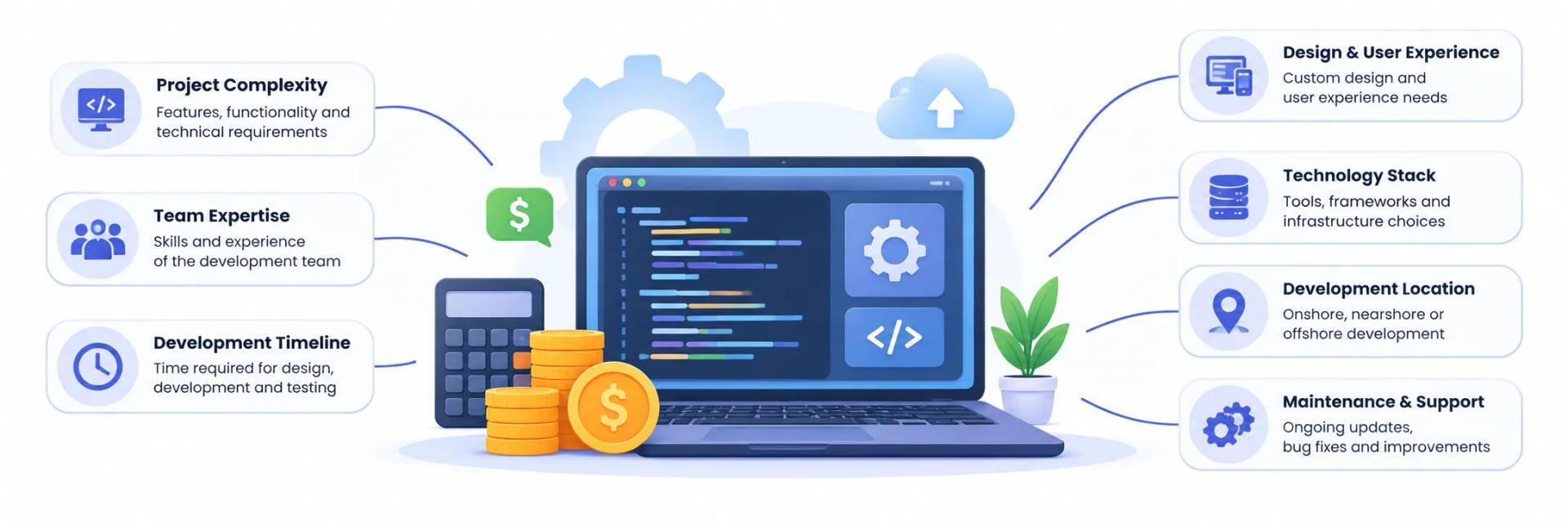
Project complexity and number of features. Number of user roles and permission levels. UI and UX design requirements. Platforms involved, web, mobile, or both. Third party integrations and APIs. Cloud infrastructure requirements. Data migration from existing systems. Security and compliance requirements. Testing scope. Development timeline. Post launch support needs.

Factors that affect software development cost
i

For a closer look at how these decisions play out in practice, see our custom software development service page, or read how to choose a custom software development company if you're still comparing vendors.

Why Choose a Software Development Company in Noida?

Being based in Noida means in person meetings are on the table when they're useful, and our team sits inside the Delhi NCR engineering ecosystem, one of the largest talent pools for software development in India. Our office is at alt.f coworking, A100, A Block, Sector 58, Noida, Uttar Pradesh 201309, a coworking space in Noida with easy access from Greater Noida, Delhi, and Gurgaon for clients who want a face to face working session instead of managing everything over email.

That said, most of our clients aren't local. We deliver the same sprint cadence, direct engineer access, and support structure for teams across India and internationally, entirely remote when that works better for you.

Space To Tech office at alt.f coworking, A100, A Block, Sector 58, Noida

FAQ's

What types of software solutions do you develop?
We build custom software, enterprise applications, SaaS platforms, web applications, mobile apps, and system integrations, as well as cloud migrations and modernization work for existing systems. If your project doesn't fit a standard category, tell us what you're trying to solve and we'll scope it from there.
How does your software development process work?
Every project starts with a written scope and estimate. Work then runs in two week sprints, so you review working software at the end of each cycle. Testing sits alongside development, and we stay on after launch for monitoring, fixes, and updates.
Why should I choose a software development company in Noida?
You get a team inside one of India's largest engineering talent pools, with the option of in-person sessions at our alt.f Sector 58 coworking office in Noida when that helps. The same sprint cadence, direct engineer access, and source-code ownership apply for remote clients across India and internationally.
Do you provide post-development support and maintenance?
Yes. Launch is the start of the relationship. We provide monitoring, updates, bug fixes, and performance work so the product stays reliable after it goes live.
How much does software development cost in Noida?
Cost follows scope, not location alone. Simple MVPs often start around ₹2L–5L, mid-complexity builds around ₹5L–15L, and larger SaaS or enterprise platforms higher. We give a project-specific estimate after discovery.

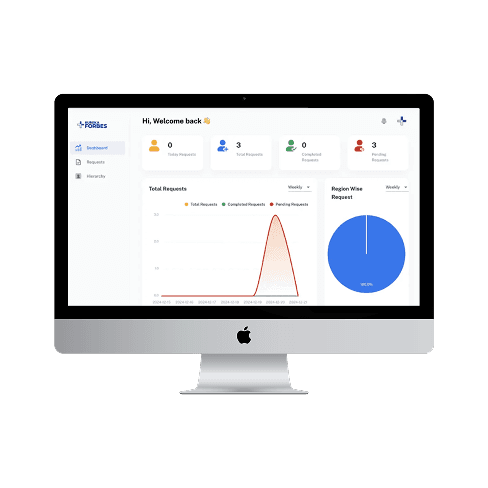
Want to see our recent work?

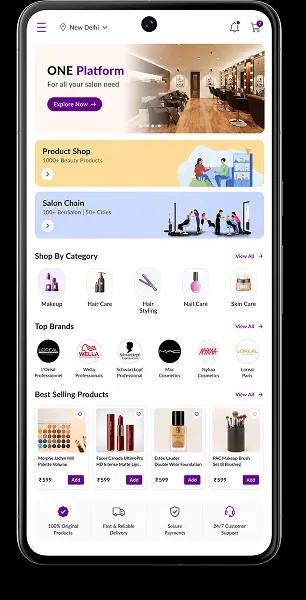
Domino's logo

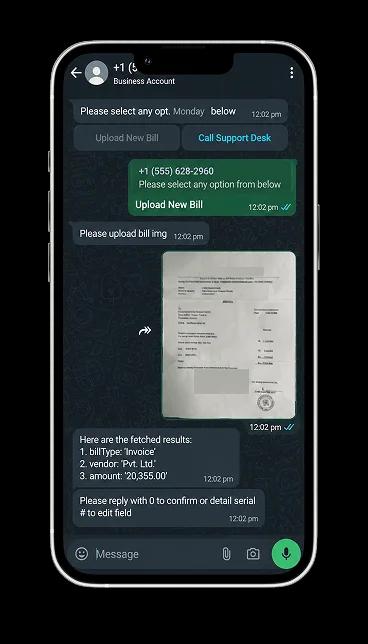
Domino's WhatsApp
Chatbot

Robust mobile ordering with live tracking, loyalty rewards, and seamless payment integration.

Domino's app preview
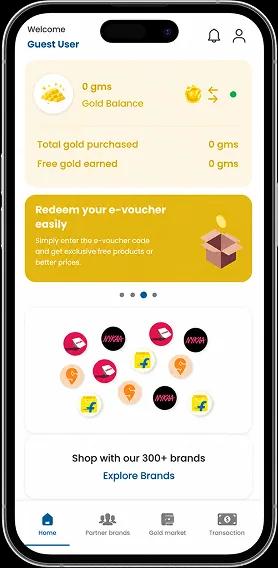
Vibasa logo

Vibasa Foundation

Building a kinder future through compassion, service, and collective action.

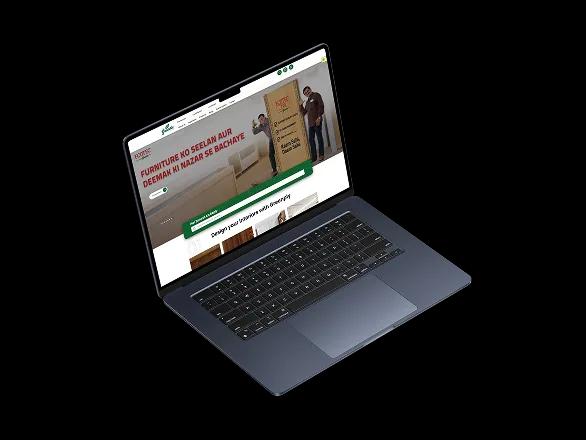
Greenply logo

Greenply

Digital product experience for a leading brand, designed to strengthen discovery and customer trust.

Greenply app preview
Domino's logo

Domino's WhatsApp
Chatbot

Robust mobile ordering with live tracking, loyalty rewards, and seamless payment integration.

Domino's app preview
Vibasa logo

Vibasa Foundation

Building a kinder future through compassion, service, and collective action.

Greenply logo

Greenply

Digital product experience for a leading brand, designed to strengthen discovery and customer trust.

Greenply app preview
Clutch 5.0 rating

Recognized. Trusted. Preferred

Awards & Recognition

We are proud to be recognized by leading platforms and industry experts for our innovation, impact, and excellence

TopDevelopers

TopDevelopers

Top Mobile App Developers

Freelancer

Freelancer

Top Mobile App Developers

AppFutura

AppFutura

Top Mobile App Developers

GoodFirms

GoodFirms

Top Mobile App Development

Clutch

Clutch

Top Mobile App Developers

Excellence isn't claimed.It's recognized

These achievements reflect our commitment to
delivering world-class AI solutions that help
businesses grow and lead

Supporting Insights

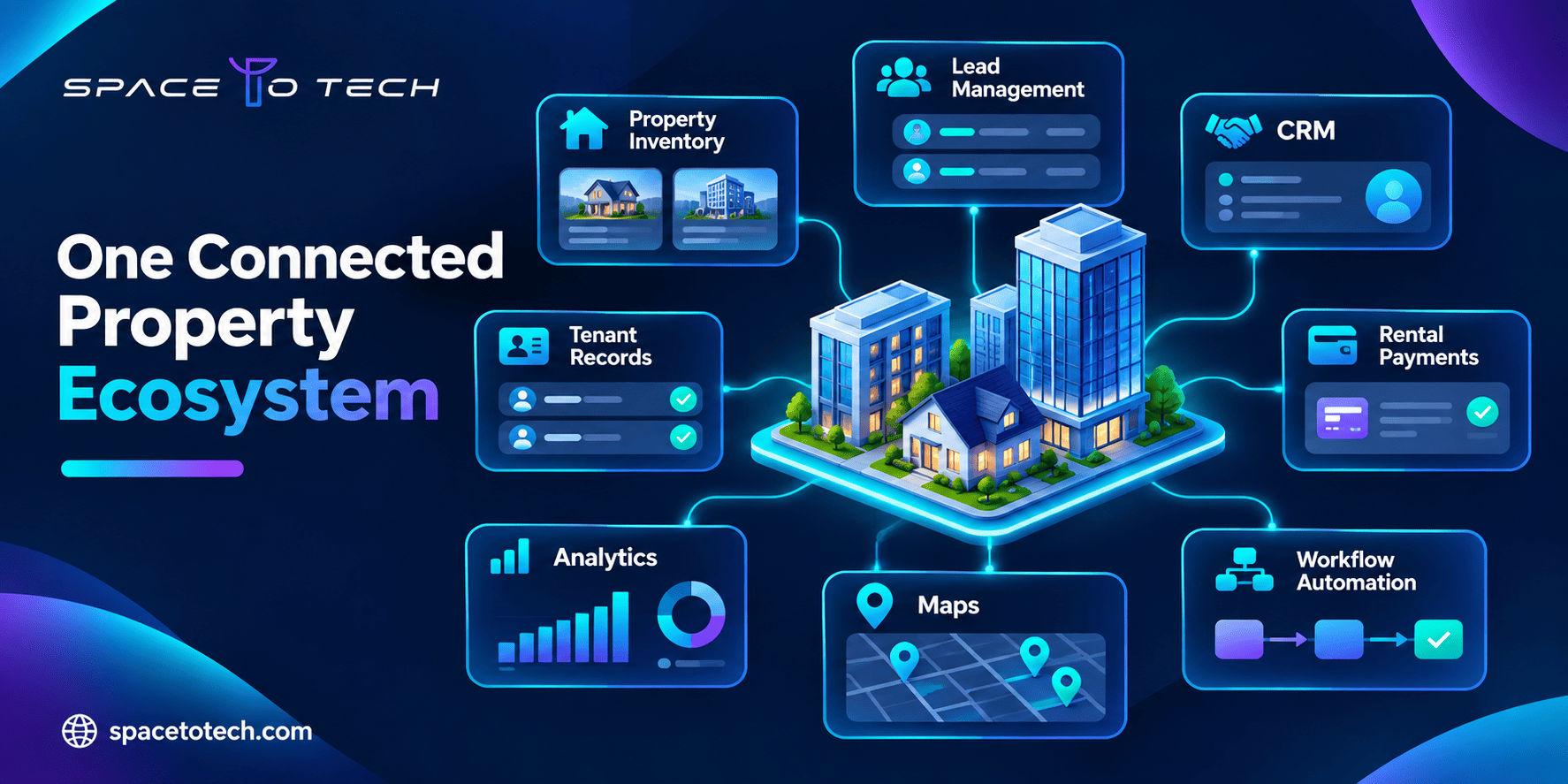
Custom real estate software development illustration showing connected property listings, CRM, property management dashboards, and PropTech workflows.
Blogs13/11/2026

Custom Real Estate Software Development: Types, Features, Cost, and Integrations

A property enquiry arrives through a listing website. An agent follows up over WhatsApp. The sales team tracks the buyer in a spreadsheet, while the finance department uses a separate system for payment records. By the time someone needs a complete view of the customer, the information is spread across four places. For many real estate businesses, this is where software becomes an operational problem rather than just an IT decision. Custom real estate software development helps property developers, brokerages, real estate agencies, and property management companies bring their workflows into a system designed around how they actually operate. The goal is not always to replace every existing tool. Sometimes the right solution is a CRM connected to property inventory. In other cases, it is a complete platform covering listings, leases, maintenance requests, transactions, and reporting. Businesses exploring custom software development often begin with a broader question: should they build a new application, improve their existing tools, or connect systems that already work reasonably well? This guide explains the main types of real estate software, the features worth prioritising, integration requirements, development costs, and the decisions to make before starting a PropTech project. What Is Custom Real Estate Software Development? Custom real estate software development is the process of designing and building digital applications specifically for property-related business operations. Unlike ready-made products that offer the same underlying features to multiple customers, custom software can reflect an organisation’s sales process, approval structure, portfolio, reporting requirements, and customer interactions. A residential brokerage might require lead assignment, agent communication, site-visit scheduling, and commission tracking. A property management business may focus on leases, recurring rent, maintenance vendors, tenant communication, and owner statements. A developer selling units across several projects may need property inventory, booking status, customer payment schedules, and coordination between sales and finance teams. These companies all operate in real estate, but their software requirements are quite different. How Is Real Estate Software Different from General Business Software? Property businesses deal with relationships between people, locations, units, contracts, and financial transactions. A single property can involve an owner, tenant, broker, maintenance vendor, lender, and management company. Each may need access to different information. Real estate software must account for these relationships without creating duplicate records or exposing information to the wrong users. Unit availability and booking status Property ownership and occupancy records Lease dates and renewal schedules Buyer enquiries matched with available inventory Property inspections and maintenance histories Broker commissions and transaction milestones Portfolio-level revenue and occupancy reporting The right system therefore needs an accurate underlying data model, not just a collection of dashboards. Types of Real Estate Software Solutions Real estate software solutions are best understood by the business processes they support. Software type Primary users Purpose Real estate CRM Sales teams and agencies Manage leads and customers Property management Managers and landlords Run rentals and maintenance Developer CRM Developers and project sales Inventory and buyer bookings Listing marketplace Agents, buyers and renters Publish and search property Transaction management Coordinators and brokers Documents and approvals Investment software Investors and asset managers Asset and financial performance Commercial property software Commercial landlords Complex leases and assets 1. Real Estate CRM Software A real estate CRM helps agents and sales teams manage relationships with buyers, sellers, landlords, and prospective tenants. Imagine an agency receiving enquiries from its website, property portals, online advertising, and telephone calls. Without a consistent system, an agent may contact the same prospect twice, overlook a serious buyer, or lose a conversation when a colleague leaves. A custom real estate CRM can connect enquiries to a shared sales pipeline while retaining the information relevant to each property. Useful features include lead capture, automatic assignment, enquiry history, follow-up reminders, property recommendations, site-visit scheduling, communication logs, and conversion reporting. For a larger brokerage, custom real estate CRM software development may also involve commission rules, branch management, team-level permissions, and integration with advertising channels. A CRM should make it easier for agents to act on customer information, not create another database to update after every call. 2. Property Management Software Property management software development focuses on real estate operations after a property is occupied or placed under management. A company handling 40 rental units might be comfortable with spreadsheets; the same process can become difficult when a portfolio grows to several hundred properties across multiple locations. Managers need to know which units are occupied, which leases are approaching renewal, what rent is outstanding, and which maintenance issues remain unresolved. A custom property management platform can bring these records into one operational view. Property and unit records, tenant onboarding, and lease management Rent schedules, payment reconciliation, and owner statements Maintenance requests, vendor assignments, and inspections Renewal notifications, expenses, and financial reports For example, a tenant reports a leaking tap through a portal. The request is assigned to the appropriate maintenance team, its progress is recorded, and the property manager receives confirmation when the work is completed. The tenant avoids repeated calls and the manager retains a service history for the unit. 3. Real Estate Developer CRM Developers frequently need more than a conventional sales CRM. Their sales processes are tied to project phases, unit inventory, payment milestones, channel partners, and handover schedules. A real estate developer CRM may support the process from the first enquiry to possession. Typical capabilities include project-wise inventory, tower and floor selection, unit availability, lead assignment, bookings, payment schedules, broker management, cancellation tracking, and customer documents. When a buyer reserves an apartment, its status should update across the sales dashboard, inventory records, and booking workflow. If separate spreadsheets are used, the same unit could be offered to multiple customers. A shared system keeps the transaction status consistent. 4. Real Estate Listing and Marketplace Platforms Listing platforms help people discover properties, compare options, contact agents, and sometimes begin a transaction. These platforms often require web application development when they involve user accounts, searchable databases, dashboards, and frequently updated information. Useful capabilities include location-based search, price filters, maps, saved searches, property comparisons, media galleries, virtual tours, agent profiles, and enquiry forms. Behind the scenes, listing moderation, data freshness, duplicate detection, and enquiry routing are equally important. A polished marketplace still disappoints users if unavailable properties remain listed or their enquiries reach the wrong agent. 5. Real Estate Transaction Management Software Real estate transaction management systems coordinate the steps involved in a sale, purchase, or rental agreement. Transactions can involve several people working on contracts, financing documents, inspections, approvals, and deadlines. A shared system reduces reliance on scattered email threads. Features may include document checklists, approval workflows, reminders, status tracking, e-signature integration, and activity history. Legal requirements for signatures and record retention should be assessed for the market where the transaction occurs. 6. Real Estate Investment and Portfolio Software Investors and asset managers focus on asset performance, rental income, expenses, occupancy, debt obligations, and portfolio exposure. Custom real estate investment software can consolidate financial and operational data across properties. Potential features include property-level financial dashboards, cash-flow tracking, lease-expiration schedules, investment performance reporting, expense analysis, and scenario modelling. Data consistency makes it easier to spot underperforming assets and upcoming vacancy risk. 7. Commercial Real Estate Software Commercial real estate often involves more complex lease and billing rules than residential rentals. Office, retail, industrial, and mixed-use properties may require rent escalations, shared expense allocations, space availability tracking, and tenant-specific reporting. Accurate calculations and audit records should take priority over decorative features. Essential Features of Custom Real Estate Software There is no universal feature checklist. The right capabilities follow what each user needs to accomplish. User Priority capabilities Objective Sales agent Leads, follow-ups, site visits Reduce missed enquiries Sales manager Pipeline, assignments, reports Improve visibility Property manager Tenants, leases, maintenance Coordinate operations Tenant Payments, requests, documents Simplify communication Owner Statements, occupancy, expenses Improve transparency Developer Inventory, bookings, milestones Maintain accurate records Investor Financial and asset metrics Inform decisions Administrator Permissions, audit logs Maintain accountability Property and Customer Data Management Every system needs reliable core records. A CRM might centre on a person and enquiry history; a property application may centre on property, unit, lease, and tenant relationships. The database should reflect these connections without allowing the same information to be recreated in every department. Workflow Automation Automation works best when it removes predictable manual tasks: assigning new leads, sending renewal reminders, alerting customers to appointment changes, or routing maintenance requests. Sensitive financial approvals and consequential decisions may still require human review. Dashboards and Reporting A brokerage manager needs enquiry-to-visit conversion metrics; a property manager needs outstanding rent and unresolved service requests; an investor needs cash-flow reports. Dashboards should help each role make decisions, rather than combine unrelated numbers. Mobile Access Agents, inspectors, and maintenance teams spend significant time away from desks. Mobile access can support appointments, inspections, photos, document uploads, and notifications. Offline capture and later synchronisation may be valuable where connectivity is unreliable. Real Estate Software Integrations: What Needs to Connect? Integrations often determine whether a new platform is useful or simply creates another data silo. Identify where information originates, which tools teams use, and which systems require updates before development begins. MLS and IDX Integration For US real estate platforms, Multiple Listing Service (MLS) data can support property search and listing updates. Internet Data Exchange (IDX) describes frameworks under which eligible MLS listings may be displayed by authorised participants, subject to applicable rules. These are related but distinct concepts. The RESO Web API is a standardised approach to real estate data exchange. RESO defines standards; it does not directly provide listing access or grant MLS data rights. Appropriate arrangements with the relevant data provider are still required. Before promising MLS integration, check data rights, credentials, provider restrictions, update frequency, permitted display fields, and territory. Indian property feeds and data-sharing arrangements may work differently, so US-specific assumptions should not be imposed globally. CRM and Communication Integrations CRM systems may connect with website forms, email, SMS providers, telephony, advertising platforms, or authorised WhatsApp Business integrations. Conversation context should be preserved while respecting consent and provider policies. Payment and Accounting Integrations Property operations may require payment gateways, accounting software, invoicing, and financial reporting systems. Failed payments, reconciliation, refunds, and status verification all need explicit workflows. A notification alone should not automatically be treated as proof that funds were received. Maps, Documents, and Identity Services Other connections may include geolocation, mapping services, e-signatures, document storage, identity checks, and legally permitted tenant screening. Each new dependency introduces maintenance, licensing, and security considerations. Prioritise integrations required for a complete first-release workflow. How AI Can Improve Real Estate Software Artificial intelligence can help real estate operations, but only when source information is trustworthy. An assistant that cannot distinguish sold units from available ones creates frustration rather than value. Likewise, a lead-scoring model relying on incomplete records may make unreliable recommendations. Natural-language property search and relevant recommendations Lead prioritisation based on meaningful interaction history Extraction of information from invoices or lease documents Routine customer-service assistance and maintenance-request classification Portfolio analysis and forecasting support For example, AI can extract data from vendor invoices, flag missing fields, and send uncertain cases for staff review. This is more practical than attaching a chatbot to every screen. Similar considerations apply to industry-specific AI solutions across other sectors. How to Build Custom Real Estate Software Step 1. Identify the Business Problem Map the current process from the first enquiry to the completed transaction or service request. Find duplicate data entry, missing records, delayed approvals, and activities dependent on individual employees. Step 2. Define Users and Permissions Identify agents, managers, tenants, owners, administrators, and service providers. Specify what each role can view, create, approve, and modify. Step 3. Select the Minimum Viable Product Choose the smallest set of features supporting one complete business workflow. A brokerage MVP might include property inventory, lead capture, assignment, follow-up tracking, and basic reporting. Step 4. Design Data and Integrations Model the relationships between customers, properties, units, leases, transactions, and payments. Confirm important integration dependencies and plan data migration before development. Step 5. Develop and Test Iteratively Build reviewable increments and test real business cases, including exceptions such as duplicate bookings, failed payments, cancelled contracts, and interruptions to external data feeds. Step 6. Deploy, Train, and Improve Migrate validated records, train users, monitor issues, and measure adoption. Let real operational feedback shape later releases. What Should the First Release Include? For a CRM, the initial release may cover enquiries through scheduled visits. For a property management platform, it may handle property records, leases, rent schedules, and maintenance requests. For a marketplace, it may focus on listing administration, search, and enquiry routing. Reliability matters more than the number of modules. Technology Stack for Real Estate Software Development A platform may need a public website, internal dashboard, secure APIs, database, and mobile access. Technology selection should follow the expected workload, available expertise, integrations, and long-term maintenance needs. Layer Possible technologies Role Frontend React, Next.js, Angular Interfaces and dashboards Backend Node.js, Python, Laravel, .NET Business logic and APIs Database PostgreSQL, MySQL, MongoDB Business records Search Database search, OpenSearch Listings and filtering Mobile Flutter, React Native, native Field team access Cloud AWS, Azure, Google Cloud Infrastructure Integrations REST APIs, webhooks, queues External connections A modest rental platform might need straightforward relational queries and dependable processing. A national property marketplace may require dedicated search infrastructure, media optimisation, and background data synchronisation. Our guide on how to choose a tech stack examines the decisions behind frontend, backend, data, and cloud technologies. Why Data Architecture Matters A unit belongs to a property. A lease connects parties to a unit. A payment belongs to a financial obligation. A maintenance request may involve an occupant and vendor. If these relationships are poorly designed, reporting and future integrations become difficult. A sound data model often matters more than an unusually complex architecture. Security, Compliance, and Data Ownership Real estate platforms may hold contact information, identity documents, financial records, contracts, and ownership details. Plan secure authentication, role-based access, encryption, audit trails, backups, recovery, and document permissions from the outset. The OWASP Application Security Verification Standard provides a useful framework for specifying and testing web application security controls. Country-Specific Requirements US requirements may involve relevant privacy rules, fair housing obligations, MLS agreements, payment regulations, and electronic signatures. In India, relevant rules may include the Digital Personal Data Protection framework, applicable state RERA requirements, and payment and electronic-record obligations. Applicability depends on the specific business and jurisdiction, so obtain appropriate professional review. Who Owns the Software? Development agreements should address source code, intellectual property, documentation, hosting accounts, third-party licences, database exports, and ongoing support. Ownership of a custom product does not automatically confer rights to externally licensed MLS data or proprietary third-party components. Custom Real Estate Software vs Off-the-Shelf Software Not every property business needs a custom application. Established software may already cover standard leases, rent collection, and tenant communication. Custom systems are more appropriate when critical processes require repeated workarounds or specialised integrations. Factor Off-the-shelf Custom Initial setup Usually faster Requires development Upfront spend Often lower Usually higher Workflows Vendor-defined Tailored to requirements Integrations Available connectors Custom engineering possible Maintenance Mostly vendor-managed Agreed support model Data control Depends on terms Can provide greater control Roadmap Vendor-led Business-led Ongoing cost Subscription / usage Hosting / updates / support Consider building when teams maintain disconnected tools, repeat time-consuming manual work, or cannot support distinctive booking, commission, or approval rules. A smaller landlord with conventional operations may be better served by existing software. A hybrid approach can also work: retain reliable products while adding integrations or specialised modules. Our custom software vs off-the-shelf software comparison covers these tradeoffs in more detail. How Much Does Custom Real Estate Software Development Cost? Cost varies with user roles, integrations, data migration, security, technical complexity, and project scope. A focused internal CRM is fundamentally different from a marketplace covering multiple regions, property feeds, payments, and analytics. No responsible fixed quote can be offered without understanding the requirements. Cost driver Impact Modules More separate business processes Permissions More access and approval rules Integrations Licensing and data synchronisation Data migration Cleaning and validation Mobile Additional app design and testing Security Controls and assurance Scale Search traffic and large inventories Support Hosting, monitoring and upgrades Illustrative Scopes Focused MVP: one complete flow, such as leads, inventory, assignments, and basic reporting. Mid-complexity platform: multiple connected modules, selected APIs, notifications, and analytics. Enterprise PropTech system: multiple organisations, extensive integrations, advanced security, and high-volume operations. How Long Does Development Take? A focused MVP may be feasible in a few months; complex platforms can take substantially longer. Discovery, architecture, integrations, testing, and data migration affect the schedule. Request estimates that separate discovery, design, engineering, quality assurance, deployment, licences, infrastructure, and support. A lower initial quote is not always a lower total cost. Common Mistakes in Real Estate Software Development Building Too Many Modules at Once Launching CRM, marketplace, tenant portal, accounting, and advanced analytics simultaneously creates unnecessary scope risk. Start with the most important operational problem and expand after validation. Ignoring Integration Constraints Technical compatibility does not guarantee API access or data rights. Confirm MLS licences, vendor credentials, and allowed use before planning around any third-party feed. Migrating Poor-Quality Records Moving duplicate customers and outdated listings into a new application preserves the same problems. Include data mapping, cleaning, and testing in project scope. Overcomplicating the MVP Advanced forecasting or AI should not delay basic lead assignment, transaction accuracy, payment reconciliation, or document retrieval. Give reliability and adoption priority. Leaving Maintenance Until Launch Agree on ownership, support, monitoring, backups, and upgrades before release. Real estate operations and connected services will continue to change. How to Choose a Real Estate Software Development Company A strong development partner understands the workflow behind the software. Ask how it would structure properties, units, customers, and transactions, and how the system handles failed updates, concurrent edits, and payment discrepancies. How would you define the MVP for our business process? Which integrations require third-party permission or licensing? How will you prevent duplicate records and validate migration? What access controls and security testing are necessary? How will we review working software during delivery? Who owns source code, documentation, and cloud accounts? What support is included after launch? Which measurable outcomes should improve? A good partner can explain when an existing product or a focused integration would be more sensible than a full custom build. Planning Your Real Estate Software Project with SpaceToTech SpaceToTech develops custom applications, web platforms, mobile products, and system integrations for businesses whose requirements are not always met by standard products. For a real estate organisation, the first discussion should focus on operational pain points rather than a predetermined feature package. That may mean understanding why sales teams lose enquiries, property managers cannot keep unit records accurate, or monthly reporting depends on several disconnected systems. Requirements can then be shaped around users, workflows, data, integrations, and security. As a global software development company , SpaceToTech works with businesses planning tailored digital solutions, including property listing platforms, CRM-connected workflows, and operational applications. If you are evaluating a real estate CRM, property management system, listing platform, or broader PropTech product, define the workflow that needs improvement and the systems it must connect to. Discuss your project requirements with SpaceToTech to scope a practical MVP, integration plan, and development approach.

Ecommerce App Development Cost
Blogs11/02/2026

How Much Does It Cost to Build an Ecommerce App in 2026?

The global ecommerce market is projected to reach $8.1 trillion by 2026 , and mobile commerce already accounts for more than 61% of all online sales. That means if your business doesn’t have a powerful mobile ecommerce app, you are leaving massive revenue on the table. But here’s the million-dollar question sometimes literally how much does it cost to build an ecommerce app in 2026 ? Most business owners enter ecommerce app development with a rough idea of budget, only to face unexpected expenses, shifting timelines, and rising development costs. Without a clear understanding of pricing, many projects stall halfway or get launched with compromised quality. This guide will give you complete clarity. You will learn exactly how ecommerce app development cost is calculated, what features increase or reduce cost, which hidden expenses most companies miss, and how to optimize your investment without sacrificing performance or security. You’ll also see how Space To Tech, a leading Ecommerce App Development Company, helps businesses across 28+ industries build profitable ecommerce apps within budget. Ecommerce App Development: Quick Cost Overview Let’s get straight to the numbers. In 2026, ecommerce app development cost ranges between $20,000 and $300,000+, depending on what you are building. A basic ecommerce app with simple shopping and checkout features costs between $20,000 and $50,000 and usually takes 2 to 4 months. A medium-complexity ecommerce app with real-time tracking, multiple payment gateways, and analytics costs $50,000 to $120,000 and requires 4 to 6 months. An advanced or enterprise ecommerce app with AI recommendations, multi-vendor systems, loyalty programs, and automation can cost $120,000 to $300,000+ and take 6 to 12 months or more. The wide range exists because every ecommerce business has different needs. In 2026, with 187 billion shopping app downloads expected and app conversions being three times higher than mobile websites, investing correctly is critical. The real cost to build an ecommerce app depends on what you want your app to achieve. E-Commerce App Development Cost in India: Quick Answer (₹ and $) E-commerce app development cost in India typically starts around ₹8 lakh for a basic MVP and reaches ₹56 lakh for a standard custom app. Marketplace and enterprise builds can pass ₹1 crore. In US dollars, the full ecommerce mobile app cost runs from about $8,000 to $150,000+. App type Cost in ₹ Cost in $  Timeline Best for Basic MVP ₹8–24 lakh $8,000–$25,000 8–16 weeks Startups launching a basic ecommerce app with one catalogue and one gateway Standard custom app ₹19–56 lakh $20,000–$60,000 16–24 weeks Growing D2C brands that need tracking, coupons and analytics Marketplace (multi-vendor) ₹45 lakh–₹1.3 crore $48,000–$140,000 6–12 months Platforms that onboard sellers and split payments Enterprise with AI and ERP ₹56 lakh–₹1.4 crore+ $60,000–$150,000+ 6–12 months Large retailers with loyalty, AI and ERP integration App development costs in India are lower because the same roles cost far less per hour. Development teams in India charge $25–$60 per hour against $150–$250 in the US, while team structure and scope stay the same. The role-wise cost table later in this guide shows how those rates add up. Rupee cost ranges use an exchange rate of ₹94 per US dollar (November 2026). Rates move, so confirm the current rate when you request a quote. Ranges are based on SpaceToTech delivered projects and were reviewed in November 2026 by Amit Sagar , Founder & CEO. Cost Factor 1: App Complexity & Feature Set Features are the biggest driver of ecommerce app development cost. The more functionality your app has, the more development, testing, and backend work is required. A basic ecommerce app costing $20,000 to $50,000 includes a product catalog, basic search, shopping cart, login system, standard checkout, one payment gateway, order history, push notifications, and a simple admin panel. These apps typically take 8–16 weeks to build and are ideal for small stores or startups. A medium-complexity ecommerce app costs $50,000 to $120,000 and includes advanced search, wishlists, reviews, multiple payment gateways, real-time order tracking, coupons, analytics dashboards, multi-language support, and chat features. These apps usually require 16–24 weeks . An enterprise-level ecommerce app, costing $120,000 to $300,000+, includes AI recommendations, AR product previews, voice search, live shopping, loyalty programs, CRM integration, fraud detection, subscriptions, and dynamic pricing. These apps take 24–48 weeks or more. This level is chosen by brands looking to dominate their market. Ecommerce App Development Cost Breakdown by Phase When businesses ask how much does an ecommerce app cost , most vendors quote a single number. But understanding the ecommerce mobile app development cost properly means understanding how that budget is distributed across each phase of the project. At Space To Tech, we break every project into five structured phases, and each phase carries a defined share of the total cost to build ecommerce app . Here is how the budget typically splits across a medium-complexity ecommerce mobile app development project:  Development Phase  % of Total Budget  Cost Range (Medium App)  What's Included Discovery & Requirement Planning 8–12%  $4,000–$14,400 Scope, tech stack, wireframe brief, project roadmap UI/UX Design  15–20%  $7,500–$24,000 User journeys, wireframes, prototypes, usability testing Frontend & Backend Development  40–50%  $20,000–$60,000 All coding, APIs, database, admin panel, integrations Testing & Quality Assurance  10–15%  $5,000–$18,000 Functional, performance, security, device testing Deployment & App Store Launch  5–10%  $2,500–$12,000 App store submission, staging, production setup Key insight: Development alone (frontend + backend) consumes nearly half of your total ecommerce app development cost . This is why cutting corners in developer selection — choosing inexperienced teams to save money — often results in rebuilds that cost far more than getting it right the first time. Understanding this phase distribution helps you evaluate vendor quotes intelligently. If a vendor's proposal allocates less than 10% to testing, or skips the discovery phase entirely, that is a red flag — not a saving. Space To Tech follows a structured phased delivery model across all ecommerce app development projects, ensuring every rupee or dollar of your ecommerce mobile app development cost is accounted for with full transparency. E-Commerce Application Development Cost: Formula and Worked Example Any e-commerce application development cost estimate comes down to one formula: total development hours multiplied by the hourly rate, plus fixed costs such as licences and third-party services. The formula is simple. The hard part is estimating the hours honestly, because feature scope and app complexity decide them. Take the medium-complexity team from the role-wise table later in this guide. It needs 740 to 1,180 development hours across project management, design, frontend, backend, QA and DevOps. Use the midpoint of 960 hours and a blended India rate of $35 per hour. The estimated cost is 960 × $35 = $33,600, or about ₹31.6 lakh, which is a fair average cost for a medium build. The same 960 hours at a blended US rate of $150 per hour comes to $144,000. Rates also depend on who does the work. The table below shows what each provider type usually offers.  Provider type  India hourly rate  What to expect  Freelancer  $10–$20 (₹940–1,880) Lowest rate, but one person covers several roles and QA is thin  Small agency  $20–$35 (₹1,880–3,290) Suits a simple app with a small team and limited specialists  Established company  $25–$60 (₹2,350–5,640) Full software development team, tested process and post-launch support When you compare development companies, watch for one red flag: a quote that shows a single figure with no hours or team composition behind it. A reliable development partner lists roles, hours and rates, so you can use the estimate as your own cost calculator and test the project cost line by line. If you would rather pay for a team by the month than for a fixed scope, you can hire dedicated app developers in India on a monthly engagement. At SpaceToTech, our app development services start with a discovery call and end with a feature-by-feature quote. Cost Factor 2: PWA vs Native vs Cross-Platform Ecommerce App: Full Cost Comparison Platform selection is one of the most important early decisions in ecommerce mobile app development cost planning. In 2026, businesses have four main options — Native iOS, Native Android, Cross-Platform (Flutter/React Native), and Progressive Web Apps (PWA). Each carries very different cost, performance, and strategic implications.    Native iOS  Native Android  Cross-Platform (Flutter/RN)  PWA  Cost Range  $25K–$150K  $20K–$150K  $20K–$120K  $10K–$50K  Development Time  3–9 months  3–9 months  2–7 months  1–4 months  Performance  Best  Best  Very Good  Good  Cost vs Cross-platform  30–40% higher  30–40% higher  Baseline  50–60% lower  App Store Presence  Yes (Apple)  Yes (Google)  Yes (both)  No store listing  Offline Capability  Full  Full  Full  Limited  Best For Premium iOS-first brands Android-heavy markets Startups & growing brands Budget MVPs, web-first Which platform offers the lowest ecommerce app cost? PWAs deliver the lowest ecommerce app cost upfront — but they come with trade-offs: no native app store presence, limited push notifications on iOS, and reduced offline capability. For businesses targeting India and Southeast Asia where Android dominates, a cross-platform build using Flutter reduces cost to build ecommerce app by 30–40% compared to native, without a significant performance penalty. Space To Tech recommends cross-platform development (Flutter or React Native) for most startups and growing brands because it delivers the best balance of ecommerce mobile app development cost , speed to market, and long-term maintainability. We help you choose the right stack based on your target market, budget, and growth roadmap. Custom App vs Companion App for an Existing Store: Cost Difference Not every business needs to build an ecommerce app from scratch. There are three routes, and each one changes the ecommerce mobile app cost in a different way. Companion app on your existing store. The app sits on top of a Shopify or WooCommerce backend, so catalogue, orders and payments stay where they are. This is usually the cheapest route and delivers the biggest cost savings, often landing at or below the bottom of the basic MVP range above. Custom app on your existing backend or ERP. You build a custom mobile front end that talks to systems you already run. The cost goes mainly into app design, API work and testing, not into a new backend. Fully custom build. App, backend, admin panel and integrations are all new. This costs the most and makes sense for unique workflows, marketplaces and fast-growing brands. When not to go custom: if your catalogue and checkout are standard and your store platform already supports a mobile app, pay for the lighter option first. Launch, measure repeat orders for a few months, then move to custom development when the platform starts limiting you. Whichever route you choose, a cross-platform build keeps the cost of Android app development and iOS app development close together, unlike separate native development. Both Flutter app development in India and React Native app development in India cover both platforms from one codebase. Cost to Develop a Retailer Ordering App in 2026 One of the fastest-growing segments of mobile commerce is the B2B retailer ordering app — and understanding the cost to develop a retailer ordering app in 2026 requires looking at a very different feature set than a standard consumer ecommerce app. A retailer ordering app is designed for wholesale buyers, distributors, and trade customers — not end consumers. These apps handle bulk purchases, tiered pricing structures, SKU-based catalogs, and complex business workflows that standard ecommerce platforms are not built for. As a result, the cost to develop a retailer ordering app sits in its own pricing tier. What Makes a Retailer Ordering App Different? A retailer or B2B ordering app typically requires the following features that add development complexity: Bulk order management — customers add products in case quantities, not single units Tiered trade pricing — different price levels for different retailer accounts or order volumes MOQ (Minimum Order Quantity) rules per product or category Account-based catalogs — not all retailers see the same product range Credit limit management and net payment terms (Net 30, Net 60) ERP and inventory system integration (SAP, Tally, Zoho Inventory, etc.) Repeat order / reorder functionality for fast-moving SKUs Sales representative dashboard to manage assigned accounts PDF invoice and dispatch note generation Cost to Develop a Retailer Ordering App: Price Ranges for 2026  App Type  Cost Range  Timeline  Best For Basic Retailer Ordering App  $35,000–$55,000 3–5 months Small distributors, single-region, standard catalog Mid-Complexity B2B Ordering App  $55,000–$85,000 4–7 months Multi-branch distributors, tiered pricing, ERP integration Enterprise Retailer Platform  $85,000–$150,000+  7–12 months National distributors, multi-region, custom approval workflows Why is the cost to develop a retailer ordering app higher than a basic consumer app? Because the business logic is significantly more complex. You are not just displaying products and processing a checkout — you are replicating an entire trade relationship digitally. Account-specific pricing, credit terms, approval chains, and ERP sync all require custom backend engineering that adds both development time and testing effort. Space To Tech has built retailer ordering apps for distributors and wholesale businesses across FMCG, industrial, and fashion sectors. If you are looking for an accurate cost to develop a retailer ordering app in 2026 for your specific requirements, contact us for a detailed project estimate. Marketplace App Development Cost: Single-Vendor vs Multi-Vendor Marketplace app development cost is the biggest jump on the ecommerce price ladder. An Amazon-style platform can run from $200,000 to $500,000+, as the real-world examples later in this guide show. Most businesses need something smaller: a multi-vendor marketplace where a limited number of sellers list products under your brand. That still costs about twice as much as a comparable single-vendor app. Area Single-vendor app Multi-vendor marketplace Cost impact Sellers One business  Many sellers with their own accounts High Catalogue Managed by you Uploaded by sellers, needs approval Medium Inventory One stock source Stock tracked per seller Medium Payments and settlement One payment flow Split payments, commission and payouts Very high  Admin panel Orders and products Seller management, moderation, commission rules High Seller panel Not needed Orders, stock and earnings dashboard High Returns and disputes Your own policy Three-way disputes between buyer, seller and platform High Overall cost Baseline About twice the baseline  Highest Settlement is the real reason marketplaces cost more. When a customer pays ₹5,000 for items from three sellers, the platform must split the payment, deduct its commission, hold funds through the return window and pay each seller on schedule. That logic, along with reconciliation and tax handling, takes far more development effort than the shopping screens do. Marketplace-only features add to the budget: seller onboarding, product approval, commission rules, payout schedules and dispute handling. Your revenue model decides how much of this you need. Commission-based platforms need rule engines, subscription models need billing, and sponsored listings need an ad placement system. A phased path keeps the development project low risk. Launch as a single-vendor ecommerce platform first, prove demand, then add the seller layer in a second release. This spreads the marketplace app development cost across two budgets and lets real orders shape the seller features during the development process. Cost Factor 3: Design & User Experience Investment Design is not decoration it directly impacts sales. A well-designed ecommerce app can increase conversions and retention by 30–50% , making it one of the most valuable investments. Template-based designs cost $3,000 to $8,000 and are quick but generic. Custom UI/UX design ranges from $10,000 to $30,000 , including branding, user research, wireframes, and usability testing. Premium ecommerce design with animations, AR, and testing can exceed $60,000 . More screens, custom graphics, animations, and accessibility features all increase ecommerce app development cost , but they also improve customer experience and revenue. Cost Factor 4: Backend Development & Infrastructure The backend typically consumes 35–45% of the total ecommerce app development cost. It powers everything payments, inventory, orders, users, and data. Server setup, APIs, and databases cost $5,000 to $20,000. Admin panels for managing products, orders, customers, and analytics cost $8,000 to $25,000. Third-party integrations like payment gateways, shipping APIs, CRM, email, SMS, and analytics can add $5,000 to $30,000+. After launch, monthly infrastructure costs range from $50 to $5,000+, depending on traffic and scale. Cost of E-Commerce Mobile App Development in India: What Changes for Indian Buyers The cost of e-commerce mobile app development in India includes items that a US-focused estimate ignores. When you build an ecommerce app for Indian shoppers, each factor below raises or lowers the budget in its own way. UPI and wallets. Indian shoppers expect UPI first, then cards and wallets. Integration through an Indian payment gateway is routine work, but every method adds testing. Raises cost modestly. Cash on delivery and return-to-origin. COD needs order confirmation, delivery status updates and handling for parcels that come back undelivered. Reconciling those returns is where most of the effort goes. Raises cost. GST-compliant invoicing. Invoices need the GSTIN, HSN codes and the correct tax split between states. Building this in early is cheaper than retrofitting it. Raises cost slightly. Regional-language UI. Hindi, Tamil, Bengali and other languages need layout testing and translated content. Raises cost, but widens reach beyond metro shoppers. OTP and SMS with DLT registration. Sender and template registration on a telecom operator's DLT platform is required for transactional SMS in India. It adds a one-time setup task and a per-message charge. Raises running cost. Logistics aggregator APIs. Connecting a shipping aggregator gives rate checks, pickup booking and live tracking. Raises build cost moderately, lowers manual work later. App size and low-bandwidth performance. Many Indian users are Android-first on mid-range phones and variable networks. Optimising app size and image loading takes effort but lowers drop-offs. Raises cost slightly. ONDC integration. Listing on ONDC is optional. Add it only if network discovery matters to your channel mix. Raises cost if included. As a rough guide, UPI integration often falls between ₹25,000 and ₹60,000 and multi-language support between ₹20,000 and ₹50,000. Exact quotes depend on scope, so ask ecommerce app developers to price each one separately. Monolithic vs Headless Ecommerce Architecture: Cost Difference A decision that significantly impacts ecommerce mobile app development cost — but is often overlooked at the planning stage — is your choice of architecture: monolithic or headless. This is especially relevant for brands planning omnichannel commerce, where the same product catalog, pricing engine, and customer data needs to power a mobile app, a web store, a tablet POS, and potentially a voice commerce interface. Monolithic Ecommerce Architecture In a monolithic ecommerce setup, the frontend (what users see) and the backend (data, business logic, APIs) are tightly coupled into a single system. Platforms like WooCommerce or traditional Magento installations follow this model. Lower upfront ecommerce app development cost: $20,000–$80,000 Faster initial development and simpler deployment Easier to maintain for small teams Limited scalability — changes to backend often require frontend rebuilds Difficult to expand to new channels (app, kiosk, voice) without significant redevelopment Headless Ecommerce Architecture In a headless setup, the backend (API layer, commerce engine) is completely decoupled from any frontend. Your mobile app, website, and any other touchpoint all connect to the same backend via APIs. This is the preferred architecture for brands planning serious ecommerce mobile app development at scale. Higher upfront cost: adds $15,000–$40,000 to total ecommerce app development cost Full flexibility to launch new channels without rebuilding the backend Superior performance — frontend loads independently from backend Future-proof for AI personalization, voice commerce, and IoT integrations Preferred by enterprise brands running multi-region or multi-storefront operations  Factor  Monolithic  Headless Upfront Cost Impact  Baseline  +$15,000–$40,000 Time to Market  Faster (weeks shorter) Slightly longer initial build Scalability  Limited — rebuild required High — add channels without redevelopment Best For  Small stores, single channel Growing brands, omnichannel, enterprise 3-Year TCO  Often higher (rebuilds) Lower despite higher upfront cost The key insight: headless architecture costs more upfront but almost always costs less over 3 years because it eliminates expensive rebuilds when you want to scale. If your ecommerce app cost budget is $60,000 or above and you plan to grow, headless is worth the additional investment. Cost Factor 5: How Much Do AI Features Add to Ecommerce Mobile App Development Cost? In 2026, AI-powered features have moved from 'enterprise-only' to mainstream in ecommerce app development. Understanding how each AI feature impacts ecommerce mobile app development cost helps you prioritize which capabilities to build in Phase 1 versus add later. Below is a breakdown of the most in-demand AI features and their individual cost impact on total ecommerce app development cost :  AI Feature  Added Cos  Timeline Impact  Business Value AI Product Recommendations  +$8,000–$20,000  +3–6 weeks Increases average order value by 15–30% AI-Powered Search (semantic/visual)  +$5,000–$15,000  +2–4 weeks Reduces search abandonment, improves conversion AI Chatbot / Shopping Assistant  +$6,000–$18,000  +3–5 weeks 24/7 support, reduces cart abandonment Visual Search (camera-based)  +$10,000–$25,000  +4–8 weeks Strong for fashion, furniture, home decor Inventory Forecasting AI +$8,000–$20,000  +3–5 weeks Reduces overstock/stockout by up to 30% Dynamic Pricing Engine  +$12,000–$30,000  +4–8 weeks Real-time price optimization based on demand Fraud Detection AI  +$5,000–$15,000  +2–4 weeks Reduces chargebacks, protects revenue Should you add AI features to your ecommerce app? For most businesses, the answer is: start with AI product recommendations and AI-powered search. These two features deliver the highest ROI relative to their additional ecommerce app cost — typically paying back the investment within 6–12 months through higher conversions and larger average order values. Space To Tech builds AI features natively into ecommerce apps — not as bolted-on plugins that break at scale. If you want a detailed estimate of how AI additions will affect your ecommerce mobile app development cost , share your project scope and we will provide a feature-by-feature cost breakdown. Cost Factor 6: Security & Compliance Requirements Security is non-negotiable. Data breaches cost businesses an average of $4.45 million , according to IBM. SSL, encryption, secure payments, PCI compliance, and GDPR features add $10,000 to $40,000 to ecommerce app development cost. Enterprise apps may also need fraud detection, biometric login, DDoS protection, and penetration testing. Skipping security might reduce upfront cost but it creates massive long-term risk. Cost Factor 7: Development Team Location & Structure Location dramatically affects pricing. In 2026, US developers charge $150–$250/hour, while Western Europe ranges from $80–$200/hour. Eastern Europe is $40–$100/hour, and India ranges from $25–$60/hour. A medium ecommerce app might cost $150,000+ in the US but $40,000–$80,000 in India. Space To Tech operates from India with global quality standards, helping businesses save 50–60% without compromising results. Development Team Composition and Role-Wise Cost Breakdown Beyond location, the composition of your development team is a major driver of ecommerce mobile app development cost . A properly staffed project requires more than just developers. Here is the typical team structure for a medium-complexity ecommerce app development project and how each role contributes to the final cost:  Role  Est. Hours (Medium App)  India Rate/hr  US Rate/hr  Cost (India)  Cost (US) Project Manager 80–120 hrs  $25–$40  $120–$180 $2,000–$4,800  $9,600–$21,600 UI/UX Designer 100–160 hrs  $20–$35  $80–$150 $2,000–$5,600  $8,000–$24,000 Frontend Developer 200–320 hrs  $25–$50  $100–$200 $5,000–$16,000 $20,000-$64,000 Backend Developer 240–380 hrs  $30–$55  $120–$220 $7,200–$20,900 $28,800–$83,600 QA / Test Engineer 80–120 hrs  $18–$35 $80–$150  $1,440–$4,200  $6,400–$18,000 DevOps Engineer 40–80 hrs  $30–$50 $120–$200  $1,200–$4,000  $4,800–$16,000  TOTAL (approx.) 740–1,180 hrs  -  - $18,840–$55,500 $77,600-$227,200 This is exactly why India-based ecommerce app development with a company like Space To Tech delivers 50–60% cost savings over equivalent US or Western European agencies — same roles, same skill levels, significantly lower ecommerce mobile app development cost . When evaluating vendors, always ask for the team composition behind their quote. A suspiciously low ecommerce app cost often means a skeleton team with one developer covering multiple roles — leading to longer timelines, higher error rates, and expensive post-launch fixes. Hidden Costs That Most Businesses Miss Beyond development, annual maintenance costs 15–20% of the build price. OS updates, security patches, feature updates, and hosting add $18,000–$70,000+ per year. Marketing, ASO, paid installs, customer support tools, testing devices, and subscriptions further increase the total cost to build ecommerce app. Always add a 25–30% buffer to your budget. Real-World Cost Examples An Amazon-style marketplace costs $200,000–$500,000+. A fashion retail app costs $80,000–$150,000. A grocery delivery app costs $100,000–$200,000. A simple ecommerce store costs $25,000–$50,000. How Fast Does an E-Commerce App Pay Back Its Cost? Whether the e-commerce app development cost in India pays back depends on the orders the app adds, not the orders you already get. Use this formula: payback months = (build cost + first-year running cost) ÷ (extra monthly orders × average order value × contribution margin). Here is a hypothetical example. Build cost is ₹31.6 lakh and first-year running cost is ₹7 lakh, so the total is ₹38.6 lakh. The app brings 1,500 extra orders a month at an average order value of ₹1,200 and a 20% contribution margin. That is ₹3.6 lakh of monthly contribution, so payback takes about 11 months. Replace these inputs with your own numbers before you commit to a budget for your app development project. Smart Ways to Reduce Ecommerce App Development Costs Start with an MVP to cut costs by 30–40% . Use Flutter or React Native to save another 30–40% . Use third-party tools instead of custom features to save $10,000–$30,000 . Offshore development to companies like Space To Tech to save 50–60% . Never cut corners on security, UX, or quality. Businesses that integrate AI features such as personalized product recommendations or fraud detection should also consult an AI Development Company to understand how AI layer costs fit within the overall development budget. Ecommerce Mobile App Cost After Launch: Yearly Running Costs in India Mobile app development costs do not stop at launch. Annual maintenance typically costs 15–20% of the build price and covers OS updates, security patches and bug fixes. On top of that come hosting, messaging, payment fees and store charges. Marketing, ASO, paid installs, customer support tools and test devices add more. Always add a 25–30% buffer to your budget. Item Typical India cost Frequency Who pays Apple Developer Program About ₹8,500 Yearly Business Google Play developer account About ₹2,100 One-time Business Cloud hosting and backend $50–$5,000+ (₹4,700 to ₹4.7 lakh), based on traffic Monthly Business  SMS and OTP Per message; varies by provider and DLT template Per use Business Payment gateway fees A percentage per transaction, often near 2% for cards Per transaction  Business or buyer Maps API Usage-based Monthly Business ASO and marketing Depends on channel and budget  Ongoing Business Annual maintenance Typically 15–20% of the build price Yearly Business Here is a first-year view for the medium app priced earlier at about ₹31.6 lakh. Maintenance at 15–20% comes to ₹4.7–6.3 lakh. Store fees add roughly ₹10,600. Hosting, SMS and maps usually bring the first-year running total to somewhere around ₹6–8 lakh. Treat this as an illustration, since traffic and order volume change it. Choosing the Right Ecommerce App Development Company Your development partner determines your success. A top Ecommerce App Development Company offers ecommerce expertise, modern tech, transparent pricing, strong UI/UX, and post-launch support. If your ecommerce platform is Android-first or targets Android-heavy markets, working with a specialist Android app development company ensures the app is built with the right architecture, testing depth, and device coverage from day one Space To Tech combines all of this with 28+ industries of experience and startup-friendly pricing. Conclusion In 2026, ecommerce app development cost ranges from $20,000 to $300,000+ , depending on complexity, design, platform, security, and your development partner. Ready to build your ecommerce app? Contact Space To Tech for a free consultation and detailed cost estimate. Let’s turn your idea into a profitable ecommerce app.

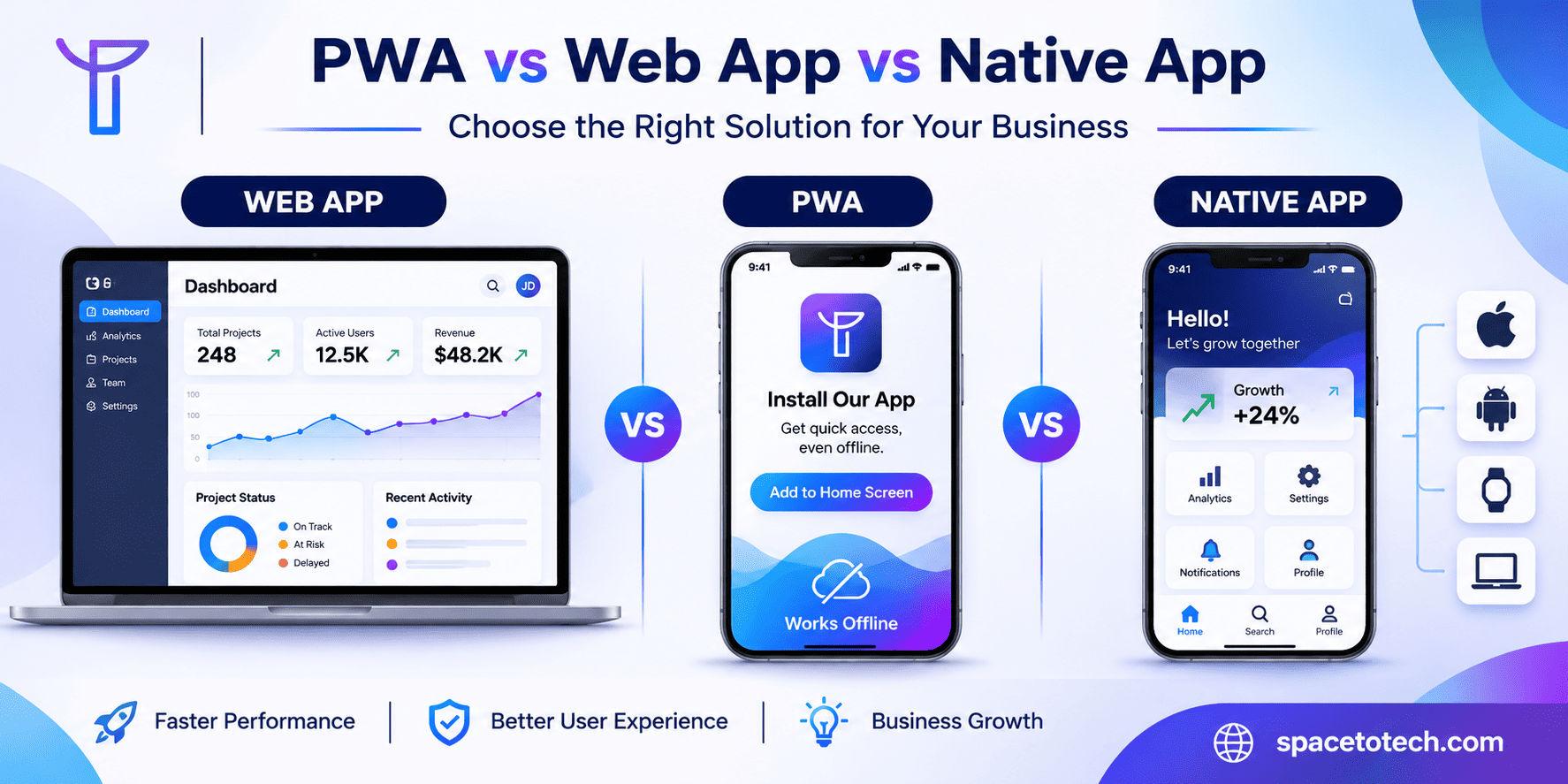
PWA vs web app vs native app comparison showing browser applications, progressive web apps and native mobile apps
Blogs12/11/2026

PWA vs Web App vs Native App: Differences, Costs, and Which to Choose

A customer opens your product on their phone. Should they use it in a browser, install it on their home screen, or download it from an app store? That choice shapes development effort, repeat usage, maintenance costs, and the experience your customers expect. When comparing PWA vs web app vs native app, the right answer depends on the product, not on which framework is trending. A SaaS dashboard, an online store, and a fitness app connected to sensors have very different requirements. Our web development guide covers the broader choices behind planning, building, and maintaining web products; this article focuses on which application format to build. For businesses evaluating a long-term engineering partner, the same decision belongs within a wider custom software development strategy: customer needs first, architecture second. Below, we compare core capabilities and show how to choose without paying for unnecessary complexity. What Is a Progressive Web App (PWA)? A Progressive Web App is a web application designed to offer enhanced capabilities through modern browsers. Users can access it through a URL, and supported platforms may allow installation with an icon and a standalone app-like window. A PWA may also cache selected content or send notifications, but those features do not appear automatically. How a PWA Works PWAs use familiar technologies such as HTML, CSS, JavaScript, and backend APIs. A web app manifest describes the app name, icons, start URL, and display behavior. Service workers can intercept network requests to manage caching and offline experiences. HTTPS provides the secure context needed for many browser APIs. A service worker is useful for advanced PWA behavior but is not a universal requirement for installation in every browser. What Businesses Gain and and What They Do Not For a returning customer, an installed PWA can reduce friction: tap an icon, resume a session, and possibly open previously cached information even during a poor connection. The business can maintain a shared web codebase instead of automatically building two separate native apps. Still, a PWA is not guaranteed to work fully offline, outperform every website, or access every hardware feature. What Is a Traditional Web Application? A web application is interactive software delivered through a browser. It typically handles accounts, user-specific data, workflows, payments, reports, and integrations. Examples include employee dashboards, B2B portals, CRM systems, and subscription products. Most users can begin through a URL without installing software. The question is not whether a website and a web app use different-looking screens. It is whether the product primarily publishes information or processes user-specific work. That distinction is explored in our website vs web application comparison. Once you know you need an application, the next decision is whether browser access is enough or whether progressive and native capabilities add genuine value. What Is a Native Mobile App? A native mobile application is built for a specific operating system, commonly Android or iOS, using platform toolchains and APIs. Android apps often use Kotlin; iOS apps commonly use Swift. A native application is generally distributed as an installed package and can integrate more deeply with platform-specific features. Native vs Cross-Platform Mobile Development Cross-platform technologies such as React Native and Flutter can share substantial code across Android and iOS, but they still produce mobile applications that require platform testing and updates. For a product where Android hardware capabilities drive the experience, native Android app development can be more appropriate. For a product prioritizing consistent interface design across mobile platforms, Flutter app development is another option, not the same thing as a PWA. PWA vs Web App vs Native App: Key Differences Decision factor Web app PWA Native app How users access it Browser URL Browser; optional install Installed app Codebase Web frontend and backend Web stack plus progressive features Platform-specific or shared mobile framework Offline Requires careful implementation Caching and sync can be built in Broad offline options with app logic Push notifications Browser and OS dependent Supported on compatible platforms Native platform notifications Hardware access Available browser APIs Available browser APIs, with limitations Broader OS-level access Discoverability Public pages may rank in search Public pages may rank in search App stores plus supporting site Updates Web deployment Web deployment and cache management Store/platform release processes Typical fit SaaS, dashboards, portals Repeat-use, web-first experiences Hardware-intensive or mobile-first apps Performance and User Experience Native apps may have a practical advantage for advanced graphics, intensive local computation, and complex device integrations. Yet a carefully engineered web app can feel fast and reliable for shopping, booking, document management, and administrative tasks. Performance is often governed by JavaScript size, network latency, database queries, and interface design, not simply the label attached to the app. Offline Features and Push Notifications Offline functionality is a product design decision. A PWA might display cached product listings while disconnected, but completing a payment or syncing stock levels requires deliberate rules for data freshness, retries, and conflicts. Browser notification support also differs by platform. On iOS and iPadOS 16.4 or later, eligible Home Screen web apps can use Web Push with permission; claims that iPhones never support PWA notifications are outdated. Device Access, SEO, and Distribution Modern browsers offer camera, geolocation, microphone, and other APIs, but feature availability is not consistent across devices. For Bluetooth equipment, specialist NFC use, sustained background tasks, or platform-specific services, prototype the hardest requirement before choosing a PWA. Web apps and PWAs can expose crawlable public pages to search engines, while authentication-only features generally cannot serve as indexable landing pages. Native apps rely more heavily on app-store discovery, brand demand, and supporting web content. A PWA does not automatically improve SEO; rendering, performance, crawlability, and content architecture remain essential. PWA vs Native App: Which Is Better for Your Business? Choose a PWA when the product is already web-first, users arrive through links or search, and the additional installed experience solves a repeat-use problem. Choose native development when its deeper device access or mobile-specific user experience is central to the product rather than a nice-to-have. When PWAs Work Well Ecommerce and membership products with frequent returning visitors. Content-rich services that benefit from fast repeat access and selective caching. Customer portals where a link is the most convenient onboarding path. Startups that want to test product-market fit without maintaining multiple mobile releases. When Native Development Is Worth It Advanced camera or sensor processing that exceeds practical browser support. Specialist Bluetooth devices, background services, or demanding mobile workflows. Applications where app-store distribution is a core acquisition channel. Games or intensive on-device experiences that require predictable platform-level performance. PWA vs Web App vs Native App Development Cost A PWA is not universally cheaper than a native app. A complex offline-enabled PWA could cost more than a straightforward native app, while adding installation and basic caching to an existing web product may be relatively modest. Compare estimates for identical requirements, including authentication, APIs, UI, integrations, testing, and maintenance. What Changes the Budget? Costs rise with custom workflows, security obligations, user roles, offline synchronization, accessibility, third-party integrations, and the number of environments requiring QA. Team composition and engagement model matter too: the difference between a fixed-scope build and an ongoing dedicated team is part of the wider cost to hire a web developer in India discussion. Compare Three-Year Ownership, Not Just the First Quote Traditional web apps require hosting, monitoring, security maintenance, and browser testing. PWAs add manifest, service worker, installation, notification, and cache-management considerations. Native apps add operating-system compatibility, store requirements, device testing, and release operations. Ask vendors to separate initial build, infrastructure, ongoing support, and expected feature updates. Which Type of App Should Your Business Build? Startup MVPs A browser-based MVP is often the quickest way to test sign-up, pricing, and the core user journey. Adding PWA features is sensible once installation or offline behavior creates measurable value. A mobile-first product may justify native development from day one when its essential functionality relies on operating-system capabilities. Ecommerce and Retail Shoppers often arrive through search, ads, and shared links. A web app or PWA supports this discovery path without demanding a download before browsing. A native shopping app becomes more compelling when a large returning audience benefits from dedicated mobile journeys, strong loyalty features, or mobile-specific integrations. SaaS and B2B Customer Portals Administrative dashboards, permissions, analytics, and complex forms usually favor a browser-accessible application. Behind the interface, the web application architecture , including APIs, data ownership, authentication, and reliability, often has greater long-term impact than whether users install the frontend. Field Services and On-Demand Platforms For a technician recording inspections in areas with weak connectivity, assess offline editing and synchronization early. For a ride-hailing or dispatch product, user, driver, and administrator experiences may need different delivery channels. Our article on building an on-demand app like Uber illustrates how mobile applications and web-based management panels can work as one system. A Seven-Question Decision Checklist Will users arrive through search, direct links, or an app store? How often will they return, and on which device? Which exact workflows must work without connectivity? Which hardware APIs or background capabilities are essential? Does the product need desktop-grade dashboards and complex forms? Can the business maintain multiple application releases? Can the planned architecture support another frontend later? Can You Convert an Existing Web App into a PWA? Often, yes. Begin with an audit of HTTPS, responsive layouts, performance, authentication, and storage. Define which PWA capabilities matter. Add manifest metadata and suitable icons, then design caching or offline sync only when justified. Test installation, session behavior, accessibility, notifications, and update flows on each supported platform. Treat sensitive or frequently changing data conservatively: stale account information and conflicting offline edits can undermine trust. An incremental rollout allows the team to track repeat usage and reliability before investing in further features. If the product later needs a native companion app, shared APIs and sound data architecture can make that transition more manageable. How to Choose an Application Development Partner A credible provider should explain why a traditional web app, PWA, or native implementation fits the brief, not default to the stack it prefers to sell. Ask for relevant product examples, a device-feature feasibility review, clear ownership terms, QA coverage, and a documented maintenance plan. For companies shortlisting agencies, evaluating top web development companies by technical fit, communication, portfolio relevance, and lifecycle support is more useful than picking the lowest hourly rate. A good proposal identifies the requirements that could force a change in architecture before development begins. Final Verdict Choose a web app for broad browser access and data-driven workflows. Add PWA capabilities when installation, caching, or notifications improve the actual user experience. Choose a native app when mobile hardware integration, background behavior, or demanding platform-level requirements define the product. SpaceToTech combines web application development services with mobile product engineering so the application format can follow the business case. The most sustainable roadmap is the one that delivers today’s essential workflows while leaving room for tomorrow’s customers and devices.

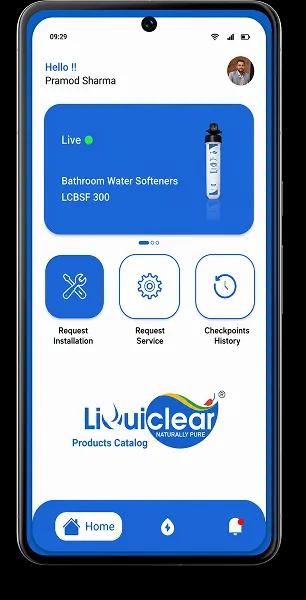

We Build Digital Products That Drive Real Growth

From idea to launch, we help startups and enterprises build scalable apps, AI solutions & custom software.

View Our Work
Trusted byGlobal Clients

150+Projects Delivered

OngoingSupport
UAE

UAE

USA

USA

INDIA

INDIA

Book a Free Consultation

Your information is safe with us.