
Most Flutter projects that go over budget or miss their launch date do not fail because of the framework. They fail because nobody mapped out who is responsible for what, at which stage, and what happens to your cost and timeline when a stage gets rushed. This guide walks through the Flutter app development process the way we actually run it for clients: stage by stage, with the deliverable you should expect, the person accountable for it, and the mistake that most often derails that specific step.
If you want the full technical and business picture of Flutter itself, our complete Flutter app development guide covers architecture, cost, and platform comparisons in depth. This article goes narrower and deeper: it is built for the person managing the project, not the person writing the code.
What Is Flutter App Development?
Flutter app development is the process of building an iOS and Android app from a single codebase, using Google's Flutter framework and the Dart programming language. For a business owner, the important word in that sentence is “process.” The framework choice matters, but it is a decision you make once, early on. The process is what you manage for the next two to nine months, and it is where most of the real risk to your budget and timeline actually lives.
Why Businesses Choose Flutter for Mobile App Development
One codebase covering both iOS and Android is the headline reason: one team, one build, one release cycle, instead of paying for two parallel native teams. It also means a consistent user experience across both platforms and simpler long-term maintenance, since a bug fix or feature update is written once, not twice. If you want the full cost and performance comparison against native and React Native, our Flutter app development services page breaks that down in detail. The rest of this guide assumes you have already decided Flutter is the right fit and are now focused on getting the project itself right.
The Flutter App Development Process: Stage by Stage
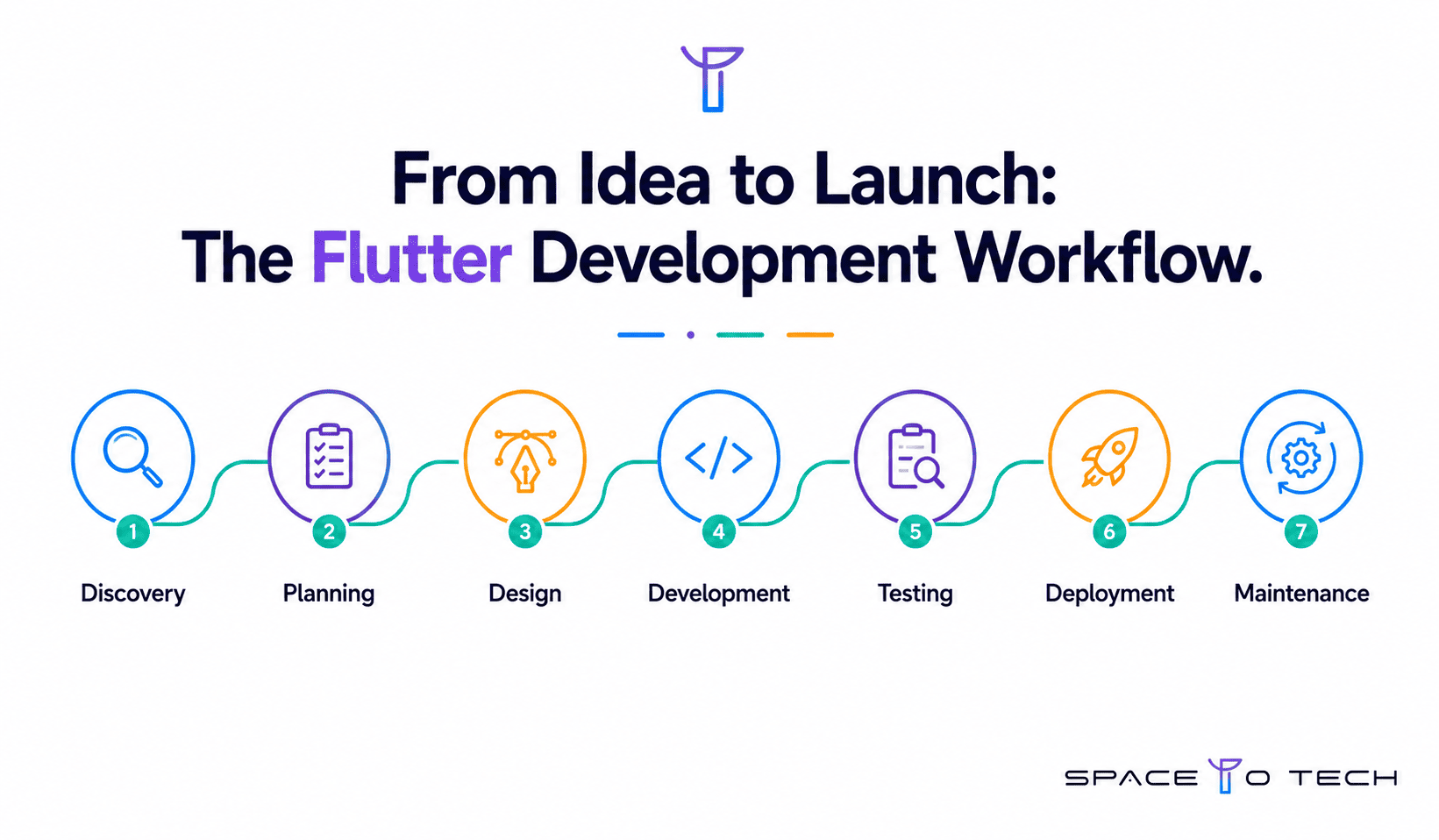
Each stage below follows the same structure: what actually happens, who is responsible, what you should receive as a deliverable, and what it costs you later if this stage gets rushed.
Requirement Discovery
This is where business goals, target users, must-have features, and platform requirements get mapped into a single document everything else is measured against. A good discovery conversation asks uncomfortable questions early, like whether you actually need an admin panel on day one, rather than assuming yes by default.
Who's responsible: Business Analyst leads, with the Project Manager involved and heavy input required from you as the client.
What you get: A signed-off requirements document and a confirmed feature list.
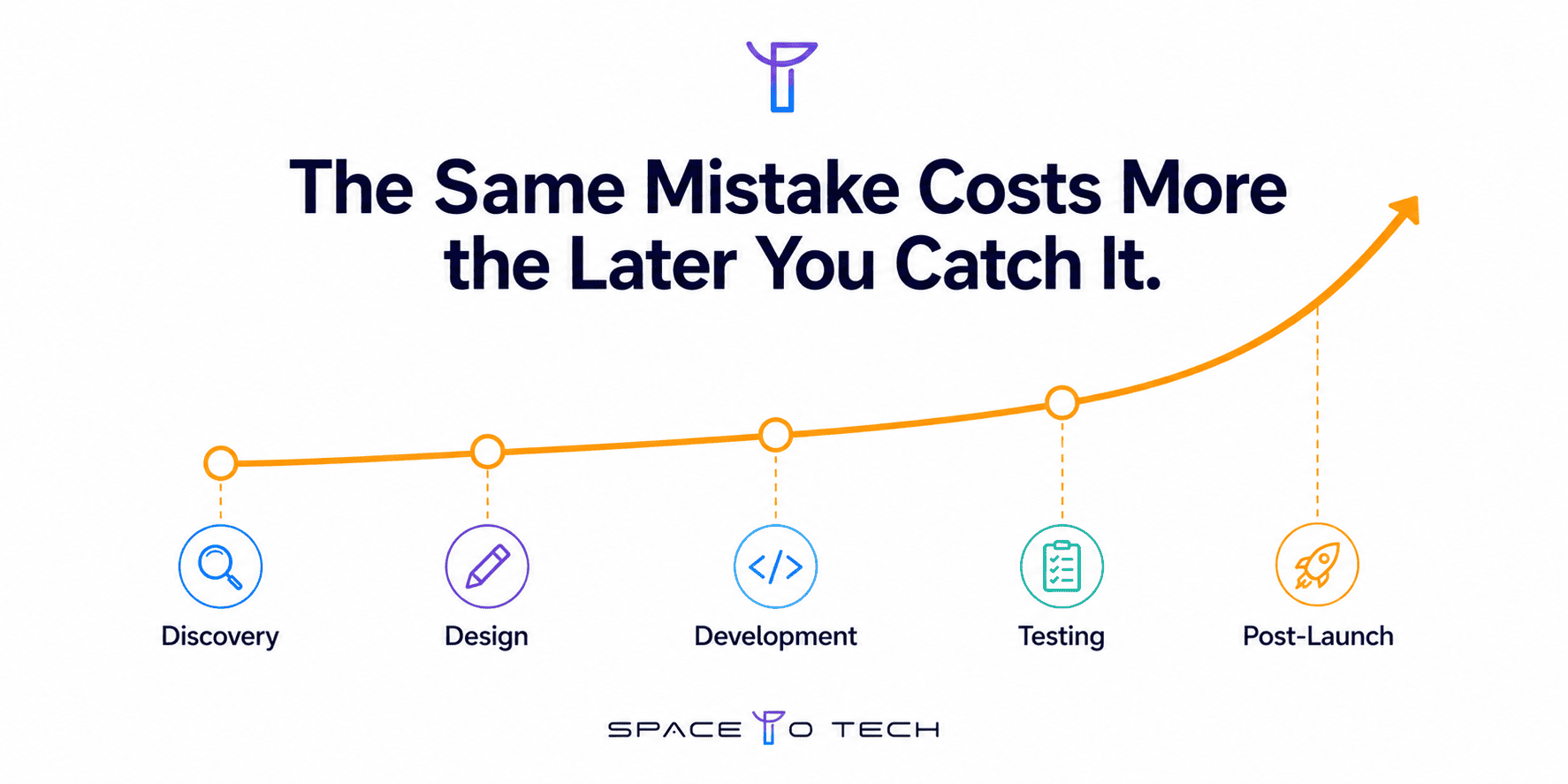
If this stage is rushed: Skipping or rushing this stage is the single biggest predictor of scope disputes later. Every week saved here tends to cost two or three weeks back during development, once ambiguity turns into rework.
Market and Competitor Research
A short competitive pass, looking at two or three direct competitors, surfaces feature gaps worth including and, just as usefully, features you can safely leave out of version one.
Who's responsible: Business Analyst, with Project Manager oversight.
What you get: A short competitive positioning summary and a feature gap list.
If this stage is rushed: This stage is cheap to do properly and expensive to skip; a feature nobody asked for, built because a competitor has it, is one of the most common sources of wasted development budget.
Project Planning
Discovery and research get turned into an actual project roadmap here: sprint breakdown, milestones, and a cost and timeline estimate you can hold the team to.
Who's responsible: Project Manager leads; client sign-off required before development starts.
What you get: A project roadmap, sprint plan, and a cost and timeline estimate in writing.
If this stage is rushed: Locking a budget before this stage, based on a rough verbal idea rather than a planned scope, is how founders end up disputing invoices three months in.
UI/UX Design
Wireframes first, then high-fidelity Figma screens, then a Flutter-specific design system covering colors, typography, and reusable components. This is also where Material and Cupertino design patterns get decided for your specific product.
Who's responsible: UI/UX Designer leads; client reviews and approves each milestone.
What you get: Approved wireframes, high-fidelity screens, and a documented design system.
If this stage is rushed: Approving designs late in the process, after development has already started against an earlier version, is one of the most expensive changes you can make; every screen already built has to be revisited.
App Architecture
Before a single feature screen gets built, the technical foundation gets decided: state management approach, navigation structure, and how the app's data layer will be organized.
Who's responsible: Senior Flutter Developer leads this decision.
What you get: An architecture document and a confirmed technology stack.
If this stage is rushed: A weak or skipped architecture stage is invisible for the first month and then shows up as slow, expensive feature development for the rest of the project, since every new screen has to work around decisions that were never properly made.
Backend Development
Depending on your data model, this is either a fast Firebase setup or a custom backend built in Node.js, Laravel, or a similar stack, including your database schema and authentication.
Who's responsible: Backend Developer leads, in coordination with the Flutter Developer on API contracts.
What you get: Working API endpoints, a database schema, and authentication flow.
If this stage is rushed: Backend complexity is consistently the most underestimated line item in a Flutter budget; a simple-looking feature request can hide a genuinely complex backend requirement underneath it.
Flutter Development
The actual build: screens, features, and business logic implemented in Dart, delivered in two-week sprints with a working demo at the end of each one.
Who's responsible: Flutter Developer or developers lead; Project Manager tracks sprint progress.
What you get: A working, testable build at the end of every sprint, not a status report.
If this stage is rushed: This is the stage that gets the most attention and, ironically, the least likely to be the actual source of a delay if the earlier stages were done properly.
API Integration
Payment gateways, maps, push notifications, and any other third-party service get wired in and tested here.
Who's responsible: Flutter Developer and Backend Developer jointly.
What you get: Fully integrated and tested third-party services.
If this stage is rushed: Each integration looks small individually but adds real testing time when stacked; budget for this explicitly rather than treating it as incidental to development.
Testing and QA
Automated unit and widget tests, plus manual QA on physical iOS and Android devices, not simulators only, since simulator performance does not reflect real device behavior.
Who's responsible: QA Engineer leads.
What you get: Test reports, a resolved bug list, and performance profiling results.
If this stage is rushed: Compressing this stage to hit a launch date is the single most common way a project becomes more expensive after launch, in the form of emergency post-release bug fixes.
Deployment
Submitting the app to both stores, including all required metadata, screenshots, and privacy disclosures, and setting up CI/CD so future releases are not a manual, error-prone process.
Who's responsible: DevOps or the Project Manager leads.
What you get: Live listings on the App Store and Google Play.
If this stage is rushed: Apple's review process in particular can add unplanned days if privacy manifests or metadata are incomplete; build buffer time into your launch date rather than treating submission as instant.
Post-Launch Maintenance
Crash monitoring, analytics, OS compatibility updates, and ongoing feature iteration based on real user behavior rather than internal assumptions.
Who's responsible: Project Manager and an on-call developer.
What you get: A monitoring dashboard, an agreed maintenance SLA, and a defined update schedule.
If this stage is rushed: Treating launch as the finish line, rather than planning maintenance budget from day one, is the most common budget surprise we see roughly six months after a launch.
Flutter App Development Timeline
Timeline scales with complexity, and the split below matches the numbers already published in our Flutter guide and cost breakdown, so you can plan against a single consistent set of figures.
Flutter Development Team Structure and Responsibilities
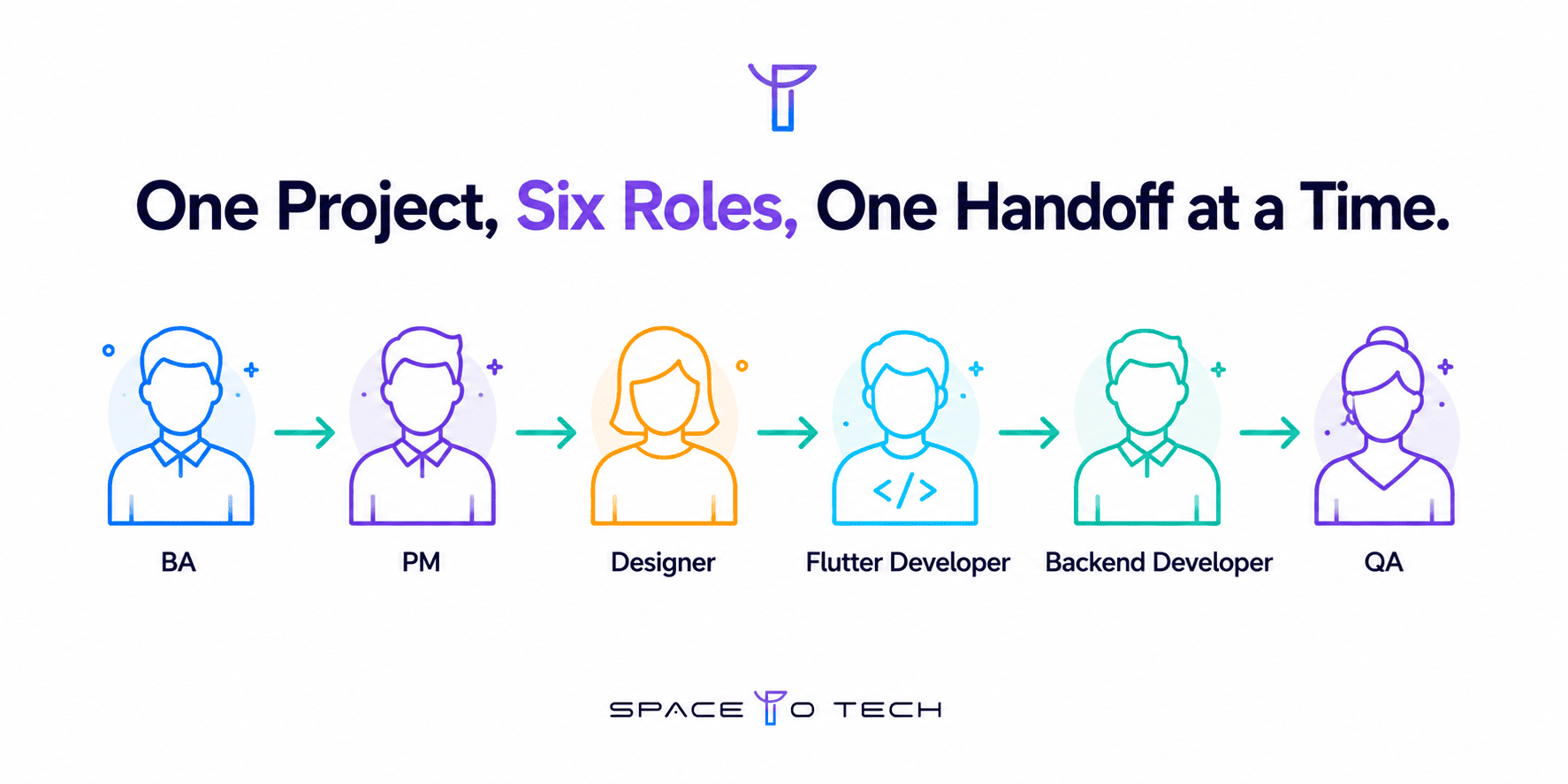
A quote is never just development hours. Here is who is actually involved, and at which stage.
Phase vs. Deliverables at a Glance
A one-look summary of what you should have in hand at the end of each phase.
Factors That Affect Flutter Development Time
- Feature count and complexity
- Backend complexity, Firebase versus a custom server
- Number of third-party integrations
- Team size and experience level
- Security and compliance requirements
- Platform scope, iOS and Android only versus web or desktop as well
For a detailed cost breakdown against each of these factors, see our Flutter app development cost guide.
Common Mistakes Business Owners Make During Flutter App Development
These are the mistakes we see most often from the client side of the table, not the developer side.
Flutter App Development Process vs. Native Development Process
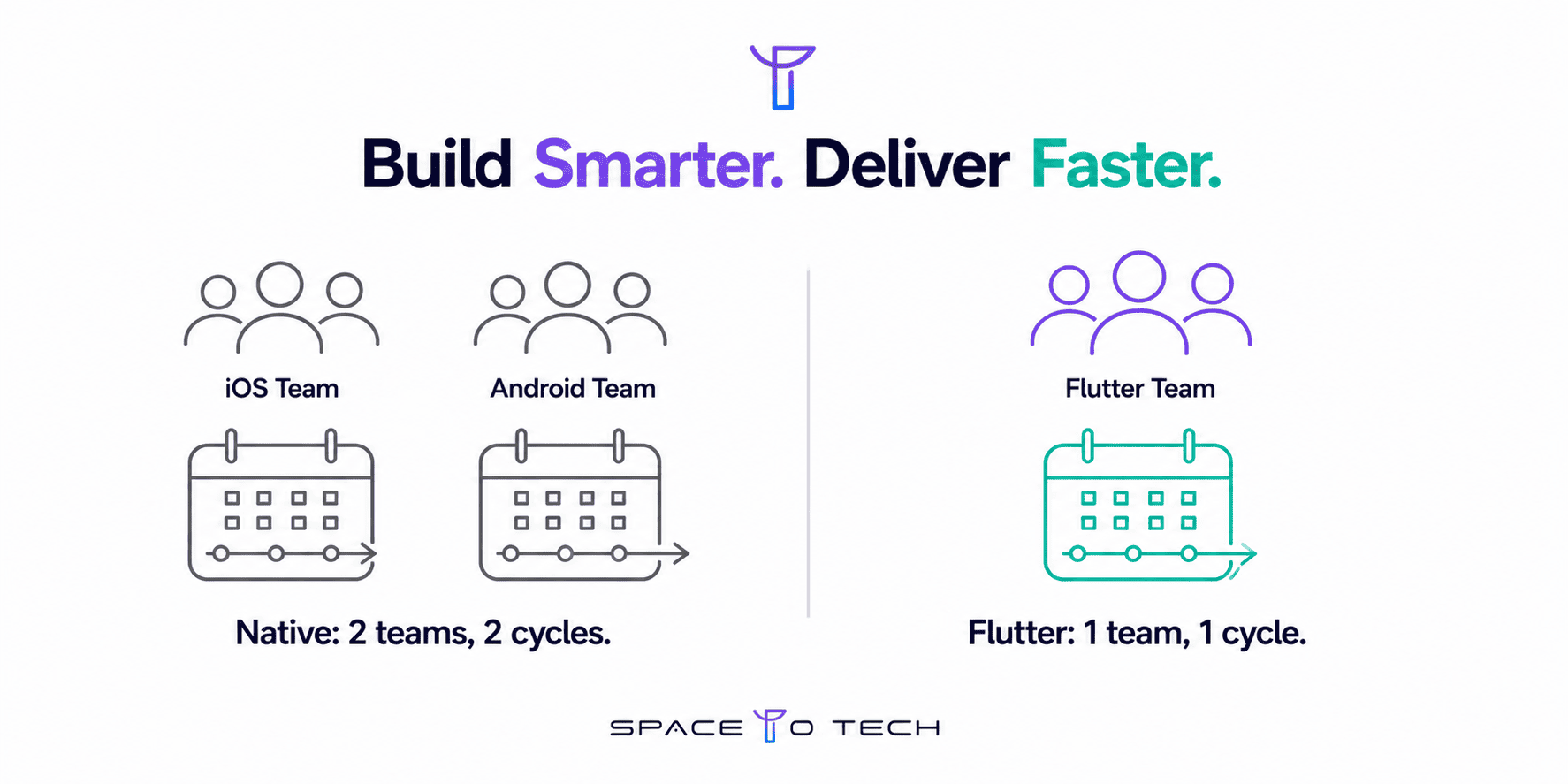
The core difference is not the code, it is the number of teams and review cycles you are managing. A Flutter project runs one team through one sprint cycle, building one codebase that ships to both platforms together. Native development runs two parallel teams, a Swift team and a Kotlin team, each on their own sprint cycle, each needing separate review, separate QA, and separate release coordination. For a founder managing the project rather than writing the code, that difference shows up as roughly half the number of status meetings and a single launch date instead of two staggered ones. A full technical and cost comparison deserves its own dedicated breakdown, which we cover separately.
How to Choose the Right Flutter Development Company
Before you sign with anyone, ask to see their process documentation, not just their portfolio. A portfolio shows you what they have built. A process document shows you how they will manage your specific project, and that is the thing that actually determines whether you hit your timeline.
- Confirm exactly who will be on your project team, by name and role, not just "our senior developers"
- Ask how they handle scope changes mid-project, and get the answer in writing
- Check whether they offer a fixed maintenance SLA after launch, or only open-ended hourly support
- Ask to see a sample of the deliverable you'll receive at the end of the discovery stage before you commit to the full project
As a software development company based in India, we structure every Flutter engagement around the exact stages covered in this guide, with a named team and a written deliverable at the end of each one.
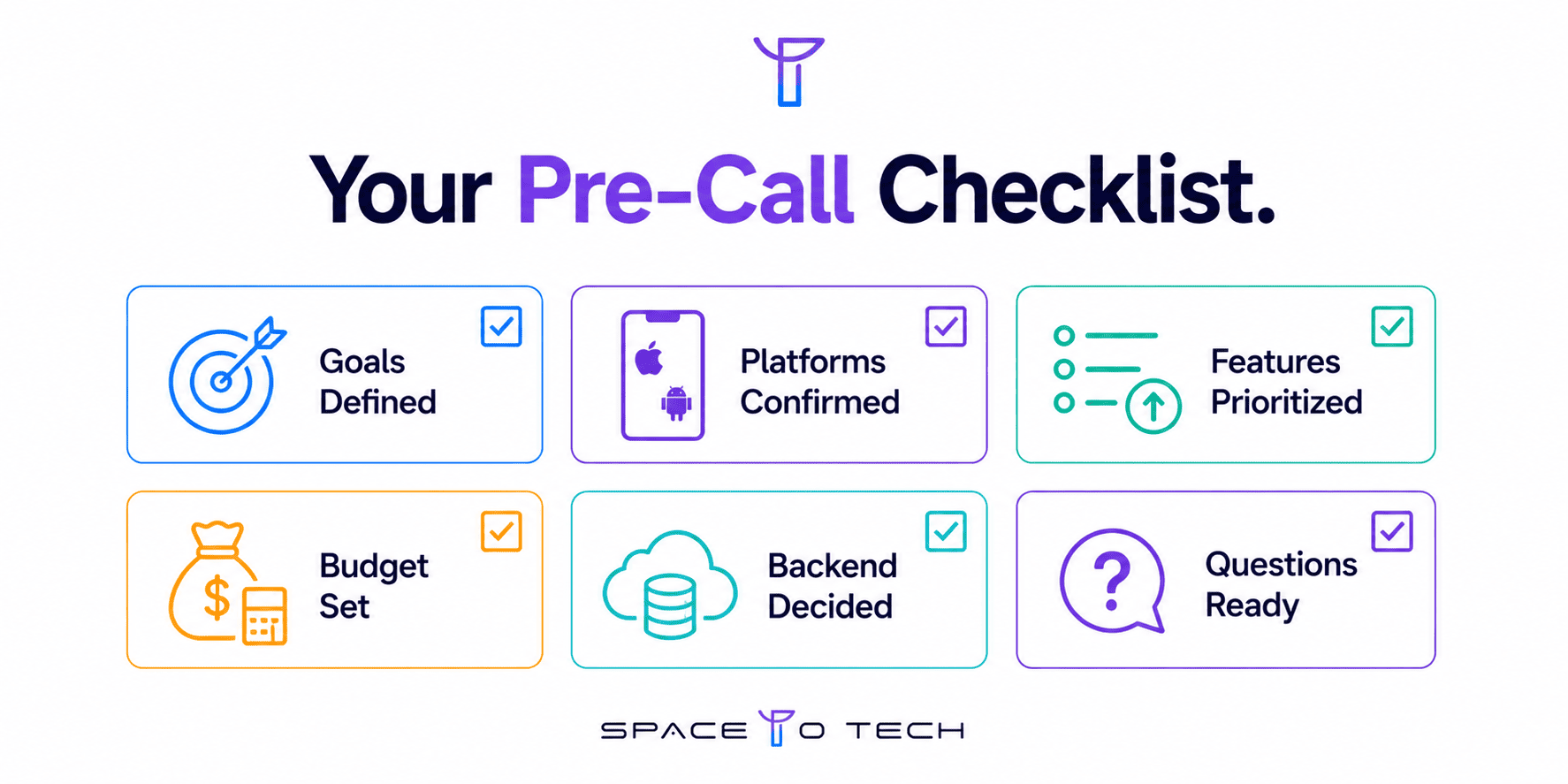
Flutter Project Planning Checklist
Use this before your first call with any development company, ours or otherwise.
- Business goals and success metrics defined
- Target platforms confirmed: iOS, Android, or both
- Rough feature list separated into must-have and nice-to-have
- Realistic budget range identified based on the cost tiers above
- Backend approach considered: Firebase versus a custom build
- Questions ready for your first call: team structure, process, and maintenance terms
Conclusion
Most Flutter project problems are process problems, not technical ones. A founder who understands what each stage delivers, who is accountable for it, and what it costs to rush, is in a far stronger position than one who only understands the framework. Use the checklist above before your first call, and treat every stage in this guide as a checkpoint, not just a line item on someone else's timeline.
Ready to plan your Flutter project properly from day one? Contact our team for a free discovery call.