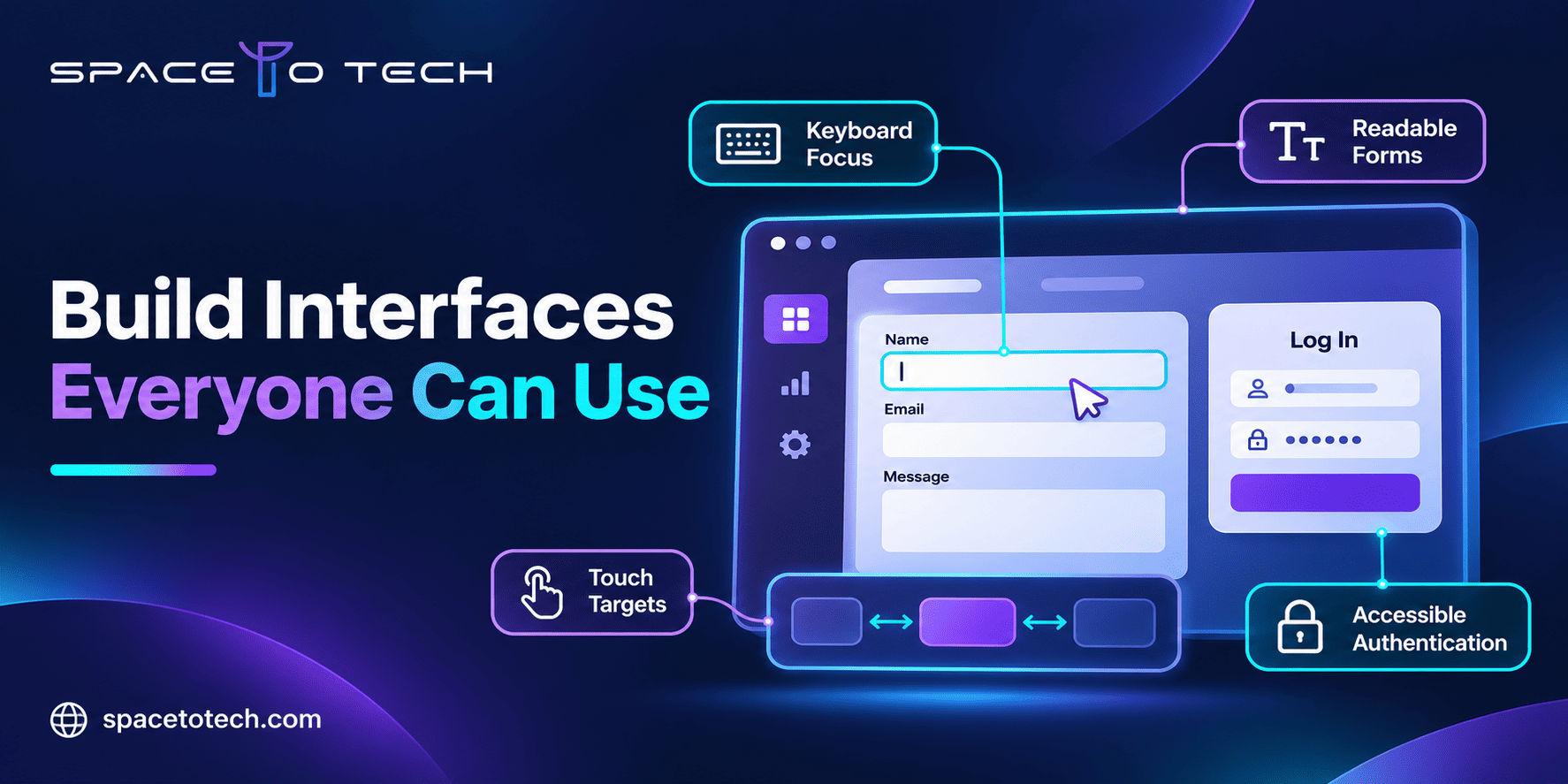
A B2B prospect is ready to book a product demo. They reach the final form, but the keyboard focus disappears behind a sticky banner and the validation error is never announced to a screen reader. The sales team sees a lost lead; the engineering team may never hear about the blocker.
WCAG 2.2 compliance addresses the accessibility requirements behind incidents like this. For a CTO, founder or product lead, the question is not merely whether a site looks inclusive. It is whether customers, employees and enterprise buyers can complete essential digital tasks with different devices and assistive technologies.
Accessibility belongs in the same planning conversation as architecture, security and maintainability. The web development guide covers the wider delivery process; this article focuses on the accessibility decisions, tests and remediation work that deserve their own backlog.
Below, we explain the conformance levels, WCAG 2.2 changes, practical checks and an implementation roadmap for companies building or improving business websites and web applications.
What Does WCAG 2.2 Compliance Mean?
The Web Content Accessibility Guidelines (WCAG) are published by the World Wide Web Consortium (W3C). WCAG 2.2 conformance means satisfying the specified success criteria and conformance requirements for the chosen level. The standard addresses what users need to perceive, operate, understand and interact with web content, including application interfaces.
For a service business, that includes navigation and contact forms. For a software product, it also includes settings, account creation, multi-step workflows, dashboards and authentication. An accessible login screen is irrelevant if the next screen cannot be operated without a mouse.
Teams designing portals or SaaS products can incorporate these behaviors into custom web application development requirements before components become expensive to change.
WCAG Level A, AA and AAA: Which One Should a Business Target?
Yes, the A/AA/AAA conformance table belongs in this article. It answers a frequent procurement and product-scoping question and provides a compact explanation for non-specialists. The key is to avoid treating AA as automatic legal compliance.
Level | Requirements | Implication for a B2B team |
A claim of conformance applies to complete web pages and the required range of content and processes, not a handful of passing examples. WCAG 2.2 AA is a useful target for many new builds, but confirm which version and level a contract or applicable law actually requires. See the W3C conformance requirements.
The Four Principles Behind Accessible Web Development
Perceivable: information can be recognized
Provide meaningful alternatives for informative images, appropriate captions, sufficient contrast and content that remains understandable without relying only on color. A dashboard showing “approved” versus “rejected” only in green and red may hide essential status information.
Operable: interactions work beyond the mouse
Ensure controls are keyboard-operable where required, focus is visible, and users can complete key actions without inaccessible gestures. A custom filter menu that works only by hover is not ready simply because the interface looks finished.
Understandable: tasks and errors make sense
Use clear labels, predictable controls and error recovery. A procurement form should explain which field failed and how to correct it, instead of returning a generic “something went wrong” banner.
Robust: assistive technology can interpret the interface
Use semantic HTML and reliable component patterns so browsers and assistive technologies receive accurate names, states and relationships. This is especially important for modern JavaScript interfaces with dynamic content.
What Is New in WCAG 2.2? The Nine Added Success Criteria
WCAG 2.2 adds nine success criteria compared with WCAG 2.1. Their levels are different: some are A, several are AA and others are AAA. The official W3C overview of the WCAG 2.2 changes explains the additions.
Criterion | Level | Business application |
Focus and target size: two issues founders can recognize
Imagine a user tabbing through a quote-request form. A fixed chat panel fully covers the submit button when it receives focus. The WCAG 2.2 AA Focus Not Obscured requirement addresses that problem. Separately, the AA Target Size (Minimum) criterion generally calls for a 24 × 24 CSS-pixel pointer target or sufficient spacing, subject to its exceptions. These are not instructions to make every button identical.
Dragging and account access: common in SaaS products
A workflow board that requires dragging cards should provide a suitable single-pointer alternative where the criterion applies. For authentication, check whether your process relies on memory tests or inaccessible challenges. Password-manager support and appropriate alternatives can help, but the complete criterion must be evaluated.
WCAG 2.2 also removes the obsolete 4.1.1 Parsing criterion from the WCAG 2.1 structure. A customer contract referring specifically to an earlier standard still needs to be read as written.
Where Accessibility Failures Hurt B2B Products Most
Demo requests and contact forms
A lead form with unlabeled inputs, missing error announcements or an inaccessible submit control can block a qualified enquiry. Test the entire journey, including confirmation messages and any CAPTCHA or scheduling widget.
SaaS registration, login and account recovery
Product teams should test registration, verification, password resets, multi-factor authentication and role-based screens. Accessible authentication matters especially when enterprise users must access the system repeatedly.
Dashboards, tables and internal portals
Data tables, filters, modal dialogs and chart alternatives need explicit behavior. Employees using a keyboard should be able to open a record, edit it, save it and find the result without losing context.
Procurement and enterprise customer reviews
Enterprise buyers may ask for accessibility documentation, test methods and remediation plans before approving a vendor. A vague “fully compliant” marketing statement is weaker than an honest scope, dated results and tracked issues.
Accessibility and speed affect different parts of the user experience. For example, focus management and form labeling do not replace the technical work described in website performance optimization; high-value B2B journeys should be evaluated on both dimensions.
Practical WCAG 2.2 AA-Oriented Checklist
This is a triage checklist for product and engineering teams, not a complete conformance audit.
- Can a keyboard-only user finish each priority journey, with a visible focus indicator and no keyboard trap?
- Do every input and custom component have an accessible name, state and clear error feedback?
- Are text alternatives, captions, contrast, reflow and meaningful headings reviewed?
- Do touch targets, dragging controls and sticky overlays meet applicable requirements?
- Can customers register, authenticate and recover their accounts without prohibited cognitive barriers?
- Do alerts, updates and changes of state reach assistive technologies appropriately?
- Have third-party widgets, embedded tools, PDFs and responsive variations been included in the scope?
How Should a CTO Test Website Accessibility?
Use automated checks to detect repeatable problems, then verify real interactions manually. Automated tools cannot establish whether every task is understandable or whether every applicable WCAG criterion passes.
Test layer | What it reveals | Suggested owner |
WAVE and axe DevTools can support automated discovery, while NVDA and VoiceOver are examples of screen readers used for evaluation. Teams should document the environment, reproduction steps, relevant criterion and retest results. General software testing services can provide a QA context, although formal WCAG conformance evaluation requires an explicitly agreed accessibility scope.
How to Turn an Accessibility Audit Into a Development Roadmap
1. Define the product scope and target standard
Agree on WCAG version, desired conformance level, supported browsers and assistive technologies, critical customer journeys, reusable templates and third-party dependencies. Record contractual or jurisdiction-specific requirements separately from voluntary product targets.
2. Sample templates and important workflows
Review the homepage and service pages, but spend most testing time where users make decisions: enquiry, onboarding, settings, billing-related interactions and approvals. One shared design-system error may affect dozens of screens.
3. Produce developer-ready findings
Each finding should contain the affected URL and component, reproduction steps, expected behavior, success criterion, user impact, severity and proposed fix. Distinguish verified failures from potential concerns needing more testing.
Example ticket field | Illustrative finding |
4. Prioritize blocked tasks, shared components and risk
Fix barriers that prevent completion of core business tasks first. Next, address defects repeated across navigation or design-system components, followed by lower-impact content defects. Prioritization manages delivery order; it does not excuse unresolved failures from a conformance claim.
5. Implement, retest and keep evidence
Update code and content, validate the original scenario and run regression checks. If the problem is rooted in aging front-end architecture, the decision may overlap with website redesign vs rebuild: a focused component fix can be better than rebuilding everything, but repeated structural defects may change the economics.
Build Accessibility Into the Software Development Lifecycle
Accessibility is cheaper to manage as an explicit acceptance criterion than as a vague final launch task. During discovery, document accessible journeys. During UX design, specify focus states, contrast, error messaging and responsive behavior. During engineering, use semantic components and tested patterns. During QA, test keyboard and assistive technology interactions. During release, preserve test evidence and monitor regressions.
For globally distributed teams commissioning custom software development services, this scope belongs in the statement of work alongside performance, security, integrations and maintenance. The wording should identify who owns the evaluation and remediation, not imply every development vendor automatically offers a formal certification.
WCAG 2.2 vs Legal Accessibility Obligations
WCAG is a technical standard, not a universal law. The ADA and Section 508 in the United States, the European Accessibility Act, and national requirements elsewhere have different scopes and enforcement mechanisms. For example, the US Department of Justice Title II web rule references WCAG 2.1 AA for covered state and local government web content; it does not declare WCAG 2.2 AA mandatory for every private company.
Select the target version and level based on customer contracts, applicable law and project requirements. A checklist, plugin or single scan cannot establish global legal compliance. Review formal obligations with qualified legal and accessibility professionals. The W3C WCAG 2.2 specification remains the technical source for the standard itself.
How to Evaluate a Web Development Partner for Accessibility Work
Ask potential partners what their accessibility scope includes, how they map issues to WCAG criteria, whether they perform manual and assistive-technology testing, what evidence they supply, and whether fixes receive independent validation. Request examples of developer-ready tickets rather than broad promises.
If you are comparing engineering partners through lists of top web development companies, add accessibility requirements and QA ownership to your evaluation scorecard. A strong portfolio does not replace a documented delivery plan.
Planning an Accessible B2B Website or Web Application?
For founders and CTOs, the productive next step is a scoped conversation: which users must complete which tasks, what accessibility target applies, which components are reusable, and who will test the resulting changes. That conversation converts a compliance aspiration into actionable engineering requirements.
Space to Tech Technology is a software development company working on custom applications and business software for clients across markets. If you are planning a B2B website, SaaS product or enterprise portal, discuss your project scope and the accessibility expectations you want built into the development process. Confirm specialized audit and validation deliverables explicitly before engagement.