Custom iOS, Android & Cross-Platform Apps

Top Mobile AppDevelopment Company inin India

We build innovative, scalable, and high-performance mobile applications that help startups, enterprises, and global brands accelerate growth and deliver exceptional digital experiences.

0+

Projects Delivered

0+

Mobility Experts

0+

Global Countries

0+

Years of Experience

View Portfolio

Trusted by startups and enterprises across India, USA & worldwide.

Trusted brand 1Trusted brand 2Trusted brand 3Trusted brand 4Trusted brand 5Trusted brand 1Trusted brand 2Trusted brand 3Trusted brand 4Trusted brand 5

Our Services

End-to-End Mobile App Development Services

We offer full-cycle mobile app development services tailored to your business goals.

iOS APP Development

High-performance iOS apps built with Swift for iPhone, iPad Apple Watch.
Android App Development

Feature-rich Android apps built with Kotlin for smartphones and tablets.

Cross-Platform Development

Cost-effective cross-platform apps using Flutter and React Native.

UI/UX Design

Beautiful, intuitive, and user-centric designs that drive engagement.

App Migration & Upgrade

Seamless migration and app modernization for better speed and stability.

Maintenance & Support

24/7 support and maintenance to ensure smooth app performance.

How to Identify the Top Mobile App Development Companies in India

Here is the uncomfortable truth about the top mobile app development companies in India: the genuinely good ones and the mediocre ones are often indistinguishable on a website. Same claims, same listed technologies, same stock logos. The difference shows up in the process, the communication quality, and the output. These eight criteria will cut through the noise.

1

Technical expertise across platforms

Ask specifically about iOS, Android, Flutter, and React Native. Ask for GitHub profiles or live code examples. Request links to apps they have personally shipped to the App Store or Play Store. A company that only knows one framework will always tell you that framework is the right answer for your project, regardless of what your project actually needs.

2

Portfolio of shipped, live applications

Screenshots are meaningless. Ask for links to real apps on the App Store and Play Store, then check release quality, update history, and ratings. A company should be proud to show active products, not only concept decks.

3

Verified client reviews — not just testimonials.

A testimonial on a company website can be written by anyone. A verified review on Clutch or GoodFirms cannot. Look for patterns across communication quality, deadline adherence, post-launch support, and issue resolution.

4

Agile development with visible project management.

Expect weekly sprint plans, weekly demos, and direct access to Jira or equivalent tools. If a company avoids visibility into progress, issue logs, or standups, that is a major warning sign.

5

IP ownership, NDA, and source code handover — in writing.

This is not negotiable. Contracts must explicitly assign all intellectual property to you and define full source code handover at project completion, including dependencies and deployment documentation.

6

Post-launch support with defined SLAs

Launch is not the finish line. Ensure support windows, bug-fix timelines, and escalation paths are documented. The best partners are predictable in maintenance quality long after go-live.

7

Communication setup

Define tools, meeting cadence, timezone overlap, and response expectations before the project starts. Weak communication infrastructure is one of the top reasons projects drift.

8

Certifications and professional memberships.

Certifications are not everything, but they signal process maturity and discipline. Combine them with delivery evidence, not marketing claims alone.

Space to Tech Technology

Meets all eight of
these criteria.

Ready to Build Your Next High-Performing Mobile App?

Let's turn your ideas into a powerful digital experience.

  • Free Consultation
  • No Commitment
  • 100% Confidential
  • On-time Delivery

Why India Leads the World in Mobile App Development

01

Massive Developer Talent Pool

India produces 1.5 million+ engineering graduates every single year. India now has more than 5.8 million active software professionals—making it the biggest developer talent pool in the world by far (NASSCOM, 2024).

What's striking isn't just the size, though. More and more of these engineers are focused specifically on mobile. There are Swift experts who've already launched dozens of consumer apps on the App Store. You'll find Kotlin developers who really get Android's fragmentation issues.

  • 1.5M+

    Engineering Graduates

  • 5.8M+

    Active Software

  • World's Largest

    Developer Talent Pool

  • Mobile-first & App-

    Ready Engineers

Map of India showing mobile developer talent distribution
RegionJunior ($/hr)Senior ($/hr)Cost vs India
India$15–25$15–25Baseline
Eastern Europe$35–55$15–25Baseline
United Kingdom$60–80$15–25Baseline
United States$75–100$15–25Baseline
Australia$65–90$15–25Baseline
02

60–70% Cost Savings vs Western Markets

A senior mobile app developer in India typically charges between $25 and $45 per hour. The same profile in the United States costs $100 to $150 per hour. That is not a rounding difference — that is often the difference between a startup being able to build their product at all versus waiting another funding round.

  • Cheaper does not mean worse quality. India's cost advantage exists because of currency differences and living costs — not because the engineers are less skilled.
  • 1,600+ Global Capability Centres (GCCs) that multinational enterprises now operate in India as of 2024 — a record high — exist precisely because those enterprises figured that out years ago.
03

Proven Global Track Record

Indian IT exports hit around $254 billion in FY2024. That isn't just a fluke or a one-off—it shows how steady and reliable this industry's become.

The global mobile app market is on track to top $780 billion by 2026, and honestly, a huge chunk of those apps will start life in India. From design to launch, Indian talent is behind a lot of what ends up on phones everywhere.

Key Metrics (Cards)

  • $254B - Indian IT Exports in FY2024
  • $780B+ - Global Mobile App Market by 2026
  • Built in India. Used Worldwide. - Powering Apps Across the Globe
  • Developers with massive user reach

    Indian Developers now get hands-on experience with massive user numbers

  • Mobile devices and connectivity

    Mobile devices and connectivity

    Dozens of different devices, and spotty connectivity

  • Development and code

    Development and code

    Stuff Developers in the west barely have to think about

Space to Tech Technology

One of India's Top Mobile App Development Companies

From idea to launch, we build secure, scalable, and high-performance mobile applications that help businesses grow faster in the digital world.

  • Custom iOS Apps

    Native Apple App Solutions For Growing Businesses...

  • Cross-Platform Apps

    Modern Android App Systems For Digital Products

  • Android Apps

    Unified Mobile App Development For Global Platforms

  • IoT Mobile Apps

    Smart Connected Device Systems For Enterprise Operations

  • Mobile UI/UX Design

    Interactive Mobile Experience Design For Better Engagement

  • AI-Powered Mobile Apps

    Intelligent Mobile AI Solutions For Smart Applications

  • 0+

    Happy Clients

  • 0+

    Year of Experience

  • 0.0%

    Uptime Guarantee

  • 0/7

    Expert Support

Industry-Specific Mobile App Solutions by Space to Tech Technology

Generic app development is common. Space to Tech Technology delivers domain-focused mobile solutions built around real industry needs, compliance, and user expectations.

Healthcare Mobile App Development

Patient portals, telemedicine platforms, EHR integrations, appointment scheduling, and remote patient monitoring — we have shipped production apps across most of these categories. Healthcare mobile development requires HIPAA compliance considerations baked into the architecture from day one: end-to-end encryption for data at rest and in transit, audit logging, role-based access control, and secure messaging. HealthKit integration for wearable data. Teleconsultation video with appropriate privacy handling. This is a demanding vertical and we take the compliance requirements seriously, not as a checkbox exercise.

Mobile App Development Technologies Used by Top Companies in India

Choosing the right mobile app technology impacts your budget, development speed, user experience, and long-term scalability.

Native App Development

Native apps are built separately for iOS and Android using technologies like Swift and Kotlin. They offer the best performance, deeper hardware access, and a premium user experience, making them ideal for high-performance or sensor-heavy applications.

Progressive Web Apps (PWA)

PWAs are installable web applications that work offline and run directly in the browser. They are great for content platforms, internal tools, and businesses focused on SEO and quick accessibility.
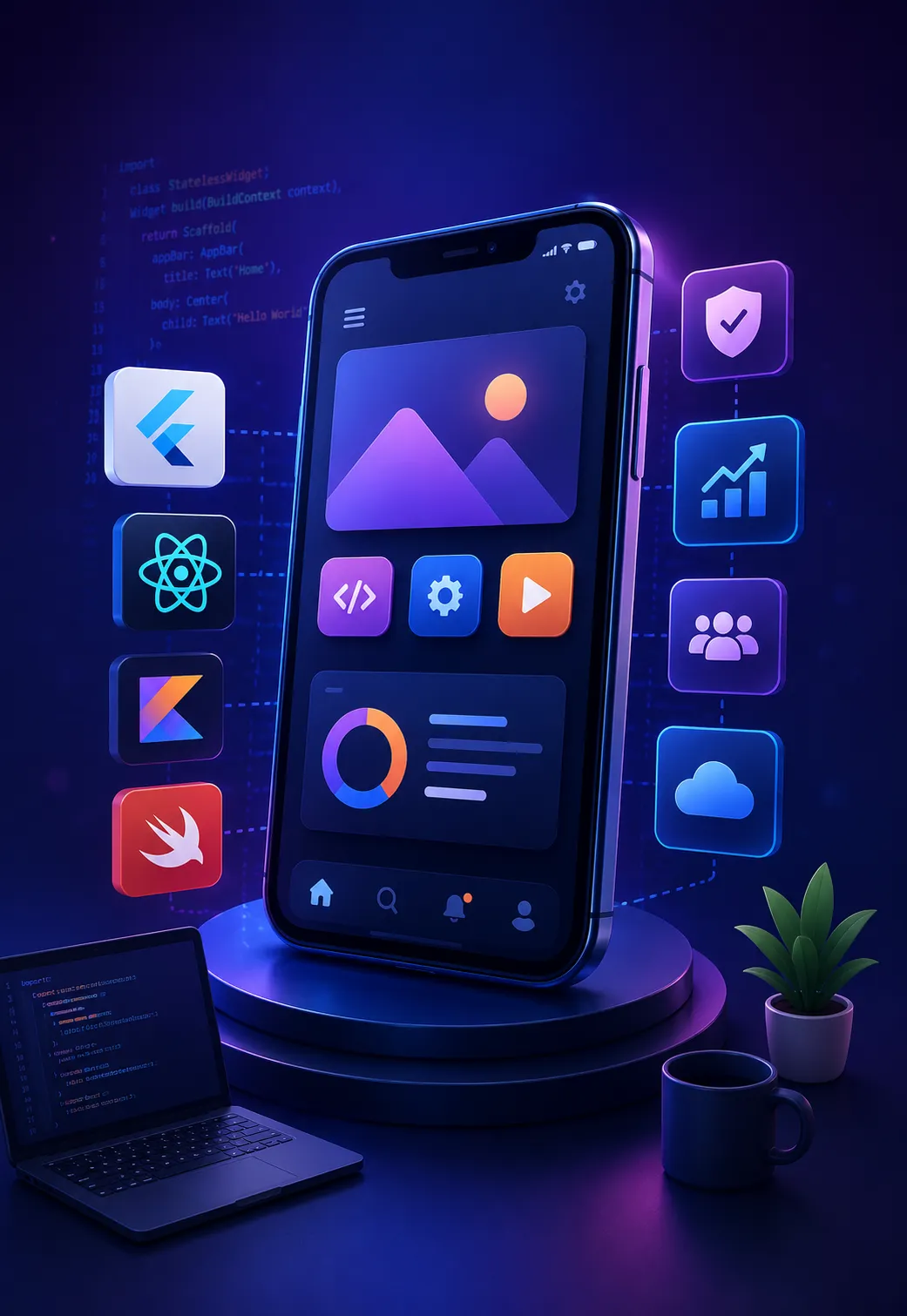
Mobile app development technologies illustration

Cross-Platform Development — Flutter & React Native

Flutter and React Native allow businesses to build iOS and Android apps from a single codebase. They reduce development time, lower costs, and deliver near-native performance with faster deployment cycles.

AI & ML Integration in Mobile Apps

Modern mobile apps increasingly use AI and machine learning for recommendations, image recognition, and smart automation. Technologies like Core ML enable faster, private, and on-device intelligent experiences.

Industries We Serve

Different industries fail in different ways. We build mobile apps with the stability, compliance, and scale each sector actually needs.

Healthcare & Telemedicine

Healthcare & Telemedicine

Applications help manage consultations and patient records. They also handle real-time interactions while keeping things stable for care teams.

Healthcare & Telemedicine

Applications help manage consultations and patient records. They also handle real-time interactions. This is done while keeping things stable and making sure data is handled in a way. This is really important, in places where things have to work all the time. Clear triage and follow-up paths reduce guesswork when schedules are full. Access controls and audit trails support trust without slowing clinicians down.

E-Commerce & Retail

E-Commerce & Retail

Performance directly impacts conversions. Fast browsing, stable checkout, and traffic spikes handled without slowing down.

E-Commerce & Retail

Performance directly impacts conversions. The focus stays on fast product browsing, stable checkout flows, and handling traffic spikes without slowing down during high-demand periods. Catalog slices, image lazy-loading, and predictable pagination keep first paint sharp. Cart and payment steps recover gracefully from brief network blips. Inventory and promos stay in sync so shoppers rarely hit dead ends. Search and filters stay responsive on mid-range devices.

FinTech & Banking

FinTech & Banking

Financial applications require precise execution—secure authentication, real-time transactions, and stable integrations.

FinTech & Banking

Financial applications require precise execution. Secure authentication, real-time transactions, and stable integrations are handled in environments where even small delays create larger risks. Step-up checks feel fast, not blocking. Ledger updates and receipts stay consistent across channels. Monitoring catches anomalies early so teams can intervene before balances drift. Third-party rails fail over cleanly instead of leaving users stuck.

Logistics & Supply Chain

Logistics & Supply Chain

Operations depend on visibility—tracking, route updates, and coordination without interruptions.

Logistics & Supply Chain

Operations depend on visibility. Apps handle tracking, route updates, and backend coordination so businesses can monitor movement without interruptions. Drivers get clear manifests and exception flows when a stop slips. Dispatch dashboards reflect live ETAs without hammering the API. Proof-of-delivery and handoff scans close the loop for finance and support. Offline pockets buffer critical reads until signal returns.

EdTech & E-Learning

EdTech & E-Learning

Users don't always have stable connections. Platforms handle offline access and consistent delivery across devices.

EdTech & E-Learning

Users don't always have stable connections. Platforms are designed to handle offline access and consistent content delivery across devices. Lessons, quizzes, and media resume where learners left off. Progress syncs when connectivity returns without duplicate submissions. Classroom and cohort views stay legible on small screens. Release cadence favors stability so exam week is never a surprise deploy.

Social Networking

Social Networking

Growth can be unpredictable. Applications manage real-time updates and scaling without performance drops.

Social Networking

Growth can be unpredictable. Applications are built to manage real-time updates and scaling challenges without performance drops. Feeds and notifications batch sensibly under load. Moderation queues stay usable when spikes hit. Media and chat avoid blocking the main thread on modest phones. Feature flags and gradual rollout limit blast radius when experiments ship.

On-Demand & Marketplace

On-Demand & Marketplace

Speed and coordination matter—matching, notifications, and transactions designed to work without delays.

On-Demand & Marketplace

Speed and coordination matter. Matching systems, notifications, and transaction handling are designed to work without delays. Supply and demand signals update without thrashing the client. Push and in-app alerts respect quiet hours yet surface time-sensitive offers. Disputes and payouts follow transparent states both sides can track. Maps and ETAs stay honest when traffic or weather shifts mid-trip.

Real Estate

Real Estate

Search experience defines usability—filters, maps, and listing performance reduce friction in discovery.

Real Estate

Search experience defines usability. Filters, maps, and listing performance are structured to reduce friction in property discovery. Saved searches and alerts feel instant without re-querying everything. Tour scheduling respects agent calendars and time zones. Document rooms keep versions tidy for buyers, sellers, and counsel. Performance budgets stop galleries from freezing mid-scroll.

Food & Hospitality

Food & Hospitality

Ordering flows must remain fast and reliable. Every step—from browsing to checkout—is optimized to reduce drop-offs.

Food & Hospitality

Ordering flows must remain fast and reliable. Every step—from browsing to checkout—is optimized to reduce drop-offs. Reservations and kitchen pacing stay aligned when dine-in, pick-up, and delivery peak together. KDS and courier handoffs match promised prep times. Payments, tips, and retries stay calm so one hiccup does not abandon the basket. Loyalty and menu updates stay quick on everyday staff devices.

SaaS & Enterprise Tools

SaaS & Enterprise Tools

Applications support internal operations—multi-user dashboards and integrations built for consistent performance.

SaaS & Enterprise Tools

Applications support internal operations. Multi-user environments, dashboards, and integrations are structured for consistent performance. Role-aware navigation keeps noise low for each persona. Heavy charts stream aggregates instead of shipping giant payloads. Webhooks and imports retry with backoff so nightly jobs finish cleanly. Observability ties UI latency to backend queues for faster triage.

Manufacturing

Manufacturing

Legacy systems are common. Apps integrate without replacing existing infrastructure entirely.

Manufacturing

Legacy systems are common. Apps are designed to integrate without replacing existing infrastructure entirely. Read-only mirrors and scoped writes reduce risk to PLCs and historians. Floor tablets tolerate gloves, dust, and intermittent Wi-Fi. Shift handovers capture notes and counts without duplicate entry. Change windows and staged rollouts avoid surprises during production peaks.

Travel & Hospitality

Travel & Hospitality

Users expect instant results—booking flows and real-time updates without delays or inconsistencies.

Travel & Hospitality

Users expect instant results. Booking flows and real-time updates are handled without delays or inconsistencies. Fare and room rules evaluate quickly before checkout. Itinerary changes propagate to wallets and notifications in one pass. Partner feeds degrade gracefully when an upstream API slows. Currency and locale stay coherent across search, pay, and post-trip support.
Healthcare & Telemedicine

Healthcare & Telemedicine

Applications help manage consultations and patient records. They also handle real-time interactions while keeping things stable for care teams.

Healthcare & Telemedicine

Applications help manage consultations and patient records. They also handle real-time interactions. This is done while keeping things stable and making sure data is handled in a way. This is really important, in places where things have to work all the time. Clear triage and follow-up paths reduce guesswork when schedules are full. Access controls and audit trails support trust without slowing clinicians down.

E-Commerce & Retail

E-Commerce & Retail

Performance directly impacts conversions. Fast browsing, stable checkout, and traffic spikes handled without slowing down.

E-Commerce & Retail

Performance directly impacts conversions. The focus stays on fast product browsing, stable checkout flows, and handling traffic spikes without slowing down during high-demand periods. Catalog slices, image lazy-loading, and predictable pagination keep first paint sharp. Cart and payment steps recover gracefully from brief network blips. Inventory and promos stay in sync so shoppers rarely hit dead ends. Search and filters stay responsive on mid-range devices.

FinTech & Banking

FinTech & Banking

Financial applications require precise execution—secure authentication, real-time transactions, and stable integrations.

FinTech & Banking

Financial applications require precise execution. Secure authentication, real-time transactions, and stable integrations are handled in environments where even small delays create larger risks. Step-up checks feel fast, not blocking. Ledger updates and receipts stay consistent across channels. Monitoring catches anomalies early so teams can intervene before balances drift. Third-party rails fail over cleanly instead of leaving users stuck.

Logistics & Supply Chain

Logistics & Supply Chain

Operations depend on visibility—tracking, route updates, and coordination without interruptions.

Logistics & Supply Chain

Operations depend on visibility. Apps handle tracking, route updates, and backend coordination so businesses can monitor movement without interruptions. Drivers get clear manifests and exception flows when a stop slips. Dispatch dashboards reflect live ETAs without hammering the API. Proof-of-delivery and handoff scans close the loop for finance and support. Offline pockets buffer critical reads until signal returns.

EdTech & E-Learning

EdTech & E-Learning

Users don't always have stable connections. Platforms handle offline access and consistent delivery across devices.

EdTech & E-Learning

Users don't always have stable connections. Platforms are designed to handle offline access and consistent content delivery across devices. Lessons, quizzes, and media resume where learners left off. Progress syncs when connectivity returns without duplicate submissions. Classroom and cohort views stay legible on small screens. Release cadence favors stability so exam week is never a surprise deploy.

Social Networking

Social Networking

Growth can be unpredictable. Applications manage real-time updates and scaling without performance drops.

Social Networking

Growth can be unpredictable. Applications are built to manage real-time updates and scaling challenges without performance drops. Feeds and notifications batch sensibly under load. Moderation queues stay usable when spikes hit. Media and chat avoid blocking the main thread on modest phones. Feature flags and gradual rollout limit blast radius when experiments ship.

On-Demand & Marketplace

On-Demand & Marketplace

Speed and coordination matter—matching, notifications, and transactions designed to work without delays.

On-Demand & Marketplace

Speed and coordination matter. Matching systems, notifications, and transaction handling are designed to work without delays. Supply and demand signals update without thrashing the client. Push and in-app alerts respect quiet hours yet surface time-sensitive offers. Disputes and payouts follow transparent states both sides can track. Maps and ETAs stay honest when traffic or weather shifts mid-trip.

Real Estate

Real Estate

Search experience defines usability—filters, maps, and listing performance reduce friction in discovery.

Real Estate

Search experience defines usability. Filters, maps, and listing performance are structured to reduce friction in property discovery. Saved searches and alerts feel instant without re-querying everything. Tour scheduling respects agent calendars and time zones. Document rooms keep versions tidy for buyers, sellers, and counsel. Performance budgets stop galleries from freezing mid-scroll.

Food & Hospitality

Food & Hospitality

Ordering flows must remain fast and reliable. Every step—from browsing to checkout—is optimized to reduce drop-offs.

Food & Hospitality

Ordering flows must remain fast and reliable. Every step—from browsing to checkout—is optimized to reduce drop-offs. Reservations and kitchen pacing stay aligned when dine-in, pick-up, and delivery peak together. KDS and courier handoffs match promised prep times. Payments, tips, and retries stay calm so one hiccup does not abandon the basket. Loyalty and menu updates stay quick on everyday staff devices.

SaaS & Enterprise Tools

SaaS & Enterprise Tools

Applications support internal operations—multi-user dashboards and integrations built for consistent performance.

SaaS & Enterprise Tools

Applications support internal operations. Multi-user environments, dashboards, and integrations are structured for consistent performance. Role-aware navigation keeps noise low for each persona. Heavy charts stream aggregates instead of shipping giant payloads. Webhooks and imports retry with backoff so nightly jobs finish cleanly. Observability ties UI latency to backend queues for faster triage.

Manufacturing

Manufacturing

Legacy systems are common. Apps integrate without replacing existing infrastructure entirely.

Manufacturing

Legacy systems are common. Apps are designed to integrate without replacing existing infrastructure entirely. Read-only mirrors and scoped writes reduce risk to PLCs and historians. Floor tablets tolerate gloves, dust, and intermittent Wi-Fi. Shift handovers capture notes and counts without duplicate entry. Change windows and staged rollouts avoid surprises during production peaks.

Travel & Hospitality

Travel & Hospitality

Users expect instant results—booking flows and real-time updates without delays or inconsistencies.

Travel & Hospitality

Users expect instant results. Booking flows and real-time updates are handled without delays or inconsistencies. Fare and room rules evaluate quickly before checkout. Itinerary changes propagate to wallets and notifications in one pass. Partner feeds degrade gracefully when an upstream API slows. Currency and locale stay coherent across search, pay, and post-trip support.

Space to Tech Technology's Mobile App Development Process

A strong process is what keeps projects on track. Every Space to Tech engagement follows a clear, structured workflow to ensure smooth communication, timely delivery, and reliable results.

Step 1: Discovery and Requirement Analysis

Architects document your full estate and identify risks to define measurable success criteria for year one.

Step 2: UI/UX Design and Prototyping

A structured health assessment provides a complete diagnosis of security and performance before assuming full operational responsibility.

Step 3: Agile Development Sprints

Benchmarking SLAs against current performance to align commercial terms and resources with your specific enterprise roadmap.

Step 4: QA and Testing

Parallel pod shadowing ensures undocumented processes are captured, enabling your internal team to focus on business growth.

Step 5: App Store Submission and Deployment

Providing 24/7 proactive monitoring, incident management, and bug fixes to ensure mission-critical stability and system uptime.

Step 6: Post-Launch Support and Maintenance

Strategizing enhancements and automations to improve operational efficiency while reducing your total cost of software ownership.


Clutch 5.0 rating

Recognized. Trusted. Preferred

Awards & Recognition

We are proud to be recognized by leading platforms and industry experts for our innovation, impact, and excellence

TopDevelopers

TopDevelopers

Top Mobile App Developers

Freelancer

Freelancer

Top Mobile App Developers

AppFutura

AppFutura

Top Mobile App Developers

GoodFirms

GoodFirms

Top Mobile App Development

Clutch

Clutch

Top Mobile App Developers

Excellence isn't claimed.It's recognized

These achievements reflect our commitment to
delivering world-class AI solutions that help
businesses grow and lead

Frequently Asked Questions About Mobile App Development in India

Space to Tech Technology is among the leading top mobile app development companies in India, with a specific focus on serving international clients across the USA, UAE, UK, and Australia from our Noida headquarters. The broader market includes large IT firms like Wipro, Infosys, and TCS for enterprise-scale engagements, and specialist boutique companies for more focused projects. For international clients specifically, company size matters far less than communication quality, IP protections, verified client reviews, and a portfolio of shipped live applications. Clutch.co and GoodFirms are the most reliable platforms for shortlisting the best mobile app development company for your requirements — reviews there are verified independently, not curated by the firms themselves.
Simple apps — one platform, limited features, no complex backend — typically fall in the range of $5,000 to $15,000. Mid-complexity apps with custom UI, third-party integrations, authentication, and a proper backend come in at $15,000 to $50,000. Enterprise applications with complex architecture, AI/ML layers, multi-platform requirements, or regulated-industry compliance can exceed $50,000 and in some cases reach $150,000 or more. The equivalent projects in the USA or UK cost three to five times as much. For a project-specific estimate, contact Space to Tech Technology at spacetotech.com/contact.
Simple apps typically take eight to twelve weeks. Mid-complexity apps run sixteen to twenty weeks. Complex or enterprise-grade projects take twenty-four to forty weeks. These timelines assume a well-run Agile process with clear requirements agreed upfront. Projects with poorly defined scope or frequent unplanned requirement changes take longer — regardless of where the development team is based. Space to Tech's sprint-based methodology gives clients working software every two weeks throughout the project, so you are never waiting until the end to see what you have actually paid for.
The honest answer depends on your users, your timeline, and your budget. If you are targeting a single platform audience where performance is critical and the UX bar is high — native iOS or native Android is worth the additional cost. If you are a startup or SME that needs to ship on both platforms quickly without doubling your development budget, Flutter or React Native is almost always the right starting point. Space to Tech builds in all four environments. We will recommend the right one for your project and explain the trade-offs clearly.
Yes — and the evidence is substantial. India hosts 1,600+ Global Capability Centres operated by international enterprises specifically because Indian development teams handle complex, large-scale technical work reliably. The talent pool of 5.8 million+ software professionals (NASSCOM, 2024) includes architects, team leads, and senior engineers with deep enterprise experience. Space to Tech serves enterprise clients in the USA, UAE, UK, and Australia, with experience in microservices architecture, cloud deployment across AWS, GCP, and Azure, and compliance engineering for regulated industries.
Eight things, in order of importance: verified Clutch or GoodFirms reviews. Live App Store and Play Store portfolio links to apps the team personally built. Agile methodology with real sprint demos and a visible project board. Full IP ownership assigned to you in writing and a signed NDA before any work begins. Post-launch support with a defined SLA. Transparent communication infrastructure — Slack, Jira, video standups on a recurring schedule. Relevant domain experience in your specific industry. And technology certifications — ISO, NASSCOM membership, or platform partnerships with Google, AWS, or Microsoft. Space to Tech Technology meets all eight criteria.
5.8 million or more, according to NASSCOM's 2024 data — the largest developer talent pool in the world. India produces 1.5 million+ engineering graduates annually, so that number grows continuously. The combination of depth, English proficiency, and significantly lower hourly rates than Western markets is precisely why the top mobile app development companies in India remain the first call for international product teams across every sector.
Yes. Three months of post-launch support is included as standard on every project — covering critical bug fixes, minor UX improvements, and OS compatibility updates when new iOS and Android versions release. Extended annual maintenance contracts are available, covering performance monitoring, security patching, third-party API updates, and incremental feature development. Clients receive a dedicated Slack support channel and SLA response times defined by issue severity. Apps need maintenance to stay competitive. We make that maintenance structured and easy to manage.
As of 2026, mobile app development cost in India ranges from approximately $5,000 for a simple single-platform app to $150,000+ for a complex multi-platform enterprise product. The main cost drivers are feature count, number of target platforms, backend complexity, third-party integrations, design scope, and ongoing maintenance requirements. India's cost advantage over Western markets has remained consistent — the talent pool has grown significantly, but the rate differential with the USA and UK remains substantial, typically 60–70%.

Supporting Insights

AI-powered mobile app development guide cover image showing AI chatbot and recommendation features on a mobile interface
Blogs30/08/2026

AI-Powered Mobile Apps: Use Cases, Features, Development & Business Considerations

Mobile apps used to follow fixed rules. A user tapped a button, the app returned a predetermined result, and nothing about the experience adjusted based on who was using it. That pattern is changing fast. AI mobile app development is now shaping how apps personalize content, understand images and speech, predict user needs, and automate work that once required a human in the loop. But adding AI to a mobile app is not automatically the right move. Before a business commits budget and engineering time, it needs clarity on the problem AI is meant to solve, the data available to support it, the experience users actually want, and the outcome the business expects in return. This article walks through what AI-powered mobile apps actually are, which AI features make sense for different business problems, how AI gets integrated into a mobile product with the help of a mobile app development company , what it costs, what it risks, and how to choose a development partner that can execute it properly. What Is AI Mobile App Development? AI mobile app development is the process of building a mobile application that uses artificial intelligence, such as a machine learning model, a large language model, or a computer vision system, to perform tasks that go beyond fixed logic. A traditional mobile app follows instructions the developer wrote in advance. An AI-powered mobile app can interpret input it has not seen before, such as a photo, a spoken question, or a pattern in user behavior, and respond based on what the model has learned. In practice, an AI-powered mobile app combines three layers: an AI model or API (either a pre-trained service like a language model, or a custom-trained model), a backend that connects that model to business data and logic, and a mobile interface that presents the result to the user in a usable way. The mobile app itself rarely contains the full AI model. Most AI processing happens through an API call to a cloud service or, in some cases, through a lightweight model running directly on the device. This is where dedicated AI development services come in, connecting the model layer to a working mobile product. What matters for the business is not where the computation happens, but whether the resulting feature solves a real problem for the user. Why Add AI to a Mobile App? The reason to add AI should be a business outcome, not the technology itself. Here are the outcomes that typically justify the investment. Personalize User Experiences AI models can analyze what a user has viewed, purchased, or searched for, and adjust what the app shows next. This is the foundation of AI personalization in mobile apps across ecommerce, media, and content platforms. Automate Repetitive Tasks Tasks that involve reading documents, sorting information, or responding to routine questions can be automated with AI, freeing staff to handle higher-value work. Improve Search and Recommendations AI-driven search understands intent rather than exact keyword matches, and recommendation systems surface relevant products or content without the user having to search for them directly. Enable Conversational Experiences Chat-based interfaces let users get answers or complete tasks through natural language instead of navigating multiple screens. This is usually where AI chatbot development fits into a mobile product, whether as a standalone support assistant or as one feature inside a larger app. Support Faster Decision-Making Predictive models can flag likely outcomes, such as demand spikes or churn risk, giving teams time to act before a problem occurs. Reduce Manual Operational Work Document processing, data entry, and routine verification tasks that once required staff time can be shifted to AI-assisted workflows, reducing turnaround time and error rates. AI Features You Can Add to a Mobile App Not every AI feature belongs in every app. The table below summarizes the most common AI capabilities used in mobile products today, what they actually do inside the app, and a typical business example for each. AI Capability What It Does in a Mobile App Example Use AI chatbot Provides conversational assistance through text or voice Customer support, order status, FAQs Recommendation engine Suggests products or content based on user behavior Ecommerce, streaming, content platforms Computer vision Reads and interprets images, video, or scanned documents Document extraction, visual search, quality checks Voice AI Understands and responds to spoken commands Hands-free navigation, voice assistants Predictive analytics Forecasts likely outcomes based on historical data Demand forecasting, churn prediction, risk scoring Natural language processing (NLP) Understands and processes human language Search, sentiment analysis, support ticket routing Generative AI Produces text, summaries, or responses on demand AI assistants, content drafting, automated replies AI agents Carries out multi-step tasks with minimal user input Booking flows, workflow automation, task completion Industry tracking from Business of Apps shows AI-related app revenue reaching 16.5 billion dollars in 2025, an increase of roughly 180 percent over the previous year, reflecting how quickly AI adoption is accelerating across the wider mobile app market. AI Mobile App Use Cases Across Industries Generic AI feature lists rarely show how these capabilities actually play out inside a business. Here is how AI mobile app development applies across common industries, including examples from real projects. Healthcare Healthcare apps use AI to support radiology workflows, automate medical documentation, assist with patient scheduling, and provide patient support through conversational interfaces. Radiology platforms, for example, often bring together AI-assisted dictation and automated study assignment inside a single dashboard so radiologists and administrators can manage large volumes of patient studies without switching between disconnected systems. SpaceToTech's work on Radin Health involved designing and developing the dashboard experience for a radiology SaaS platform, focused on usability, workflow efficiency, and role-based access for administrators, medical professionals, and radiologists. The AI-assisted dictation and automated study assignment capabilities were part of the platform the interface was built around, rather than AI models developed from scratch for this project. Ecommerce & Retail Retail apps use AI for personalized product recommendations, visual search (where a user photographs an item to find similar products), and demand forecasting that helps retailers plan inventory before a shortage or surplus occurs. Finance & Fintech Financial apps apply AI to fraud detection, transaction risk analysis, and automated document processing for onboarding or claims. Because financial data is sensitive, these use cases require particularly strong security and audit practices. Logistics Logistics apps use AI for route optimization, delivery time prediction, and operational automation across warehouse and fleet management, reducing fuel cost and delivery delays. Education Education apps use AI to personalize learning paths based on a student's progress, power AI tutors that answer subject-specific questions, and automate grading or feedback for routine assignments. Food & Restaurant Food and restaurant operations use AI for conversational ordering, customer support, and back-office document processing. SpaceToTech built an AI chatbot combined with an OCR-based bill processing system for a Domino's landlord billing workflow, replacing manual invoice handling across hundreds of store locations. The chatbot let landlords submit bills through a simple conversational interface, while the OCR engine extracted invoice data, such as amounts, tax fields, and vendor details, and routed validated data automatically into the ERP system. The result was a significant reduction in manual data entry, faster invoice processing, and a billing workflow that scaled with the store network without adding headcount. How to Decide Which AI Capability Your Mobile App Needs Most articles list AI features without connecting them back to a business problem. Use this table to work backward from the problem your app actually has. Business Problem Possible AI Capability Users need instant answers Conversational AI / chatbot Users struggle to find products or content Recommendation engine / AI-powered search Business processes rely on documents OCR / document AI Users want hands-free interaction Voice AI Business needs to anticipate future demand or risk Predictive analytics Teams perform repetitive multi-step workflows AI automation / AI agents Users expect a tailored, individual experience Recommendation / personalization AI If none of these problems apply directly to your app today, that is a legitimate signal that AI may not be the right investment yet. AI mobile app development works best when it is solving a defined problem, not when it is added because competitors have it. How AI Is Integrated Into a Mobile App Once a business identifies the right AI capability, the next decision is how that AI actually runs inside the mobile product. AI API Integration The app connects to a third-party AI service, such as a language model provider or a vision API, through an API call. This is the fastest way to add AI capability and requires no model training. Custom AI/ML Models For use cases with unique data or specific accuracy requirements, a business may need a custom-trained model built on its own data rather than a general-purpose API. This route requires deeper AI development capabilities , including data preparation, model training, and validation, before the model is ready to connect to a mobile product. Cloud-Based AI AI processing runs on remote servers, giving the app access to powerful models without straining the device. This suits complex tasks but requires a stable internet connection. On-Device AI The AI model runs directly on the user's phone, enabling faster response times and keeping data on the device. This suits privacy-sensitive features and situations where connectivity cannot be guaranteed, though on-device models are typically smaller and less capable than cloud models. On-device performance also depends on the platform: teams working on iOS app development or Android app development need to account for each platform's own hardware and machine learning frameworks when deciding what can realistically run on-device. Hybrid AI Architecture Many production apps combine both approaches: lightweight tasks run on-device for speed and privacy, while more complex tasks are sent to the cloud. Approach Best For Main Advantage Main Consideration Cloud AI Complex models, large-scale processing Access to powerful, up-to-date models Requires connectivity, raises data-transfer considerations On-device AI Low latency, privacy-sensitive features Fast local inference, works offline Limited by device processing power and battery life Hybrid Complex mobile products with mixed needs Flexibility across use cases Adds architectural complexity to design and maintain This overview is intentionally kept at a business level. Teams that need a deeper technical breakdown of AI architecture, including retrieval-augmented generation and model deployment patterns, should work with a development partner experienced in production AI systems, not just mobile interfaces. AI Mobile App Development Process A structured process reduces the risk of building an AI feature that looks impressive but does not solve a real problem. Here is the process that generally applies: Define the business problem. Identify exactly what is slow, manual, or inconsistent today, and what improving it is worth to the business. Identify the right AI use case. Match the problem to an AI capability using a framework such as the one above, rather than picking a feature because it is popular. Assess data requirements. Determine what data is available, how clean it is, and whether it is sufficient to support the chosen AI approach. Select the AI model or technology. Decide between an API, a pre-trained model, or a custom-built model based on cost, accuracy needs, and timeline. Design the mobile UX around the AI feature. AI features fail when the interface around them is confusing. Design how users will trigger the feature, review its output, and correct it when needed. Develop and integrate the AI feature. Build the connection between the AI model, the backend, and the mobile interface, and test it against real data, not just sample inputs. Test, deploy, and monitor. AI features require ongoing monitoring after launch, since model accuracy and user behavior can shift over time. For teams evaluating a broader mobile build alongside the AI layer, this process should run in parallel with the standard mobile build, from architecture through deployment, rather than as a separate afterthought. How Much Does AI Mobile App Development Cost? There is no single number that applies to every AI mobile app, because cost depends heavily on scope and architecture. The main factors that move the price up or down are app complexity, the type of AI feature (API-based integrations cost far less than custom-trained models), ongoing API usage fees, data preparation, backend integration work, platform coverage, security requirements, and the ongoing infrastructure needed to host and monitor the AI feature after launch. Because these variables shift so much from one project to another, an accurate estimate depends on the specific AI architecture and scope involved rather than a single flat number quoted upfront. Security and Privacy Considerations for AI Mobile Apps AI features often process more sensitive data than a traditional mobile app, which makes security planning a core part of the build rather than an afterthought. Personal and user data. Any data used to personalize an AI feature needs clear boundaries on what is collected, stored, and used for model input. Sensitive business data. Documents processed through OCR or AI pipelines, such as invoices or medical records, need access controls that match their sensitivity. API security. AI API calls should be authenticated and rate-limited to prevent misuse or unexpected cost spikes. Authentication and authorization. Role-based access ensures that only the right users can trigger or view AI-driven outputs, particularly in healthcare and finance apps. Data storage. Data used for AI processing should be stored with encryption at rest, and retention periods should be defined rather than open-ended. Encryption in transit. Data sent to AI models or APIs should be encrypted end-to-end. Model and data access. Limit which systems and staff can access the underlying AI model or the data it was trained on. Privacy requirements. Consider what personal data the AI feature actually needs, and avoid collecting more than the feature requires. Regulatory considerations. Industries such as healthcare and finance carry specific compliance obligations that affect how AI features can process and store data. Prompt and data leakage risks. For generative AI features, ensure that user inputs cannot expose other users' data or internal business information through the model's responses. Monitoring. Ongoing monitoring should track not just uptime, but whether the AI feature is behaving as expected over time. This area is frequently underdeveloped in generic AI mobile app guides, but it is one of the most important parts of a production-ready AI feature, particularly for apps handling healthcare, financial, or personal data. Challenges of Adding AI to a Mobile App AI is not a guaranteed improvement, and it comes with real limitations that businesses should plan for before committing to a build. Inaccurate AI responses. AI models can produce incorrect or misleading outputs, particularly with edge cases or incomplete data. Data quality issues. Poor or incomplete data leads to poor AI performance, regardless of which model is used. Latency. Cloud-based AI calls add response time, which can affect the user experience in real-time interactions. API and infrastructure costs. Usage-based AI pricing can scale unpredictably as adoption grows. Privacy exposure. Any AI feature that processes personal data increases the app's privacy risk surface. Model dependency. Relying on a third-party AI provider means the app's core feature can be affected by that provider's pricing, availability, or policy changes. Ongoing monitoring needs. AI features require continued oversight after launch, unlike static app logic that rarely changes once shipped. Mobile device limitations. On-device AI is constrained by processing power, memory, and battery life. User trust. Users are quicker to lose trust in an app when AI gets something wrong than when a standard feature has a minor bug. How to Choose an AI Mobile App Development Company Choosing the right partner matters as much as choosing the right AI feature. A few questions separate a capable AI and mobile partner from a generic development shop: AI and mobile expertise together. Confirm the company has real experience in both, not just one, since AI and mobile development are different skill sets. Evidence, not claims. Ask for specific case studies close to your industry, and how they test AI accuracy before and after launch. Data and privacy practices. Ask directly how they handle the data that powers your AI feature, including storage, access, and retention. Ongoing cost and support. Clarify hosting, API usage, and post-launch monitoring costs, and confirm they will tell you when a feature does not need AI at all. For a broader view of vetted mobile development partners, see this list of top mobile app development companies . Why Choose SpaceToTech for AI-Powered Mobile App Development? SpaceToTech builds AI capability into mobile products end to end, from initial architecture through post-launch support, rather than treating AI as a bolt-on feature. For Domino's, SpaceToTech developed a conversational AI chatbot combined with an OCR-based document processing engine, replacing a manual, fragmented landlord billing process across hundreds of store locations with a structured, automated workflow. For Radin Health, SpaceToTech designed and built the dashboard experience for a radiology SaaS platform, creating a connected, role-based interface that brings AI-assisted dictation and automated study assignment into a single, workflow-first product. Beyond individual AI features, the SpaceToTech team combines cross-platform mobile development with AI strategy and integration, covering everything from initial feasibility assessment through deployment and ongoing support. You can review these projects and others in the project portfolio , or visit the SpaceToTech homepage to discuss a specific project.

What is an AI Chatbot
Blogs09/03/2026

What Is AI Chatbot Development? A Beginner’s Guide for Businesses

Companies today need to make their operations more efficient, use AI chatbot for customer service and respond to their sales queries more quickly. AI chatbot development today can do much more than just give scripted answers. They can use Generative AI, Conversational AI, Advanced AI Chatbot Trends like Machine Learning and Natural Language Processing (NLP) to automate jobs that need to be done repeatedly, engage more people on digital platforms and answer customers' questions.   This post will explain what a chatbot is and how it works. Chatbot development services powered by artificial intelligence are rapidly gaining fame. AI chatbots are something that every business owner whether they are running a new company or an old one needs to learn about. Here is why SpaceToTech comes along to guide each aspect of AI chatbot assisting your business. Before exploring further, it is important to understand what is AI chatbot and how this technology helps businesses automate communication and improve customer support. What Is the Development of AI Chatbots? The process of creating software that mimics human interaction using artificial intelligence is known as AI chatbot development . Included in a typical chatbot development process are: ●   Creating conversation flows ●   Model training using data ●   Bridge the gap between APIs and platforms ●   Evaluating connections There are varieties of platforms, including websites, apps, messaging services, and internal systems, that can host these systems through AI chatbot solutions. A chatbot or AI chatbot development company helps organizations construct scalable technologies with the help of natural language processing (NLP), advanced natural language processing and machine learning. When these chatbot solutions are embedded into Android apps, the quality of the mobile foundation matters just as much — which is why choosing the right Android app development company should happen before the chatbot integration is even scoped. AI chatbot features are useful for customer onboarding, enterprises may implement an AI chatbot to automate support requests or create a custom AI chatbot development project. To understand how this process works across different industries and what challenges arise during real-world deployment, explore how an AI Development Company tackles these problems at scale. As automation becomes more important, chatbot development services are changing to support processes and links that are getting more complicated. What is an AI Chatbot? Do you want to know what an AI Chatbot is? A chatbot is software that uses artificial intelligence to simulate human conversation. Intelligent chatbots on the other hand can understand what people are trying to say, watch what they type and give the right answers. This helps businesses understand customer questions, generate leads, and automate tasks. These systems need NLP and advanced natural language processing to be able to understand what people write and say. A conversational AI chatbot, for example, could: ●   Respond to inquiries about the product ●   Answer questions regarding accounts ●   Provide suggestions for services ●   Show visitors the ropes of a website How Does an AI Chatbot Differ from a Traditional Chatbot? Instead of investing in new AI systems, several companies are thinking of employing more traditional chatbots. Since smart technology is being used by an increasing number of companies it is important to understand the differences between a chatbot and an AI chatbot.   The goal of an AI chatbot is to copy human conversational patterns and adjust its responses dynamically. Certain chatbots have pre-programmed behaviours and regulations that they follow. They are limited to answering queries that follow the guidelines they have already established. Major differences includes: Rule-based chatbots Responses that are predefined Limitation of Understanding No new learning from past interactions AI Chatbots  Usage of NLP (Natural language process) New Learning from past interactions Can handle challenging queries Reasons Why AI Chatbots Will Matter to Companies in 2026 AI chatbot solutions allow firms to handle an increasing volume of digital engagements while keeping operating expenses in check. There is a huge benefit to being available 24\7. An AI chatbot for customer service may respond instantly to inquiries from customers who anticipate it. Enhanced operational efficiency is an additional perk. Businesses may lessen the burden on human agents by automating repeated inquiries. Additionally, AI chatbots enhance personalisation. Advanced chatbots may learn from users' activities and interactions with them due to generative AI and advanced AI. Investing in customer development services and chatbot automation is becoming a need rather than a luxury for firms managing huge customer volumes. Categories of Artificial Intelligence Chatbots Rule-Based Chatbot Automated decision-making is the backbone of how these bots work. Despite their simplicity, they are unable to process inquiries of sophisticated kind. AI-Powered Chatbot To understand the context and produce dynamic answers, an AI chatbot uses machine learning and natural language processing (NLP). Voice-Enabled Chatbot Users may communicate with voice bots by just speaking to them. Smart assistants and customer service hotlines frequently employ them. AI Conversational Chatbot This type of chatbot is the one that focuses on natural, human-like interactions and can preserve context across several messages. Custom AI Chatbot Investing in custom AI chatbot development allows companies to establish automation solutions that are suited to their operations. Hybrid Chatbots combine rule-based logic with ai-powered natural language understanding — useful when you want predictable fallback behavior alongside genuinely conversational ai. Depending on the system's sophistication and intended application, each of these provides an answer to the more general issue of what type of AI is a chatbot. AI Chatbot Features Beyond simple automatic responses, modern AI chatbot features are rather advanced. Understanding Intent with Natural Language Processing Intent recognition is the fundamental skill of any advanced AI chatbot. To figure out what the user wants, the system uses natural language processing (NLP). Context Awareness To deliver appropriate replies, AI chatbots can remember previous conversations. Personalization Advanced AI chatbot solutions examine user behavior and provide personalized suggestions. Support for Multiple Languages Companies around the world rely on chatbots that can converse in many languages. Integration APIs Businesses may link chatbots to databases, e-commerce platforms, and CRM systems with AI chatbot integration. Chatbots can enhance customer interactions while lowering operational workload due to their characteristics. Modern ai chatbot software goes beyond scripted replies. Retrieval-Augmented Generation (RAG) lets an ai chatbot solution pull answers from your own knowledge base instead of relying purely on a generic ai model, using advanced natural language processing to keep responses accurate and current. Add omnichannel support, live-agent handoff, and sentiment detection, and you get an advanced ai chatbot that adjusts tone and escalates when a conversation needs a human — the standard now for most enterprise ai chatbot deployments. Benefits of an AI Chatbot The benefits of AI chatbot technology may be felt in many different parts of a company. First, the response speed is improved by chatbots. Long waits for responses from support agents are a thing of the past. Secondly, by automating repetitive requests, they lower operating expenses. The third benefit of chatbots is that they enable firms to keep constant customer contact. For instance, a customer service AI chatbot can immediately handle: ●   order tracking ●   FAQs ●   schedule for appointments In the long run, these upgrades boost customer happiness and let human workers concentrate on more complicated jobs. How to Build an AI Chatbot There are several steps involved in creating a chatbot. 1. Analyzing Needs The chatbot development project needs clear objectives and the identification of important use cases. 2. Choose the Right Platform Development frameworks and natural language processing engines are two of the many AI development tools available. 3. Designing Conversations Plan the sequence of conversations and the models of user engagement. 4. Training Your Models Advanced Natural Language Processing methods and datasets are used to train the chatbot. 5. Development and Testing Use best practices for bot development when you build and test the bot. 6. Deployment Websites, messaging systems, and applications may all benefit from having a chatbot. 7. Continuous Optimization Boost efficiency by analyzing data and suggestions from users. The success of the finished product for actual consumers is guaranteed by our organized AI chatbot development service. Choosing the right platform is where most ai chatbot projects succeed or stall. No-code tools like Dialogflow and Botpress suit simple use cases; frameworks like Rasa and LangChain give more control for custom chatbot development services; and LLM APIs — OpenAI, Gemini, Claude — power today's generative ai chatbots. The right chatbot development tool depends on how much customization the ai chatbot project needs. At a high level, the architecture is a simple path: user input → frontend → backend API → the ai model → your knowledge base → CRM → analytics. Understanding this flow is what makes ai chatbot integration with existing systems predictable, and it's the backbone most ai chatbot integration services are built on. Who Is an AI Chatbot Developer? An ai chatbot developer designs, builds, and fine-tunes the conversational layer of an ai chatbot — intent mapping, conversation flows, API integration, and training the underlying ai model. This is different from ai bot development in the old rule-based sense: today's chatbot developers work with natural language processing and, increasingly, large language models, to make conversations feel human rather than scripted. Core skills for ai chatbot developers include prompt engineering, backend API integration, hands-on work with frameworks like Rasa or Lang Chain, and evaluating ai models for accuracy. Many also move into ai agent development — building ai agents that complete multi-step tasks rather than just answering questions, which is where chatbot development is increasingly headed. A single freelance chatbot developer can handle a proof of concept. A production-ready, enterprise ai chatbot usually needs a full team — conversation designers, backend engineers, QA — which is the gap an ai chatbot development company closes, covering everything from architecture through ongoing chatbot development services after launch. How to Build Your Own AI Chatbot A common question from businesses looking to automate is how to create their own chatbot. Establishing company objectives is the initial stage. Choose between internal processes, customer support, and chatbot marketing. Pick the correct platform next. While some companies choose cloud-based solutions, others construct chatbot systems using custom development services. Datasets and conversational situations may then be used to train the chatbot. Get the system up and running after training by integrating it with preexisting technologies through chatbot and AI chatbot integration. Lastly, be sure to keep an eye on how things are going and give your comments a weekly or monthly polish. Development Services for AI Chatbots Companies that provide AI chatbot development services assist enterprises in developing specialized automated communication platforms. Consultancy services for chatbot development often encompass: ●   AI chatbot development for custom ●   Services for chatbot app development ●   Enterprise Automation Systems ●   integration of chatbots with customer relationship management software Working with a professional chatbot development company guarantees that organizations will obtain scalable solutions designed utilizing cutting-edge chatbot solutions and AI development services. Ai chatbot development cost varies with scope — a simple FAQ bot costs far less than a custom ai chatbot with RAG, multilingual support, and CRM integration. The main drivers are the features you need, the third-party tools involved, which ai model you build on, and ongoing hosting. As an adaptive ai development company, we scope each ai chatbot development service around actual requirements instead of a flat package, so you're not paying for chatbot solutions you don't need. Development Solutions for AI Chatbots Modern approaches to building AI chatbots prioritize flexibility and scalability. To automate the process of generating leads and responding to client inquiries, startups frequently employ chatbots. Numerous multinational firms rely on AI chatbots to manage their daily queries. By integrating customized AI chatbots with existing internal systems so that one can automate HR assistance and internal helpdesk operations. These AI solutions simplify the process of updating chatbots to suit the evolving demands of companies. Use Our Chatbot on a Variety of Devices Businesses may now use chatbots on many digital platforms thanks to modern AI chatbot integration. Integrating Social Media Platforms like WhatsApp, Instagram and Facebook Messenger are compatible with chatbots. Online Marketplaces You can automate order support by integrating with Shopify or WooCommerce. Mobile Applications Businesses may integrate an AI chatbot app into an Android or iOS application. CRM and HR Systems Automating employee inquiries, onboarding, and workflow management is made easier with the integration of internal chatbots. The Industries We Serve There are many different sectors that employ AI chatbots. ·   To handle product questions and order monitoring, e-commerce companies rely on AI chatbot for customer service. ·   To help patients with app appointment booking and information, healthcare companies utilize chatbots. ·   To safely handle account inquiries, financial institutions use chatbots. ·   To help students navigate educational materials, chatbots are integrated into education systems. ·   Real estate businesses automate the booking and property inquiry procedures. The AI Chatbot Features We Offer A lot of the new AI chatbot services leverage automation, analytics, and customization. Companies that employ advanced AI chatbot systems see benefits in efficiency and knowledge about their customers. Important talents consist of: ●   intelligent chatbot ●   timely reporting and analytics ●   tailored to the current situation Using advanced AI algorithms, an AI chatbot can monitor customer interactions and continually improve its replies. Counting the Effects: Beyond the Code Businesses that implement AI chatbot solutions frequently observe measurable gains. Companies have seen an increase in user happiness, a decrease in operating expenses, and a quickening of response times. More and more companies are using chatbots on their websites, mobile apps, and messaging platforms as the technology behind them improves. As conversational interfaces and generative AI gain traction, the function of AI chatbot development is growing in several sectors. Investigate Connected AI Initiatives Chatbot automation companies often branch into more comprehensive AI development services. Companies use analytics tools, recommendation engines, and process automation systems along with AI chatbot solutions. Businesses may improve customer happiness and efficiency with the help of integrated AI solutions developed using this app strategy. Investigating different AI projects may help businesses uncover new automation opportunities. Conclusion In today’s digital world AI chatbots play an important role. By combining machine learning artificial intelligence and natural language processing businesses may automate client interactions while maintaining high quality services. Organizations of all kinds may benefit from AI chatbot technology in countless ways including reduced operational strain and shorter reaction times. Those in charge of making decisions on automations initiatives could benefit from learning more about AI chatbots, their development process and the ways in which companies employ them.  Get a free estimate for your ai chatbot development project from our chatbot development company.

Dark background graphic illustrating cross platform mobile app development connecting iOS and Android through a shared codebase, with SpaceToTech logo and website URL
Blogs20/08/2026

Cross-Platform Mobile App Development: Benefits, Costs & When to Use It

If your product needs to run on both iOS and Android, you don't necessarily need two completely separate applications. Cross-platform development allows businesses to build for both platforms from a shared codebase, but that doesn't automatically make it the right choice for every product. This guide explains when cross platform mobile app development makes sense, where it falls short, what it actually costs, and how to choose between the leading frameworks. Rather than repeating the usual claim that cross-platform is simply cheaper and faster, we'll walk through the decision itself, so you can judge whether it fits your product, your timeline, and your budget. What Is Cross-Platform Mobile App Development? Cross platform mobile app development is the practice of building a single application that runs on both iOS and Android using one primary codebase, instead of writing separate native applications for each operating system. A cross-platform framework sits between your shared code and each device's operating system. It translates your application logic into components that work on both platforms, while still allowing developers to write platform-specific code where a feature genuinely needs it, such as camera access, push notifications, or biometric authentication. This is different from fully native development, where iOS and Android apps are built independently, each with its own codebase, its own team workflow, and its own release cycle. With cross platform app development, most of the business logic, UI structure, and application flow is written once and shared. Only the pieces that require deep platform-specific behavior are handled separately. The result is a single application experience that adapts to each operating system, without requiring two parallel engineering efforts for every feature you ship. If you're weighing this approach against a fully native build, our mobile app development services team can walk through your product requirements before you commit to a framework. How Does Cross-Platform App Development Work? Understanding the mechanics helps explain both the advantages and the limitations covered later in this guide. Shared Codebase Most of the application, including business logic, navigation, state management, and a large share of the UI, is written once in a language such as JavaScript, TypeScript, or Dart, depending on the framework. This shared layer typically accounts for the majority of the codebase across both platforms. Platform-Specific Components Certain features still need platform-specific handling. This includes deep OS integrations, custom animations that follow platform design guidelines, and hardware-dependent functionality. Cross-platform frameworks allow developers to write these components separately when the shared layer isn't sufficient. APIs, Plugins, and Native Integrations Cross-platform apps connect to backend systems, third-party services, and device hardware through APIs and plugins. Popular frameworks maintain large plugin ecosystems for common needs like maps, payments, and analytics, though less common integrations may require custom native modules. Testing Across iOS and Android Even with a shared codebase, an app still needs to be tested independently on both operating systems. Screen sizes, OS versions, gesture behavior, and performance characteristics differ enough that testing cannot be skipped simply because the code is shared. Cross-Platform vs Native App Development: What's the Difference? Neither approach is universally better. The right one depends on your product's requirements.  Factor  Cross-Platform  Native  Codebase  Shared  Separate  iOS + Android  Yes  Separate development  Development effort  Usually lower  Usually higher  Time to market  Often faster  Usually longer  Platform-specific control  Moderate to high  Highest  Performance  Strong for most business apps  Best for highly specialized apps  Maintenance  Centralized for much of the code  Separate platform maintenance  Advanced hardware access  Depends on framework  Strongest  Best suited for  Most standard business and product apps  Highly specialized apps Cross-platform development is not always cheaper, and native development is not always faster. The gap between the two narrows or widens depending on how complex your feature set is and how much platform-specific work your product actually requires. Should Your Business Choose Cross-Platform Development? This is the question that matters more than the technology itself.  Business or Product Type  Cross-Platform Fit Why  Startup MVP  Strong Validate the product across platforms without maintaining two separate codebases  SaaS or mobile product  Strong Shared product logic and faster iteration  E-commerce  Strong Most standard commerce functionality works well cross-platform  Internal business app  Strong Cost and maintenance efficiency often matter more than platform-specific optimization  Customer portal  Strong Standard workflows are generally suitable  API-driven application  Strong Shared application logic works well  Enterprise application  Depends Architecture, security, and integrations need evaluation  Gaming  Depends or low Performance and graphics requirements matter  AR or VR Often better with specialized or native approaches Hardware and graphics requirements Hardware-heavy application  Depends or low Native APIs may be critical  Cutting-edge OS feature  Native may be preferable Immediate platform-specific support can matter If your product depends heavily on graphics rendering, real-time hardware access, or being first to support a brand-new OS feature, native development deserves serious consideration before you commit to a cross-platform approach. Cross-Platform App Development Use Cases Beyond the general decision framework, it helps to see how cross-platform development plays out across specific, common product types. Startup MVPs: launching on both platforms at once helps validate demand without committing to two full engineering tracks before product-market fit is confirmed. SaaS applications: shared business logic keeps feature releases synchronized across iOS and Android as the product evolves. E-commerce apps: catalog browsing, cart, checkout, and account flows are largely standard functionality that performs well cross-platform. Marketplace apps: buyer and seller-facing features can be built once and refined in parallel across both platforms. On-demand apps: booking, tracking, and notification-driven workflows are well supported by mainstream cross-platform plugin ecosystems. Internal business applications: cost efficiency and centralized maintenance usually matter more than platform-specific polish for internal tools. Customer portals: account management, document access, and support workflows follow standard UI patterns that translate well across platforms. Booking applications: scheduling, calendar sync, and payment integrations are commonly available through existing cross-platform libraries. Across these use cases, the common thread is that the product relies on standard business logic and common device features rather than deep, platform-specific engineering. That is precisely where cross-platform development delivers the most value. Why Choose Cross-Platform Mobile App Development? For products that fit the profile above, cross-platform development offers several practical advantages. One Codebase for Multiple Platforms Writing the core application once reduces duplicated engineering effort across iOS and Android. Faster Time to Market Shared development work often shortens the path from concept to launch, which matters for startups and product teams working toward a specific release window. Lower Development Effort Fewer parallel workstreams generally mean less coordination overhead between platform-specific teams. Easier Maintenance Bug fixes, updates, and new features can often be built once and deployed to both platforms, rather than repeated twice. Consistent Product Experience A shared codebase makes it easier to keep core functionality, business logic, and UI patterns aligned across iOS and Android. Better Fit for MVPs and Startups Teams validating a new product benefit from reaching both platforms without committing to two full engineering tracks before product-market fit is confirmed. Easier Iteration as the Product Evolves Feature changes and experiments can be rolled out to both platforms in parallel, which supports faster iteration cycles. What Are the Limitations of Cross-Platform App Development? A balanced view means being upfront about where this approach struggles. Performance can lag behind native apps for graphics-intensive or highly interactive features. Complex native functionality sometimes still requires custom platform-specific code, reducing the code-sharing benefit. Platform-specific UX conventions can be harder to replicate perfectly across both operating systems. Third-party dependency problems arise when a plugin lags behind the latest iOS or Android release. Plugin limitations can force custom development for less common integrations. Framework updates sometimes introduce breaking changes that require migration work. Debugging across platforms can be more complex than debugging a single native codebase. Specialized hardware access, such as advanced sensors or custom chipsets, may need native modules. Advanced graphics and animation-heavy interfaces often perform better with native development. The question isn't whether cross-platform development is better than native development. The right choice depends on what the application actually needs to do. How Much Does Cross-Platform App Development Cost? Cross-platform development affects cost, but not simply because it involves fewer platforms. Several factors shape the actual budget. Shared codebase efficiency: the more logic that can be genuinely shared, the more development effort is saved. Number of platforms: targeting both iOS and Android from one codebase reduces duplicated build work compared with two native apps. Feature complexity: advanced features generally cost more regardless of the development approach chosen. Native integrations: apps requiring custom native modules add development time that offsets some of the cross-platform savings. UI and UX design: platform-specific design adjustments still require dedicated design and development effort. Backend development: server-side architecture, APIs, and data infrastructure are typically priced separately from the mobile front end. Testing: thorough testing across both operating systems remains necessary and should be budgeted accordingly. Maintenance: ongoing framework updates, OS compatibility, and bug fixes continue after launch. For a full breakdown of pricing ranges by project complexity, see our detailed guide on custom mobile app development cost , which covers how platform choice fits into the broader cost picture alongside features, design, and backend work. Which Cross-Platform Framework Should You Choose? Framework choice should follow product requirements, not the other way around. React Native React Native is built on JavaScript and React, which makes it a practical option for teams already working in the JavaScript ecosystem. It supports a large plugin library, strong community support, and access to native capabilities through native modules when needed. It generally suits business and product applications where development speed and a familiar tech stack matter. Learn more about our React Native development capabilities. Flutter Flutter uses Dart and a widget-based UI system, giving developers precise control over how the interface looks and behaves across both platforms. Because Flutter renders its own UI components rather than relying on native ones, it tends to produce highly consistent visuals across iOS and Android. It works well for products where UI consistency and custom design are priorities. Learn more about our Flutter development capabilities. Other Frameworks Other frameworks such as Xamarin and Ionic exist and may suit specific legacy environments or particular team backgrounds, but React Native and Flutter remain the most widely adopted options for new cross-platform projects today. How to Choose the Right Cross-Platform Approach Framework selection should be based on the product, not personal preference. Consider: Product requirements and feature scope Target platforms and their relative priority Native API requirements UI complexity and design ambitions Performance requirements Development timeline Budget constraints Long-term maintenance plans Existing team expertise If you're comparing React Native and Flutter specifically, see our detailed React Native vs Flutter comparison for a deeper technical breakdown. When Is Native App Development a Better Choice? Cross-platform development isn't the right fit for every product. Choose native when your app depends heavily on advanced graphics, gaming-level performance, AR or VR, deep hardware integrations, highly platform-specific UX, or immediate access to new OS capabilities at launch. Native development tends to make more sense when a project involves: Advanced graphics rendering Gaming applications with heavy performance demands AR or VR experiences Deep hardware integrations Highly platform-specific UX requirements Immediate access to new OS-specific features at launch Specialized performance requirements that leave little room for a shared-code abstraction layer Recognizing these cases early avoids committing a project to the wrong technical foundation. Common Mistakes Businesses Make When Choosing Cross-Platform Development Choosing It Only Because It Is Cheaper Cost should be one factor among several, not the deciding one. A product that needs deep native functionality can end up costing more overall if cross-platform limitations force late-stage rework. Ignoring Native Functionality Requirements Skipping an early assessment of hardware and OS-specific needs often surfaces expensive surprises mid-project. Selecting a Framework Before Defining the Product Committing to React Native, Flutter, or any other framework before scoping the product's actual requirements can lock a team into avoidable constraints. Underestimating Testing Shared code does not mean shared behavior. Both platforms still require independent testing across devices and OS versions. Ignoring Long-Term Maintenance Framework updates, OS changes, and plugin compatibility require ongoing attention well after launch. Treating iOS and Android as Identical Design conventions, user expectations, and platform guidelines differ. Assuming the two platforms behave identically leads to a weaker user experience on one or both. How to Plan a Cross-Platform App Development Project A structured plan reduces risk and keeps the budget on track. Define the core business objective the app needs to achieve Identify MVP features and prioritize what launches first Select target platforms and their relative priority Define required integrations and backend dependencies Choose the architecture and framework based on product needs Design the UX with platform-specific conventions in mind Build and test across both operating systems Launch with a clear rollout plan Monitor performance and plan ongoing maintenance How to Choose a Cross-Platform App Development Company Selecting the right development partner matters as much as selecting the right framework. Look for: A relevant portfolio of cross-platform projects Demonstrated React Native and Flutter expertise Experience handling native integrations when required A structured QA and testing process Attention to security throughout development Backend development capability, not just front-end mobile work Transparent project scope and pricing A clear maintenance plan after launch Clarity on IP and code ownership Consistent, direct communication throughout the project For a broader view of vetted partners, see our guide to top mobile app development companies , and explore our own mobile app development services for teams evaluating a development partner. Why Choose SpaceToTech for Cross-Platform App Development? Our team works across React Native and Flutter, with a process that starts at discovery and scoping before any code is written, so framework decisions are based on your product's actual requirements rather than a default recommendation. From there, projects move through design, development, QA, and deployment, with native integration experience available for products that need it and post-launch support built into the engagement rather than treated as an afterthought. Planning a Cross-Platform Mobile App Development Project? The right framework for cross platform mobile app development depends on your app's features, target platforms, performance requirements, budget, and long-term growth plans. SpaceToTech can help you evaluate these requirements and choose an approach that fits your product before development begins. Have an app idea that needs to work across iOS and Android? Share your requirements and we'll help you determine whether cross-platform development is the right approach.

We’ve been helping Customer globally

So how does it work? Check for yourself by their feedback.
Client Feedback

We Build Digital Products That Drive Real Growth

From idea to launch, we help startups and enterprises build scalable apps, AI solutions & custom software.

View Our Work
Trusted byGlobal Clients

100+Projects Delivered

OngoingSupport
UAE

UAE

USA

USA

INDIA

INDIA

Book a Free Consultation

Your information is safe with us.