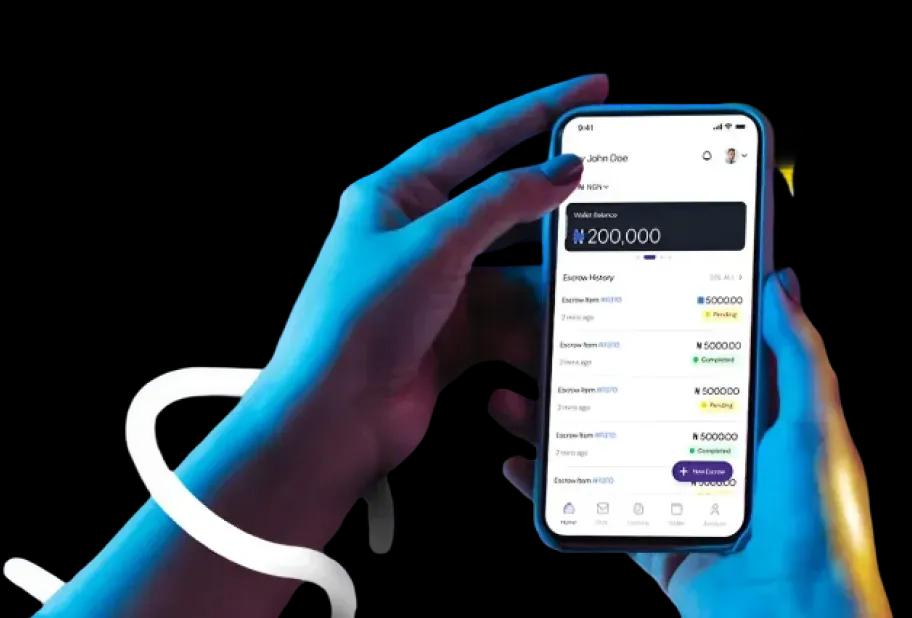
React Native is an open-source frameworkthat has transformed the landscape

At Space To Tech, we deliver expert React Native app development services designed to simplify complex mobile app projects. Our single codebase approach enables high-performance apps for both iOS and Android while reducing development time and costs. We focus on seamless user experience, scalable architecture, and reliable solutions that support long-term business growth.

Single Codebase Efficiency

Simplified Development Process

Global Project Experience

Built for Every Stage

Predictable Sprint Delivery

Transparent Progress & Support

Trusted by global brands

Custom React Native App Development Services inIndia & USA

Developed by Facebook, React Native is an open-source framework that has transformed the landscape of mobile application development since its introduction in 2015. By integrating React with JavaScript, it provides a unified development environment for both iOS and Android platforms. Our React Native app development company uses it to build and ship cross-platform apps with a single codebase, native-quality UI where it matters, and faster iteration—so one team can maintain both stores without running duplicate roadmaps.

Advantages of React Native For Mobile App Development

Cross-Platform Development

Developers can build apps across multiple platforms through a single React Native codebase.

Swift Deployment

React Native codes and configurations can easily be maneuvered to swiftly deploy the application.

Components Library

React Native comes in-built with various widgets on distinct features to enrich app functionality.

3rd Party Integration

Various integrations of 3rd party services for certain specific functionalities can be easily deployed.

Live Reloading & Debugging

React Native allows developers to cross-check codes in real time and make corrections to specific lines.

Cost-effective Maintenance

Provided the live reload option in React Native, the cost for maintenance is lowered.

Why is React Native The Future ofMobile App Development?

React Native mobile app development

Our React Native App Development Services

We specialize in delivering top-notch React Native app solutions tailored to your business needs. Combining expertise and innovation, our team creates robust, salable, and high-performing mobile applications. Empower your digital presence with us today!

Ideation

The first phase in our blueprint is that of ideation. We put clients at the forefront and give their vision a ground to flourish. Our developers understand the goals of businesses by studying their target audience and ensuring they align with market trends and user needs.

Planning

This is where we dexterously chart the course for the project. Our team develops a comprehensive roadmap, defining features, timelines, and resource requirements. We prioritise goals and do what must be done in the short term before setting a base for long term functionalities.

Workflow

No React Native App Development company can run without a proper workflow. Our operation cycle is characterized by agile methodologies with flexibility and adaptability at the core. We break down the marathon development process into sprints, fostering incremental progress.

Execution

With a well-defined plan in place, our execution phase kicks into gear. Our adept developers make the best use of React Native's capabilities to bring your application to life. Consistent updates and progress reports serve as evidence of our unwavering dedication.

Custom React Native AppDevelopment Services We Offer

We leverage the power of Meta's open-source framework to build robust, scalable, and cross-platform mobile applications that feel indistinguishable from truly native solutions.

Laptop with API overlays
React Native App Consulting

A successful app starts with a tested idea. Our consulting phase focuses on feasibility, choosing the right architecture, and shaping development solutions around your timeline, budget, and expected scale to ensure stability from day one.

Custom React Native App Development

We build full products from scratch, ensuring they behave consistently across all devices. Whether you are a startup launching an MVP or a company rebuilding an unstable platform, we focus on code that handles real traffic without slowing down.

React Native UI/UX Design

Good design is about usability over aesthetics. We focus on navigation, loading feedback, and interaction patterns that prevent user confusion. Our design team brings innovation to the forefront to trigger a seamless and visually engaging interface.

API Development & Third-Party Integration

We ensure your app works perfectly with external systems, from payments like Stripe and Razorpay to CRMs and authentication layers. We build these integrations to work together without delays, ensuring your app functions as part of a larger ecosystem.

React Native Migration & Upgradation

Maintaining separate iOS and Android apps is expensive. We unify your codebases into one structure, auditing your current system first to prevent data loss. We ensure a smooth transition and upgrade your existing apps to the latest React Native versions.

Enterprise React Native Solutions

Enterprise builds require careful planning, access controls, and encryption layers. We specialize in integrating apps with internal systems like ERPs, prioritizing data security and efficiency for large-scale corporate operations.

React Native QA & Testing

Most issues appear when real users interact with the app. Our QA process focuses on behavior under stress, device compatibility, and edge-case scenarios. We employ a rugged testing framework to guarantee a stable and error-free experience.

React Native Support & Maintenance

Launch is just the beginning. We provide continuous support for OS changes, bug fixes, and performance tuning. Having a single codebase makes maintaining and updating your platform significantly more manageable compared to native apps.

React Native Team Augmentation

Sometimes you just need skilled developers inside your existing workflow. We provide expert engineers who work directly within your sprint cycles and communication channels, shifting from standard outsourcing to a true team extension.

Have an idea to build something new?

Enterprise React Native App Development Solutions

React Native has emerged as one of the most trusted frameworks for cross-platform mobile app development, offering businesses a powerful combination of scalability, performance, and faster time-to-market. Companies across industries rely on React Native app development services to build secure, feature-rich Android and iOS applications while maintaining a consistent user experience and keeping development costs under control. At Space To Tech, we deliver custom React Native app development services tailored to your business goals, digital strategy,

Industries We Serve with
React Native Mobile App Development

Different industries fail in different ways. That's why the same development approach doesn't work everywhere.

Healthcare & Telemedicine

Healthcare & Telemedicine

Applications help manage consultations and patient records. They also handle real-time interactions while keeping things stable for care teams.

Healthcare & Telemedicine

Applications help manage consultations and patient records. They also handle real-time interactions. This is done while keeping things stable and making sure data is handled in a way. This is really important, in places where things have to work all the time. Clear triage and follow-up paths reduce guesswork when schedules are full. Access controls and audit trails support trust without slowing clinicians down.

E-Commerce & Retail

E-Commerce & Retail

Performance directly impacts conversions. Fast browsing, stable checkout, and traffic spikes handled without slowing down.

E-Commerce & Retail

Performance directly impacts conversions. The focus stays on fast product browsing, stable checkout flows, and handling traffic spikes without slowing down during high-demand periods. Catalog slices, image lazy-loading, and predictable pagination keep first paint sharp. Cart and payment steps recover gracefully from brief network blips. Inventory and promos stay in sync so shoppers rarely hit dead ends. Search and filters stay responsive on mid-range devices.

FinTech & Banking

FinTech & Banking

Financial applications require precise execution—secure authentication, real-time transactions, and stable integrations.

FinTech & Banking

Financial applications require precise execution. Secure authentication, real-time transactions, and stable integrations are handled in environments where even small delays create larger risks. Step-up checks feel fast, not blocking. Ledger updates and receipts stay consistent across channels. Monitoring catches anomalies early so teams can intervene before balances drift. Third-party rails fail over cleanly instead of leaving users stuck.

Logistics & Supply Chain

Logistics & Supply Chain

Operations depend on visibility—tracking, route updates, and coordination without interruptions.

Logistics & Supply Chain

Operations depend on visibility. Apps handle tracking, route updates, and backend coordination so businesses can monitor movement without interruptions. Drivers get clear manifests and exception flows when a stop slips. Dispatch dashboards reflect live ETAs without hammering the API. Proof-of-delivery and handoff scans close the loop for finance and support. Offline pockets buffer critical reads until signal returns.

EdTech & E-Learning

EdTech & E-Learning

Users don't always have stable connections. Platforms handle offline access and consistent delivery across devices.

EdTech & E-Learning

Users don't always have stable connections. Platforms are designed to handle offline access and consistent content delivery across devices. Lessons, quizzes, and media resume where learners left off. Progress syncs when connectivity returns without duplicate submissions. Classroom and cohort views stay legible on small screens. Release cadence favors stability so exam week is never a surprise deploy.

Social Networking

Social Networking

Growth can be unpredictable. Applications manage real-time updates and scaling without performance drops.

Social Networking

Growth can be unpredictable. Applications are built to manage real-time updates and scaling challenges without performance drops. Feeds and notifications batch sensibly under load. Moderation queues stay usable when spikes hit. Media and chat avoid blocking the main thread on modest phones. Feature flags and gradual rollout limit blast radius when experiments ship.

On-Demand & Marketplace

On-Demand & Marketplace

Speed and coordination matter—matching, notifications, and transactions designed to work without delays.

On-Demand & Marketplace

Speed and coordination matter. Matching systems, notifications, and transaction handling are designed to work without delays. Supply and demand signals update without thrashing the client. Push and in-app alerts respect quiet hours yet surface time-sensitive offers. Disputes and payouts follow transparent states both sides can track. Maps and ETAs stay honest when traffic or weather shifts mid-trip.

Real Estate

Real Estate

Search experience defines usability—filters, maps, and listing performance reduce friction in discovery.

Real Estate

Search experience defines usability. Filters, maps, and listing performance are structured to reduce friction in property discovery. Saved searches and alerts feel instant without re-querying everything. Tour scheduling respects agent calendars and time zones. Document rooms keep versions tidy for buyers, sellers, and counsel. Performance budgets stop galleries from freezing mid-scroll.

Food & Hospitality

Food & Hospitality

Ordering flows must remain fast and reliable. Every step—from browsing to checkout—is optimized to reduce drop-offs.

Food & Hospitality

Ordering flows must remain fast and reliable. Every step—from browsing to checkout—is optimized to reduce drop-offs. Reservations and kitchen pacing stay aligned when dine-in, pick-up, and delivery peak together. KDS and courier handoffs match promised prep times. Payments, tips, and retries stay calm so one hiccup does not abandon the basket. Loyalty and menu updates stay quick on everyday staff devices.

SaaS & Enterprise Tools

SaaS & Enterprise Tools

Applications support internal operations—multi-user dashboards and integrations built for consistent performance.

SaaS & Enterprise Tools

Applications support internal operations. Multi-user environments, dashboards, and integrations are structured for consistent performance. Role-aware navigation keeps noise low for each persona. Heavy charts stream aggregates instead of shipping giant payloads. Webhooks and imports retry with backoff so nightly jobs finish cleanly. Observability ties UI latency to backend queues for faster triage.

Manufacturing

Manufacturing

Legacy systems are common. Apps integrate without replacing existing infrastructure entirely.

Manufacturing

Legacy systems are common. Apps are designed to integrate without replacing existing infrastructure entirely. Read-only mirrors and scoped writes reduce risk to PLCs and historians. Floor tablets tolerate gloves, dust, and intermittent Wi-Fi. Shift handovers capture notes and counts without duplicate entry. Change windows and staged rollouts avoid surprises during production peaks.

Travel & Hospitality

Travel & Hospitality

Users expect instant results—booking flows and real-time updates without delays or inconsistencies.

Travel & Hospitality

Users expect instant results. Booking flows and real-time updates are handled without delays or inconsistencies. Fare and room rules evaluate quickly before checkout. Itinerary changes propagate to wallets and notifications in one pass. Partner feeds degrade gracefully when an upstream API slows. Currency and locale stay coherent across search, pay, and post-trip support.

Healthcare & Telemedicine

Healthcare & Telemedicine

Applications help manage consultations and patient records. They also handle real-time interactions while keeping things stable for care teams.

Healthcare & Telemedicine

Applications help manage consultations and patient records. They also handle real-time interactions. This is done while keeping things stable and making sure data is handled in a way. This is really important, in places where things have to work all the time. Clear triage and follow-up paths reduce guesswork when schedules are full. Access controls and audit trails support trust without slowing clinicians down.

E-Commerce & Retail

E-Commerce & Retail

Performance directly impacts conversions. Fast browsing, stable checkout, and traffic spikes handled without slowing down.

E-Commerce & Retail

Performance directly impacts conversions. The focus stays on fast product browsing, stable checkout flows, and handling traffic spikes without slowing down during high-demand periods. Catalog slices, image lazy-loading, and predictable pagination keep first paint sharp. Cart and payment steps recover gracefully from brief network blips. Inventory and promos stay in sync so shoppers rarely hit dead ends. Search and filters stay responsive on mid-range devices.

FinTech & Banking

FinTech & Banking

Financial applications require precise execution—secure authentication, real-time transactions, and stable integrations.

FinTech & Banking

Financial applications require precise execution. Secure authentication, real-time transactions, and stable integrations are handled in environments where even small delays create larger risks. Step-up checks feel fast, not blocking. Ledger updates and receipts stay consistent across channels. Monitoring catches anomalies early so teams can intervene before balances drift. Third-party rails fail over cleanly instead of leaving users stuck.

Logistics & Supply Chain

Logistics & Supply Chain

Operations depend on visibility—tracking, route updates, and coordination without interruptions.

Logistics & Supply Chain

Operations depend on visibility. Apps handle tracking, route updates, and backend coordination so businesses can monitor movement without interruptions. Drivers get clear manifests and exception flows when a stop slips. Dispatch dashboards reflect live ETAs without hammering the API. Proof-of-delivery and handoff scans close the loop for finance and support. Offline pockets buffer critical reads until signal returns.

EdTech & E-Learning

EdTech & E-Learning

Users don't always have stable connections. Platforms handle offline access and consistent delivery across devices.

EdTech & E-Learning

Users don't always have stable connections. Platforms are designed to handle offline access and consistent content delivery across devices. Lessons, quizzes, and media resume where learners left off. Progress syncs when connectivity returns without duplicate submissions. Classroom and cohort views stay legible on small screens. Release cadence favors stability so exam week is never a surprise deploy.

Social Networking

Social Networking

Growth can be unpredictable. Applications manage real-time updates and scaling without performance drops.

Social Networking

Growth can be unpredictable. Applications are built to manage real-time updates and scaling challenges without performance drops. Feeds and notifications batch sensibly under load. Moderation queues stay usable when spikes hit. Media and chat avoid blocking the main thread on modest phones. Feature flags and gradual rollout limit blast radius when experiments ship.

On-Demand & Marketplace

On-Demand & Marketplace

Speed and coordination matter—matching, notifications, and transactions designed to work without delays.

On-Demand & Marketplace

Speed and coordination matter. Matching systems, notifications, and transaction handling are designed to work without delays. Supply and demand signals update without thrashing the client. Push and in-app alerts respect quiet hours yet surface time-sensitive offers. Disputes and payouts follow transparent states both sides can track. Maps and ETAs stay honest when traffic or weather shifts mid-trip.

Real Estate

Real Estate

Search experience defines usability—filters, maps, and listing performance reduce friction in discovery.

Real Estate

Search experience defines usability. Filters, maps, and listing performance are structured to reduce friction in property discovery. Saved searches and alerts feel instant without re-querying everything. Tour scheduling respects agent calendars and time zones. Document rooms keep versions tidy for buyers, sellers, and counsel. Performance budgets stop galleries from freezing mid-scroll.

Food & Hospitality

Food & Hospitality

Ordering flows must remain fast and reliable. Every step—from browsing to checkout—is optimized to reduce drop-offs.

Food & Hospitality

Ordering flows must remain fast and reliable. Every step—from browsing to checkout—is optimized to reduce drop-offs. Reservations and kitchen pacing stay aligned when dine-in, pick-up, and delivery peak together. KDS and courier handoffs match promised prep times. Payments, tips, and retries stay calm so one hiccup does not abandon the basket. Loyalty and menu updates stay quick on everyday staff devices.

SaaS & Enterprise Tools

SaaS & Enterprise Tools

Applications support internal operations—multi-user dashboards and integrations built for consistent performance.

SaaS & Enterprise Tools

Applications support internal operations. Multi-user environments, dashboards, and integrations are structured for consistent performance. Role-aware navigation keeps noise low for each persona. Heavy charts stream aggregates instead of shipping giant payloads. Webhooks and imports retry with backoff so nightly jobs finish cleanly. Observability ties UI latency to backend queues for faster triage.

Manufacturing

Manufacturing

Legacy systems are common. Apps integrate without replacing existing infrastructure entirely.

Manufacturing

Legacy systems are common. Apps are designed to integrate without replacing existing infrastructure entirely. Read-only mirrors and scoped writes reduce risk to PLCs and historians. Floor tablets tolerate gloves, dust, and intermittent Wi-Fi. Shift handovers capture notes and counts without duplicate entry. Change windows and staged rollouts avoid surprises during production peaks.

Travel & Hospitality

Travel & Hospitality

Users expect instant results—booking flows and real-time updates without delays or inconsistencies.

Travel & Hospitality

Users expect instant results. Booking flows and real-time updates are handled without delays or inconsistencies. Fare and room rules evaluate quickly before checkout. Itinerary changes propagate to wallets and notifications in one pass. Partner feeds degrade gracefully when an upstream API slows. Currency and locale stay coherent across search, pay, and post-trip support.

React Native

What You Can Expect at a Glance? Architectural
precision meets ethereal mobile experiences.

0+ Years

FOCUS & MASTERY

0+ Apps

SUCCESSFULLY LAUNCHED

0+ Devs

EXPERT ARCHITECTS

0+ Countries

GLOBAL FOOTPRINT

Custom React Native AppDevelopment Services We Offer

We leverage the power of Meta's open-source framework to build robust, scalable, and cross-platform mobile applications that feel indistinguishable from truly native solutions.

React Native Consulting

Expert guidance on strategy, architecture, and feasibility for your cross-platform vision.

Learn More

App Development

End-to-end development of high-performance mobile apps for iOS and Android platforms.

Learn More

UI/UX Design

Editorial-grade interfaces that prioritize user flow and brand identity across all screen sizes.

Learn More

API Integration

Seamlessly connecting your mobile application to third-party services and legacy backend systems.

Learn More

App Migration

Effortless migration of your existing native apps or other hybrid apps to React Native.

Learn More

Enterprise Solutions

Building secure, scalable, and feature-rich applications tailored for corporate operations.

Learn More

QA & Testing

Rigorous automated and manual testing to ensure zero-defect deployments every time.

Learn More

Support & Maintenance

Continuous updates, monitoring, and performance optimization for long-term app health.

Learn More

Staff Augmentation

Integrate our world-class developers directly into your existing internal tech teams.

Learn More

Leading Excellence in React Native App Development

Our achievements are driven by real results—high-performing apps that support growth and deliver lasting business impact.Discover projects where we created meaningful outcomes.

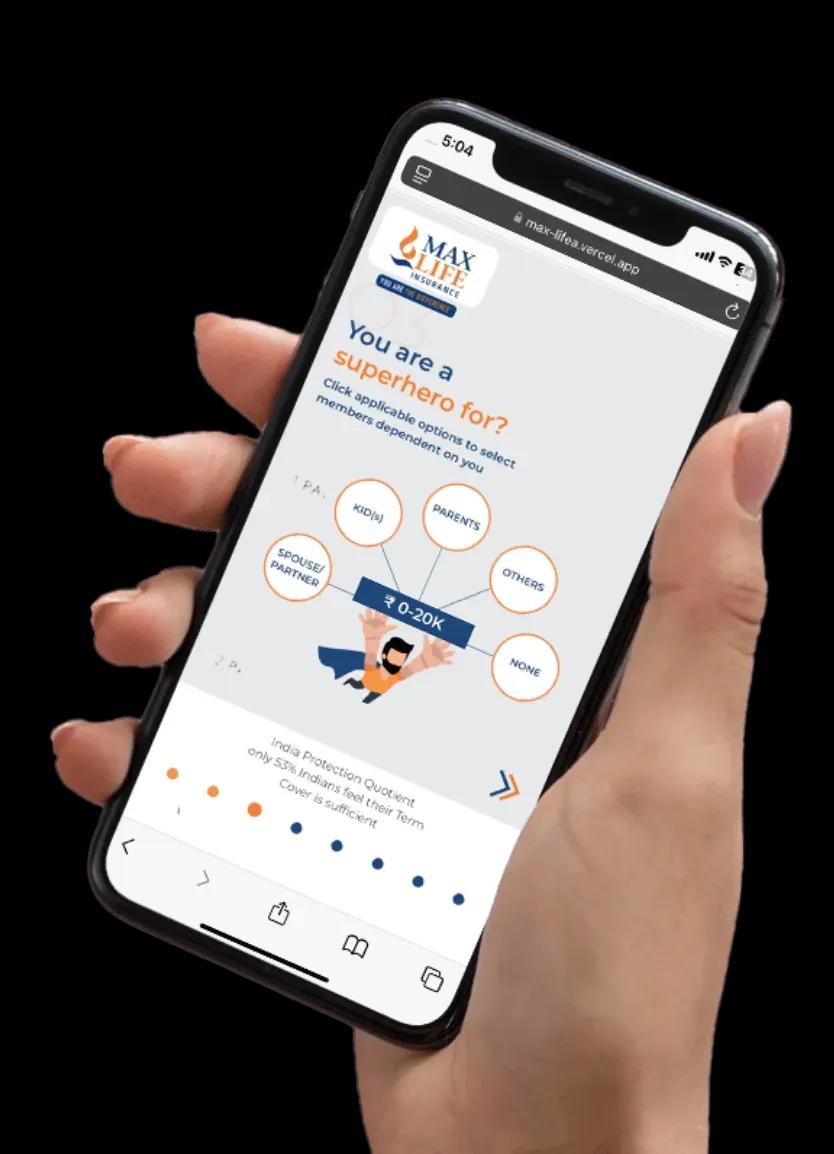
Max Life Insurance

Transforming Digital Insurance Experience

The Problem

Max Life Insurance aimed to modernize its digital platform to deliver a seamless and user-friendly experience. The existing system lacked intuitive navigation, real-time tracking, and personalized features, making policy management inefficient.

Our Approach

Our team developed a high-performance, user-centric digital platform with intuitive UI/UX, secure and scalable architecture, real-time policy tracking, personalized dashboards, and seamless third-party integrations to enhance overall user experience.

What We Achieved

  • Improved user engagement and retention
  • Faster and seamless policy management
  • Enhanced customer experience with better UX
  • Scalable platform supporting growing users
Max Life Insurance App

Why Businesses Choose to Outsource React Native?

Cost Efficiency

Reduce development costs by up to 40% using a shared codebase without compromising quality.

Geographic Flexibility

Access a global talent pool of expert developers regardless of your physical headquarters.

Faster Time-to-Market

Simultaneous development for iOS and Android ensures your product reaches users faster.

The Trust Indicators

  • Weekly Sprint Reviews & Demos
  • Rigid Timelines & Milestones
  • Direct Access to Your Developers
  • IP Protection & Security Protocols

Projects We Are Proud Of

Domino's logo

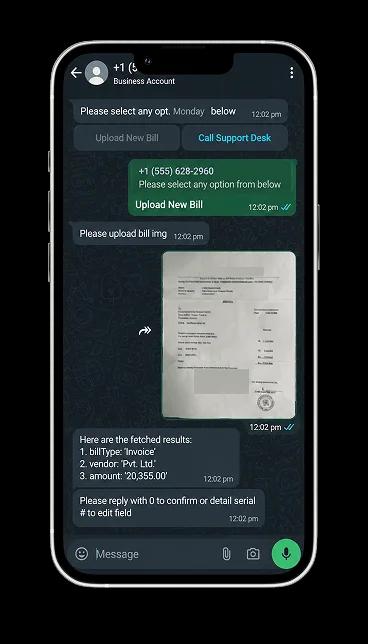
Domino's WhatsApp
Chatbot

Robust mobile ordering with live tracking, loyalty rewards, and seamless payment integration.

Domino's app preview
Premeio logo

Premeio

Product engineering for a modern platform focused on usability, performance, and measurable business outcomes.

Premeio app preview
Greenply logo

Greenply

Digital product experience for a leading brand, designed to strengthen discovery and customer trust.

Greenply app preview
Domino's logo

Domino's WhatsApp
Chatbot

Robust mobile ordering with live tracking, loyalty rewards, and seamless payment integration.

Domino's app preview
Premeio logo

Premeio

Product engineering for a modern platform focused on usability, performance, and measurable business outcomes.

Premeio app preview
Greenply logo

Greenply

Digital product experience for a leading brand, designed to strengthen discovery and customer trust.

Greenply app preview

React Native App Development Services for Teams Globally

Providing architectural weightlessness across borders. Our network empowers innovation in major global tech hubs.

World map

INDIA

Space To Tech operates from India with a team that focuses only on cross-platform mobile builds. The advantage isn’t just pricing. It’s repetition. Working across fintech, healthcare, logistics, and SaaS means patterns become familiar, and decisions get made faster. For companies exploring react native app development in India, that usually shows up as fewer delays and more stable delivery cycles.

Hire Dedicated React Native Developers from India

Choose the model that fits your project velocity.

Dedicated Developer

A full-time senior resource focused solely on your project. Integrated into your team.

160 Hours/MonthDaily Status ReportsMonthly Contract

Project Based

Fixed scope and fixed timeline projects. Ideal for MVPs or specific feature builds.

Milestone-based paymentsStrict adherence to scopeFast turnaround

Team Augmentation

A multi-disciplinary team of engineers, designers, and QA experts to scale your roadmap fast.

End-to-end managementStrategic oversightHigh-speed velocity
Clutch 5.0 rating

Recognized. Trusted. Preferred

Awards & Recognition

We are proud to be recognized by leading platforms and industry experts for our innovation, impact, and excellence

TopDevelopers

TopDevelopers

Top Mobile App Developers

Freelancer

Freelancer

Top Mobile App Developers

AppFutura

AppFutura

Top Mobile App Developers

GoodFirms

GoodFirms

Top Mobile App Development

Clutch

Clutch

Top Mobile App Developers

Excellence isn't claimed.It's recognized

These achievements reflect our commitment to
delivering world-class AI solutions that help
businesses grow and lead

FAQ's

React Native is a tool that Meta made to help people build apps for iPhones and Android phones. The good thing about React Native is that you can use the JavaScript code to make apps for both iPhones and Android phones. This means you can make apps faster. It will not cost as much money.
Costs typically range from $8,000 to $100,000+, depending on complexity. Compared to Western markets, react native development India reduces costs by around 50–70%.
Basic apps take 6–10 weeks. Mid-level builds take 12–20 weeks. Complex systems can take 20–36 weeks with structured sprint delivery.
React Native works well if your team uses JavaScript or needs web integration. Flutter offers tighter UI control. The choice depends on long-term goals, not trends.
Yes. Developers can work directly with your team under dedicated or augmentation models with full transparency.
Yes. We include a 30-day period to fix any bugs. After that, you can choose to get support for updates and improvements.
Yes. Migration from native iOS or Android apps is handled in phases after a detailed audit.
It provides access to experienced developers at lower costs. The outcome depends on structured communication and delivery.

Supporting Insights

Dark background graphic illustrating cross platform mobile app development connecting iOS and Android through a shared codebase, with SpaceToTech logo and website URL
Blogs20/08/2026

Cross-Platform Mobile App Development: Benefits, Costs & When to Use It

If your product needs to run on both iOS and Android, you don't necessarily need two completely separate applications. Cross-platform development allows businesses to build for both platforms from a shared codebase, but that doesn't automatically make it the right choice for every product. This guide explains when cross platform mobile app development makes sense, where it falls short, what it actually costs, and how to choose between the leading frameworks. Rather than repeating the usual claim that cross-platform is simply cheaper and faster, we'll walk through the decision itself, so you can judge whether it fits your product, your timeline, and your budget. What Is Cross-Platform Mobile App Development? Cross platform mobile app development is the practice of building a single application that runs on both iOS and Android using one primary codebase, instead of writing separate native applications for each operating system. A cross-platform framework sits between your shared code and each device's operating system. It translates your application logic into components that work on both platforms, while still allowing developers to write platform-specific code where a feature genuinely needs it, such as camera access, push notifications, or biometric authentication. This is different from fully native development, where iOS and Android apps are built independently, each with its own codebase, its own team workflow, and its own release cycle. With cross platform app development, most of the business logic, UI structure, and application flow is written once and shared. Only the pieces that require deep platform-specific behavior are handled separately. The result is a single application experience that adapts to each operating system, without requiring two parallel engineering efforts for every feature you ship. If you're weighing this approach against a fully native build, our mobile app development services team can walk through your product requirements before you commit to a framework. How Does Cross-Platform App Development Work? Understanding the mechanics helps explain both the advantages and the limitations covered later in this guide. Shared Codebase Most of the application, including business logic, navigation, state management, and a large share of the UI, is written once in a language such as JavaScript, TypeScript, or Dart, depending on the framework. This shared layer typically accounts for the majority of the codebase across both platforms. Platform-Specific Components Certain features still need platform-specific handling. This includes deep OS integrations, custom animations that follow platform design guidelines, and hardware-dependent functionality. Cross-platform frameworks allow developers to write these components separately when the shared layer isn't sufficient. APIs, Plugins, and Native Integrations Cross-platform apps connect to backend systems, third-party services, and device hardware through APIs and plugins. Popular frameworks maintain large plugin ecosystems for common needs like maps, payments, and analytics, though less common integrations may require custom native modules. Testing Across iOS and Android Even with a shared codebase, an app still needs to be tested independently on both operating systems. Screen sizes, OS versions, gesture behavior, and performance characteristics differ enough that testing cannot be skipped simply because the code is shared. Cross-Platform vs Native App Development: What's the Difference? Neither approach is universally better. The right one depends on your product's requirements.  Factor  Cross-Platform  Native  Codebase  Shared  Separate  iOS + Android  Yes  Separate development  Development effort  Usually lower  Usually higher  Time to market  Often faster  Usually longer  Platform-specific control  Moderate to high  Highest  Performance  Strong for most business apps  Best for highly specialized apps  Maintenance  Centralized for much of the code  Separate platform maintenance  Advanced hardware access  Depends on framework  Strongest  Best suited for  Most standard business and product apps  Highly specialized apps Cross-platform development is not always cheaper, and native development is not always faster. The gap between the two narrows or widens depending on how complex your feature set is and how much platform-specific work your product actually requires. Should Your Business Choose Cross-Platform Development? This is the question that matters more than the technology itself.  Business or Product Type  Cross-Platform Fit Why  Startup MVP  Strong Validate the product across platforms without maintaining two separate codebases  SaaS or mobile product  Strong Shared product logic and faster iteration  E-commerce  Strong Most standard commerce functionality works well cross-platform  Internal business app  Strong Cost and maintenance efficiency often matter more than platform-specific optimization  Customer portal  Strong Standard workflows are generally suitable  API-driven application  Strong Shared application logic works well  Enterprise application  Depends Architecture, security, and integrations need evaluation  Gaming  Depends or low Performance and graphics requirements matter  AR or VR Often better with specialized or native approaches Hardware and graphics requirements Hardware-heavy application  Depends or low Native APIs may be critical  Cutting-edge OS feature  Native may be preferable Immediate platform-specific support can matter If your product depends heavily on graphics rendering, real-time hardware access, or being first to support a brand-new OS feature, native development deserves serious consideration before you commit to a cross-platform approach. Cross-Platform App Development Use Cases Beyond the general decision framework, it helps to see how cross-platform development plays out across specific, common product types. Startup MVPs: launching on both platforms at once helps validate demand without committing to two full engineering tracks before product-market fit is confirmed. SaaS applications: shared business logic keeps feature releases synchronized across iOS and Android as the product evolves. E-commerce apps: catalog browsing, cart, checkout, and account flows are largely standard functionality that performs well cross-platform. Marketplace apps: buyer and seller-facing features can be built once and refined in parallel across both platforms. On-demand apps: booking, tracking, and notification-driven workflows are well supported by mainstream cross-platform plugin ecosystems. Internal business applications: cost efficiency and centralized maintenance usually matter more than platform-specific polish for internal tools. Customer portals: account management, document access, and support workflows follow standard UI patterns that translate well across platforms. Booking applications: scheduling, calendar sync, and payment integrations are commonly available through existing cross-platform libraries. Across these use cases, the common thread is that the product relies on standard business logic and common device features rather than deep, platform-specific engineering. That is precisely where cross-platform development delivers the most value. Why Choose Cross-Platform Mobile App Development? For products that fit the profile above, cross-platform development offers several practical advantages. One Codebase for Multiple Platforms Writing the core application once reduces duplicated engineering effort across iOS and Android. Faster Time to Market Shared development work often shortens the path from concept to launch, which matters for startups and product teams working toward a specific release window. Lower Development Effort Fewer parallel workstreams generally mean less coordination overhead between platform-specific teams. Easier Maintenance Bug fixes, updates, and new features can often be built once and deployed to both platforms, rather than repeated twice. Consistent Product Experience A shared codebase makes it easier to keep core functionality, business logic, and UI patterns aligned across iOS and Android. Better Fit for MVPs and Startups Teams validating a new product benefit from reaching both platforms without committing to two full engineering tracks before product-market fit is confirmed. Easier Iteration as the Product Evolves Feature changes and experiments can be rolled out to both platforms in parallel, which supports faster iteration cycles. What Are the Limitations of Cross-Platform App Development? A balanced view means being upfront about where this approach struggles. Performance can lag behind native apps for graphics-intensive or highly interactive features. Complex native functionality sometimes still requires custom platform-specific code, reducing the code-sharing benefit. Platform-specific UX conventions can be harder to replicate perfectly across both operating systems. Third-party dependency problems arise when a plugin lags behind the latest iOS or Android release. Plugin limitations can force custom development for less common integrations. Framework updates sometimes introduce breaking changes that require migration work. Debugging across platforms can be more complex than debugging a single native codebase. Specialized hardware access, such as advanced sensors or custom chipsets, may need native modules. Advanced graphics and animation-heavy interfaces often perform better with native development. The question isn't whether cross-platform development is better than native development. The right choice depends on what the application actually needs to do. How Much Does Cross-Platform App Development Cost? Cross-platform development affects cost, but not simply because it involves fewer platforms. Several factors shape the actual budget. Shared codebase efficiency: the more logic that can be genuinely shared, the more development effort is saved. Number of platforms: targeting both iOS and Android from one codebase reduces duplicated build work compared with two native apps. Feature complexity: advanced features generally cost more regardless of the development approach chosen. Native integrations: apps requiring custom native modules add development time that offsets some of the cross-platform savings. UI and UX design: platform-specific design adjustments still require dedicated design and development effort. Backend development: server-side architecture, APIs, and data infrastructure are typically priced separately from the mobile front end. Testing: thorough testing across both operating systems remains necessary and should be budgeted accordingly. Maintenance: ongoing framework updates, OS compatibility, and bug fixes continue after launch. For a full breakdown of pricing ranges by project complexity, see our detailed guide on custom mobile app development cost , which covers how platform choice fits into the broader cost picture alongside features, design, and backend work. Which Cross-Platform Framework Should You Choose? Framework choice should follow product requirements, not the other way around. React Native React Native is built on JavaScript and React, which makes it a practical option for teams already working in the JavaScript ecosystem. It supports a large plugin library, strong community support, and access to native capabilities through native modules when needed. It generally suits business and product applications where development speed and a familiar tech stack matter. Learn more about our React Native development capabilities. Flutter Flutter uses Dart and a widget-based UI system, giving developers precise control over how the interface looks and behaves across both platforms. Because Flutter renders its own UI components rather than relying on native ones, it tends to produce highly consistent visuals across iOS and Android. It works well for products where UI consistency and custom design are priorities. Learn more about our Flutter development capabilities. Other Frameworks Other frameworks such as Xamarin and Ionic exist and may suit specific legacy environments or particular team backgrounds, but React Native and Flutter remain the most widely adopted options for new cross-platform projects today. How to Choose the Right Cross-Platform Approach Framework selection should be based on the product, not personal preference. Consider: Product requirements and feature scope Target platforms and their relative priority Native API requirements UI complexity and design ambitions Performance requirements Development timeline Budget constraints Long-term maintenance plans Existing team expertise If you're comparing React Native and Flutter specifically, see our detailed React Native vs Flutter comparison for a deeper technical breakdown. When Is Native App Development a Better Choice? Cross-platform development isn't the right fit for every product. Choose native when your app depends heavily on advanced graphics, gaming-level performance, AR or VR, deep hardware integrations, highly platform-specific UX, or immediate access to new OS capabilities at launch. Native development tends to make more sense when a project involves: Advanced graphics rendering Gaming applications with heavy performance demands AR or VR experiences Deep hardware integrations Highly platform-specific UX requirements Immediate access to new OS-specific features at launch Specialized performance requirements that leave little room for a shared-code abstraction layer Recognizing these cases early avoids committing a project to the wrong technical foundation. Common Mistakes Businesses Make When Choosing Cross-Platform Development Choosing It Only Because It Is Cheaper Cost should be one factor among several, not the deciding one. A product that needs deep native functionality can end up costing more overall if cross-platform limitations force late-stage rework. Ignoring Native Functionality Requirements Skipping an early assessment of hardware and OS-specific needs often surfaces expensive surprises mid-project. Selecting a Framework Before Defining the Product Committing to React Native, Flutter, or any other framework before scoping the product's actual requirements can lock a team into avoidable constraints. Underestimating Testing Shared code does not mean shared behavior. Both platforms still require independent testing across devices and OS versions. Ignoring Long-Term Maintenance Framework updates, OS changes, and plugin compatibility require ongoing attention well after launch. Treating iOS and Android as Identical Design conventions, user expectations, and platform guidelines differ. Assuming the two platforms behave identically leads to a weaker user experience on one or both. How to Plan a Cross-Platform App Development Project A structured plan reduces risk and keeps the budget on track. Define the core business objective the app needs to achieve Identify MVP features and prioritize what launches first Select target platforms and their relative priority Define required integrations and backend dependencies Choose the architecture and framework based on product needs Design the UX with platform-specific conventions in mind Build and test across both operating systems Launch with a clear rollout plan Monitor performance and plan ongoing maintenance How to Choose a Cross-Platform App Development Company Selecting the right development partner matters as much as selecting the right framework. Look for: A relevant portfolio of cross-platform projects Demonstrated React Native and Flutter expertise Experience handling native integrations when required A structured QA and testing process Attention to security throughout development Backend development capability, not just front-end mobile work Transparent project scope and pricing A clear maintenance plan after launch Clarity on IP and code ownership Consistent, direct communication throughout the project For a broader view of vetted partners, see our guide to top mobile app development companies , and explore our own mobile app development services for teams evaluating a development partner. Why Choose SpaceToTech for Cross-Platform App Development? Our team works across React Native and Flutter, with a process that starts at discovery and scoping before any code is written, so framework decisions are based on your product's actual requirements rather than a default recommendation. From there, projects move through design, development, QA, and deployment, with native integration experience available for products that need it and post-launch support built into the engagement rather than treated as an afterthought. Planning a Cross-Platform Mobile App Development Project? The right framework for cross platform mobile app development depends on your app's features, target platforms, performance requirements, budget, and long-term growth plans. SpaceToTech can help you evaluate these requirements and choose an approach that fits your product before development begins. Have an app idea that needs to work across iOS and Android? Share your requirements and we'll help you determine whether cross-platform development is the right approach.


Dark navy cover graphic showing a glowing padlock over a smartphone with circuit-line accents, representing mobile app security best practices, risks, and a pre-launch checklist — SpaceToTech
Blogs19/08/2026

Mobile App Security: Best Practices, Risks & Pre-Launch Checklist

If you are planning to build a mobile app, or you already have one in market, your app's security is not a checkbox you tick before launch and forget. It is the sum of decisions, how data is stored, how users are authenticated, how network calls are secured, and how thoroughly the app is tested, that determines whether your app protects user data or quietly becomes the reason for a breach headline. This guide walks through what mobile application security actually means, the risks that show up most often, and the mobile app security best practices, OWASP standards, and testing steps a founder, CTO, or product leader needs to understand, even without a technical background. What Is Mobile App Security? Mobile app security is the practice of protecting an application's data, users, and infrastructure from unauthorized access, theft, and tampering. It covers how information is stored on the device, how it travels between the app and your servers, how APIs and backend systems are secured, and how unauthorized access is prevented in the first place. In practice, mobile application security means encrypting sensitive data, requiring strong authentication, securing every API call, keeping communication between the app and backend private, and limiting what the app can access on a device. For a business, the goal is not a perfectly unhackable app, that does not exist. The goal is reducing the number of ways someone could get in and making sure that if something does go wrong, the damage stays contained. Mobile app security is a shared responsibility between design, development, and the maintenance that continues long after launch. Why Mobile App Security Matters for Businesses For a founder or CTO, mobile app security often looks abstract until it turns into a bill. When an app is compromised, the cost lands in five places: the data itself, the money, compliance, reputation, and the trust that took years to build. Protecting customer and business data Names, emails, payment details, location history, and health information: a mobile app collects and stores more sensitive data than most websites, often directly on the device. A single insecure storage decision can expose all of it at once. Preventing financial losses According to IBM's 2026 Cost of a Data Breach Report, the global average cost of a data breach reached $4.99 million in 2026, a 12% increase year over year, and healthcare breaches averaged $6.64 million. Those figures include detection, response, lost business, and regulatory penalties, not just the technical fix. A mobile app security gap is not a line item, it is a liability that compounds the longer it goes unnoticed. Reducing compliance and legal risk Depending on your industry, a security failure can trigger obligations under HIPAA, PCI DSS, GDPR, or state level breach notification laws, each carrying its own reporting timelines and financial penalties. Protecting brand reputation Users rarely distinguish between the app had a bug and the app leaked my data. Both read as the same failure, and app store reviews and press coverage seldom give a business the benefit of the doubt. Building user trust Trust is the actual product in categories like fintech, healthcare, and e commerce apps. A security incident does not just cost the affected users, it slows every future user's willingness to sign up. Uber's 2016 breach is a familiar example, but still worth the reminder. Attackers accessed data belonging to 57 million riders and drivers, and the company's decision to conceal rather than disclose the incident contributed to a $148 million settlement. The lesson for most businesses is not just avoid a breach, it is do not let a preventable gap turn into an unrecoverable one. Common Mobile App Security Risks Most mobile app security incidents trace back to a small, repeatable set of gaps. Understanding them in plain terms, and what each one costs a business, is more useful than memorizing a vulnerability list. Insecure data storage When an app stores sensitive data, such as tokens, passwords, or personal information, unencrypted on the device, anyone with access to that device, or a copy of its file system, can read it. It is one of the most common findings in mobile penetration tests, and one of the easiest to prevent with the right storage APIs. Weak authentication and authorization If login systems do not enforce strong password rules, multi factor authentication, or proper session expiration, attackers can impersonate real users. The business impact is direct: account takeovers, fraudulent transactions, and users who stop trusting the login screen. Insecure APIs Mobile apps run almost entirely on API calls to a backend. An API without proper authentication, rate limiting, or input validation is often an easier target than the app itself, and a compromised API can expose every user's data at once, not just one device. Sensitive data exposure Beyond storage, data can leak through logs, screenshots, clipboard access, or third party analytics SDKs that collect more than they should. Each exposure point is a potential compliance violation waiting to be found. Insecure network communication Data sent without proper encryption, such as HTTPS or TLS, can be intercepted, especially on public Wi-Fi. For a business, that means customer data can be captured in transit without ever touching your servers. Poor session management Sessions that do not expire, or tokens that persist indefinitely, give attackers a longer window to exploit a stolen credential, turning a small breach into a long running one. Excessive app permissions Requesting more device access than the app needs, such as contacts, location, or camera, increases the damage if the app is ever compromised, and raises flags with both users and app store reviewers. Vulnerable third-party SDKs and libraries Most apps rely on dozens of external packages. A single outdated or poorly maintained dependency can introduce a vulnerability that has nothing to do with your own code, but is still your liability. Code tampering and reverse engineering Without protections like code obfuscation, attackers can decompile an app to extract API keys, bypass paywalls, or build fraudulent clones, undermining both security and revenue. Insufficient input validation Failing to validate what a user, or an attacker, submits opens the door to injection attacks and unexpected app behavior, often with consequences that reach well beyond the app itself. Weak cryptography Using outdated encryption algorithms, or implementing strong algorithms incorrectly, creates a false sense of security: data that looks protected but is not. Mobile App Security Best Practices The good news: nearly every risk above has a well established best practice that closes it. Build security in from the beginning (secure by design) Retrofitting security after development is more expensive and less effective than architecting for it from day one. Access control, data flow, and attack surface should all be design decisions, not afterthoughts. Use strong authentication and authorization Multi factor authentication, OAuth 2.0 for delegated access, and proper session management should be standard for any app handling meaningful user data. Protect sensitive data Encrypt data both at rest and in transit, use platform native secure storage such as Android Keystore or iOS Keychain instead of plain files, and manage encryption keys deliberately rather than hardcoding them into the app. Secure APIs and backend systems This is where a lot of otherwise solid apps fall short. Every API endpoint needs its own authentication and authorization checks, not just a login screen, plus input validation, rate limiting, and monitoring for unusual request patterns. Since the API is often the actual gateway to your data, backend security deserves the same attention as the app itself. Secure network communication Enforce HTTPS and TLS across every endpoint, and use certificate pinning where the risk profile justifies it, to prevent interception even on compromised networks. Minimize permissions and access (least privilege) Request only the device permissions the app genuinely needs, and re evaluate that list as features change. Review third-party SDKs Audit every external library for maintenance activity, known vulnerabilities, and the data it collects before it ships in production. Protect the app from tampering Code obfuscation, integrity checks, and anti debugging measures raise the cost of reverse engineering enough to deter most attackers. Keep dependencies updated A patch that exists but is not applied provides no protection. Dependency updates should be a scheduled process, not a reaction to an incident. Plan for security monitoring after launch Logging, anomaly detection, and a defined incident response process should exist before the app goes live, not get built after the first problem. OWASP Mobile Security Standards Businesses Should Know Most business leaders do not need to become security experts, but knowing the reference standards helps when evaluating a development partner. OWASP, the Open Web Application Security Project, publishes the frameworks most widely used in mobile app security assessments. OWASP MASVS (Mobile Application Security Verification Standard): a benchmark for how secure a mobile app should be, used to define requirements up front. OWASP MASTG (Mobile Application Security Testing Guide): the practical methodology for testing an app against those requirements. OWASP Mobile Top 10: the ten most common categories of mobile app vulnerabilities, covering credential handling, supply chain security, authentication and authorization, input and output validation, communication security, privacy controls, binary protections, configuration, data storage, and cryptography. Businesses do not need to memorize these standards, but they should ask their development partner how security requirements are incorporated into the development and testing process. A team that can point to MASVS or MASTG when describing their process is telling you something concrete about how they work, not just reassuring you that security is a priority. For the full technical detail, OWASP Mobile Application Security is the authoritative public reference. Mobile App Security Testing Before Launch Testing is where security practices get validated against a real, working app. A thorough pre launch process typically includes: Static application security testing (SAST): scanning source code for vulnerabilities before the app ever runs. Dynamic application security testing (DAST): testing the running app for issues that only appear during execution. Vulnerability assessment: a systematic scan for known weaknesses across the app and its dependencies. Penetration testing: simulated attacks by security professionals attempting to break in the way a real attacker would. API security testing: verifying that every backend endpoint enforces authentication, authorization, and input validation correctly. Authentication and authorization testing: confirming login, session handling, and access control work exactly as designed, including edge cases. Data storage testing: checking that sensitive data on the device is actually encrypted, not just assumed to be. Third-party dependency testing: auditing every included SDK and library for known vulnerabilities before release. Not every finding needs to block a launch, and treating them all equally slows teams down without making the app meaningfully safer. A practical framework: critical vulnerabilities that expose user data, allow unauthorized access, or compromise the backend should block release. Lower severity findings, such as a missing hardening measure or a non exploitable edge case, can often be documented, prioritized, and patched in the weeks after launch, as part of a defined monitoring process rather than a last minute scramble. Mobile App Security Checklist Before Launch Use this as a working checklist with any team building your app. It doubles as a quick reference for what done should look like before release.  Security Area  What Businesses Should Verify  Authentication  Secure login and session handling  Authentication  Users only access permitted resources  Data  Sensitive data encrypted and securely stored  APIs  Authentication, authorization, and input validation in place  Network  HTTPS/TLS used correctly across all endpoints  Permissions  Only required permissions requested  Dependencies  Third-party libraries and SDKs reviewed  Testing  Security testing completed and findings resolved  Privacy  Data collection and storage practices reviewed against policy  Monitoring  Post-launch monitoring and patch process prepared Android vs iOS App Security Both platforms are secure by design, but they manage that security differently, and a development team should treat each on its own terms rather than applying one playbook to both. Android security considerations Android apps should use the Android Keystore for cryptographic key storage rather than storing keys in code or shared preferences. Android's permission model requires explicit runtime consent for sensitive access, and every requested permission should map to a genuine feature. App signing, and for apps distributed through Google Play, Play App Signing, protects the integrity of the app package and confirms updates come from the original developer. iOS security considerations iOS apps should use the Keychain for sensitive data rather than local files, taking advantage of the OS level encryption and access controls it provides. Apple's platform permission prompts require explicit user consent for sensitive access, similar to Android. App Store review adds an additional layer of scrutiny before release, though it should be treated as a backstop, not a substitute for the development team's own testing. The takeaway for a business is not to pick the more secure platform. Both can be built securely or insecurely. It is making sure your development team understands the security tools native to each platform and uses them by default. React Native vs Flutter Security React Native security considerations Secure storage in React Native means using platform native solutions, iOS Keychain and Android Keystore, rather than AsyncStorage, which is not encrypted and should not hold sensitive data. API and network security follow the same principles as any mobile app: HTTPS and TLS everywhere, proper token handling, and certificate pinning where warranted. Because React Native apps pull heavily from the npm ecosystem, dependency risk deserves particular attention. A single unmaintained package can introduce a vulnerability the core app code never would have. For a deeper look at securing this specific framework, our guide to React Native app security covers storage, networking, and dependency management in more depth than fits here. Teams evaluating React Native development for a new build should treat security tooling as part of the framework decision, not an afterthought once development starts. Flutter security considerations Flutter apps should use platform channels carefully, since they are a common point where data crosses between Dart code and native code and needs the same validation as any other boundary. Secure storage packages, rather than local, unencrypted storage, should hold anything sensitive, and, as with any framework, dependency packages need regular review. If you are comparing frameworks for a new build, our Flutter app development guide covers the broader development considerations, though it is not a security specific resource on its own. How Mobile App Security Affects Development Cost Security is not a separate line item bolted onto a budget, it is woven into decisions that shape cost throughout a project. Architecture choices, like how data flows and where it is stored, affect both security posture and build complexity. Authentication systems with MFA and proper session management take longer to build correctly than a basic login screen. Encryption implementation, especially around key management, adds engineering time. Compliance requirements such as HIPAA, PCI DSS, and GDPR can require additional documentation, architecture reviews, and testing depending on your industry. Testing scope, including penetration testing, adds cost before launch but is far cheaper than a breach after it. Post launch monitoring is an ongoing cost, not a one time expense. None of this means security should be treated as optional to control budget, it means the cost should be planned for from the start rather than discovered mid project. For a full breakdown of what shapes mobile app budgets more broadly, see our guide to custom mobile app development cost . Security & Compliance Considerations by Industry Security requirements shift meaningfully by industry, and a development partner should already understand the baseline expectations for yours before a project starts. This is not a complete compliance guide, regulatory requirements vary by geography and should be confirmed with legal counsel, but it is a useful starting point for the kinds of considerations that typically apply.  Industry  Common Consideration  Healthcare  HIPAA, sensitive health data  Fintech  Payments, financial data, PCI DSS  Ecommerce  Payments, customer data  SaaS  Account access, tenant isolation  Logistics  Location and operational data  Enterprise  Access control, internal data How to Choose a Mobile App Development Company That Takes Security Seriously This is where the article becomes genuinely useful for a founder or CTO about to hire someone. Security is not something you can verify by looking at a portfolio, you have to ask the right questions before signing a contract. How do you handle authentication, and is MFA available by default? How do you secure APIs, and who tests them before launch? How do you store sensitive data, and on which platform native systems? Do you conduct security testing, and at what stage of the project? How do you review third-party SDKs before they are added to the app? Do you follow OWASP guidance, and can you point to how? How do you handle vulnerabilities discovered after launch? Who owns security testing and remediation on the project, is it a named responsibility or an assumption? A team that answers these clearly, without needing to check with someone else, is telling you something real about how they build. A team that treats the questions as unusual is telling you something too. If you are evaluating options, our guide to top mobile app development companies is a useful starting point for comparing vendors on more than price. And if you would rather skip the vetting process and talk directly to a team that builds security in from the start, SpaceToTech's mobile app development services are built around the same practices covered in this guide. Mobile App Security After Launch Launch is not the finish line, it is the point where security becomes an ongoing operational responsibility rather than a project milestone. Dependencies need regular updates as new vulnerabilities are discovered in third party packages. Vulnerability monitoring should run continuously, not just at major release cycles. Security patches need a defined process for how quickly they ship once a problem is identified. Certificate and key rotation should happen on a schedule, not only when something breaks. An incident response plan, covering who does what, how fast, and how users are notified, should exist before it is needed, not get improvised during an actual incident. Ongoing testing and version updates keep the app aligned with new OS releases and an evolving threat landscape. Treating post launch security as a defined, budgeted process, rather than an occasional afterthought, is often what separates apps that stay secure from apps that were secure once, at launch. At SpaceToTech , security is treated as a core part of how mobile apps are designed and built, not a checklist added at the end of a project.

App development vendor scorecard checklist for evaluating a mobile app development company
Blogs18/08/2026

How to Choose the Right Mobile App Development Company for Your Business

Most businesses start their search for a mobile app development company with a Google search and a stack of proposals that all promise strong results at competitive rates. That approach rarely ends well. An app is a long-term product, not a one-time purchase, and the company you hire shapes everything from how smoothly the build goes to how easily you can fix bugs two years down the line. Picking a low-cost vendor without checking their real portfolio, their actual process, or who will sit on your project team is one of the most common and most expensive mistakes founders and product leaders make. Technical skill matters, but so do pricing transparency, communication habits, and what happens after the app ships. If you're trying to figure out how to choose a mobile app development company, this guide gives you a practical framework, from defining your requirements to scoring your shortlist, so the decision rests on evidence rather than a sales pitch. What Should You Look for in a Mobile App Development Company? Before the detailed breakdown, here is the short version. These software vendor selection criteria give you a practical framework to use while you're on discovery calls with potential vendors.  Evaluation Area  What to Verify  Relevant experience  Similar industry and project complexity  Portfolio  Live, comparable apps and the vendor's actual role  Technical expertise  Native or cross-platform rationale, not just buzzwords  Team  Who will actually work on the project day to day  Development process  Discovery, design, development, QA, and launch stages  Communication  Reporting cadence, meetings, timezone overlap  Pricing  Scope, billing model, assumptions, and change-request costs  Security  Data protection practices, testing, access controls  Ownership  Source code, repository access, IP, and documentation  Post-launch support  Maintenance terms, bug fixes, SLA 1. Define Your App Requirements Before Comparing Companies It's tempting to jump straight into vendor calls, but a company can't give you a reliable estimate, or a realistic timeline, without knowing what you actually need. Spend a week putting the basics on paper first. The core business objective the app is meant to solve Who the target users are and how they'll use the app Platforms: iOS, Android, or cross-platform Core features and any must-have integrations Backend and admin panel requirements Security or compliance requirements specific to your industry A realistic launch window A working budget range, even a rough one This groundwork also sets you up well for later cost conversations, since vendors quoting against a vague brief tend to either overestimate to cover risk or underestimate and revise the number midway through the project. 2. Look for Relevant Mobile App Development Experience Industry experience doesn't guarantee success on its own, but it does shorten the learning curve. A company that has already built apps for a similar user base, a similar level of complexity, or similar integrations will spot problems earlier and ask sharper questions during discovery. Have they worked in your industry or a closely adjacent one? Have they shipped apps with similar features or integrations? Have they handled a similar scale of users? Do they have both B2B and B2C experience if your product needs it? Ask direct questions rather than accepting a generic “yes, we've done that before.” Ask for the specific project and what their role was on it. 3. Evaluate the Company's Mobile App Development Portfolio A portfolio page full of screenshots tells you very little. What actually matters is whether you can verify the claims behind it. Is the app live on the App Store or Google Play right now? Can you download and test it yourself? Is it comparable in scope to what you're building? What exactly was the company's role: full build, design only, or a partial handoff? Which technologies were used, and were they native or cross-platform? What business problem was the app solving? Is there enough detail in the case study to actually verify the claims? A vendor that can walk you through the reasoning behind a past project, not just the finished screenshots, is usually more trustworthy than one that only shows polished mockups. 4. Assess Technical Expertise and Technology Choices Native development with Swift and Kotlin and cross-platform frameworks like Flutter or React Native each have a place, and neither is universally better. The real question isn't which framework wins in the abstract, it's which one fits your specific product, budget, and timeline. Ask the company to walk you through their reasoning: how they'd approach architecture, scalability, third-party APIs, security, testing, and deployment for a project like yours. A vendor that can explain a tradeoff clearly is a better sign than one that pushes a single technology as the only right answer. 5. Understand the Company's Mobile App Development Process A clear, documented process is one of the strongest signals that a vendor can deliver predictably. Ask what happens between the discovery call and the first working build, and get specifics at each stage. A clear software vendor selection process should continue beyond the initial proposal and include technical evaluation, commercial review, contract terms, and post-launch expectations. Discovery and requirements How they translate your brief into a technical scope and timeline. UI/UX design and prototyping Whether you'll see wireframes and clickable prototypes before development starts. Development How work is broken into sprints or milestones, and how progress is shared. Testing and QA What kind of testing happens before a release, and on which devices. App Store and Google Play submission Who manages the submission process and how rejections are handled. It's worth reviewing Apple's own App Store Review Guidelines directly so you know what a compliant submission actually requires, rather than relying only on a vendor's summary. Post-launch maintenance What ongoing support looks like once the app is live. If you want a closer look at how a full-cycle team structures this, SpaceToTech's mobile app development services page breaks down each stage in more detail. 6. Find Out Who Will Actually Work on Your App The people on your sales call are rarely the people who will build your app. Before signing anything, find out who is actually assigned to the project. Who will be assigned to the project, by name or role? Can you meet the project lead before kickoff? Who makes the technical decisions during the build? Who owns QA, and is it a dedicated function or an afterthought? Is any part of the work subcontracted further, and if so, to whom? This matters more than it seems. Seniority, in-house versus subcontracted resourcing, and how the team communicates internally all affect how smoothly your project runs. 7. Evaluate Communication and Project Management “Choose a company that communicates well” isn't a useful standard on its own. Here's what to actually verify.  Question  What a Good Answer Looks Like  Who is my main point of contact?  A named project or product contact, not a rotating inbox  How often do we meet?  A defined, recurring meeting cadence  How do I track progress?  Access to a shared project management tool  How are blockers escalated?  A defined escalation path with named owners  How are changes documented?  A written change-management process 8. Compare Pricing, Scope and Contract Terms This section isn't meant to replace a dedicated cost guide. It's about understanding the mechanics of how you'll be billed, not the exact numbers you should expect to pay. Fixed price versus time and materials versus dedicated team models How scope is defined, and what counts as a change request Payment milestones and what triggers each one What's explicitly included and excluded from the quote How ongoing maintenance is billed once the app is live Any third-party or platform costs that sit outside the vendor's quote Get all of this in writing before you sign. A proposal that's vague on scope is far more likely to turn into a budget disagreement three months in. 9. Verify Security, Code Ownership and Intellectual Property This is one of the most overlooked parts of vendor selection, and one of the most expensive to get wrong later. Data security and access control practices during development Whether security testing is part of the standard QA process Who owns the source code once the project is complete Whether you get direct repository access, not just a final build What documentation you'll receive for future maintenance How third-party licenses are handled and disclosed None of this is legal advice, and it shouldn't be treated as such. Have your legal team review the agreement before you sign, particularly the clauses covering IP ownership and code handover. 10. Ask What Happens After the App Launches Launch day isn't the finish line. Ask what the vendor's support model looks like once the app is live. Bug fixes and how quickly they're addressed Compatibility updates for new OS versions Performance monitoring and security patches How new feature requests are scoped and priced Whether there's a defined SLA or support tier Who manages App Store and Google Play updates going forward Questions to Ask Before Hiring a Mobile App Development Company Use these questions to ask app developers during every discovery call. The answers, not the confidence behind them, are what matter.  Question to Ask  Why It Matters  Can you show relevant live apps?  Verifies real experience over claimed experience  Who will actually work on my project?  Confirms the real delivery team, not the sales team  Which technology do you recommend, and why?  Tests technical reasoning, not just familiarity  How do you handle scope changes?  Reveals commercial and timeline risk early  What is your QA process?  Tests how seriously delivery quality is treated  Who owns the source code and IP?  Protects your ownership after the project ends  What documentation will we receive?  Enables future maintenance by any team  How do you handle deployment?  Clarifies who's responsible at launch  What happens after launch?  Clarifies the support model going forward  Can we speak with a past client?  Validates claims made during the pitch Red Flags to Watch for When Choosing an App Development Company The issue is rarely a specific price point. It's a lack of transparency wherever you look. A very low quote given without any real discovery process Vague or shifting project scope No relevant portfolio for your type of project Only screenshots offered, with no live apps to test An inability to explain their own technical decisions An unclear or constantly changing project team No real explanation of the QA process No clear answer on code or IP ownership No written change-management process No plan for what happens after launch Pressure to sign a contract immediately How to Compare Mobile App Development Companies Once you've shortlisted three to five mobile app development companies, compare them against the same criteria instead of relying on impressions from the sales call. Weight each criterion based on what matters most for your project. If your biggest risk is timeline, weight process and team higher. If it's compliance, weight security and ownership higher. You can also review a broader comparison of mobile app development companies before finalizing your shortlist. Should You Hire an App Development Company, Freelancer or In-House Team? This deserves its own decision, not a default. Here's a quick way to think about it.  Option  Best For  Main Limitation  Freelancer  Small, simple projects  Limited breadth and backup coverage  Development company  Complex, full-cycle projects  Higher engagement cost  In-house team  Long-term internal product capability  Hiring and management overhead Why Choose SpaceToTech for Mobile App Development? As a custom software and app development company, SpaceToTech applies the same evaluation criteria covered above to its own process, rather than asking you to take that on faith. Relevant experience: portfolio projects across fintech, wellness, and service-based apps, referenced only where SpaceToTech can confirm the details publicly Technology: native and cross-platform development, scoped to what the project actually needs Full-cycle capability: discovery through post-launch support, where each stage is confirmed as part of the standard process Engagement models: fixed-price and dedicated-team options, based on project scope SpaceToTech is based in Noida, India, and works with clients across the US, UK, UAE, Australia, and India, including through mobile app development services in the USA for businesses that prefer a regionally focused engagement. How to Make the Final Decision Define your requirements clearly before comparing vendors Shortlist three to five companies based on relevant experience Score each one using the same weighted criteria Ask every company the same set of questions Review the proposal and contract terms closely, especially scope and IP clauses Verify references directly rather than relying on testimonials alone Select the partner based on overall fit, not the lowest price

Turn Your Idea Into an AI Smart Mobile Product.

Connect with Our Experts Today to Architect a Next-Generation App Strategy.

We’ve been helping Customer globally

So how does it work? Check for yourself by their feedback.

Client Feedback

We Build Digital Products That Drive Real Growth

From idea to launch, we help startups and enterprises build scalable apps, AI solutions & custom software.

View Our Work
Trusted byGlobal Clients

100+Projects Delivered

OngoingSupport
UAE

UAE

USA

USA

INDIA

INDIA

Book a Free Consultation

Your information is safe with us.