Flutter App Development Company Helps YouBuild Applications for Multiple Screens!

Space to Tech is a trusted Flutter app development company delivering scalable and high-performance cross-platform applications. We combine technical expertise, agile methods, and user-focused design to build seamless digital experiences. Our solutions help businesses launch faster, reduce costs, and achieve long-term growth.

100% Cross-platform development

Native-like performance

90% Scalable app architecture

Agile development process

80% Cost-effective solutions

Fast time-to-market

Trusted by global brands

What You Can Expect

0+

Mobile Apps Delivered

0+

Years of Flutter Expertise

0+

Certified Flutter Developer

0+

Countries Served

Top-Notch Flutter Developers in the US and Indiafor Your Next Mobile App Project!

Create stunning, high-performing cross-platform apps in Dart that run as fast as native apps on iOS, Android, and the web. Global startups, SMEs, and corporations rely on Space To Tech, a CMMI Level 3 certified Flutter app development company, for scalable, secure, and aesthetically appealing digital solutions. Our Flutter experts focus on speed, smooth user experience, and long-term scalability. From MVP launches to enterprise modernization, we align architecture and delivery workflows with business goals so your app can evolve confidently over time.

Advantages of Flutter For Mobile App Development

Cross-Platform Development

Developers can build apps across iOS, Android, web, and desktop from a single Flutter codebase without maintaining separate native teams.

Swift Deployment

Hot reload and reusable widgets let teams iterate quickly and move from build to release with shorter delivery cycles.

Components Library

Flutter ships with a rich widget library and Material and Cupertino components to deliver consistent, polished UI across devices.

3rd Party Integration

Payment gateways, CRMs, analytics, and authentication layers integrate smoothly so your app fits into a larger product ecosystem.

Live Reloading & Debugging

Flutter hot reload lets developers preview UI and logic changes in real time, making debugging faster and more precise.

Cost-effective Maintenance

One shared codebase reduces long-term maintenance effort, updates, and feature rollouts across platforms.

Deploy feature-rich iOS and Android apps from a single codebase to reduce costs and expand your reach.

Custom Flutter AppDevelopment Services We Offer

We leverage the power of Google's Flutter framework to build robust, scalable, and cross-platform mobile applications that feel indistinguishable from truly native solutions.

Flutter Consulting

Expert guidance on strategy, architecture, and feasibility for your cross-platform vision.

Learn More

App Development

End-to-end development of high-performance mobile apps for iOS and Android platforms.

Learn More

UI/UX Design

Editorial-grade interfaces that prioritize user flow and brand identity across all screen sizes.

Learn More

API Integration

Seamlessly connecting your mobile application to third-party services and legacy backend systems.

Learn More

App Migration

Effortless migration of your existing native apps or other hybrid apps to Flutter.

Learn More

Enterprise Solutions

Building secure, scalable, and feature-rich applications tailored for corporate operations.

Learn More

QA & Testing

Rigorous automated and manual testing to ensure zero-defect deployments every time.

Learn More

Support & Maintenance

Continuous updates, monitoring, and performance optimization for long-term app health.

Learn More

Staff Augmentation

Integrate our world-class developers directly into your existing internal tech teams.

Learn More

Why Businesses Choose to Outsource Indian
Developers to Make Flutter Apps

Cost Efficiency

Reduce development costs by up to 40% using a shared codebase without compromising quality.

Geographic Flexibility

Access a global talent pool of expert developers regardless of your physical headquarters.

Faster Time-to-Market

Simultaneous development for iOS and Android ensures your product reaches users faster.

The Trust Indicators

  • Weekly Sprint Reviews & Demos
  • Rigid Timelines & Milestones
  • Direct Access to Your Developers
  • IP Protection & Security Protocols

Global Flutter App Development Services for Businesses

Build high-performance, scalable Flutter apps with a dedicated team that supports you from concept to launch, tailored for startups and enterprises worldwide.

World map

INDIA

Space to Tech's dedicated development center run by Flutter and Dart experts provides industry-leading flutter app development services in India. Delivering scalable, secure, and high-performing applications across sectors is our speciality. Our team has deep expertise in healthcare, e-commerce, logistics, financial, and SaaS, enabling us to customise solutions for every business. You may get organised workflows, open communication, and full project ownership when you choose our flutter app development services in India. Our devotion to globally recognised quality standards as a CMMI Level 3 certified business guarantees dependability, consistency, and predictable delivery outcomes.

Hire Professional Dedicated Flutter App Developers from India

Choose the model that fits your project velocity.

Dedicated Developer

A full-time senior resource focused solely on your project. Integrated into your team.

160 Hours/MonthDaily Status ReportsMonthly Contract

Project Based

Fixed scope and fixed timeline projects. Ideal for MVPs or specific feature builds.

Milestone-based paymentsStrict adherence to scopeFast turnaround

Team Augmentation

A multi-disciplinary team of engineers, designers, and QA experts to scale your roadmap fast.

End-to-end managementStrategic oversightHigh-speed velocity

Enterprise Flutter App Development Solutions

Flutter has rapidly become one of the most powerful frameworks in modern mobile app development, enabling businesses to build high-performing, visually stunning applications for Android and iOS from a single codebase. As a leading Flutter app development company, Space To Tech delivers best custom Flutter app development services that combine the speed of the Flutter framework with enterprise-grade architecture, clean UI, and long-term scalability.

We Serve Flutter Mobile App Development
Clients Worldwide

Leading Innovation in Flutter App Development for Modern Businesses.

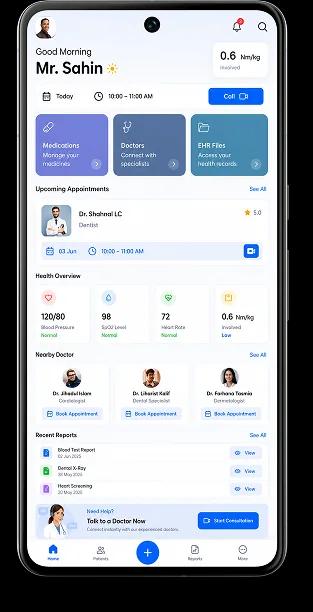
Healthcare & Telemedicine

Healthcare & Telemedicine

Applications help manage consultations and patient records. They also handle real-time interactions while keeping things stable for care teams.

Healthcare & Telemedicine

Applications help manage consultations and patient records. They also handle real-time interactions. This is done while keeping things stable and making sure data is handled in a way. This is really important, in places where things have to work all the time. Clear triage and follow-up paths reduce guesswork when schedules are full. Access controls and audit trails support trust without slowing clinicians down.

E-Commerce & Retail

E-Commerce & Retail

Performance directly impacts conversions. Fast browsing, stable checkout, and traffic spikes handled without slowing down.

E-Commerce & Retail

Performance directly impacts conversions. The focus stays on fast product browsing, stable checkout flows, and handling traffic spikes without slowing down during high-demand periods. Catalog slices, image lazy-loading, and predictable pagination keep first paint sharp. Cart and payment steps recover gracefully from brief network blips. Inventory and promos stay in sync so shoppers rarely hit dead ends. Search and filters stay responsive on mid-range devices.

FinTech & Banking

FinTech & Banking

Financial applications require precise execution—secure authentication, real-time transactions, and stable integrations.

FinTech & Banking

Financial applications require precise execution. Secure authentication, real-time transactions, and stable integrations are handled in environments where even small delays create larger risks. Step-up checks feel fast, not blocking. Ledger updates and receipts stay consistent across channels. Monitoring catches anomalies early so teams can intervene before balances drift. Third-party rails fail over cleanly instead of leaving users stuck.

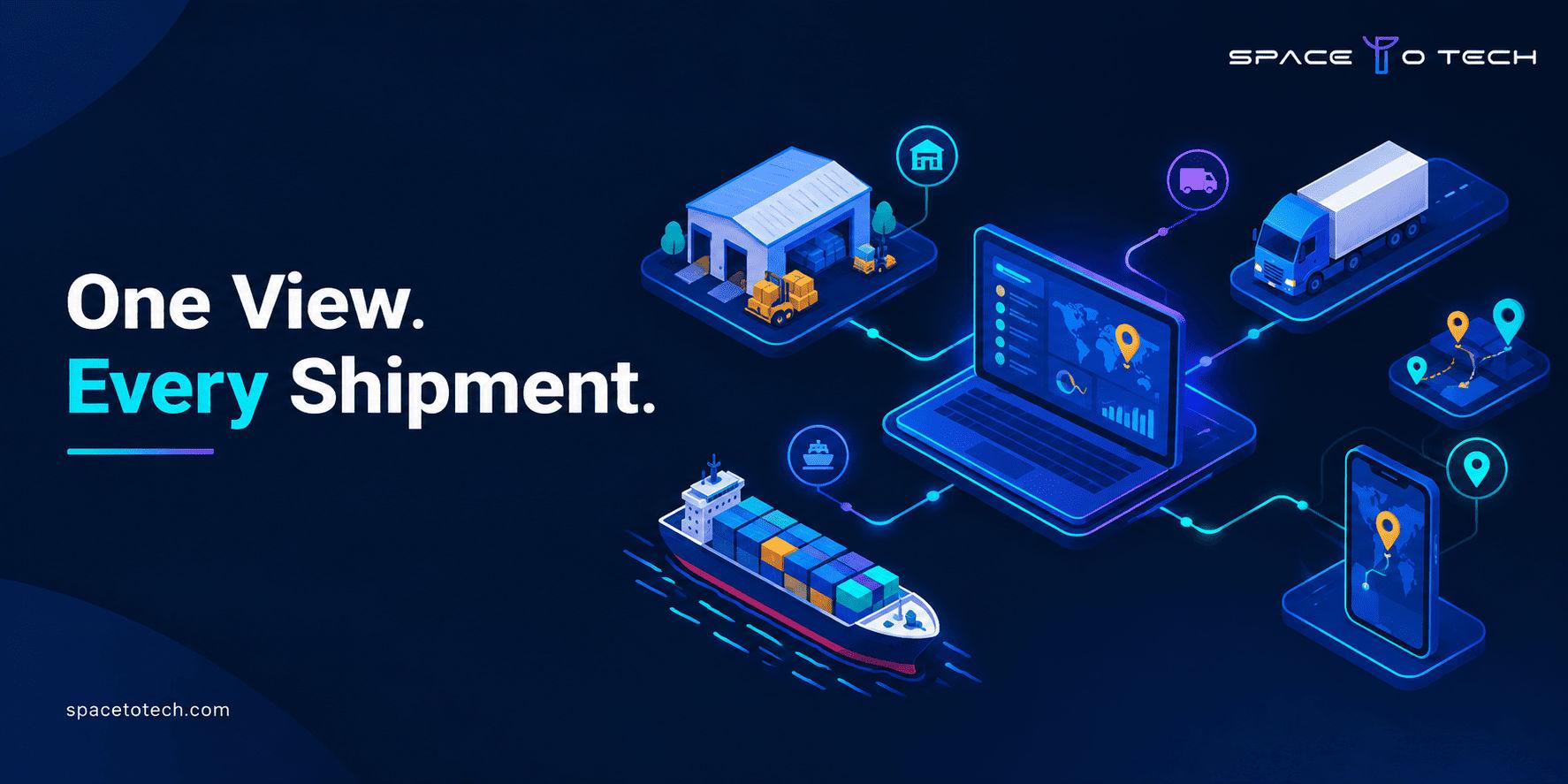
Logistics & Supply Chain

Logistics & Supply Chain

Operations depend on visibility—tracking, route updates, and coordination without interruptions.

Logistics & Supply Chain

Operations depend on visibility. Apps handle tracking, route updates, and backend coordination so businesses can monitor movement without interruptions. Drivers get clear manifests and exception flows when a stop slips. Dispatch dashboards reflect live ETAs without hammering the API. Proof-of-delivery and handoff scans close the loop for finance and support. Offline pockets buffer critical reads until signal returns.

EdTech & E-Learning

EdTech & E-Learning

Users don't always have stable connections. Platforms handle offline access and consistent delivery across devices.

EdTech & E-Learning

Users don't always have stable connections. Platforms are designed to handle offline access and consistent content delivery across devices. Lessons, quizzes, and media resume where learners left off. Progress syncs when connectivity returns without duplicate submissions. Classroom and cohort views stay legible on small screens. Release cadence favors stability so exam week is never a surprise deploy.

Social Networking

Social Networking

Growth can be unpredictable. Applications manage real-time updates and scaling without performance drops.

Social Networking

Growth can be unpredictable. Applications are built to manage real-time updates and scaling challenges without performance drops. Feeds and notifications batch sensibly under load. Moderation queues stay usable when spikes hit. Media and chat avoid blocking the main thread on modest phones. Feature flags and gradual rollout limit blast radius when experiments ship.

On-Demand & Marketplace

On-Demand & Marketplace

Speed and coordination matter—matching, notifications, and transactions designed to work without delays.

On-Demand & Marketplace

Speed and coordination matter. Matching systems, notifications, and transaction handling are designed to work without delays. Supply and demand signals update without thrashing the client. Push and in-app alerts respect quiet hours yet surface time-sensitive offers. Disputes and payouts follow transparent states both sides can track. Maps and ETAs stay honest when traffic or weather shifts mid-trip.

Real Estate

Real Estate

Search experience defines usability—filters, maps, and listing performance reduce friction in discovery.

Real Estate

Search experience defines usability. Filters, maps, and listing performance are structured to reduce friction in property discovery. Saved searches and alerts feel instant without re-querying everything. Tour scheduling respects agent calendars and time zones. Document rooms keep versions tidy for buyers, sellers, and counsel. Performance budgets stop galleries from freezing mid-scroll.

Food & Hospitality

Food & Hospitality

Ordering flows must remain fast and reliable. Every step—from browsing to checkout—is optimized to reduce drop-offs.

Food & Hospitality

Ordering flows must remain fast and reliable. Every step—from browsing to checkout—is optimized to reduce drop-offs. Reservations and kitchen pacing stay aligned when dine-in, pick-up, and delivery peak together. KDS and courier handoffs match promised prep times. Payments, tips, and retries stay calm so one hiccup does not abandon the basket. Loyalty and menu updates stay quick on everyday staff devices.

SaaS & Enterprise Tools

SaaS & Enterprise Tools

Applications support internal operations—multi-user dashboards and integrations built for consistent performance.

SaaS & Enterprise Tools

Applications support internal operations. Multi-user environments, dashboards, and integrations are structured for consistent performance. Role-aware navigation keeps noise low for each persona. Heavy charts stream aggregates instead of shipping giant payloads. Webhooks and imports retry with backoff so nightly jobs finish cleanly. Observability ties UI latency to backend queues for faster triage.
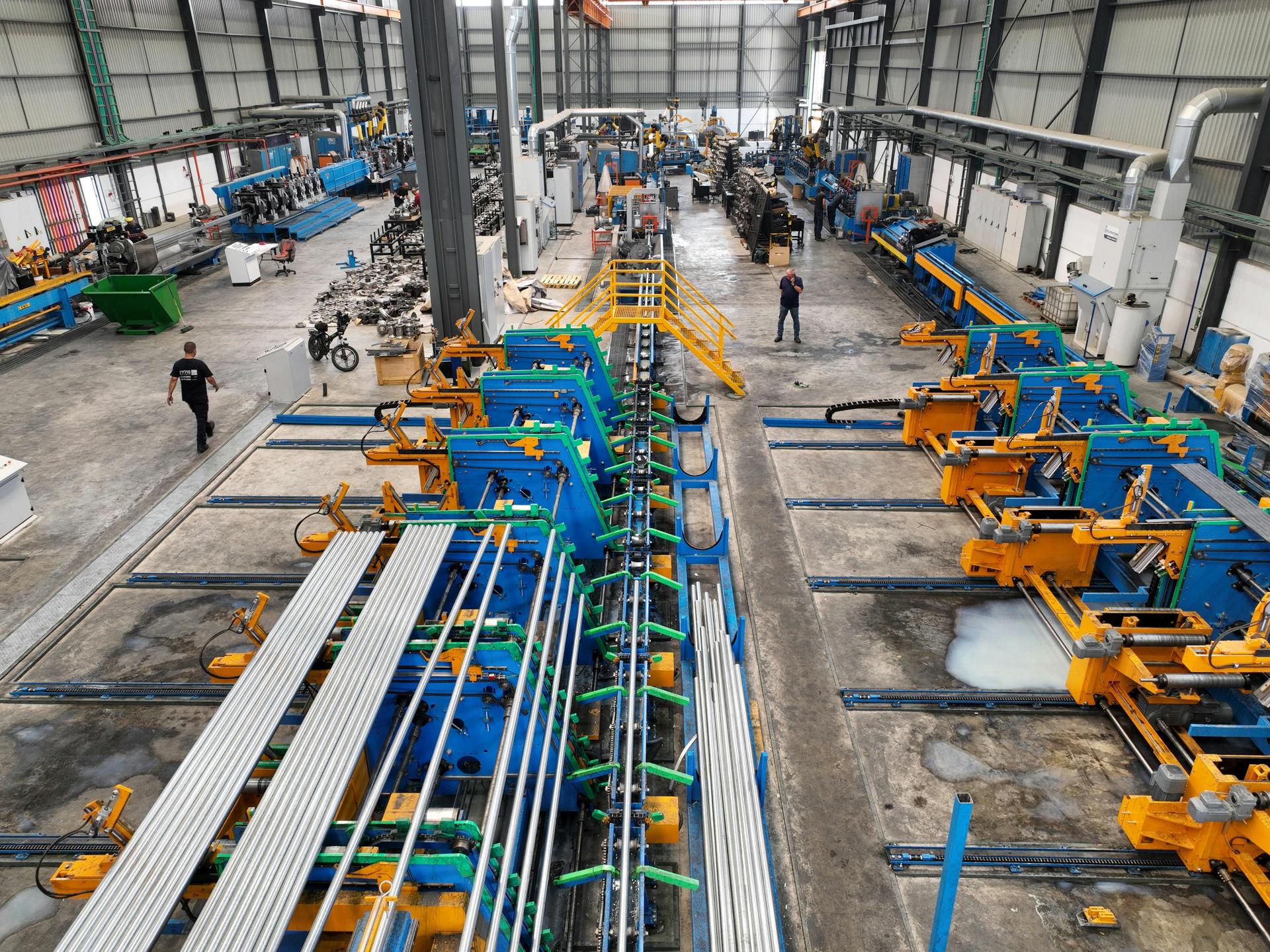
Manufacturing

Manufacturing

Legacy systems are common. Apps integrate without replacing existing infrastructure entirely.

Manufacturing

Legacy systems are common. Apps are designed to integrate without replacing existing infrastructure entirely. Read-only mirrors and scoped writes reduce risk to PLCs and historians. Floor tablets tolerate gloves, dust, and intermittent Wi-Fi. Shift handovers capture notes and counts without duplicate entry. Change windows and staged rollouts avoid surprises during production peaks.

Travel & Hospitality

Travel & Hospitality

Users expect instant results—booking flows and real-time updates without delays or inconsistencies.

Travel & Hospitality

Users expect instant results. Booking flows and real-time updates are handled without delays or inconsistencies. Fare and room rules evaluate quickly before checkout. Itinerary changes propagate to wallets and notifications in one pass. Partner feeds degrade gracefully when an upstream API slows. Currency and locale stay coherent across search, pay, and post-trip support.

Healthcare & Telemedicine

Healthcare & Telemedicine

Applications help manage consultations and patient records. They also handle real-time interactions while keeping things stable for care teams.

Healthcare & Telemedicine

Applications help manage consultations and patient records. They also handle real-time interactions. This is done while keeping things stable and making sure data is handled in a way. This is really important, in places where things have to work all the time. Clear triage and follow-up paths reduce guesswork when schedules are full. Access controls and audit trails support trust without slowing clinicians down.

E-Commerce & Retail

E-Commerce & Retail

Performance directly impacts conversions. Fast browsing, stable checkout, and traffic spikes handled without slowing down.

E-Commerce & Retail

Performance directly impacts conversions. The focus stays on fast product browsing, stable checkout flows, and handling traffic spikes without slowing down during high-demand periods. Catalog slices, image lazy-loading, and predictable pagination keep first paint sharp. Cart and payment steps recover gracefully from brief network blips. Inventory and promos stay in sync so shoppers rarely hit dead ends. Search and filters stay responsive on mid-range devices.

FinTech & Banking

FinTech & Banking

Financial applications require precise execution—secure authentication, real-time transactions, and stable integrations.

FinTech & Banking

Financial applications require precise execution. Secure authentication, real-time transactions, and stable integrations are handled in environments where even small delays create larger risks. Step-up checks feel fast, not blocking. Ledger updates and receipts stay consistent across channels. Monitoring catches anomalies early so teams can intervene before balances drift. Third-party rails fail over cleanly instead of leaving users stuck.

Logistics & Supply Chain

Logistics & Supply Chain

Operations depend on visibility—tracking, route updates, and coordination without interruptions.

Logistics & Supply Chain

Operations depend on visibility. Apps handle tracking, route updates, and backend coordination so businesses can monitor movement without interruptions. Drivers get clear manifests and exception flows when a stop slips. Dispatch dashboards reflect live ETAs without hammering the API. Proof-of-delivery and handoff scans close the loop for finance and support. Offline pockets buffer critical reads until signal returns.

EdTech & E-Learning

EdTech & E-Learning

Users don't always have stable connections. Platforms handle offline access and consistent delivery across devices.

EdTech & E-Learning

Users don't always have stable connections. Platforms are designed to handle offline access and consistent content delivery across devices. Lessons, quizzes, and media resume where learners left off. Progress syncs when connectivity returns without duplicate submissions. Classroom and cohort views stay legible on small screens. Release cadence favors stability so exam week is never a surprise deploy.

Social Networking

Social Networking

Growth can be unpredictable. Applications manage real-time updates and scaling without performance drops.

Social Networking

Growth can be unpredictable. Applications are built to manage real-time updates and scaling challenges without performance drops. Feeds and notifications batch sensibly under load. Moderation queues stay usable when spikes hit. Media and chat avoid blocking the main thread on modest phones. Feature flags and gradual rollout limit blast radius when experiments ship.

On-Demand & Marketplace

On-Demand & Marketplace

Speed and coordination matter—matching, notifications, and transactions designed to work without delays.

On-Demand & Marketplace

Speed and coordination matter. Matching systems, notifications, and transaction handling are designed to work without delays. Supply and demand signals update without thrashing the client. Push and in-app alerts respect quiet hours yet surface time-sensitive offers. Disputes and payouts follow transparent states both sides can track. Maps and ETAs stay honest when traffic or weather shifts mid-trip.

Real Estate

Real Estate

Search experience defines usability—filters, maps, and listing performance reduce friction in discovery.

Real Estate

Search experience defines usability. Filters, maps, and listing performance are structured to reduce friction in property discovery. Saved searches and alerts feel instant without re-querying everything. Tour scheduling respects agent calendars and time zones. Document rooms keep versions tidy for buyers, sellers, and counsel. Performance budgets stop galleries from freezing mid-scroll.

Food & Hospitality

Food & Hospitality

Ordering flows must remain fast and reliable. Every step—from browsing to checkout—is optimized to reduce drop-offs.

Food & Hospitality

Ordering flows must remain fast and reliable. Every step—from browsing to checkout—is optimized to reduce drop-offs. Reservations and kitchen pacing stay aligned when dine-in, pick-up, and delivery peak together. KDS and courier handoffs match promised prep times. Payments, tips, and retries stay calm so one hiccup does not abandon the basket. Loyalty and menu updates stay quick on everyday staff devices.

SaaS & Enterprise Tools

SaaS & Enterprise Tools

Applications support internal operations—multi-user dashboards and integrations built for consistent performance.

SaaS & Enterprise Tools

Applications support internal operations. Multi-user environments, dashboards, and integrations are structured for consistent performance. Role-aware navigation keeps noise low for each persona. Heavy charts stream aggregates instead of shipping giant payloads. Webhooks and imports retry with backoff so nightly jobs finish cleanly. Observability ties UI latency to backend queues for faster triage.

Manufacturing

Manufacturing

Legacy systems are common. Apps integrate without replacing existing infrastructure entirely.

Manufacturing

Legacy systems are common. Apps are designed to integrate without replacing existing infrastructure entirely. Read-only mirrors and scoped writes reduce risk to PLCs and historians. Floor tablets tolerate gloves, dust, and intermittent Wi-Fi. Shift handovers capture notes and counts without duplicate entry. Change windows and staged rollouts avoid surprises during production peaks.

Travel & Hospitality

Travel & Hospitality

Users expect instant results—booking flows and real-time updates without delays or inconsistencies.

Travel & Hospitality

Users expect instant results. Booking flows and real-time updates are handled without delays or inconsistencies. Fare and room rules evaluate quickly before checkout. Itinerary changes propagate to wallets and notifications in one pass. Partner feeds degrade gracefully when an upstream API slows. Currency and locale stay coherent across search, pay, and post-trip support.

Building High-Performance Apps with Flutter Excellence

Our achievements are driven by real results—high-performing apps that support growth and deliver lasting business impact.Discover projects where we created meaningful outcomes.

Max Life Insurance

Transforming Digital Insurance Experience

The Problem

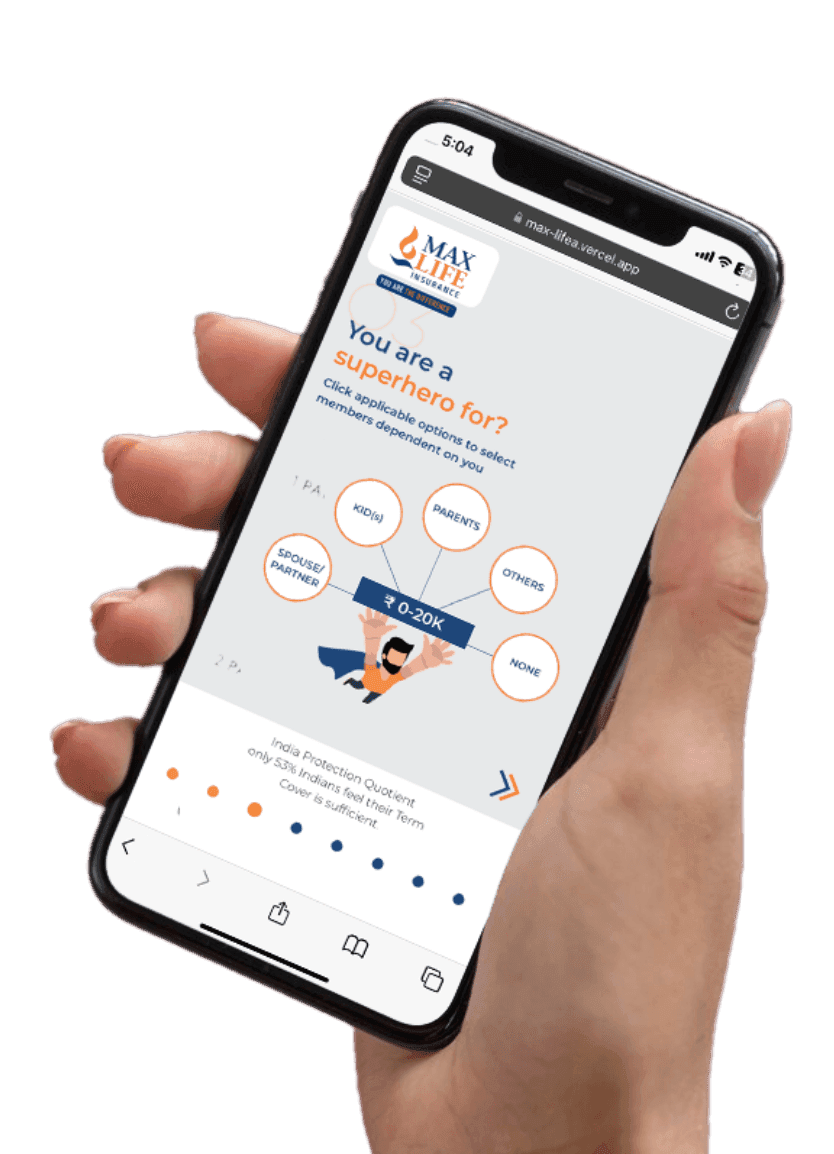
Max Life Insurance aimed to modernize its digital platform to deliver a seamless and user-friendly experience. The existing system lacked intuitive navigation, real-time tracking, and personalized features, making policy management inefficient.

Our Approach

Our team developed a high-performance, user-centric digital platform with intuitive UI/UX, secure and scalable architecture, real-time policy tracking, personalized dashboards, and seamless third-party integrations to enhance overall user experience.

What We Achieved

  • Improved user engagement and retention
  • Faster and seamless policy management
  • Enhanced customer experience with better UX
  • Scalable platform supporting growing users
Max Life Insurance App
Clutch 5.0 rating

Recognized. Trusted. Preferred

Awards & Recognition

We are proud to be recognized by leading platforms and industry experts for our innovation, impact, and excellence


TopDevelopers

TopDevelopers

Top Mobile App Developers

Freelancer

Freelancer

Top Mobile App Developers

AppFutura

AppFutura

Top Mobile App Developers

GoodFirms

GoodFirms

Top Mobile App Development

Clutch

Clutch

Top Mobile App Developers

Excellence isn't claimed.It's recognized

These achievements reflect our commitment to
delivering world-class AI solutions that help
businesses grow and lead

Frequently Asked Questions About Flutter App Development

For the development of cross-platform applications, Flutter, an open-source framework created by Google, is frequently utilised in Flutter app development. It shortens development times while keeping UI and performance consistent across platforms by letting developers use a single codebase to build apps for web, Android, and iOS.
When compared to Western markets, Flutter app development in India is much more affordable. It is perfect for both startups and organisations because it may reduce development expenses by 50-60% without sacrificing solution quality.
A project's complexity determines how long it will take for flutter app development services to complete. It usually takes 6-10 weeks for basic applications and 12-20 weeks for mid-level apps. The features and integrations of an enterprise-level application determine how long it takes to complete.
Dedicated recruiting, team augmentation, and project-based delivery are just a few of the flexible engagement methods that make it easy to hire a flutter application developer.
Businesses can improve their development times, cut expenses, and gain access to talented developers by outsourcing flutter app development services. An effective way to scale without adding operating costs, it is a strategic approach for firms.

Supporting Insights

Flutter app development process guide cover image
Blogs19/07/2026

Flutter App Development Process: A Business Owner's Guide to Every Stage (2026)

Most Flutter projects that go over budget or miss their launch date do not fail because of the framework. They fail because nobody mapped out who is responsible for what, at which stage, and what happens to your cost and timeline when a stage gets rushed. This guide walks through the Flutter app development process the way we actually run it for clients: stage by stage, with the deliverable you should expect, the person accountable for it, and the mistake that most often derails that specific step. If you want the full technical and business picture of Flutter itself, our complete Flutter app development guide covers architecture, cost, and platform comparisons in depth. This article goes narrower and deeper: it is built for the person managing the project, not the person writing the code. What Is Flutter App Development? Flutter app development is the process of building an iOS and Android app from a single codebase, using Google's Flutter framework and the Dart programming language. For a business owner, the important word in that sentence is “process.” The framework choice matters, but it is a decision you make once, early on. The process is what you manage for the next two to nine months, and it is where most of the real risk to your budget and timeline actually lives. Why Businesses Choose Flutter for Mobile App Development One codebase covering both iOS and Android is the headline reason: one team, one build, one release cycle, instead of paying for two parallel native teams. It also means a consistent user experience across both platforms and simpler long-term maintenance, since a bug fix or feature update is written once, not twice. If you want the full cost and performance comparison against native and React Native, our Flutter app development services page breaks that down in detail. The rest of this guide assumes you have already decided Flutter is the right fit and are now focused on getting the project itself right. The Flutter App Development Process: Stage by Stage Each stage below follows the same structure: what actually happens, who is responsible, what you should receive as a deliverable, and what it costs you later if this stage gets rushed. Requirement Discovery This is where business goals, target users, must-have features, and platform requirements get mapped into a single document everything else is measured against. A good discovery conversation asks uncomfortable questions early, like whether you actually need an admin panel on day one, rather than assuming yes by default. Who's responsible: Business Analyst leads, with the Project Manager involved and heavy input required from you as the client. What you get: A signed-off requirements document and a confirmed feature list. If this stage is rushed: Skipping or rushing this stage is the single biggest predictor of scope disputes later. Every week saved here tends to cost two or three weeks back during development, once ambiguity turns into rework. Market and Competitor Research A short competitive pass, looking at two or three direct competitors, surfaces feature gaps worth including and, just as usefully, features you can safely leave out of version one. Who's responsible: Business Analyst, with Project Manager oversight. What you get: A short competitive positioning summary and a feature gap list. If this stage is rushed: This stage is cheap to do properly and expensive to skip; a feature nobody asked for, built because a competitor has it, is one of the most common sources of wasted development budget. Project Planning Discovery and research get turned into an actual project roadmap here: sprint breakdown, milestones, and a cost and timeline estimate you can hold the team to. Who's responsible: Project Manager leads; client sign-off required before development starts. What you get: A project roadmap, sprint plan, and a cost and timeline estimate in writing. If this stage is rushed: Locking a budget before this stage, based on a rough verbal idea rather than a planned scope, is how founders end up disputing invoices three months in. UI/UX Design Wireframes first, then high-fidelity Figma screens, then a Flutter-specific design system covering colors, typography, and reusable components. This is also where Material and Cupertino design patterns get decided for your specific product. Who's responsible: UI/UX Designer leads; client reviews and approves each milestone. What you get: Approved wireframes, high-fidelity screens, and a documented design system. If this stage is rushed: Approving designs late in the process, after development has already started against an earlier version, is one of the most expensive changes you can make; every screen already built has to be revisited. App Architecture Before a single feature screen gets built, the technical foundation gets decided: state management approach, navigation structure, and how the app's data layer will be organized. Who's responsible: Senior Flutter Developer leads this decision. What you get: An architecture document and a confirmed technology stack. If this stage is rushed: A weak or skipped architecture stage is invisible for the first month and then shows up as slow, expensive feature development for the rest of the project, since every new screen has to work around decisions that were never properly made. Backend Development Depending on your data model, this is either a fast Firebase setup or a custom backend built in Node.js, Laravel, or a similar stack, including your database schema and authentication. Who's responsible: Backend Developer leads, in coordination with the Flutter Developer on API contracts. What you get: Working API endpoints, a database schema, and authentication flow. If this stage is rushed: Backend complexity is consistently the most underestimated line item in a Flutter budget; a simple-looking feature request can hide a genuinely complex backend requirement underneath it. Flutter Development The actual build: screens, features, and business logic implemented in Dart, delivered in two-week sprints with a working demo at the end of each one. Who's responsible: Flutter Developer or developers lead; Project Manager tracks sprint progress. What you get: A working, testable build at the end of every sprint, not a status report. If this stage is rushed: This is the stage that gets the most attention and, ironically, the least likely to be the actual source of a delay if the earlier stages were done properly. API Integration Payment gateways, maps, push notifications, and any other third-party service get wired in and tested here. Who's responsible: Flutter Developer and Backend Developer jointly. What you get: Fully integrated and tested third-party services. If this stage is rushed: Each integration looks small individually but adds real testing time when stacked; budget for this explicitly rather than treating it as incidental to development. Testing and QA Automated unit and widget tests, plus manual QA on physical iOS and Android devices, not simulators only, since simulator performance does not reflect real device behavior. Who's responsible: QA Engineer leads. What you get: Test reports, a resolved bug list, and performance profiling results. If this stage is rushed: Compressing this stage to hit a launch date is the single most common way a project becomes more expensive after launch, in the form of emergency post-release bug fixes. Deployment Submitting the app to both stores, including all required metadata, screenshots, and privacy disclosures, and setting up CI/CD so future releases are not a manual, error-prone process. Who's responsible: DevOps or the Project Manager leads. What you get: Live listings on the App Store and Google Play. If this stage is rushed: Apple's review process in particular can add unplanned days if privacy manifests or metadata are incomplete; build buffer time into your launch date rather than treating submission as instant. Post-Launch Maintenance Crash monitoring, analytics, OS compatibility updates, and ongoing feature iteration based on real user behavior rather than internal assumptions. Who's responsible: Project Manager and an on-call developer. What you get: A monitoring dashboard, an agreed maintenance SLA, and a defined update schedule. If this stage is rushed: Treating launch as the finish line, rather than planning maintenance budget from day one, is the most common budget surprise we see roughly six months after a launch. Flutter App Development Timeline Timeline scales with complexity, and the split below matches the numbers already published in our Flutter guide and cost breakdown, so you can plan against a single consistent set of figures. Stage Simple App Business App Enterprise App Discovery & Planning 1-2 weeks 2-4 weeks 4-6 weeks UI/UX Design 1 week 2-3 weeks 3-5 weeks Development 4-6 weeks 8-14 weeks 16-28 weeks Testing & QA 1 week 2-3 weeks 4-6 weeks Deployment & Launch 1 week 1-2 weeks 2-3 weeks Total 6-10 weeks 12-20 weeks 24-40 weeks Flutter Development Team Structure and Responsibilities A quote is never just development hours. Here is who is actually involved, and at which stage. Role Responsible For Involved At Which Stages Business Analyst (BA) Requirement gathering, scope documentation Discovery, Planning Project Manager (PM) Timeline, budget, client communication, risk management All stages UI/UX Designer Wireframes, design system, Figma handoff Design, Architecture review Flutter Developer Frontend build, widget implementation, state management Architecture through Deployment Backend Developer API, database, authentication, cloud infrastructure Architecture, Backend, Integration QA Engineer Test plans, manual and automated testing Testing, pre-launch, post-launch Phase vs. Deliverables at a Glance A one-look summary of what you should have in hand at the end of each phase. Phase Key Deliverable Discovery Signed-off requirements document Planning Project roadmap and cost estimate Design Approved Figma prototype and design system Development Feature-complete, testable build Testing QA sign-off and bug resolution report Deployment Live App Store and Play Store listings Maintenance Agreed SLA and monitoring setup Factors That Affect Flutter Development Time Feature count and complexity Backend complexity, Firebase versus a custom server Number of third-party integrations Team size and experience level Security and compliance requirements Platform scope, iOS and Android only versus web or desktop as well For a detailed cost breakdown against each of these factors, see our Flutter app development cost guide. Common Mistakes Business Owners Make During Flutter App Development These are the mistakes we see most often from the client side of the table, not the developer side. Common Mistake Better Practice Skipping or rushing discovery to save time Treat discovery as schedule protection, not overhead; it's the cheapest stage to get right Locking a fixed budget before scope is defined Get a scoped estimate after discovery, not before it Adding features mid-sprint without adjusting timeline Lock scope before development starts; treat additions as a new, separately estimated request Skipping real-device QA in favor of simulator-only testing Insist on physical iOS and Android device testing before launch Treating launch as the finish line Budget and plan for maintenance before development even begins Flutter App Development Process vs. Native Development Process The core difference is not the code, it is the number of teams and review cycles you are managing. A Flutter project runs one team through one sprint cycle, building one codebase that ships to both platforms together. Native development runs two parallel teams, a Swift team and a Kotlin team, each on their own sprint cycle, each needing separate review, separate QA, and separate release coordination. For a founder managing the project rather than writing the code, that difference shows up as roughly half the number of status meetings and a single launch date instead of two staggered ones. A full technical and cost comparison deserves its own dedicated breakdown, which we cover separately. How to Choose the Right Flutter Development Company Before you sign with anyone, ask to see their process documentation, not just their portfolio. A portfolio shows you what they have built. A process document shows you how they will manage your specific project, and that is the thing that actually determines whether you hit your timeline. Confirm exactly who will be on your project team, by name and role, not just "our senior developers" Ask how they handle scope changes mid-project, and get the answer in writing Check whether they offer a fixed maintenance SLA after launch, or only open-ended hourly support Ask to see a sample of the deliverable you'll receive at the end of the discovery stage before you commit to the full project As a software development company based in India, we structure every Flutter engagement around the exact stages covered in this guide, with a named team and a written deliverable at the end of each one. Flutter Project Planning Checklist Use this before your first call with any development company, ours or otherwise. Business goals and success metrics defined Target platforms confirmed: iOS, Android, or both Rough feature list separated into must-have and nice-to-have Realistic budget range identified based on the cost tiers above Backend approach considered: Firebase versus a custom build Questions ready for your first call: team structure, process, and maintenance terms Conclusion Most Flutter project problems are process problems, not technical ones. A founder who understands what each stage delivers, who is accountable for it, and what it costs to rush, is in a far stronger position than one who only understands the framework. Use the checklist above before your first call, and treat every stage in this guide as a checkpoint, not just a line item on someone else's timeline. Ready to plan your Flutter project properly from day one? Contact our team for a free discovery call.

Flutter app development cost 2026 pricing guide cover image
Blogs15/07/2026

Flutter App Development Cost in 2026: Complete Pricing Guide

Flutter app development cost typically runs from $8,000 for a simple MVP to $300,000 or more for a large enterprise application, with most business apps landing between $20,000 and $60,000. Flutter itself is free and open source. What you are actually paying for is design, backend work, integrations, testing, and the team building all of it, and that is what moves the number up or down. If you build software or run a business, you have probably already heard some version of this: “Flutter is cheaper.” It is, most of the time. But cheaper than what, and by how much, depends on details nobody puts in a headline. This guide breaks the number down the way we actually break it down for clients before we quote anything. What Is the Average Flutter App Development Cost? Most Flutter apps built for a real business, not a weekend side project, cost somewhere between $15,000 and $80,000. The wide range exists because “build me a Flutter app” describes hundreds of different products. A three-screen event app and a multi-vendor marketplace with live payments are both “a Flutter app,” and they do not belong anywhere near the same budget. The honest answer to “how much will my app cost” is always: it depends on what you are building, who is building it, and where they are sitting while they do it. The next few sections walk through exactly which levers move that number, so you can estimate your own project instead of relying on someone else's average. If you're still deciding whether Flutter is the right framework for your product, our Flutter app development guide covers the full build process from architecture to launch Why Flutter Is a Cost-Effective Choice for Mobile App Development Flutter uses a single Dart codebase to ship both an iOS and an Android app. That one decision is where most of the savings come from. Instead of hiring a Swift team and a Kotlin team and keeping two codebases in sync every time a feature changes, you build the feature once and it runs on both platforms. Hot reload adds a second layer of savings that rarely gets mentioned. Developers see UI and logic changes instantly, without restarting the app, which shortens the build-test-fix loop across the whole project. Over a three-month build, that adds up to real engineering hours saved, not just a nicer developer experience. You can see our full Flutter app development services and past project examples if you want to look under the hood before budgeting. Flutter App Development Cost by App Complexity This is the fastest way to get a realistic ballpark. Find the row that matches what you are actually building. Tier Cost Range Timeline  What's Typically Included Simple App $8,000 – $20,000 6 – 10 weeks 3–8 screens, static or lightly dynamic content, basic navigation, no custom backend Medium / Business App $20,000 – $60,000 12 – 20 weeks User authentication, custom backend, API integrations, admin panel, payment gateway Complex App $60,000 – $150,000 20 – 32 weeks Real-time features, multiple integrations, custom animations, advanced security Enterprise App $150,000 – $300,000+ 32+ weeks Legacy system integration, compliance requirements, multi-tenant architecture, AI/ML features These ranges assume an India-based delivery team. Flutter development in India typically runs 50 to 60 percent lower than the same scope built in the US or UK, without a difference in code quality, which is one reason it has become the default choice for cost-conscious founders building serious products. Flutter App Development Cost by Business Stage App complexity is only half the picture. Where your business is in its growth also shapes what you should be spending, and most cost guides skip this entirely. MVP Stage At the MVP stage, the goal is validation, not completeness. A tight scope of 5 to 10 core screens, Firebase for backend instead of a custom build, and one or two must-prove features is usually enough. Budget $8,000 to $18,000 and 6 to 10 weeks. Startup Stage Once the idea is validated and you have early users, the app usually needs a real backend, proper authentication, and a couple of integrations that were stubbed out in the MVP. Expect $18,000 to $45,000 over 10 to 16 weeks. Scale-Up Stage Growing user numbers change the engineering problem. You are now optimizing for performance under load, adding analytics and monitoring, and probably rebuilding parts of the MVP that were never meant to carry this much traffic. Budget $45,000 to $100,000, spread across 16 to 26 weeks. Enterprise Stage At enterprise scale, cost is driven by compliance, security audits, legacy system integration, and multi-team coordination as much as by features. $100,000 to $300,000+ is typical, with timelines of 26 to 40+ weeks depending on how many systems the app needs to talk to. Factors That Affect Flutter App Development Cost Once you know your rough tier, these are the individual levers that push a quote up or down within that range. Features and Functionality Every additional feature is additional engineering time. A login screen is a day or two. A real-time chat system with read receipts and media sharing is a project inside the project. UI/UX Design Complexity Standard Material and Cupertino components keep design cost down. Fully custom interfaces, bespoke animations, and brand-specific motion design add real hours, both in design and in the Flutter build that has to match it pixel for pixel. Third-Party Integrations Payment gateways, maps, social logins, and push notification services all add integration and testing time. None of them are difficult individually. The cost comes from stacking several of them into one release. Backend and API Complexity A Firebase-backed app with standard CRUD operations is quick to ship. A custom Node.js or Python backend with a complex database schema, background jobs, and multiple external APIs is often the single biggest line item in the whole budget, sometimes larger than the Flutter frontend itself. Team Location and Team Size Where your developers sit changes the invoice more than almost any other factor. The next section breaks this down by country. Security and Compliance Apps handling payments, health data, or personal financial information need encryption, secure storage, and often a compliance review before launch. Budget extra time here rather than treating it as a last-minute checklist. Testing and QA Automated and manual testing across both platforms, plus device-specific QA, typically adds 10 to 15 percent to the total build time. Skipping this to save money is one of the most common ways a project gets more expensive later, in the form of post-launch bug fixes. Post-Launch Maintenance This is covered in detail later in this guide, but it belongs on your radar from day one, not as an afterthought once the app ships. Flutter Developer Rates by Country The same feature set, built by equally skilled developers, costs a dramatically different amount depending on where the team is based. Region Hourly Rate (USD) Typical Use Case India $20 – $50 Full-cycle development for startups through enterprise, at 50–60% lower cost than Western markets Eastern Europe $50 – $90 Mid-market alternative with strong technical talent and closer time-zone overlap with the UK/EU United Kingdom $90 – $160 Premium local rates, often chosen for regulatory or proximity reasons United States $100 – $200 Highest rate tier, typically used where in-house, on-site teams are a hard requirement Lower hourly rates do not automatically mean lower total cost if the team is inexperienced. A $25/hour developer who needs 300 hours can end up costing more than a $60/hour developer who needs 100 hours. Ask about team experience and past Flutter projects before comparing rates alone. Flutter App Development Timeline vs Cost Timeline and cost move together, but not in a straight line. A rushed timeline usually means a bigger team working in parallel, which raises cost even if the total scope stays the same. App Type Typical Timeline Typical Cost Simple App 6 – 10 weeks $8,000 – $20,000 Medium App 12 – 20 weeks $20,000 – $60,000 Complex App 20 – 32 weeks $60,000 – $150,000 Enterprise App 32+ weeks $150,000 – $300,000+ Hidden Costs Businesses Often Ignore Every quote you get will cover development. Fewer of them will walk you through what happens after launch. These are the costs that catch founders off guard around month six: Ongoing maintenance: 15–20% of the initial build cost, every year, for updates and bug fixes App Store and Google Play fees: a one-time $99/year for Apple, and Google Play's one-time $25 registration fee Cloud hosting and backend infrastructure: scales with your user base, easy to underestimate at launch Analytics and monitoring tools: often billed separately from your core backend Post-launch bug fixes: unavoidable in the first few weeks after real users start using the app OS-level security updates: required whenever Apple or Google changes platform requirements Third-party service subscriptions: payment processors, push notification services, and map APIs usually bill monthly, on top of your development cost Flutter vs Native App Development Cost Native development, building separately for iOS in Swift and Android in Kotlin, generally costs 30 to 40 percent more than Flutter for the same feature set, because you are funding two parallel engineering efforts instead of one. The exception is apps that lean heavily on deep hardware access, like advanced AR, Bluetooth peripherals, or specialized camera processing, where native's direct platform access can reduce the extra engineering work Flutter sometimes needs to bridge the gap. For most business apps, from e-commerce to fintech to on-demand services, Flutter's cost advantage holds up in practice, not just on paper. How to Reduce Flutter App Development Cost Without Sacrificing Quality These are the specific decisions that actually move the number, not generic advice repeated across every cost guide on the internet. Scope your MVP down to the 3 to 5 features that actually test your core assumption, and roadmap the rest instead of building it all in v1 Use Firebase as your backend if your data model is simple; it removes 60 to 70% of custom backend work for apps that fit its structure Stick to Material and Cupertino design components instead of fully custom UI unless brand differentiation is core to your product Lock your feature list before development starts; every mid-project addition typically costs 2 to 3 times what the same feature would have cost at the planning stage Choose a fixed-price contract for clearly defined scope, and hourly billing only for genuinely exploratory work Work with an India-based team for the same technical output at 50–60% lower cost than US or UK agencies Feature vs Cost Impact Matrix A quick reference for how much a single feature typically adds to your budget relative to a base app. Feature Cost Impact Login / User Authentication Low Push Notifications Low Payment Gateway Integration Medium Maps and Location Services Medium Real-Time Chat Medium AI / ML Features High Video Calling / Streaming High Flutter App Development Team: Roles You're Paying For A quote is never just “developer hours.” A typical Flutter project team includes a project manager coordinating timelines, a UI/UX designer building the screens before anyone writes code, one or more Flutter developers doing the actual build, a backend developer if your app needs a custom API, and a QA specialist testing across devices before release. Understanding this breakdown helps you sanity-check any quote that seems unusually low, since a suspiciously cheap number often means one person is covering three of these roles at once. In-House vs Freelancer vs Agency: Which Costs Less An in-house hire gives you the most control but comes with salary, benefits, and recruiting overhead that rarely makes sense until you have ongoing, long-term Flutter work to justify it. A freelancer can be the cheapest option for a very small, well-defined build, but you take on the project management and quality-assurance work yourself, and there is no backup if they become unavailable mid-project. An agency sits in between: you get a full team, project management, and accountability for a fixed scope, usually at a lower total cost than hiring the equivalent in-house team, especially when that agency is based in a lower-cost region like India. As a software development company operating from India, we structure our Flutter engagements this way by default. Flutter App Maintenance and Modernization Cost Launch is the beginning of the cost, not the end of it. Annual maintenance for a live Flutter app typically runs 15 to 20 percent of the original development cost, covering OS compatibility updates, security patches, and small feature refinements. If you already have an older app you are modernizing rather than building from scratch, expect $10,000 to $80,000 depending on how much of the existing backend and design can be reused. In our experience, most modernization projects reuse 60 to 70 percent of existing backend services, which keeps the number well below a full rebuild. AI Development Trends Impacting Flutter Costs in 2026 AI-assisted coding tools have measurably shortened implementation time on standard Flutter builds over the past year, particularly for boilerplate UI and repetitive CRUD logic. That does not mean architecture and code review get any faster; senior engineering judgment still governs quality, and a poorly scoped AI-assisted project can still run over budget just as easily as a traditional one. What has genuinely changed is that teams using AI-assisted workflows can often quote tighter timelines for standard-complexity apps without cutting corners on testing. Is Flutter Free to Use? Yes. Flutter is an open-source framework maintained by Google, and according to its official documentation , there is no licensing fee for commercial or personal use. Every dollar in your budget goes toward the team building your app, your backend infrastructure, and any paid third-party services you choose to integrate, not toward the framework itself. Why Businesses Choose Flutter Beyond the cost math, Flutter wins on speed to market. A single codebase means both platforms launch together instead of one trailing the other by weeks. Long-term maintenance is simpler too, since a bug fix or feature update only has to be written once. For most business apps, that combination of lower upfront cost and lower ongoing maintenance is the real argument for Flutter, not just the sticker price on the first invoice. How We Estimated These Costs The ranges in this guide assume an India-based delivery team, a standard project team (project manager, designer, one to two Flutter developers, QA), and Firebase or a comparably lightweight backend unless stated otherwise. Enterprise ranges assume additional security, compliance, and integration work. Actual cost for your specific project will vary based on your feature list, design requirements, and backend complexity. Treat every number on this page as a planning anchor, not a fixed quote, and get a scoped estimate before locking a budget. Conclusion Flutter app development cost is never really one number. It is a set of decisions, about scope, backend complexity, design, and team location, that together land your project somewhere between $8,000 and $300,000+. The businesses that budget well are the ones that scope tightly, plan for maintenance from the start, and choose a team based on experience rather than the lowest hourly rate on the page. Ready to get a real number instead of a range? Contact our team for a detailed proposal and project roadmap based on your specific requirements.

React Native security layered protection illustration for enterprise mobile apps
Blogs12/07/2026

React Native Security: 15 Best Practices to Build Secure Enterprise Apps

React Native security is the practice of protecting an app's data, authentication, and code from theft, tampering, and interception across the JavaScript bridge, native modules, and network layer. For any team building a secure React Native app for enterprise users, security is not a single feature you bolt on before launch. It is a set of layered decisions made across storage, authentication, network calls, and code protection.This guide walks through what React Native app security actually means, the most common risks enterprise teams run into, and a complete framework of React Native security best practices you can apply today, whether you are technical or leading the business side of a mobile project. What Is React Native Security? React Native security is the set of practices that protect user data, authentication credentials, and app logic across the JavaScript bridge, native modules, and network layer of a React Native application. It combines secure storage, encrypted network communication, code hardening, and dependency management into one layered defense. Security in React Native is not a plugin you install once. It is an ongoing discipline that touches how you store tokens, how you talk to your APIs, how you ship updates, and how carefully you vet the open source packages your app depends on. Because React Native blends JavaScript with native iOS and Android code, this discipline looks a little different from securing a purely native app, which is exactly why enterprise teams benefit from a dedicated approach rather than borrowing a native security checklist wholesale. If you are earlier in the process and still evaluating the framework itself, our React Native app development guide covers the fundamentals end to end. This article picks up from there and focuses specifically on how to secure what you build.  Why React Native Security Matters for Enterprise Apps React Native app security stops being a developer-only concern the moment your app starts handling real user data, payments, or business logic that a competitor would love to see. For enterprise decision makers, weak security carries four kinds of cost: Data breaches that expose customer PII, credentials, or financial details, often triggering mandatory disclosure obligations and lasting reputational damage. Compliance exposure. Regulated industries such as finance, healthcare, and HR tech face GDPR, HIPAA, or PCI-DSS obligations that a single insecure endpoint or unencrypted data store can violate. Erosion of user trust. Users rarely forgive a breach, and mobile apps live or die by repeat usage and word of mouth. Direct financial risk from incident response, legal exposure, and lost business, on top of the engineering time spent fixing the issue after the fact rather than before launch. None of this is unique to React Native. What is unique is that its cross-platform nature means a single vulnerability, say an unencrypted AsyncStorage call, ships to both iOS and Android at once. That is the tradeoff of a shared codebase: faster delivery, but also faster propagation of any security gap. How React Native's Architecture Creates Unique Security Considerations To understand why React Native needs its own security lens, it helps to understand how the framework works under the hood. Our React Native architecture explained guide covers this in depth, but the short version is that React Native connects a JavaScript thread to native iOS and Android modules through a bridge, or in the New Architecture, through JSI, the JavaScript Interface. This bridge is powerful because it lets one JavaScript codebase drive native UI and native capabilities on both platforms. It also means the app's attack surface includes three layers instead of one: the JavaScript bundle itself, which can be extracted and inspected, the native modules it talks to, and the growing list of third-party npm packages most React Native apps depend on. Securing a React Native app for enterprise use means addressing all three layers, not just the parts a native iOS or Android developer would traditionally worry about. Common React Native Security Risks and Vulnerabilities Before getting into best practices, it is worth naming the recurring risks that show up across React Native codebases. Building a secure React Native app starts with knowing what you are defending against: Reverse engineering of the JavaScript bundle. Without protection, an attacker can extract and read an app's JS bundle, exposing business logic, hardcoded keys, and API endpoints. Insecure local storage. Storing tokens, passwords, or personal data in plain, unencrypted storage is one of the most common React Native security issues found in audits. Weak authentication and session handling. Missing multi-factor authentication, long-lived tokens, or predictable session identifiers all widen the door for account takeover. Insecure API communication. Skipping certificate pinning or relying on plain HTTP instead of properly configured HTTPS leaves data exposed in transit. Dependency and supply-chain risk. React Native apps often pull in dozens of npm packages, and one outdated or malicious dependency can introduce a React Native security vulnerability without a single line of your own code changing. Each of these maps to a well-documented category in the OWASP Mobile Top 10, which this guide returns to shortly. React Native Security Best Practices: A Complete Framework Building a secure React Native app comes down to applying the following React Native security best practices consistently, not just at launch, but through every release. Whether you are evaluating a vendor's approach, or reviewing your own team's checklist for a fast-moving product (including teams exploring React Native for startups who still cannot afford to cut corners on security), these nine areas cover the full stack. 1. Secure Authentication and Authorization Authentication is usually the first thing attackers probe. Use OAuth 2.0 with PKCE (Proof Key for Code Exchange) rather than the older implicit grant flow, which is no longer considered safe for mobile apps. Libraries like react-native-app-auth wrap the native AppAuth SDKs for iOS and Android and support PKCE out of the box. Pair this with short-lived JWT access tokens, commonly around 15 minutes, and longer-lived refresh tokens that rotate on every use, so a leaked token has a limited window of usefulness. Add biometric authentication such as Face ID, Touch ID, or fingerprint as a second factor using react-native-biometrics or expo-local-authentication, and enforce role-based authorization on the server so a compromised client cannot simply request data it should not see. 2. React Native Secure Storage React Native secure storage is one of the most misunderstood areas of the framework. According to the official React Native documentation , Async Storage, the default key-value store bundled with most React Native apps, is unencrypted by design. It is fine for non-sensitive preferences, but it should never hold tokens, passwords, or personal data, a point worth trusting since it comes straight from the framework's own maintainers rather than a third-party blog. For anything sensitive, use react-native-keychain or expo-secure-store, which write to the iOS Keychain and Android Keystore respectively, both hardware-backed and encrypted by the operating system. For larger datasets, such as an offline database, SQLCipher provides transparent 256-bit AES encryption. The rule of thumb: if losing this data would embarrass you or hurt a user, it does not belong in plain AsyncStorage. 3. Network and API Security Every API call an app makes should run over HTTPS, but HTTPS alone is not enough. Certificate pinning, or better, public-key pinning using the SPKI hash, restricts an app to trust only its own server's certificate, so even if an attacker installs a rogue root certificate on a device, a pinned app refuses the connection. Layer in API request signing, such as HMAC-SHA256 with a timestamp and nonce, to prevent replay attacks, and validate every API response against a schema on the client using a library like zod, so a compromised or spoofed API cannot quietly inject malicious data into the app. 4. Code Protection Against Reverse Engineering Because the JavaScript bundle can be extracted from any installed app, protecting it matters. Enable Hermes, React Native's JavaScript engine and the default since version 0.70, which compiles JS to bytecode rather than shipping plain, readable JavaScript. On Android, enable ProGuard or R8 to minify and obfuscate native Java and Kotlin code, and confirm Metro bundle minification is switched on for production builds. For an extra layer, javascript-obfuscator can add string encryption and control-flow flattening to the bundle. None of this makes reverse engineering impossible, but it raises the cost and time required enough to deter casual attackers, and genuine secrets should still live on the server regardless of how well the client is obfuscated. 5. Root and Jailbreak Detection A rooted Android device or a jailbroken iPhone gives an attacker, or sometimes the device owner, far more access to an app's storage and memory than the OS normally allows. Libraries such as react-native-jail-monkey can detect this state at runtime. What you do with that information depends on the app's risk profile. A banking or healthcare app might block access entirely on a compromised device, while a lower-risk consumer app might simply show a warning or log the event for fraud analysis. There is a genuine UX tradeoff here, since some users root their devices for legitimate reasons, so it is worth defining a clear policy rather than defaulting to an outright ban. 6. Secure Deep Linking and WebView Handling Deep links make navigation smoother, but they can also be intercepted or spoofed by another app registered for the same URL scheme, potentially exposing authentication tokens or routing a user to an unintended screen. Validate any data arriving through a deep link before acting on it, and avoid passing sensitive tokens directly in a link's query parameters. If the app uses WebViews, treat them as untrusted by default. Restrict which domains they can load, disable JavaScript execution where it is not needed, and never inject app secrets into a WebView's context. 7. Third-Party Dependency and Supply-Chain Security Most React Native apps depend on dozens, sometimes hundreds, of npm packages, and each one is a potential entry point. Use software composition analysis tooling to flag known vulnerabilities in the dependency tree, and review a package's maintenance history, community size, and how it handles sensitive data before adding it to a production app. Keep dependencies patched on a regular cadence rather than letting them drift for months. A large share of real-world mobile security incidents trace back to a known, already-patched vulnerability in an outdated library rather than a novel attack technique. 8. Secure CI/CD and OTA Update Pipelines Over-the-air updates through CodePush or EAS Update let a team ship JavaScript changes without a full app store review, which is convenient and also a serious attack surface if left unprotected. Only accept signed updates from your own backend or the official update endpoint, and verify the signature before applying anything. Restrict who on the team can publish an update, use HTTPS and certificate pinning on the update endpoint itself, and keep an audit trail of every release. Treat the OTA pipeline as a privileged system, since an attacker who compromises it can push malicious code straight to the entire user base without ever going through app store review. 9. Session Management and Secure Logout When a user logs out, make sure the app actually clears locally stored tokens and cached personal data rather than just hiding the login screen. If a device is later shared or resold without a factory reset, leftover session data can expose the previous user's account. On Android specifically, be aware that the App Auto Backup feature can quietly back up app data to a user's Google Drive account, including data assumed to stay on-device. Either exclude sensitive files from backup or encrypt them, so a backup copy is never equivalent to a security hole. React Native Security and the OWASP Mobile Top 10 There is no need to invent a security framework from scratch. The OWASP Mobile Top 10 , maintained by the Open Web Application Security Project, a nonprofit whose lists are already used as a baseline by many enterprise security teams, gives a well-tested view of the most critical mobile risks. Mapping it to React Native makes it easier to see where each best practice above actually applies. OWASP Mobile Risk Category How It Shows Up in React Native Covered In Improper Credential Usage Hardcoded API keys or secrets in the JS bundle, weak token handling Secure Authentication and Authorization Insecure Data Storage Sensitive data left unencrypted in AsyncStorage React Native Secure Storage Insufficient Transport Layer Protection Missing HTTPS/TLS or no certificate pinning Network and API Security Insecure Authentication No MFA, weak session handling, implicit OAuth grant misuse Secure Authentication and Authorization Insufficient Cryptography Weak or custom encryption instead of platform-standard libraries React Native Secure Storage Client Code Quality and Code Tampering Unobfuscated JS bundle, no root or jailbreak detection Code Protection Against Reverse Engineering Insecure Data via Deep Links Deep links exposing tokens or sensitive routes Secure Deep Linking and WebView Handling Use of Components with Known Vulnerabilities Outdated or unpatched npm dependencies Third-Party Dependency and Supply-Chain Security React Native Security Checklist Use this React Native security checklist before any major release. It is designed to be shared with a team or turned directly into sprint tickets. Store all tokens, passwords, and personal data in Keychain/Keystore, never in plain AsyncStorage. Enforce HTTPS everywhere and add certificate or public-key pinning on every API call. Use OAuth 2.0 with PKCE and short-lived, rotating JWT tokens. Add biometric authentication as a second factor for sensitive actions. Enable Hermes, ProGuard/R8, and Metro minification for every production build. Run root and jailbreak detection and define a clear response policy. Validate deep link data before acting on it, and sandbox WebViews to trusted domains only. Run software composition analysis on dependencies and patch on a fixed cadence. Sign and verify every OTA/CodePush or EAS update, and restrict who can publish. Clear local tokens and cached data on logout, and account for Android Auto Backup exposure. Map current coverage against the OWASP Mobile Top 10 before each major release. Schedule a penetration test at least annually, and after any payment or compliance-sensitive feature ships. React Native Security Tools and Libraries at a Glance A quick reference for the libraries mentioned throughout this guide, so you do not have to hunt back through each section. Tool / Library What It Secures Platform react-native-keychain Encrypted credential storage via iOS Keychain / Android Keystore iOS + Android expo-secure-store Encrypted key-value storage for Expo-managed apps iOS + Android react-native-app-auth OAuth 2.0 + PKCE native authentication flows iOS + Android react-native-ssl-pinning Certificate/public-key pinning to block MITM attacks iOS + Android react-native-jail-monkey Root and jailbreak / compromised-device detection iOS + Android javascript-obfuscator JS bundle obfuscation (string encryption, control-flow flattening) Build-time, cross-platform SQLCipher 256-bit AES encryption for local SQLite databases iOS + Android Hermes (built-in) Compiles JS to bytecode, harder to decompile than plain JS Default on RN 0.70+ Common React Native Security Mistakes to Avoid Hardcoding API keys or secrets directly in the JavaScript source, where they can be extracted from the bundle. Storing tokens or passwords in AsyncStorage without encryption. Skipping SSL or certificate pinning because it feels like extra setup work. Letting dependencies drift for months without checking for known vulnerabilities. Failing to clear local data on logout, leaving the next user of a shared device exposed. Relying on obfuscation alone instead of moving real secrets to the server. How Often Should a React Native App Undergo a Security Audit? Run automated dependency and static-analysis scans on a quarterly basis at minimum, since new vulnerabilities in existing packages are disclosed constantly. Schedule a full penetration test before any major release and at least once a year regardless of release cadence. Outside that regular schedule, trigger an additional audit whenever the app adds a payment feature, takes on a new compliance requirement, or shortly after any security incident, even a minor one. Treating an audit as a one-time, pre-launch checkbox is one of the more common ways enterprise teams end up with an outdated security posture within a year of shipping. Are React Native Apps Secure for Enterprise Use? Yes, when the practices above are actually implemented and maintained. Security in React Native depends far more on implementation choices than on the framework itself. A well-secured React Native app, with encrypted storage, pinned network calls, hardened code, and a maintained dependency tree, holds up just as well as a comparable native app for most enterprise use cases. Where React Native genuinely differs from native development is the shared codebase across iOS and Android, which means a security gap can propagate to both platforms at once, but also means a fix reaches both platforms at once too. For enterprise teams, the practical takeaway is to treat security as a release-gate requirement, not an afterthought, regardless of which framework sits underneath the app. Final Thoughts React Native security is not a single setting to switch on. It is a layered practice across storage, authentication, network calls, code protection, dependencies, and release pipelines, applied consistently from the first sprint through every update after launch. Teams that treat it this way build apps that hold up under real scrutiny, not just at launch, but a year and a dozen releases later. If you are planning a new build or reviewing an existing app's security posture, our team can walk through this checklist against your specific codebase. Our engineers regularly hire and pair with React Native developers who bring this exact framework into client projects from day one, and it is part of how we approach every app we build as a mobile app development company .

Businesses using Flutter app development services often achieve faster launches, lower development costs, and higher ROI with a single cross-platform solution.

We’ve been helping Customer globally

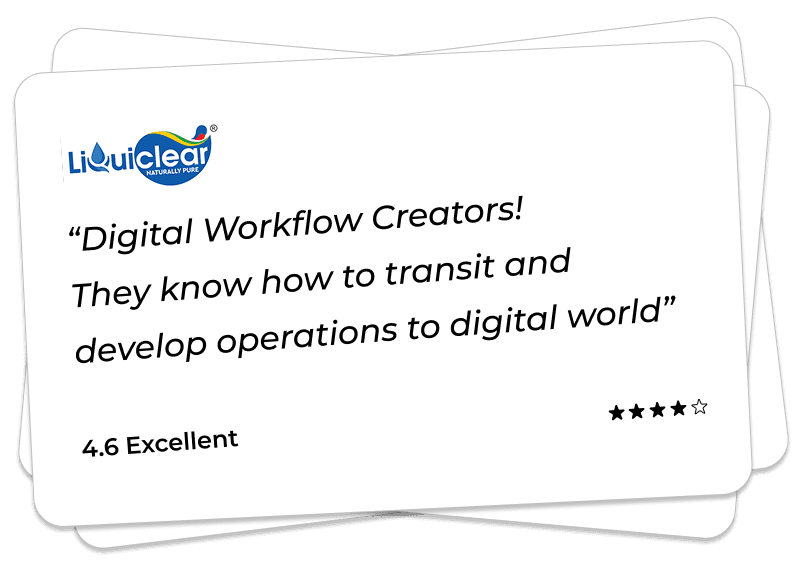
So how does it work? Check for yourself by their feedback.
Client Feedback

Get a Callback